Nine styles turn a vague cover request into a usable brief
Across 13 files, xialingguo-ip defines nine visual directions for Chinese creator covers. They range from warm hand-drawn tutorials and product-led layouts to dark technology, collage, editorial magazine, black-and-gold steps, saturated test reports, handwritten results, and dashboard scenes. Each entry specifies colors, likely elements, and suitable subjects. That vocabulary helps a creator explain the desired mood without knowing formal design terms.
The intake asks for four things: the title or topic, a style, the element that deserves attention first, and an optional portrait. Ratio, screenshots, logos, data graphics, exact text, and avoided colors are secondary. The 9 thumbnail files show the available visual families. The default is 21:9, with 3:2, 4:3, 1:1, and 9:16 available when a publishing surface needs another shape.
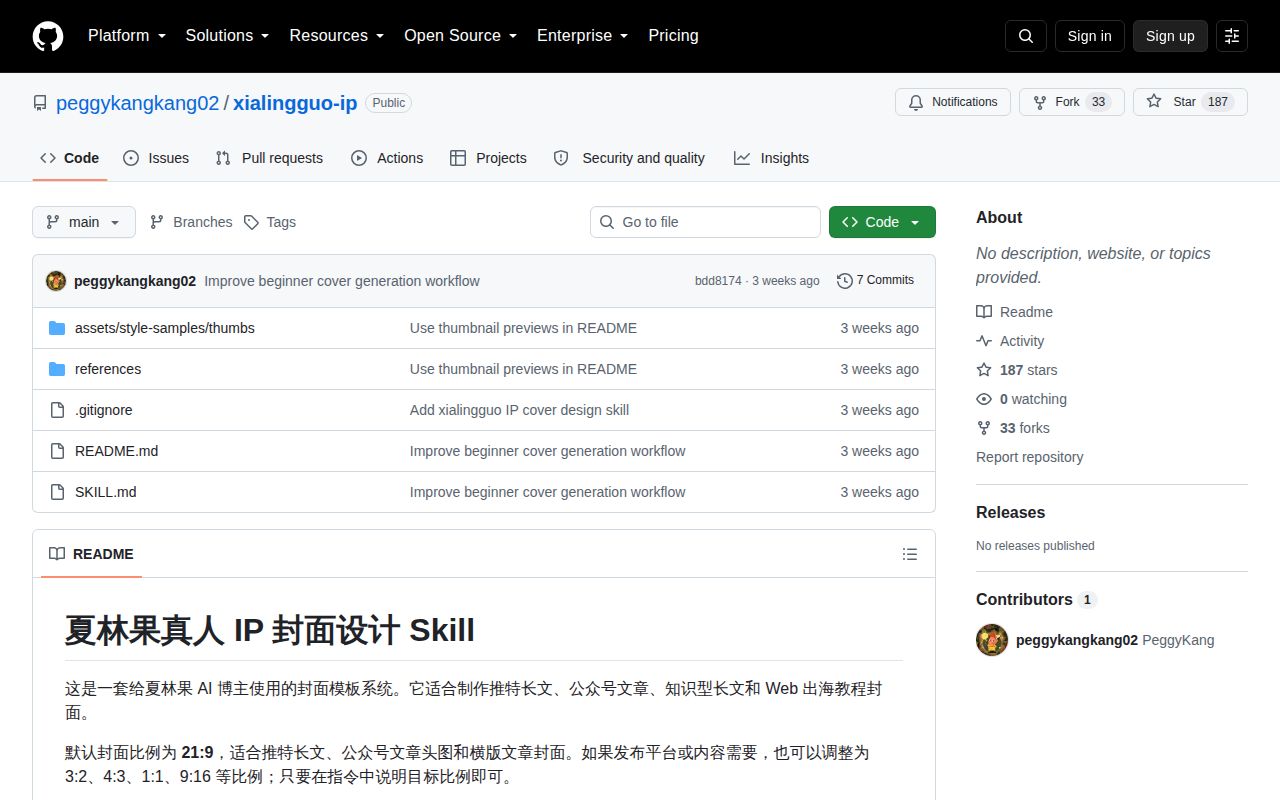
The 13-file repository is an instruction pack, not an image app
The tree contains 13 files: a README, SKILL.md, one style reference, nine PNG thumbnails, and a gitignore file. There is no application source, package manifest, command, model weight, API client, or rendering service. Calling the skill still depends on an outside assistant that understands the instruction format and can generate images. The repository does not give installation steps for a named host.
Those 13 files provide intake questions, art direction, prompt constraints, and a review checklist. They do not generate pixels by themselves. Image synthesis, portrait consistency, title rendering, resolution, and edits come from the assistant or model chosen by the user. ComfyUI or InvokeAI is the better comparison when you need a controlled image pipeline rather than a written brief for one creator niche.
What happened when we ran it
Our lab has no install, build, or test result for commit bdd8174. GitHub reports no primary programming language, and the repository has no Dockerfile. The harness classified it as unsupported instead of treating Markdown and PNG files as a runnable program. This review cannot confirm generation speed, resolution, prompt success, typography accuracy, or identity fidelity through first-party execution.
The 13-file pack can still be checked as documentation. SKILL.md tells an assistant how to collect inputs, select a style, choose whether the title, person, product, process, result, or story leads, and inspect the image before delivery. It also says to fix obvious failures or disclose when later typesetting is needed. These are clear instructions, but no automated check enforces them.
Nine PNG files cannot solve Chinese typography
The skill asks the model to preserve the user's title without rewriting it. It also admits that image models can misspell longer Chinese text. When wording must be exact, the workflow should produce a high-resolution visual background followed by typography in Canva, Figma, or another layout tool. That 2-stage route adds work, yet it is more reliable for publication copy than hoping a generated title is perfect.
The 9 sample images are thumbnails for choosing a style, not templates to export or finished covers. Their reference size is about 1916 by 821 pixels at 21:9. The instructions warn against fake logos, excess particles, empty data streams, and repeating one composition. A person still has to check spelling, hierarchy, crop safety, contrast, and the platform's final dimensions.
Portrait consistency depends on user-supplied references
The public 13-file repository carries no creator portrait. A user supplies one or more reference images and can label poses such as greeting, explaining AI, or raising a finger. If the instruction says to place the original image directly, the assistant must keep the face, expression, pose, clothes, and hair instead of redrawing or beautifying them. The included thumbnails cannot substitute for those personal assets.
That rule separates a cutout workflow from generated likeness, but it cannot guarantee every model will preserve identity. A model may still alter a face unless the host supports faithful reference handling or direct compositing. Creators who care about recognizability should use a real cutout, inspect it at full size, and retain permission records for anyone else's image. The skill describes the desired outcome, not a technical identity lock.
No license or release defines reuse terms
GitHub showed 187 stars and 33 forks on October 2, 2026, but no detected license, open issue, pull request, or published release. The 13-file tree also had no LICENSE or COPYING document. Public visibility does not tell a business what it may redistribute, modify, or bundle. Ask the owner for terms before shipping the skill inside a product, paid course, or shared company template library.
The repository was created on September 10 and last pushed on September 12, a span of 2 days. That short history may simply reflect a finished personal asset, since there is no issue queue showing unresolved work. It does not provide version tags, compatibility notes, or maintenance evidence across image-model changes. Private inspiration is the safer use until installation guidance and licensing make broader adoption clear.
The 4-question intake works only for its narrow niche
The skill is built for Chinese AI tutorials, productivity content, product experiences, and Web expansion stories with a personal-brand face. Its 4-question intake and 9 thumbnail files reduce blank-page work for that audience. They help less when a company already has a brand system, a publication works in another language, or a designer needs source layers and deterministic typography. Narrowness is both the useful feature and the limit.
Use the 13-file pack when you already have an image-capable assistant, your own portrait assets, and time for a final type pass. Keep the title and visual priority explicit. Choose ComfyUI or InvokeAI when repeatable model settings, masks, layers, and export control matter more than the included Chinese art direction. Until the owner adds a license, do not present it as an installable open-source product.