Choose between Scenario generation and a local creative application
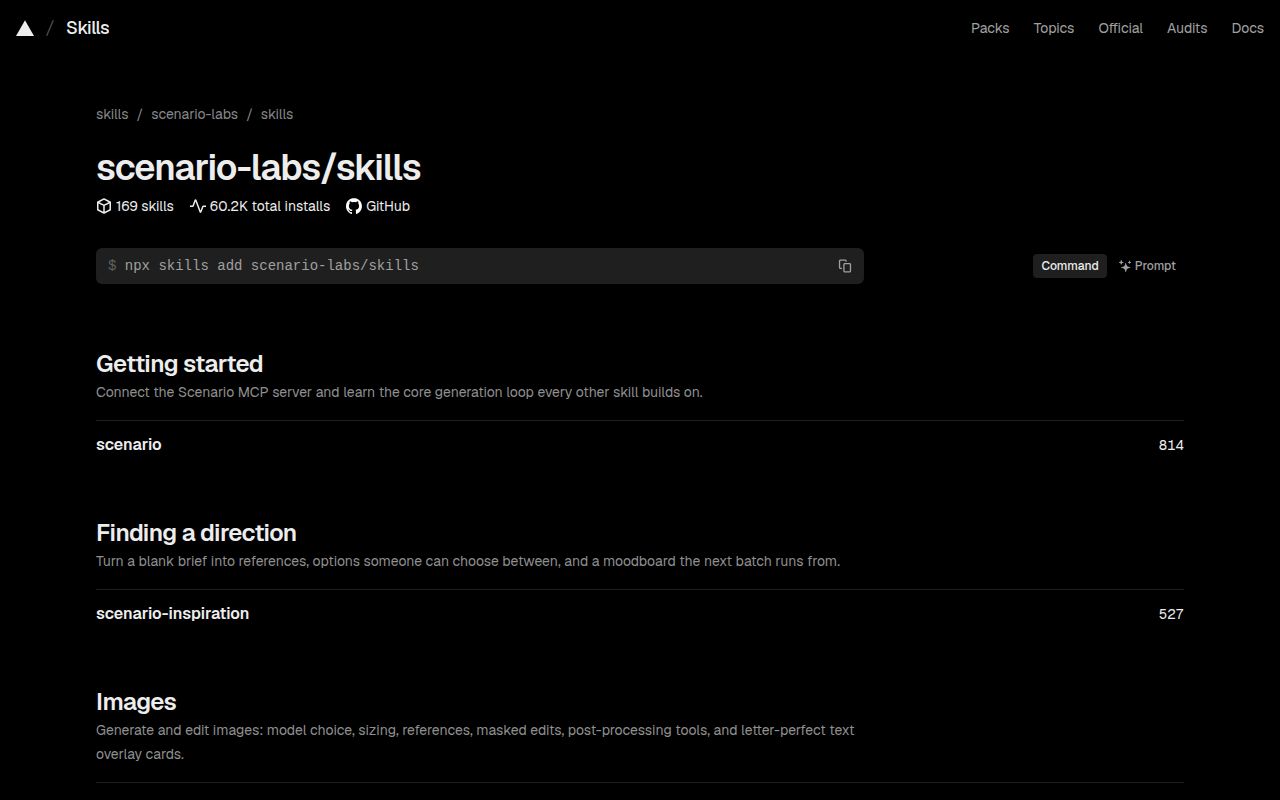
Scenario Agent Skills has two operating paths. Its generation skills use the Scenario MCP service, while its expert-tool families drive creative applications installed on your machine. Choose the path before copying an installation command. Connecting an agent to Scenario does not supply ZBrush, and installing a local expert family does not establish a working Scenario generation workflow.
The repository README describes instructions for coding agents including Claude Code, Cursor and Codex. The catalog covers creative tasks such as image generation, asset editing and video workflows. Those descriptions give you candidate procedures to inspect. Our run measured repository setup and checks, without producing an asset or comparing agent output with and without a skill.
What happened when we ran it
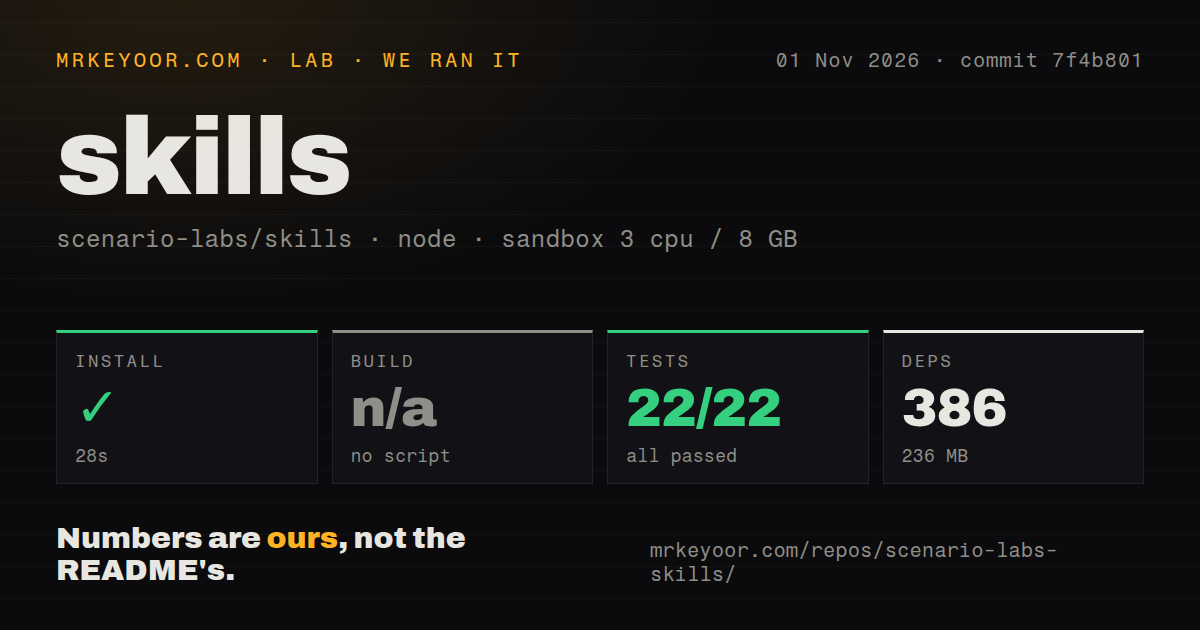
Our Scenario Agent Skills dependency installation succeeded in 28 seconds, recording 386 dependencies and 236 MB on disk. The November 1, 2026 run used commit 7f4b801. No build script or target was found, so the build was skipped. That absence is a recorded repository fact, without establishing a missing requirement for users who only want to load skill instructions.
The overall test command failed with exit 1 after 46 seconds. The Vitest summary reported 22 passed and 0 failed out of 22. Those passing results describe part of the command's output. They do not override the failure reported by the overall process, whose tail contains additional error and failure summaries.
The tail names test_every_script_imports failures for skills/dcc/zbrush/scenario-zbrush-expert/scripts/zb_audit.py and skills/dcc/zbrush/scenario-zbrush-pose-print/scripts/zb_print.py. It also includes FAILED summaries with errors. The supplied lines do not include the underlying exceptions. We cannot tell whether the cause was an unavailable dependency, application-specific requirement or a code defect, and should not label any of those as the diagnosis.
The scan recorded 1,855 files, approximately 210,002 source lines and a 46.8 MB checkout. It found eleven CI workflow files and a tests directory, with no Dockerfile. The sandbox configuration was 3 CPUs, 8 GB RAM and image lab-node:22. That label establishes neither the runtime version nor the operating-system version. We have no measured service-authentication result, image-generation quality or live application-control result.
Expert families need their lead skill's scripts
The README says expert-tool families install as a set because specialist skills import the lead skill's scripts. That is a practical reason to resist selecting a specialist only because its name matches your immediate task. A technical artist should inspect the family instructions and local application requirements together before asking an agent to modify a working scene.
ZBrush is particularly relevant because the failure tail names two scripts in that family. This gives a developer concrete import checks to investigate. It does not establish that every ZBrush procedure fails, that every other family passes, or that the same result will occur inside a configured creative workstation. Keep the scope of the finding attached to those named files.
If you want to evaluate a local expert family, use a disposable project and retain the original assets. Check whether the agent can complete the selected procedure and whether the exported result remains usable in the application. Those are proposed acceptance checks. Repository dependency installation and passing Vitest cases do not supply that evidence.
Scenario workflows require authentication beyond the skill files
The documented service route connects an MCP client to Scenario and authenticates through a Scenario account using OAuth or an API key. Installing instructions therefore covers only part of readiness. Your agent still needs a working service connection and permission to perform the selected task.
The catalog's core Scenario skill describes a generation loop that includes discovering tools, running a task, waiting for completion and downloading results. That workflow is a reason to consider the collection if Scenario already fits your creative process. We did not measure generation charges, completion time, output fidelity or how reliably an agent follows those instructions. Decide those points with a bounded asset task before expanding access.
The README also distinguishes fetching the latest main-branch copy from pinning the installer and repository commit. Pinning is useful when you need to reproduce a reviewed workflow: retain the selected revision alongside the agent configuration. Updates can then be evaluated as changes to the procedure, rather than silently changing the instructions behind an ongoing project.
General skill examples serve a different authoring need
Anthropic Skills contains examples for specialized Claude tasks. Its README labels them demonstration and educational material, and distinguishes open-source examples from source-available document skills. Choose that repository when you want patterns for writing a general Claude skill. Do not assume it supplies Scenario's creative procedures.
OpenAI Plugins is a curated collection of Codex plugin examples. It documents plugin manifests and optional companion components, including skills. It fits a developer packaging a Codex integration. Neither alternative was compared with Scenario Agent Skills in our sandbox, and neither is a measured winner for asset generation.
GitHub reported a push to Scenario Agent Skills on November 1, 2026, and recent issue and pull-request activity on the same date. The latest-release endpoint returned skills-v0.60.1, dated October 29, 2026. Those are maintenance signals, without demonstrating support quality or repairing the failed command in our recorded run.
Documentation scores 4/5 on this scale: 1 lacks a usable entry point, 2 gives orientation, 3 provides an actionable main path, 4 explains alternate paths and material constraints, and 5 requires independent verification of those routes. Separate service and local-tool instructions support 4 here. The remaining dimensions are unassessed. Before adoption, resolve the relevant import failures and complete one representative asset task on the exact pinned setup you intend to use.