Wake turns fragmented agent history into a local archive
Coding agents are good at producing useful work and surprisingly bad at making yesterday's conversation easy to find. Wake scans the private folders maintained by multiple coding tools, presents their sessions in one native desktop window, and lets you search or resume them without copying everything into another cloud service. At v0.2.9, it is a young product with a narrow brief, but that brief will feel familiar to anyone who has forgotten whether a useful answer came from Claude Code, Codex CLI, Cursor, or Gemini CLI.
The breadth is meaningful. Wake lists 14 supported agent formats, including Claude Code JSONL, Codex session files and its read-only SQLite state, Copilot CLI, OpenCode, Kiro, Pi, Oh My Pi, Grok Build, Kimi Code, and DeepSeek Harness. That is not universal coverage: Cursor IDE chats, Windsurf, and Trae use encrypted local data, while Amp, Factory, and Warp keep sessions in the cloud. Wake says so plainly, which is more useful than pretending every missing integration is around the corner.
Search and resume are the two convincing reasons to install it
Wake's strongest feature is not simply displaying transcripts. Its SQLite FTS5 trigram index is designed to find ordinary language, CJK text, and code substrings such as useEffect(, then jump to the matching message. The transcript view adds user and assistant bubbles, collapsible tool-call groups, thinking summaries, and tree-sitter highlighting for more than 30 languages. For a developer trying to recover one command or explanation from months of sessions, this is a concrete improvement over searching loose JSONL files.
Resume completes the workflow. Wake can reopen a selected session in a terminal at its original project directory, using commands such as claude --resume or codex resume. It also exposes the last-used model where a source records that information and shows how a Codex session began, such as CLI, IDE extension, or desktop app. Star and pin metadata lives in Wake's own database, while Markdown export provides an escape hatch when a conversation needs to become durable project documentation.
The privacy design is equally specific. Agent directories and their databases are opened read-only, credential files such as auth.json are excluded, and Wake says it makes zero network requests. Its rebuildable index is stored separately from original session files, with stars and pins preserved in their own table. Deletion is the exception users should understand: it deliberately moves an original session to system Trash or the Recycle Bin and records a tombstone, so the action is recoverable through the operating system but is not merely hiding a row in Wake.
What happened when we ran it
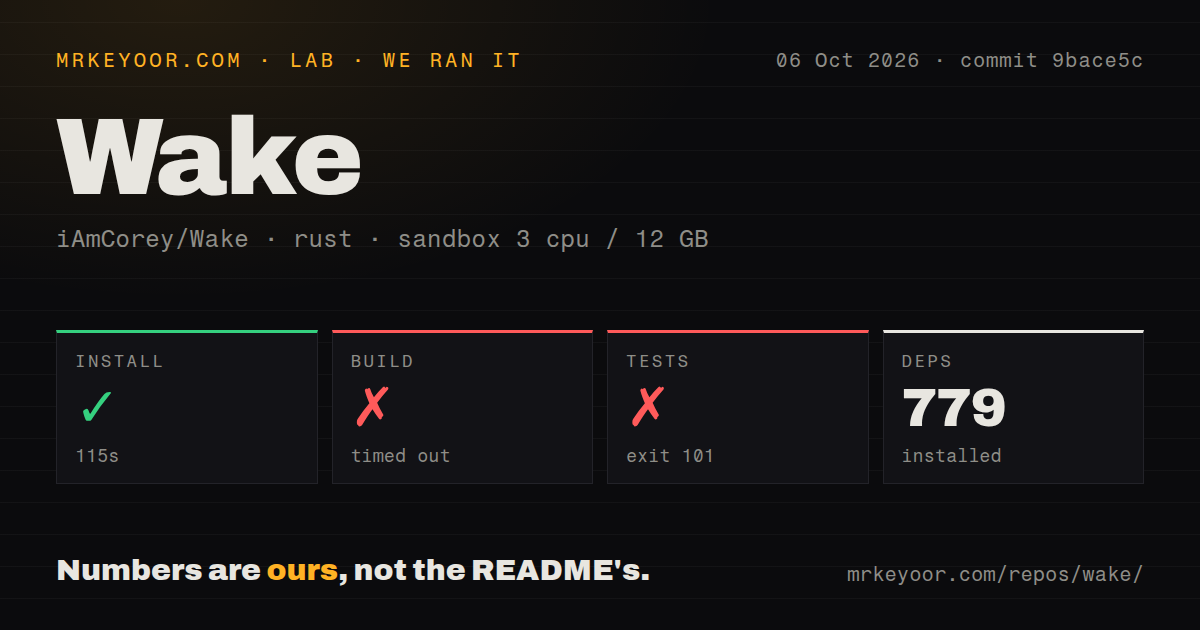
We cloned commit fd7f343 into an unprivileged Debian container with 3 CPUs and 12 GB of RAM. The repository contained 132 files, about 18,415 lines of source, and occupied 1.6 MB. Dependency installation succeeded in 22 seconds and installed 767 packages. The build then ran for 896 seconds before failing with exit code 101, and the log's concrete error was that rust-lld could not find the system library -lxkbcommon-x11.
Tests also failed with exit code 101 after 5 seconds, at the same linker error while compiling the Wake test binary. We found 3 CI workflow files, no Dockerfile, and no top-level tests directory. Those observations do not prove that Wake's data layer is broken, and they do not validate the README's performance claims either. They show that our fresh sandbox could install the Rust dependency graph but could not complete the documented source route with the environment as provided.
That distinction matters because the README lists libxkbcommon-x11-dev among its Linux prerequisites. Our measured failure says the library was unavailable to the linker in our box; it does not establish whether the package was absent, misconfigured, or inaccessible for another reason. Users building from source should expect native desktop dependencies. A prebuilt .deb or tarball is the sensible first attempt on Linux, while macOS and Windows users must accept Gatekeeper or SmartScreen friction from unsigned packages.
Platform support is candid but still uneven
macOS 14 and later is the primary target. Linux support began in v0.2.5 and Windows in v0.2.7, with the README calling both experimental. The project says data parsing, rendering, and search are tested on Linux, but terminal resume and desktop integration have had less real-world use. Windows similarly supports several terminal hosts and uses the Recycle Bin, yet carries the same beta warning. Anyone depending on predictable fleet-wide behavior should wait for broader platform mileage.
There are other practical boundaries. Wake is a personal archive, not a shared knowledge base, compliance repository, or manager dashboard. It cannot recover encrypted or cloud-only histories, and its model and origin fields are limited by what each agent records. The author's benchmark of roughly 310 sessions and 800 MB is useful context, but it remains an author-reported result; our run did not measure indexing or search latency because the app never linked.
The project is active, promising, and not yet mature
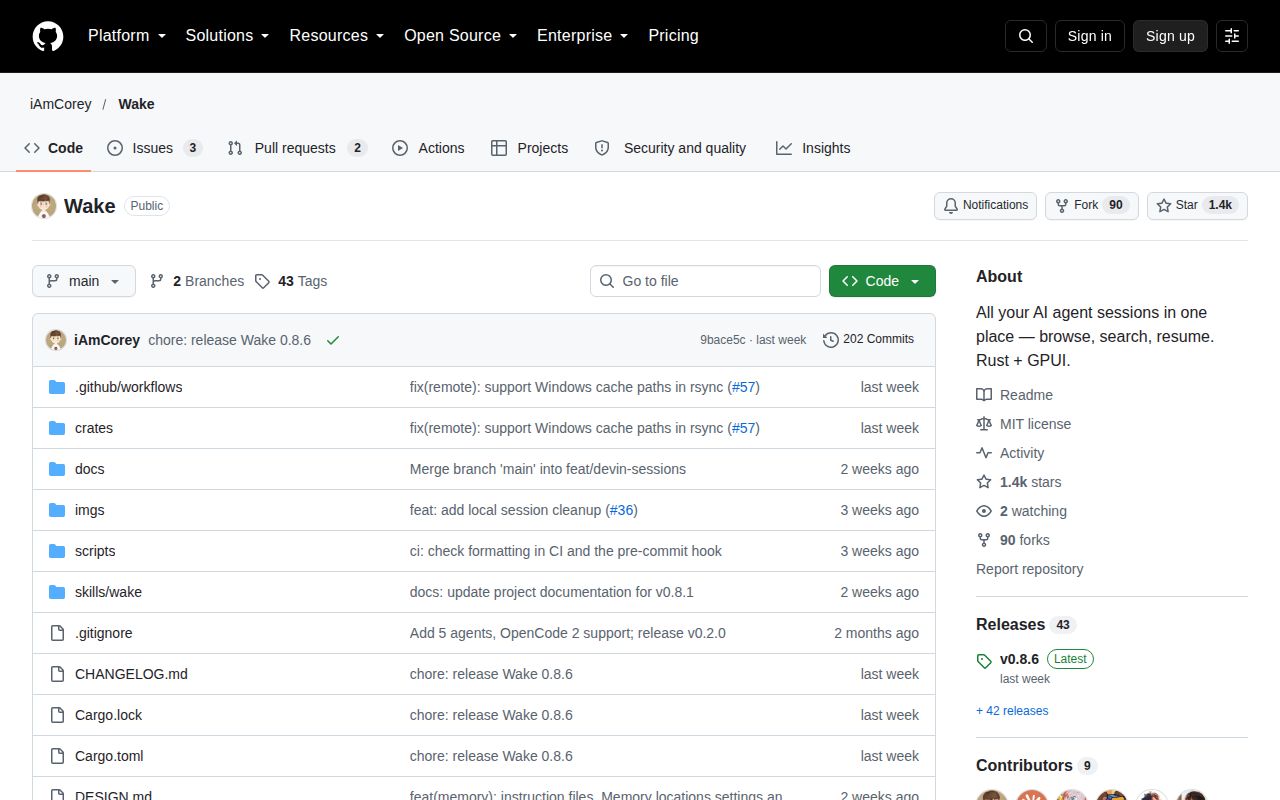
Health signals are lively for a repository created on 2026-08-18. It had 618 stars, only 3 open issues, a v0.2.9 release on 2026-08-25, and another push minutes after that release. Together, the recent code activity and low issue volume suggest an attentive early project. They cannot show how maintenance holds up after launch week or whether file-format changes across 14 upstream tools will remain manageable.
In a real stack, Wake belongs on an individual developer workstation beside the coding agents it indexes. It should not sit in CI, replace source control, or become the only home for decisions that matter to a team. Use it as a recall layer: locate the old exchange, resume work when appropriate, then move durable conclusions into issues, commits, or documentation. For macOS-heavy developers juggling several agents, that is already persuasive; for cross-platform organizations, v0.2.9 is better treated as a closely watched preview.