ChatGPT-specific entrypoints justify the extra SDK
MCP Extensions lets a user open your app from ChatGPT's sidebar without waiting for the model to call a tool. The README also demonstrates file viewers, composer mentions, and richer forms through Bits & Bolts, a CAD-parts example. These features solve a concrete interface problem: a useful app often needs to stay open while a conversation continues. They make sense when your product needs that persistent surface inside ChatGPT.
Our checkout contained 308 files and about 15,197 source lines, with monorepo workspaces rather than a single sample script. The repository README points to separate TypeScript and Python SDKs, a protocol specification, and the demo source. The TypeScript side covers servers and app interfaces, while Python covers server extensions. You still build the product behavior and supply whatever services it calls. Installing this repository does not produce your finished plugin.
What happened when we ran it
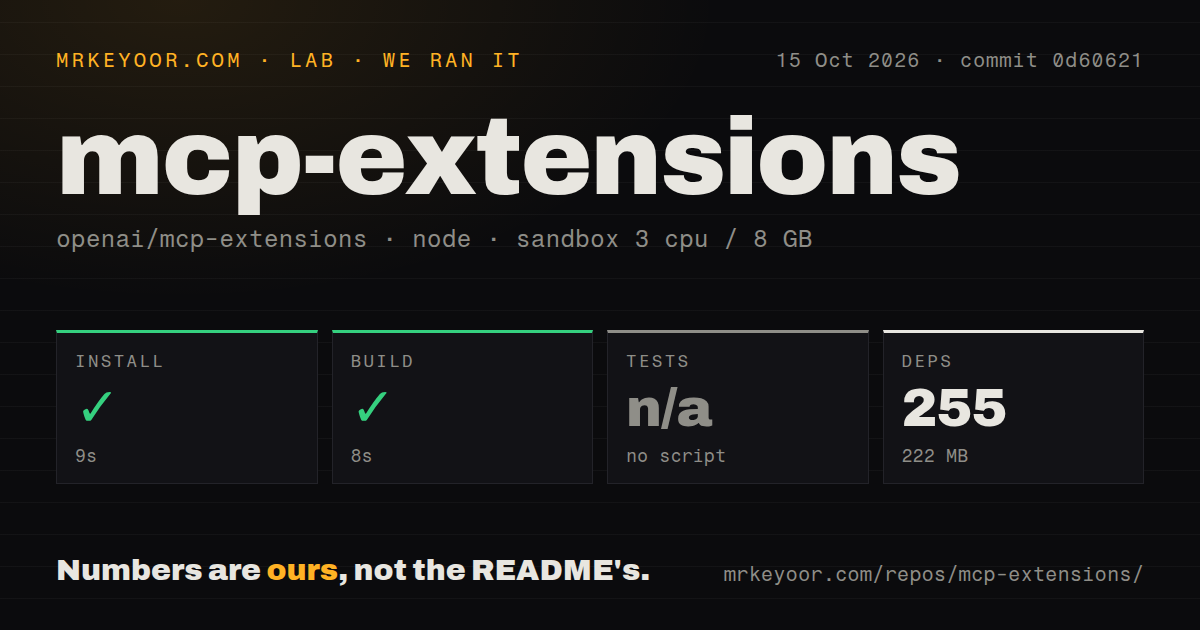
Our sandbox installed commit 0d60621 in 9 seconds, adding 255 pnpm packages and occupying 222 MB. The build passed in 8 seconds on October 15, 2026. The run used a fresh Debian container with 3 CPUs, 8 GB of RAM, Node 22, no secrets, and no elevated privileges. That is a straightforward repository build result, with no measured host-interaction result attached to it.
Tests were skipped because there was no test script or target. Our scan found 3 CI workflow files, no Dockerfile, and no tests directory. The 109.6 MB checkout and successful build establish that the workspace could be prepared in the sandbox. They do not establish that a form opens, a file saves, or the model sees the same app state as the user. No dependency vulnerability result was supplied for this run.
Desktop support does not imply mobile support
The extension specification's platform table lists file entrypoints as desktop-only. Its web column refers to the Work browser and describes expected launch support, so it needs to be read with that scope intact. A file editor built around those entrypoints should not promise the same workflow on a phone. Decide which client must support the feature before designing the screen around it.
The 8-second build tells us nothing about that distribution boundary. Official OpenAI documentation says composer mentions are available only in the ChatGPT desktop app and describes web availability as still rolling out to some plans. Capability checks belong in the product's behavior. A screenshot from the CAD demo cannot show whether your intended audience has the necessary client and access.
Server and app dependencies follow different paths
The TypeScript guide separates shared types, server imports, and app imports. Its server path uses MCP server SDK 2, while the app path documents its own MCP Apps dependencies. That is helpful specificity for a developer integrating an existing server. Follow the path matching the code you are writing, and keep the installed versions aligned with the examples. Mixing a server snippet into app code adds avoidable integration confusion.
Our 255-package installation was the repository workspace, not a measured minimum for every downstream plugin. The guide also distinguishes multi-round-trip forms from legacy requests according to the negotiated MCP protocol. If your plugin needs user input during a tool call, verify the whole interaction on the real connection. Importing the form helper successfully cannot tell you whether that host supports the required exchange.
Copy the demo's interaction ideas carefully
Issue 32 reports that Bits & Bolts returns a full catalog with inline image previews in model-facing structured content. The report describes output truncation and host persistence problems. These are reported demo behaviors, not findings from our sandbox. They matter because a reference app is easy to treat as an approved production pattern, especially when its interface already looks finished.
The project's patterns guide recommends sending selected content and high-level state through the appropriate context mechanisms, with server tools available for additional details. That is a useful basis for reviewing your own app. The model may need the selected part's identity without every image in the catalog. Keep the visual interface and the model's working context synchronized, then inspect the actual result sent through your host instead of assuming the SDK keeps it small.
October releases accompany unresolved host questions
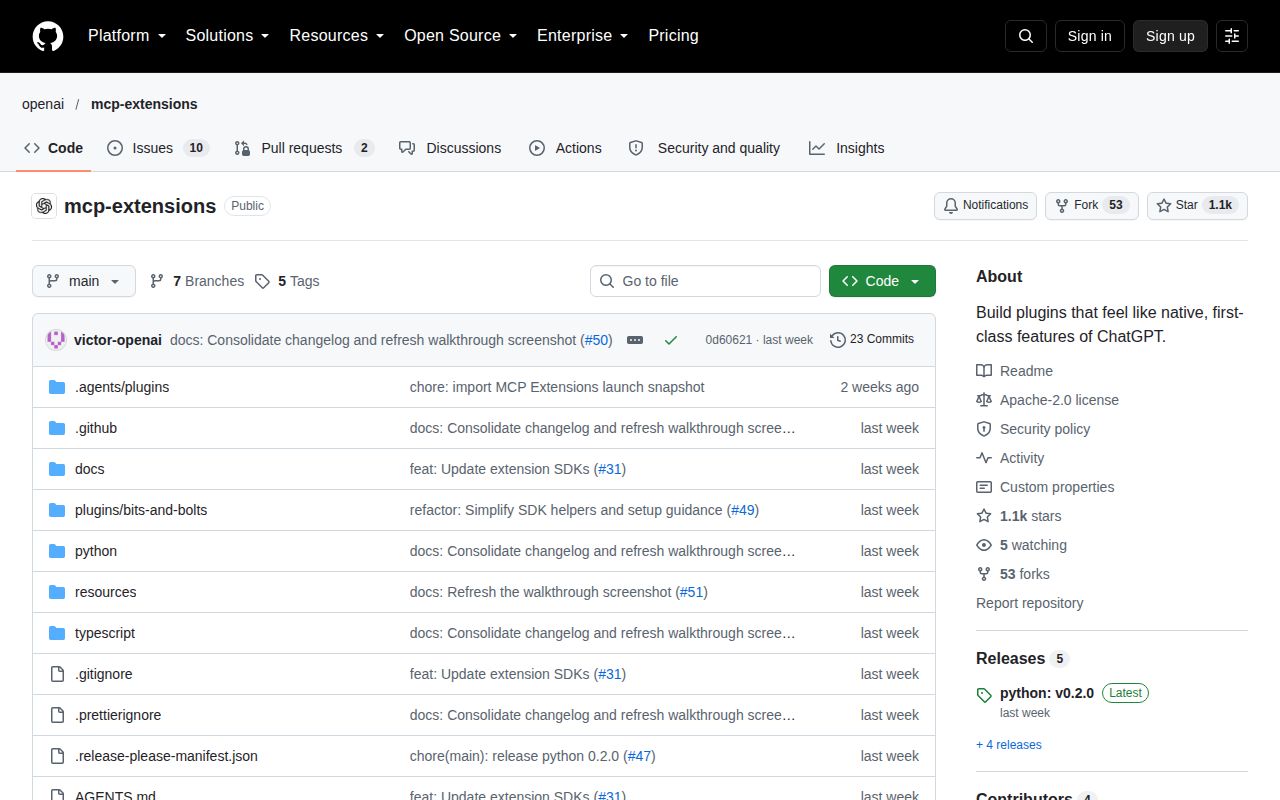
The last push was October 10, 2026, and the latest release endpoint returned python-v0.2.0 from that day. GitHub listed 12 open issues and PRs. Recent reports ask about mobile navigation and reuse of app instances. Those discussions show active integration work while also identifying decisions the public API does not yet make obvious to users. A Python release tag should not be read as the version of every package in the workspace.
Use the base MCP TypeScript SDK when tools and resources already solve the job, or MCP Apps when you need the shared interactive layer. MCP Extensions earns its place when a particular ChatGPT entrypoint improves how someone uses your app. I would implement that interaction first, validate it on the target client, and expand only after navigation and state updates behave as the user expects.