Claude Code approvals give Mochi a useful job
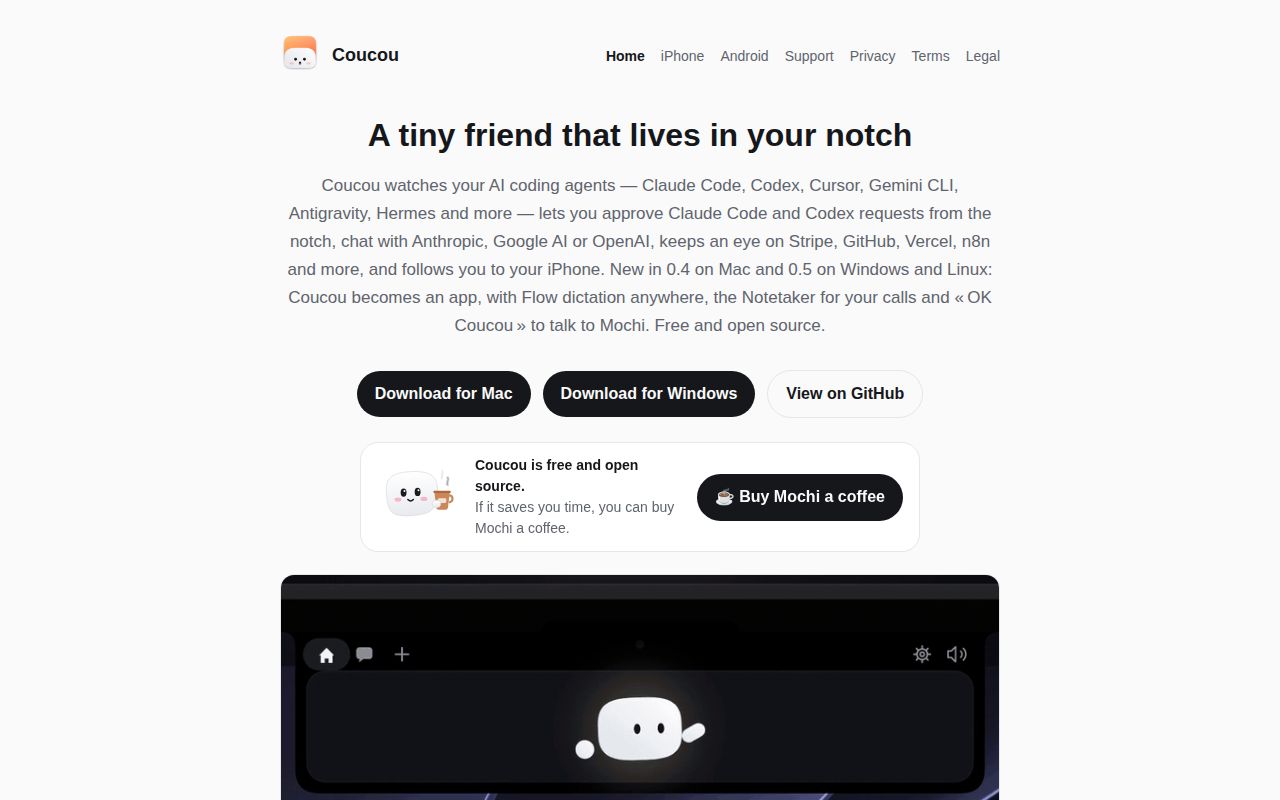
When Claude Code stops for permission, Coucou puts the request at the top of your screen with Allow, Deny and Always controls. You can inspect file changes there too, instead of hunting through terminal tabs. Mochi, the animated character, supplies the expression and sounds. The useful part is knowing which agent needs a decision while you keep another application open. That's a credible reason to give a desktop pet some screen space.
The distinction matters because our 12-second install covered relay/, the iPhone notification component. Coucou itself spans a native Swift Mac app and a Tauri Windows/Linux app, with phone companions alongside them. The agent setup instructions describe hook installation with a backup and a preview of changes to Claude Code's settings. I'd start with that permission workflow before adding chat or service integrations.
What happened when we ran it
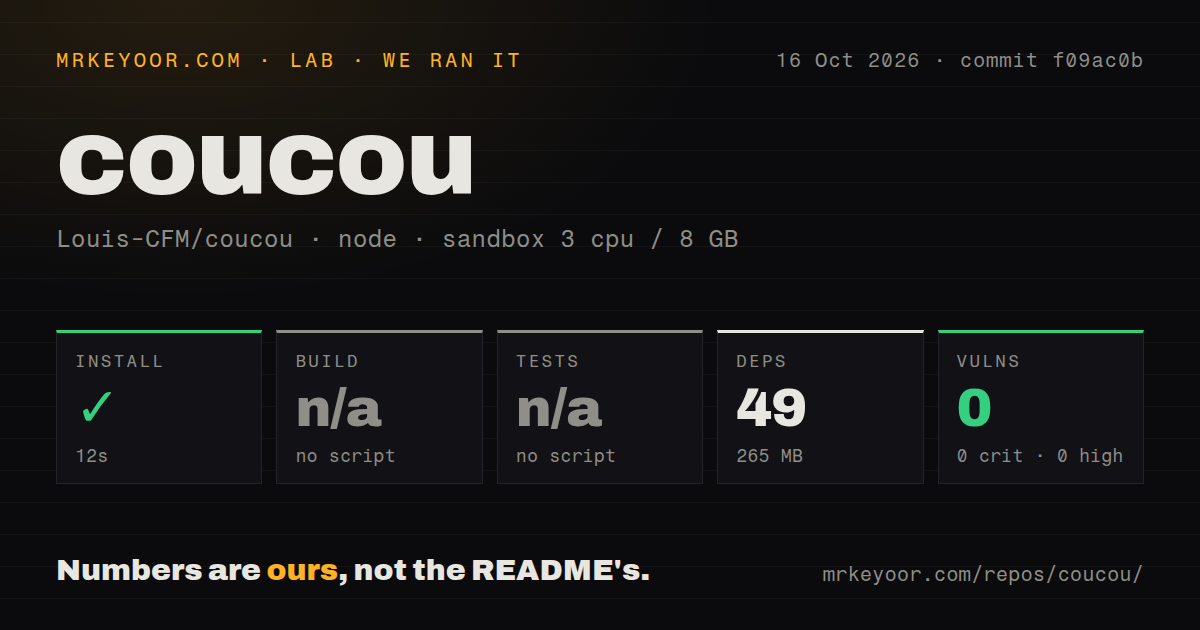
Our sandbox installed 49 npm packages in 12 seconds at commit f09ac0b on October 16, 2026, leaving 265 MB on disk. The run used a fresh Debian container, image lab-node:22, with 3 CPUs and 8 GB of RAM, without elevated privileges or secrets. Installation succeeded in relay/. That gives a developer a concrete starting cost for this component, without establishing whether a desktop window or phone approval works.
Build and test steps were skipped because the selected project had no build or test script or target. Neither step passed or failed. The repository scan found 8 CI workflow files and a tests directory, so a skipped command here cannot support a claim that Coucou has no tests. npm audit reported 0 known vulnerabilities across critical, high, moderate and low severities. That result covers the audited dependency path, rather than every platform in the repository.
The checkout contained 1,036 files and about 155,930 source lines in 30.2 MB. No Dockerfile appeared in the scan. Those details help explain why installing the detected Node component answers a narrower question than running the whole product. Our run supplies no measurement of desktop responsiveness, transcription accuracy or notification delivery, and no result for the native application toolchains.
The relay needs Apple credentials, and desktop development needs more
The relay documentation describes a Cloudflare Worker that signs Live Activity pushes for Apple. Hosting your own requires a Cloudflare account and an Apple Push Notifications key. Its stated payload includes the agent's state and a pending command's fingerprint, while excluding command text and project paths. Sessions themselves sync through private CloudKit. Treat those as documented design choices, not privacy properties established by installing packages.
The 265 MB we measured tells you little about the desktop development environment. The Mac instructions require macOS, Xcode and XcodeGen; Windows needs Rust and MSVC tools alongside Node. Linux adds WebKitGTK, gtk-layer-shell and other development packages. Published desktop downloads offer a separate route for ordinary users. On Windows, the documentation says the installer remains unsigned, which matters if your organization requires a recognized publisher before installation.
Android remote access adds a relay you host yourself
Android's basic link pairs with Windows or Linux over Wi-Fi using a QR code and a pinned certificate. Allowing a request requires biometric authentication or the phone's screen lock. The remote relay guide also describes access over mobile data, using your own Cloudflare relay, and calls for an Android debug build. That is extra deployment work, separate from the iPhone push relay we installed. Mac-to-Android approvals remain unsupported by the documented link.
The 49-package relay installation exercises neither phone route. Mac owners use the iPhone companion with the same Apple Account and iCloud. The README points to TestFlight and separately warns that beta admission may still be under review, so check access before choosing Coucou for remote approvals. I'd settle the computer and phone combination, including who operates any relay, before spending time on outfits or additional integrations.
Windows dictation has a reported bug at our measured commit
Issue 759 names f09ac0b and reports that Windows Flow pill buttons ignore clicks. It also describes tooltips pushing a side-mounted pill away from the pointer. Pull request 760 proposes a fix, but remains open and unmerged. This is a specific reason to hold off if dictation controls are your main attraction, rather than assuming the trouble concerns an older component.
The skipped test step in our 3-CPU sandbox provides no evidence either way about that report. Documentation also needs reconciliation: the main README calls Flow and Notetaker Mac-only in one section, then advertises them for Windows and Linux elsewhere. The dedicated Windows guide describes both. Confirm your platform's release notes before choosing it for voice work. For usage limits alone, CodexBar has a narrower brief; for Mac music controls and a file shelf, Boring Notch is the closer alternative.
Active maintenance doesn't remove the artwork restrictions
The last push was October 15, 2026, and GitHub's latest-release API returned v0.4.0, published that day. GitHub listed 5,326 stars and 404 open issues and PRs combined. October 16 discussion includes the Windows pill report and a proposed fix, showing current activity without proving resolution. Our scan's 8 CI workflows are another maintenance signal, although the relay run produced no build or test verdict.
Coucou's code is MIT-licensed, while its asset license reserves the name, Mochi character and sounds. You can run it yourself, but distributing your own fork requires replacement branding and artwork unless you obtain permission. I'd try Coucou for agent approvals on a supported desktop. If your goal is shipping a branded companion of your own, budget for drawing and naming that companion yourself.