Short answer: inspect the Linux handoff before building a voice device
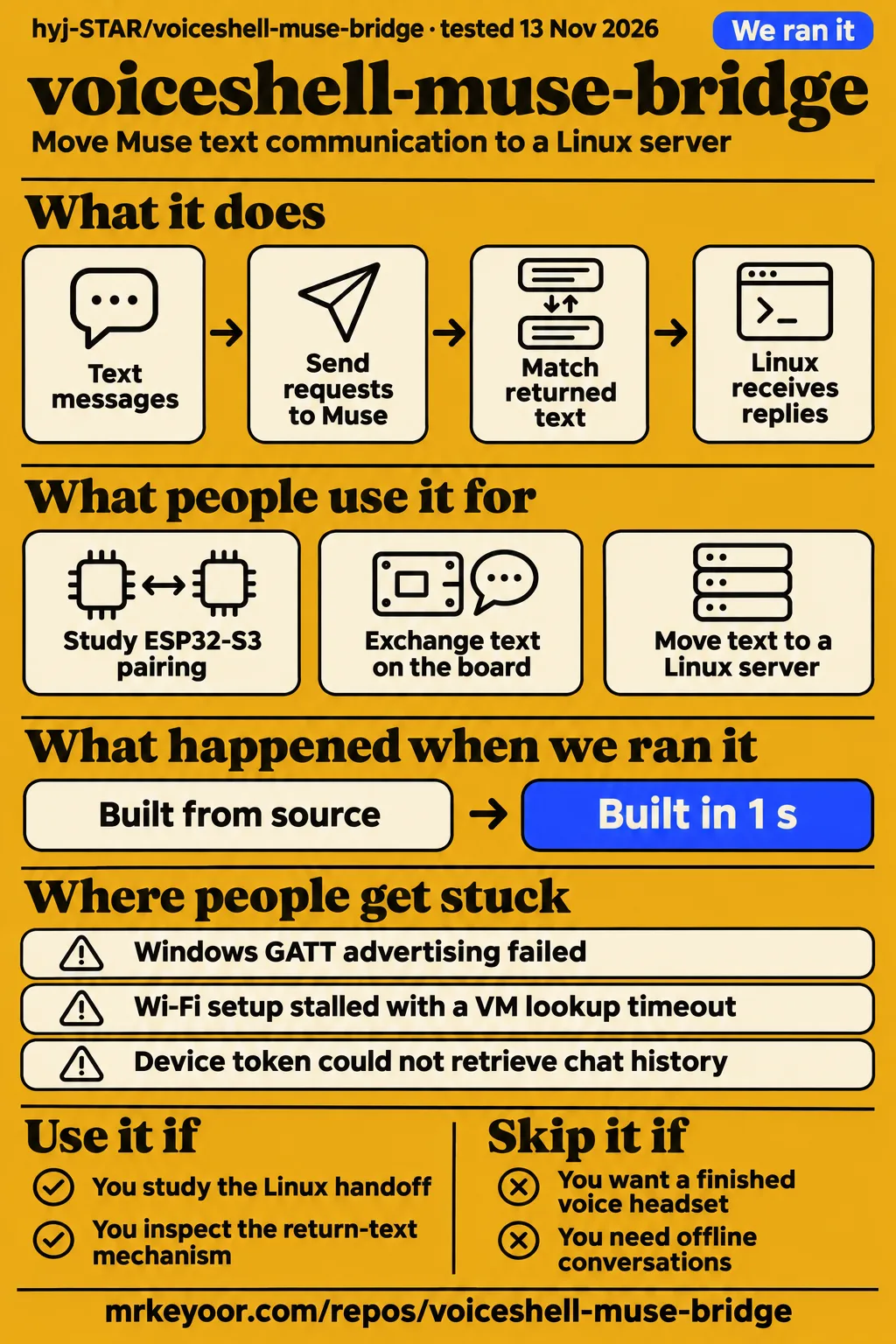
The VoiceShell team reports three ESP32 text round trips followed by two Linux sessions with the board application stopped. That makes voiceshell-muse-bridge relevant to developers studying how an authorized Muse device connection can move onto a server. Our sandbox installed the Python project in 6 seconds and built it in 1 second. The useful decision is whether the reported handoff gives your intended device a suitable integration point. Author's experiment
Choose it to study initial pairing, the return-text mechanism and the failed approaches before designing your own adapter. The author followed the official SDK examples, paired physical hardware and then moved text communication to Linux. A developer can use that sequence to organize an investigation: first understand device registration, then follow message submission, then inspect how the reply returns to the requesting process. The repository's value lies in this specific account of a working path and its detours. Project experiment
What people use voiceshell-muse-bridge for
Use it to study ESP32-S3 pairing and the author-reported Linux text handoff. The two documented uses come from the VoiceShell project team: exchanging text through a physical board, and moving communication to a separate Linux server after pairing. They answer a hardware builder's practical question about keeping a development board in every message path. The author's account says Linux sent messages and received replies after the ESP32 application stopped. Reported uses
| Who used it | What they did | Reported outcome |
|---|---|---|
| VoiceShell project author/team | Paired a physical ESP32-S3 with Muse and exchanged text through the board | Three consecutive text round trips. Board experiment |
| VoiceShell project author/team | Stopped the ESP32 application and moved communication to a separate Linux server | Two independent Linux sessions returned the requested confirmations without board forwarding. Linux experiment |
The team's intended headset is not an ESP32, which explains the interest in a server handoff. Keeping the board in every exchange would add an intermediary to the planned device's communication path. Moving the connection onto Linux gave the team somewhere to build adapters for its software and hardware. For someone designing a different input device, that separation is the architectural choice worth examining before deciding how much of the repository to reuse. Author's design rationale
The Linux messages requested a Chinese confirmation string for each round. Those fixed responses gave the author a concrete return-path check: a sent request could be matched to the expected returned text. A developer planning a reproduction can use the same distinction when defining success. Record the message submitted, the request identifier and the matching reply received by the server before adding the behavior the eventual product needs. Reported confirmation exchanges
What happened when we ran it
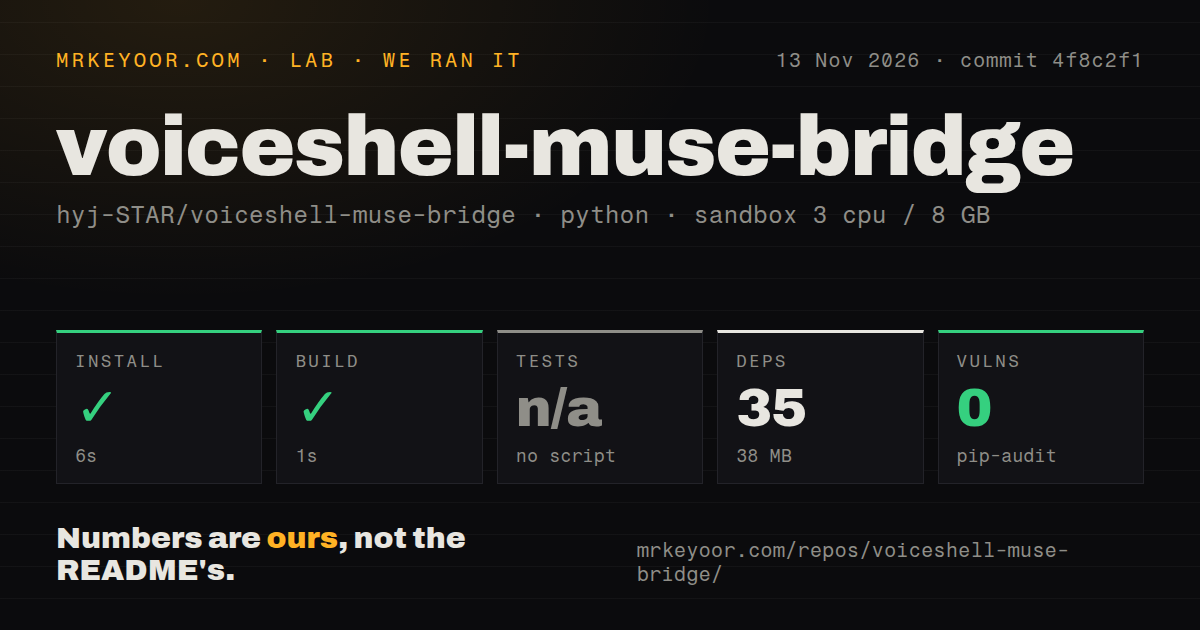
Our sandbox installed voiceshell-muse-bridge in 6 seconds and built it in 1 second on 2026-11-13 at commit 4f8c2f1. The recorded configuration allocated 3 CPUs and 8 GB RAM and named the image ghcr.io/astral-sh/uv:python3.12-bookworm. The checkout contained 50 files, about 1,333 source lines and 1 MB of files. These measurements describe the preparation steps completed by our harness at that commit.
| Sandbox observation | Recorded result | What it means for your decision |
|---|---|---|
| Installation | Succeeded in 6 seconds | Package preparation completed in this sandbox |
| Dependencies | 35 recorded, 38 MB on disk | The recorded dependency footprint is separate from the checkout |
| Build | Succeeded in 1 second | The recorded build step completed |
| Tests | No tests script/target, skipped | The harness recorded a skipped test step |
| Dependency audit | pip-audit: 0 known vulnerabilities | The scan reported zero known advisories |
| Checkout | 50 files, about 1,333 source lines, 1 MB | These are the measured checkout dimensions |
| Automation and packaging signals | 0 CI workflow files, no Dockerfile, no tests directory | The scan found none of those structures |
The separate hands-on safety step failed because none of compose.yaml, compose.yml, docker-compose.yaml or docker-compose.yml existed. The lab labelled this "unsafe repo" because its rule required a Compose file. The finding is a failed prerequisite in that deployment procedure. Readers evaluating the Python project should keep the actual failure message attached to the finding rather than interpreting the label as a diagnosis of the project's code.
The generic run record says the project was deployed with its own Docker Compose, with every port bound to 127.0.0.1. That statement conflicts with the specific safety failure, so the failed prerequisite determines our deployment outcome. The teardown record says "teardown: ok". Keeping all three records visible preserves both the failed step and the inconsistency a subsequent investigation needs to resolve.
The current README lists credential-free unittest commands under esp32 and voice_out. That documentation and the harness's skipped test step describe different things: the README provides commands a developer can run, while the harness recorded that it found no tests script/target. Tests stored beside source files also differ from a dedicated tests directory. Report the skipped step as recorded and use the documented commands as a concrete follow-up task. Documented local checks
Where people get stuck: discovery, routing and reply permissions
The author encountered desktop Bluetooth discovery failures, a cloud-connectivity failure after Wi-Fi association and a denied chat-history request. These happened at different stages of the connection sequence. A phone discovering a device, a board joining a hotspot and a server receiving returned text each answers a different setup question. The troubleshooting account is useful because it records the observations that separated those stages. Author's troubleshooting account
| Author's symptom | Reported route forward | What the record shows |
|---|---|---|
| Mac advertising callback succeeded, but the phone could not find the device | Pair using a physical ESP32-S3 | The physical board appeared in the Muse app |
| Windows adapter reported peripheral support, but GATT advertising failed | Use the physical board for initial pairing | The reported capability flag and advertising outcome differed |
| Board joined Wi-Fi, then logs showed a VM lookup timeout and HTTP status 0 | A Windows hotspot/proxy path completed setup | Cloud setup completed through that network route |
| Chat-history request returned 403: path not allowed for device token | Return text through voiceshell.reply | A device tool supplied the return path |
The board joined the hotspot while the app kept waiting, and the author saw a VM lookup timeout and HTTP status 0. Setup subsequently completed through a Windows hotspot/proxy path. The useful diagnostic sequence is discovery, Wi-Fi association and cloud connectivity, in that order. Seeing Muse work on the phone did not answer the author's next question about the tethered board's route to the service. Network troubleshooting
The permission failure led to a separate implementation choice. A submitted message produced an answer on the phone, but the device's chat-history request returned "403: path not allowed for device token". The author added a tool for returning text to the device. When examining the implementation, follow the send operation and return operation separately: the source account identifies a successful submission followed by a permission failure on a different request. Reply-path account
Replies arrive through a tool with a fresh request ID
Muse returns text by invoking voiceshell.reply, and each request receives a fresh correlation ID. That identifier lets the bridge match returned text to its originating request. The author describes the text-only reply tool, per-request correlation and independent Linux round-trip probe as additions to the official examples. The upstream SDK supplies pairing, encrypted transport, device registration and message submission. Implementation account
Submission and reply receipt are separate events in this design. A client built around the mechanism should track its outstanding request and identify the corresponding returned tool call. That is integration advice drawn from the documented correlation behavior. It gives a developer a concrete reading order for the code: find where the request ID is created, where it accompanies the request and where incoming text is matched against it. Request-correlation explanation
Security depends on pairing, account permissions and the tools advertised
The Linux experiment advertises only the text-reply tool, excluding the SDK's default shell/file tools and over-the-air update capability. The README says tokens, pairing state and credential-bearing firmware binaries stay outside Git. It also warns against running the same device identity on ESP32 and Linux simultaneously. These are specific operational instructions to carry into a reproduction of the authorized migration sequence. Permission and credential guidance
Muse's developer-mode warning says community devices are not verified by Meta and receive broad agent access. The author describes that warning alongside screenshots of the device list and conversation. Review the pairing approval and SDK terms when deciding whether the account permissions fit your intended use. The architecture sends text to Muse's service, so operating the bridge process on your own Linux server still includes that service in the communication path. Account warning and service architecture
English entry points exist, with deeper troubleshooting in Chinese
The repository has English and Simplified Chinese README entry points, and its Chinese walkthrough covers setup and network troubleshooting in more detail. The English README explains the experiment, its reported results and the available guides. An English-speaking developer can start there, then translate the detailed troubleshooting narrative when following the author's network sequence. The Chinese confirmation messages used in the experiment are separate from the choice of documentation language. Documentation entry points
The guide map directs readers to ESP32 setup for initial pairing, serial chat for an already-paired board and the Linux migration report for server operation. The compatibility history retains the unsuccessful Mac and Windows BLE attempts. Choose the entry point that matches the stage you are investigating. This keeps an initial-discovery problem separate from message handling after pairing and makes the retained failure history easier to use. Repository guide map
Public source has specific reuse terms and a documented setup account
VoiceShell's licensing notes say a project-wide open-source license for its original contributions has not been selected. They distinguish those contributions from upstream SDK portions retaining Apache-2.0 terms. The notes direct readers to contact the maintainer before redistribution or commercial use. A team considering product integration therefore has a concrete permission question to resolve alongside the technical question of whether the handoff fits its device. VoiceShell licensing notes
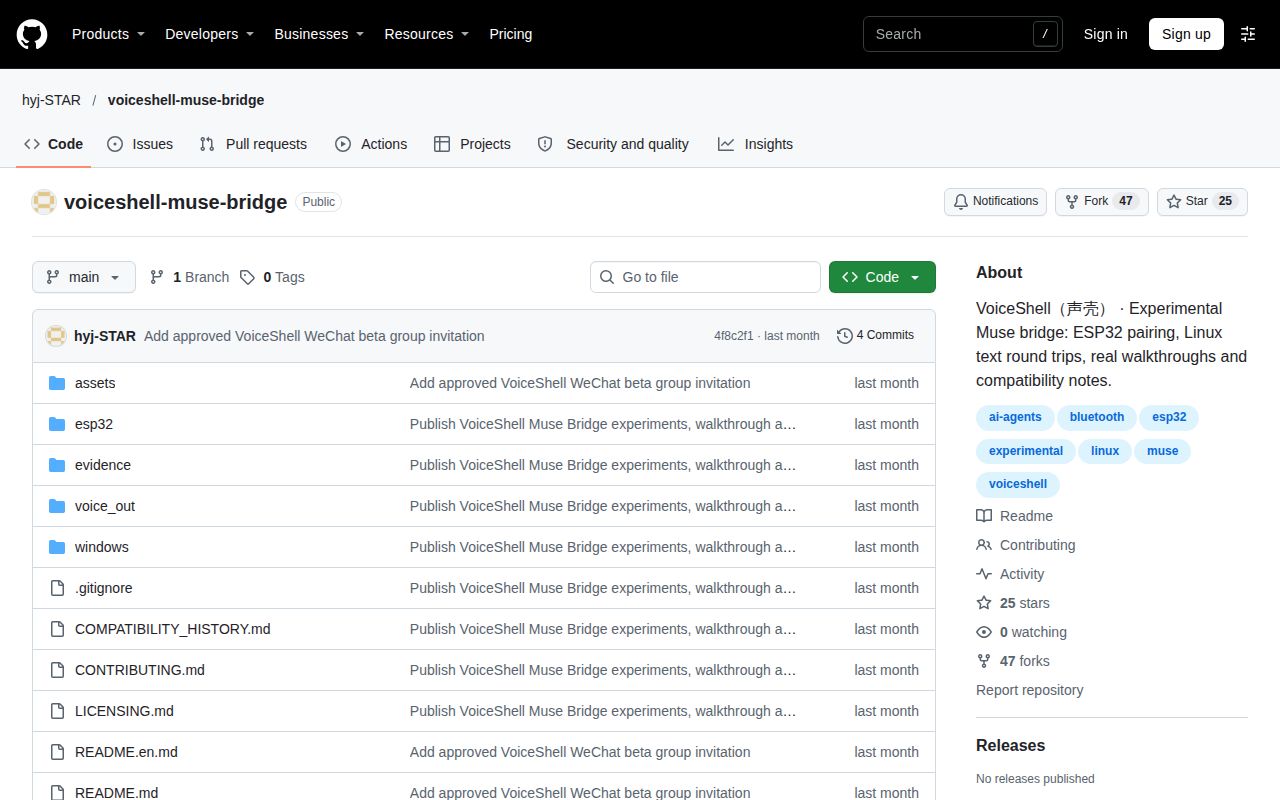
GitHub's supplied metadata reports 25 stars, 47 forks and zero open issues and PRs, with the last push on 2026-10-03. Those figures describe repository attention and activity. The technical evidence for this review comes from the recorded preparation results and the author's experiment account. Use the counters to understand the repository snapshot, and use the setup narrative and implementation details to decide what to inspect next. Repository metadata
We rate documentation 4/5 for its setup entry points, retained failure history and explicit scope statements. On this documentation scale, 1 means no usable setup account, 3 means a documented setup path, 4 adds concrete troubleshooting and scope statements, and 5 requires independently reproduced instructions. The score evaluates the supplied documentation. Setup ease, community support and operating maturity are unassessed; their evidence gaps are collected in the final section rather than converted into numerical judgments.
voiceshell-muse-bridge vs the official SDK and muse-bridge
Choose VoiceShell for its reported board-to-Linux handoff, the official Muse Gadget SDK for upstream device examples, or pooops15/muse-bridge for its documented 9Router/Hermes integration. Each route addresses a different integration destination. VoiceShell's author wanted a server connection because the planned headset was not an ESP32. Start with that architectural question when deciding whether the extra handoff work serves your intended device. VoiceShell design rationale
| Route | What it is for | Pick it when |
|---|---|---|
| Keep the ESP32 in the path | The author's board-based text exchange | You want to reproduce the board experiment before adding a Linux handoff |
| VoiceShell's Linux handoff | The author's text exchange with the board application stopped | Your intended client needs a server integration point |
| Official Muse Gadget SDK | Upstream ESP32 and Linux device SDKs | You want to work directly from the official device examples |
| pooops15/muse-bridge | Its README describes making Muse a model inside 9Router for Hermes | Your target is that router-and-agent stack |
The official Muse Gadget SDK includes ESP32 and Linux device SDKs. Its README describes programming an ESP32 board or setting up a Raspberry Pi, then connecting Muse to displays, buttons, sensors and actuators. It requires an SDK token before pairing and describes pairing through the Muse app. This is the upstream reference to read alongside VoiceShell's account when deciding where your own device behavior belongs. Official Muse Gadget SDK README
The separate muse-bridge README describes making Muse a model inside 9Router so Hermes can use it with tool calls. Its explanation uses a file queue and a worker that returns answers through the bridge. That application-routing destination differs from VoiceShell's physical-device pairing and Linux handoff. Compare the software you want to connect before choosing between repositories whose names both contain "bridge". muse-bridge integration README
Questions people ask
The documented experiment starts with ESP32-S3 pairing, returns replies through voiceshell.reply, and provides no blanket open-source license for original contributions. These are practical entry questions derived from the supplied project evidence. The answers below point to the pairing account, reply mechanism and licensing statement so a reader can follow the relevant decision without treating the repository's public visibility or voice-oriented name as a complete product description.
Do you still need an ESP32 after pairing?
The author reports two Linux sessions with the ESP32 application stopped, receiving replies without board forwarding. The documented sequence begins with physical ESP32-S3 pairing and then moves communication to Linux. Read the migration account together with the initial-pairing instructions to understand that sequence. The README's instruction against running both applications under the same identity applies when reproducing the handoff. Pairing and Linux account
How does the bridge get a reply from Muse?
Muse invokes the voiceshell.reply device tool to return text, and each request receives a fresh correlation ID. The author added this path after the device token was denied access to chat history. For a developer inspecting the return mechanism, the relevant event is a matching tool reply reaching the requesting process. The phone displaying an answer is a separate event in the documented troubleshooting sequence. Return-path explanation
Can you treat the public repository as fully open-source code?
The licensing notes say original VoiceShell contributions have no selected project-wide open-source license. They preserve Apache-2.0 terms for upstream SDK portions and direct readers to contact the maintainer before redistributing or commercially using the original contributions. Read that distinction before selecting code for an integration: the repository publishes experimental source for inspection and reference, with permissions described separately for the material it contains. Licensing statement
What we have not tested yet
Our run completed package preparation and stopped the separate deployment procedure at its Compose prerequisite; independent device pairing and Linux conversation reproduction remain outside this review. The generic deployment record conflicts with the failed safety step, and the pack contains no lab conversation Q&A or screenshot records. The configured image name also supplies no runtime-version measurement. These boundaries apply to commit 4f8c2f1 and the recorded sandbox results, rather than to an independently reproduced device session.
The author's two Linux sessions had observed durations of 19.4 s and 6.6 s, which the README explicitly calls observations rather than a benchmark. The sessions ended after testing. The supplied account has no independent corroboration, uninterrupted demo recording, arbitrary task-execution result or continuous-operation evidence. Source screenshots show implementation; the author's report screenshot is not independent certification, and app screenshots alone do not prove Linux receipt or that the board application stopped. Author's evidence boundaries
The reply mechanism depends on Muse invoking the tool; it provides neither token-by-token streaming nor unrestricted chat-history access. The reported desktop BLE failures remain failures, and the Windows hotspot/proxy outcome supplies no universal VPN or status-0 diagnosis. Advertising fewer tools leaves Muse's account-level warning in place. Likewise, the clean dependency audit supplies no assessment of account-permission suitability, and the missing Compose file supplies no finding of malicious code. Documented behavior and troubleshooting
The roadmap leaves persistent operation, token renewal and revocation, reconnection, cancellation and soak testing unfinished. Stable client APIs, multi-user isolation and production VoiceShell integration are also pending. The evidence supplies no concurrency, operating-memory, account-isolation, recovery or comparative-performance measurements. Package preparation alone cannot support a full setup-ease score, repository counters cannot support a community-support score, and short author sessions cannot support an operating-maturity score. Project roadmap
The headset chain remains unfinished: audio capture, speech recognition, Muse interaction, speech synthesis and playback. Quieter input is a development goal, while fully silent input is an unverified capability. The experiment is not offline, and the reported sessions establish neither broad ESP32 compatibility nor portability of every credential. Documentation instructions have not been independently reproduced here. The next useful result is an authorized text exchange on the intended board and server, with matching replies recorded by the server. Hardware and scope