Short answer: build a personal gadget, not a supported appliance
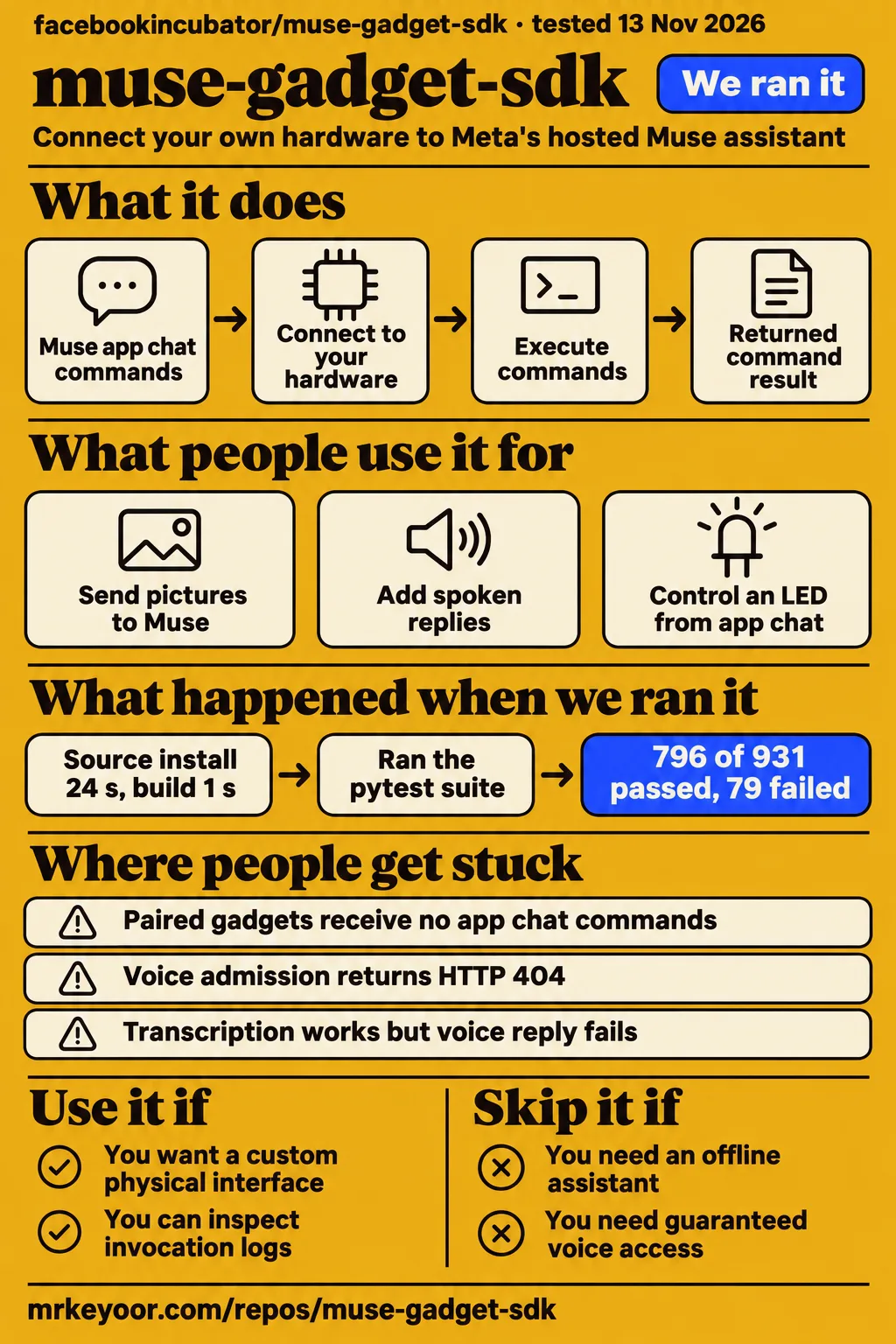
Our Linux source run installed in 24 seconds and built in 1 second, but the test command exited 1 with 79 failures and 56 errors. Muse Gadget SDK is worth considering if you already want to connect your own hardware to Muse and can debug the connection yourself. Choose something else for an offline assistant, a safety-critical device or a commercial product that needs assured service access.
The useful distinction is between a gadget that is paired and a gadget that does the job you asked for. In issue #154, an online device received no command invocations from app chat. Another participant got an LED command working after changing the account and token. That makes a successful pairing an intermediate step, rather than an acceptance test.
Active source work is different from demonstrated adoption
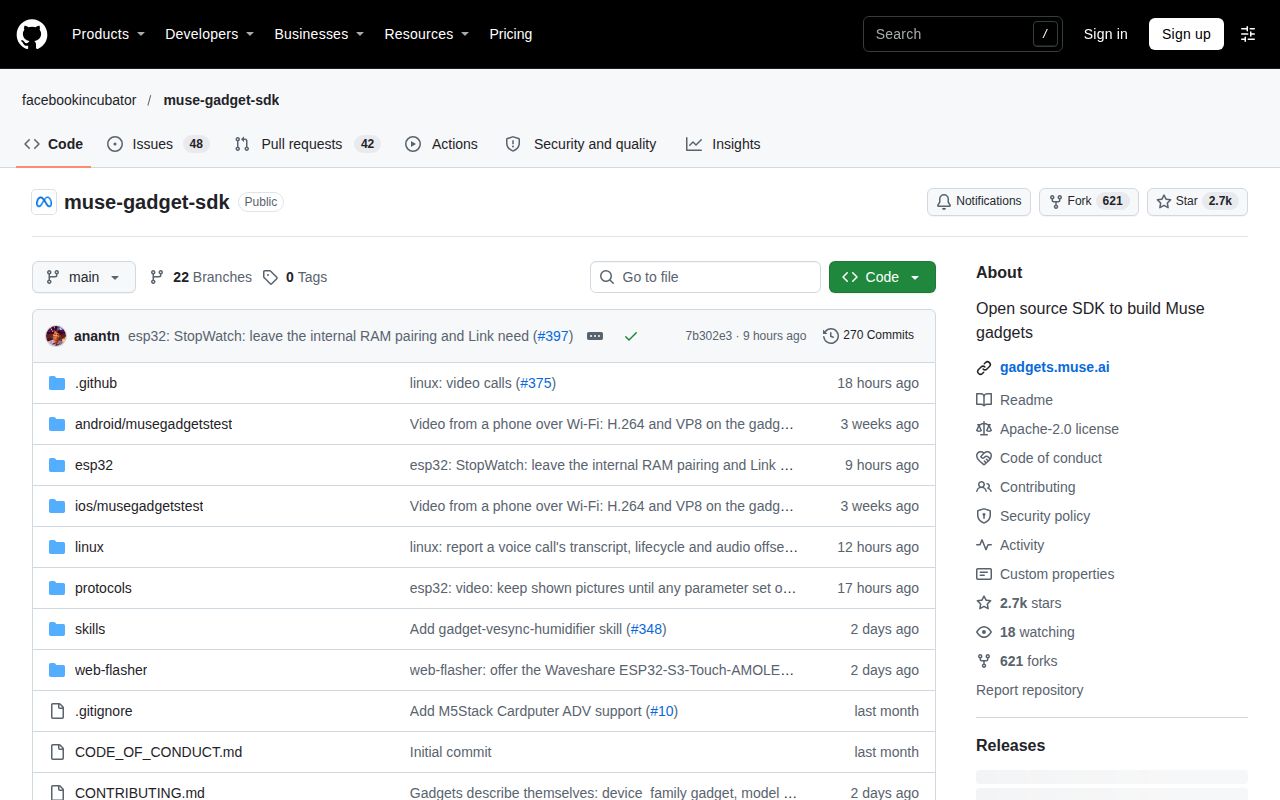
GitHub reported 2,735 stars and a last push on November 13, 2026 when we fetched the repository. Its 90 open issues and PRs are a combined GitHub count. Those figures show attention and recent source activity, while the issue threads give more useful buying advice: people are making things, and seemingly similar gadgets can behave differently.
Our measured checkout was 7b302e3. For this project, select and record a commit rather than treating an old launch tutorial as a specification. The current setup documentation can describe changes beyond that checkout, so keep the source-run result attached to its recorded revision when comparing it with a guide or a report about another build.
What people use muse-gadget-sdk for
Muse Gadget SDK connects ESP32 boards and Linux computers to Muse, with community reports ranging from image questions to spoken replies. The official project page describes displays, buttons, sensors and actuators. These examples explain what people actually connected, who reported the result and how much extra work was involved.
| Builder and source | What they made | Reported outcome |
|---|---|---|
| The Verge | A DIY gadget using a $40 Waveshare development kit | It connected to Muse servers; the author used Claude to write additional code for useful behavior. |
| sacdroid, issue #27 | Image questions from a Linux gadget | JPEG images reached Muse, but the question needed a text item beside the file attachment. |
| raxlin, issue #14 | Spoken replies on a Waveshare ESP32-S3-Touch-AMOLED-1.75C | Third-party TTS supplied MP3 audio through the existing speaker path, with captions including Traditional Chinese. |
| George Simon, OpenClaw Facebook community | A bridge between Muse, OpenClaw and Cursor sessions | Simon reports a GUI that sends jobs to multiple LAN devices. |
The image example is especially useful for an integrator. sacdroid reports that Muse answered about the picture while ignoring the question when the request contained only the file item. A text item alongside the attachment carried the question. If you're building a camera button, getting an image into the conversation and getting an answer to the intended question are separate acceptance checks.
The two setup paths suit different work. ESP32 firmware gives you a board you can wire and modify. The Linux SDK turns an existing computer into a command endpoint. Its documented commands include shell execution, file reads and writes, and device health. Choose Linux for computer integration and an ESP32 for the physical interface you actually want to build, rather than buying a board because a launch photo looks appealing.
What happened when we ran it
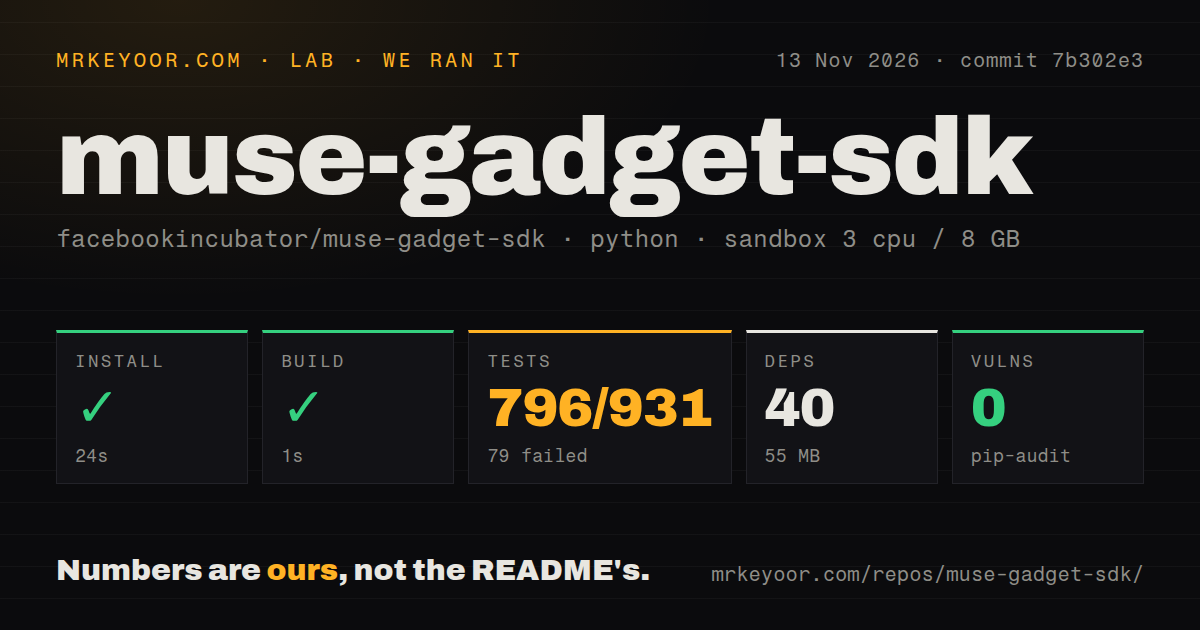
Our November 13, 2026 sandbox run of the Python project in ./linux/ installed successfully in 24 seconds, built in 1 second and failed its test step after 88 seconds. We used commit 7b302e3 with a recorded configuration of 3 CPUs and 8 GB RAM. The image label was ghcr.io/astral-sh/uv:python3.12-bookworm.
| Source-harness step | Recorded outcome | What it tells a reader |
|---|---|---|
| Install | Succeeded in 24 seconds; 40 dependencies, 55 MB on disk | The recorded dependency setup completed. |
| Build | Succeeded in 1 second | The recorded build command completed. |
| Tests | Exit 1 after 88 seconds | The suite did not pass in this sandbox. |
| Pytest summary | 796 passed, 79 failed, 15 skipped, 56 collection/setup errors; reported total 931 | Preserve the reported categories rather than treating them as an uncomplicated pass fraction. |
| pip-audit | 0 known vulnerabilities | This is the dependency-audit result for the recorded run. |
The tail repeatedly names terminal-chat tests ending in KeyError: 'getpwuid(): uid not found: 1000'. It appears in cases for bounded pending queues, interrupted replies, subscription cleanup and restoring stdin. Other named cases cover keeping chat open during unfinished turns and follow-ups, and an event-write timeout during a stalled upstream close. These failures share the user-ID lookup error in the supplied tail.
Pytest's own footer reports 85.58 seconds, while the harness records 88 seconds for the test step. Those are different recorded scopes. The checkout scan found 1,300 files, about 260,834 source lines and 30.5 MB checked out, plus three CI workflow files, a tests directory and no Dockerfile. Those repository signals describe what was inspected; workflow files alone say nothing about their latest outcome.
A separate hands-on attempt stopped at its safety check: none of compose.yaml, compose.yml, docker-compose.yaml or docker-compose.yml existed, and that runner required a Compose file. The run summary nevertheless says it deployed using its own Compose file, with every port bound to 127.0.0.1. The failed step supplies the actionable result: deployment was blocked by the runner's prerequisite. The teardown record says teardown was OK.
This repository contains hardware firmware plus a Linux service, so the Compose-only runner stopped at a packaging requirement before reaching either intended setup route. The source-harness table records the installation, build and test outcomes separately from that deployment attempt. Keeping those records separate prevents the run summary's deployment wording from overriding the failed step that the runner actually recorded.
Where people get stuck: separate pairing, commands and voice
Issue #154 reports an online gadget with no app-to-device command invocations, while issue #310 reports voice admission failures despite working ordinary gadget functions. Diagnose the layer that failed before reflashing the board. An app's online label gives you much less information than a device log containing the requested command and its returned result.
| Symptom and attributed report | Useful next check or reported workaround | Recorded status |
|---|---|---|
| #154, research record: paired and online, no commands from app chat | Distinguish local pairing files, daemon reachability, observed registration and actual invocation. lostxiaoq reports success with a new account and token on the same board and firmware. | Open; an account change helped one reporter. |
#101, research record: repeated get_device_info, no pairing handshake |
Check outbound access to api.muse.ai:443 and network_ready. arong-me's Raspberry Pi reproduction in China completed pairing after routing its traffic through a proxy. |
Open; connectivity workaround reported for that reproduction. |
| #6: transcription works, reply fails | The thread identifies voice output modality as a trigger; requesting text produced a normal answer. | Closed; text-output workaround reported. |
| #87: voice note transcribes, reply has zero characters | The reporter later said the problem appeared fixed and closed the issue. | Closed; the reporter assumed a server-side cause. |
#344: detected speech becomes input_suppressed |
iOS, ESP32 and Raspberry Pi participants report that omitting the wearable device hint stopped suppression in their tests. | Open; client-change workaround reported. |
| #310, research record: realtime voice admission returns HTTP 404 | Preserve the admission error separately from pairing and ordinary command results. | Open; admission failures reported. |
lostxiaoq's LED experiment is the most revealing command report. The participant kept the board and firmware, changed the SDK token, erased flash and paired with a newly created account. Asking for purple then produced an invocation and a returned brightness. The original account still had no device tools in chat. That gives an investigator concrete account and device states to compare when the same board behaves differently after pairing.
The voice reports tell a different story. exrector describes Pal Again, an independent iOS/iPadOS client implementing the protocol, making calls until the morning of November 13 and then getting admission HTTP 404s for audio and video. Pairing, registration, chat, voice notes and commands continued working. The participant also reported that the call button disappeared from the official app and web app on the same account.
For custom boards, issue #50 records a UNIHIKER K10 port with working local display and console tests that stalled during app pairing. DFRobot offered prebuilt firmware for comparison. Record the actual handshake stage before changing unrelated display or audio code: local hardware tests, the console-service connection and the app's pairing exchange exercise different parts of the device.
Security: the Linux command account sets Muse's reach
The Linux README says commands inherit the installed account's permissions, including sudo access if that account has it. That is the first configuration decision to make. Give a personal experiment an account whose files and privileges match the intended task, rather than automatically handing over your everyday administrator account. Shell commands and file operations make that account choice directly relevant to what Muse can do.
The Linux setup instructions also warn that community pairing lacks manufacturer verification and cannot prevent an active man-in-the-middle attack. Pair on a trusted network. The installer opens Bluetooth pairing, while the phone app needs Developer mode and an SDK token. These are meaningful access steps even though the dependency installation in our sandbox was short.
The token is a separate constraint from source licensing. The official token terms allow personal, non-commercial use and say the SDK and tokens are not a supported product or developer platform. Access can change or be withdrawn. The source code license and the permission to reach Muse through a token answer different questions about the same project.
If you share a device, the terms require disclosure of what it does with the recipient's information before pairing. They also restrict token sharing and distribution. For a desk experiment these terms describe the arrangement you're accepting. For a device business they are a reason to settle authorization before designing around Muse access or promising another person that the connection will remain available.
Where it hurts at volume: a token is not a fleet agreement
The token terms cap a token at 50 linked devices and permit embedding it in no more than 50 devices made available to others under the stated conditions. Those limits are service terms, not capacity benchmarks. The standard grant also excludes devices sold for consideration, publicly listed or supplied with promotions, unless Meta gives prior written permission for other distribution.
Even on one Linux machine, command concurrency has defined behavior. The current README documents at most four commands running at once. Started commands retain their slots after disconnection, old queued commands are cancelled, and old results are not resent after reconnecting. If you're connecting a long-running maintenance task, a lost connection and a stopped task are different events.
Make the first command small and observable: a light change with a returned state, or a read-only health request. Then exercise the failure path you care about, such as disconnecting during a command. The useful acceptance criterion is whether you can explain what executed and what result came back. Registering several gadgets only multiplies ambiguity if you haven't settled that on one.
muse-gadget-sdk vs Home Link, the Muse app and n8n
Home Link suits a local-network bridge you don't intend to reflash, while the DIY SDK suits hardware whose firmware you want to change. The official Home Link page explicitly says Home Link only runs official firmware. For work that needs no physical interface, keeping the task in software can save you a board to maintain.
| Choice | Pick it when | Decision-relevant tradeoff |
|---|---|---|
| Muse Gadget SDK | You want a custom button, screen, sensor or Linux command endpoint for Muse. | You own the device integration and accept Muse's token terms. |
| Muse Home Link | You want Muse to reach compatible local devices or a local HTTP API. | Its official firmware cannot be reflashed. |
| Muse app | The existing assistant interface already covers the task. | The Rundown suggests this route when the physical interface adds little. |
| n8n | Repeatable app and device workflows are the main requirement. | The Rundown presents it as a general workflow alternative, rather than a replacement firmware stack. |
The app and n8n comparisons come from The Rundown's overview. They are choices about what to maintain. Why build on Muse instead of creating your own assistant and hardware integration? You can reuse an existing Muse account and assistant connection; choosing a self-hosted backend instead gives you responsibility for that assistant as well. Hacker News participants discuss that ownership tradeoff as a preference.
What the other reviews get wrong
CellCog's launch snapshot lists 11 supported ESP32 boards and six full-UI boards, while LVGL's later article describes 23 full-UI boards alone. Those are dated counts. Read the current board instructions for your exact model instead of treating either tally as a purchasing guide for the selected firmware. A board's display, audio and image features are more useful selection criteria than the headline count.
Vinay Bhaskarla's Medium walkthrough describes replies through the Waveshare speaker and includes Windows port instructions within its build workflow. Issue #14 gives a more useful speech expectation: a maintainer recommends third-party TTS in the short term. The current ESP32 README names macOS or Linux for source setup. The official browser flasher, which uses desktop Chrome or Edge, is a separate route from manually compiling firmware.
A Hacker News comment calls this local AI, but LVGL's technical account explicitly says the model does not run on the gadget. Keeping a screen on your desk doesn't put Muse's model there. Codersera's categorical statement that you cannot sell a Muse-connected device also omits a qualification: the token terms allow other distribution with Meta's prior written permission. The ordinary grant remains restrictive.
Questions people ask
Issue #154 describes a paired, online gadget receiving no commands, while issue #310 separates ordinary gadget functions from realtime voice admission. These reports make the requested outcome the useful starting point for a question: command execution, transcription, spoken output and image questions each have their own path. Match the symptom to that path before changing the board or account configuration.
Why does my gadget appear online but never execute commands from Muse app chat?
Issue #154 reports exactly that failure, including an absence of invocation entries. Check whether chat has device tools and whether the device sees the request. One ESP32 reporter succeeded after moving to a new account and token; the thread also contains a distinct case where tools existed but invocation timed out. Preserve that distinction when reporting your own failure.
Are realtime voice endpoints enabled for every paired community gadget or only selected accounts?
Issue #310 asks whether realtime voice admission depends on the account or VM version. Its reports include paired devices receiving HTTP 404 and an independent client's working calls becoming unavailable while other functions continued. The official Linux README gives the concrete requirement: the server must admit paired devices to the voice routes, and the client cannot bypass server admission.
Does a realtime voice HTTP 404 mean a missing route or unavailable device authorization?
Issue #310 records application HTTP 404 during call admission, before the official Linux client's microphone audio upload. Its author asks whether the response means an absent route or masked authorization. Keep the endpoint, client revision and admission result with the report, while removing credentials and account identifiers. That evidence gives a maintainer a more useful starting point than changing microphone hardware.
Will gadgets receive native spoken replies, or should I use third-party TTS?
Third-party TTS is the maintainer's short-term recommendation in issue #14, and participants report working speaker output through it. Native realtime calls have a separate implementation and admission path. Choose the path your account and gadget can actually complete, rather than assuming text captions automatically imply an audio reply. For a TTS extension, the ESP32 README identifies the existing reply-text and speaker integration point.
Does the streaming dictation endpoint actually return transcripts on the current server?
The proposer in issue #87 said the streaming-dictation suggestion came only from reading code. The reporter later said the original empty-reply problem appeared fixed and closed the issue. Those statements describe different events: a proposed endpoint change and an improvement in the reported problem. Keep them separate when deciding which request path to investigate or when describing the issue to another builder.
Why does the phone app keep requesting device info without starting pairing?
In issue #101, arong-me traced a Raspberry Pi reproduction in China to failed outbound connectivity and network_ready: false. A proxy made the check pass and pairing complete. Other comments discuss metadata and BLE framing, so first identify whether your device reports network readiness before assuming the Bluetooth exchange is malformed. The report's location matters because its connectivity result came from that network environment.
Can a gadget send pictures to Muse as well as display images from Muse?
sacdroid reports successful image sending from Linux in issue #27. Put the question in a text item alongside the file attachment because the request's message field is ignored when a file is attached. The same record describes an ESP32 implementation as a submitted pull request. For that board path, use the selected firmware's documentation and distinguish sending a picture from displaying one received from Muse.
Does Home Link support UDP control traffic?
UDP is for discovery, not agent control, according to the maintainer discussion and follow-up in issue #48. The shared networking guide lives inside Muse, and the skills were updated to point to its built-in path. Discovery can use mDNS or SSDP while control goes through HTTP/HTTPS or custom TCP via an HTTP CONNECT proxy. That distinction matters when selecting a local device integration.
What we have not tested yet
Our evidence covers the recorded Linux source run and attributed community reports, not a completed hardware deployment in our lab. We have not tested flashing, Bluetooth pairing, real account command dispatch, microphone capture, image questions, native speech, third-party TTS or a Home Link device. The Compose attempt stopped at its prerequisite check and produced no task answers or screenshots.
The supplied metadata contains no latest-release value; it does not establish whether a release exists. We did not inspect the full failure log or raw runtime-version output. The supplied tail cannot explain all 79 failures and 56 errors, and the reported pytest categories should not be combined into a new unique-test denominator. We have not rerun the suite after changing the user environment. Neither a failed source test command nor the Compose runner's rejection proves that a supported physical setup is broken.
Long-term reliability, battery life, typical response latency, fleet behavior and broad account-and-board success rates remain untested here. Community workarounds are reports from particular clients, not confirmation that each change is merged or supported. The account-change experiment altered pairing state as well as the token. The voice reports supply no general account-eligibility rule, and the K10 comparison firmware is not a confirmed pairing fix. Issue #87 supplies no successful live streaming-dictation test.
Our zero-known-vulnerability audit result is not a review of command permissions, the pairing protocol or the hosted service. We did not assess production security, hosted-service data handling, commercial authorization for a reader's use case or comparative performance against the alternatives. Rendered layout, assets, accessibility, automatic related links, recommendation modules and template content also fall outside this assessment of the supplied text and evidence.
The documentation and community ratings below are editorial judgments: 1 means serious documented gaps, 2 means useful material with major unresolved barriers, 3 means a workable documented path with material friction, 4 means detailed guidance with corroborating outcomes, and 5 requires broad corroboration. Documentation earns 3 for separate setup paths plus important clarifications left in issues. Community earns 3 for named builds and cross-platform troubleshooting. Maturity earns 2 because the terms expressly deny supported-product status and the records show unresolved command and voice access. Setup ease is N/A because our source sandbox did not reproduce a supported paired device.
Before buying hardware, decide which outcome would justify owning it. A returned command result, a correctly answered image question or an audible reply is a useful finish line. Pick one of those outcomes for the intended device and account, and use its returned result as the acceptance check. An online badge alone answers a narrower question than whether the gadget completes the task.