The product is a shell-driven skill with no timeline UI
Video Use turns a coding agent into the operator of a small FFmpeg editing pipeline. The repository supplies 6 Python helpers for transcription, transcript packing, visual inspection, grading, and rendering. You talk to Claude Code, Codex, Hermes, or another shell-capable agent, approve a plain-English strategy, and receive an edit decision list plus final.mp4. There is no desktop timeline to scrub and no bank of presets to click.
That interface is the main attraction and the main restriction. The agent is expected to inspect source files, ask questions shaped by the footage, propose a cut, and wait for approval. The skill also tells it to keep every session artifact under the footage directory's edit/ folder. A developer can inspect edl.json, cached transcripts, captions, rendered clips, and a running project.md instead of trusting an opaque editing session.
One Scribe transcript drives the cuts
Each source goes through 1 ElevenLabs Scribe request for word timestamps, speaker labels, and audio events. A packing helper reduces those responses into phrase-level text, while timeline_view creates a filmstrip and waveform only when the agent needs to resolve an ambiguous pause or cut. This suits talking heads, interviews, and tutorials because the spoken words are already the structure of the edit.
The approach is economical with agent context, but your audio leaves the machine. The install guide says an ElevenLabs API key is required and tells the agent not to transcribe during setup because the call costs money. Cached JSON avoids paying twice for an unchanged source. There is a sharp filename edge: issue 206 says intro.mp4 and intro.mov map to the same transcript path, so one result can overwrite or stand in for the other.
What happened when we ran it
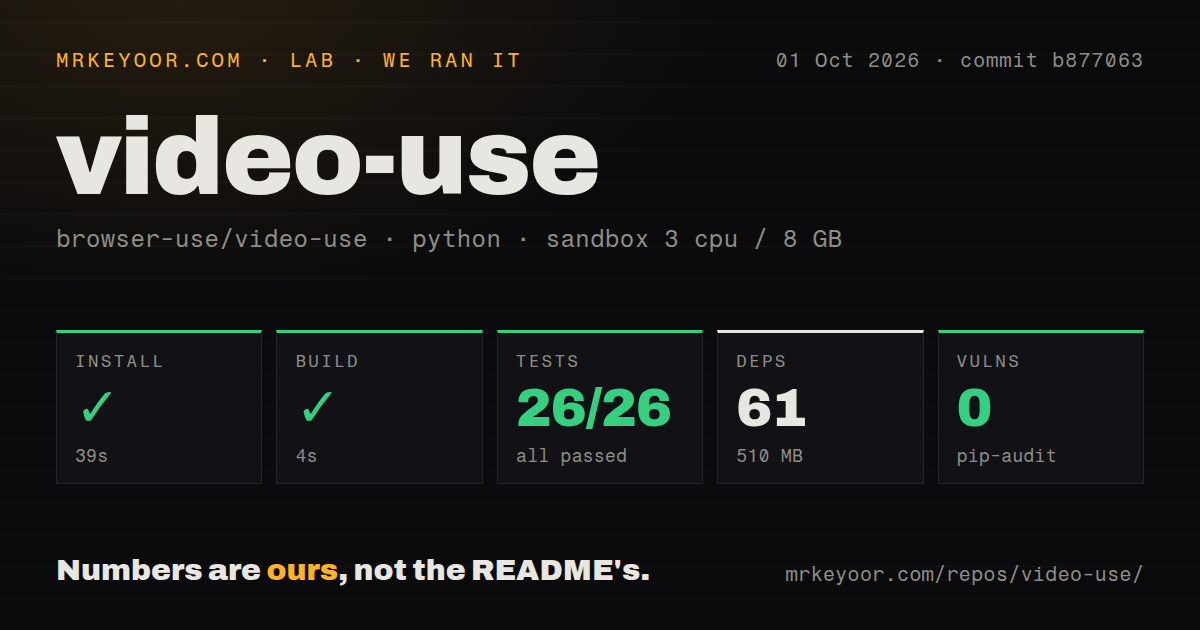
Our sandbox installed commit b877063 in 39 seconds. It pulled 61 Python packages and occupied 510 MB on disk, compared with a 0.8 MB checkout containing 36 files and about 2,475 lines of source. The build then passed in 4 seconds. Pip-audit reported 0 known vulnerabilities in the installed environment.
Pytest finished in 9 seconds with 26 passed and 0 failed. Those cases live in 3 files centered on caption construction, frame-rate handling, and portrait orientation. The result gives us confidence that those helper paths worked at the measured commit. It does not measure transcription accuracy, editing taste, rendering speed, or output quality. The container had 3 CPUs, 8 GB of RAM, no secrets, and no elevated privileges.
A complete editing run was outside that test. Without an ElevenLabs key, the sandbox could not submit audio to Scribe, and our measurements contain no end-to-end render timing. The repository also had 0 CI workflow files and no Dockerfile. You get a passing local suite, but the project does not show an automated check running that suite on every upstream change.
The 39-second install is only the Python layer
Python 3.10 or newer and 5 direct dependencies make the package itself approachable. Real use adds FFmpeg, ffprobe, skill discovery in the chosen agent, and the Scribe credential. Pulling online sources needs yt-dlp. Animation can bring Node.js 22 or newer, HyperFrames, Remotion, or Manim into an individual slot, depending on what the approved edit calls for.
The documentation is unusually specific about production mistakes. Its 12 hard rules cover word-boundary cuts, 30 ms fades, output-timeline subtitle offsets, overlay timing, transcript caching, and final-output inspection. That specificity helps an agent avoid plausible-looking broken media. It also reveals how much judgment remains with the agent: the system chooses takes, writes an EDL, generates optional animation code, and may rerender up to 3 times after visual checks.
Subtitle and HDR defects can survive a clean test run
Open issue 118 reports 2 subtitle problems outside the green suite. The documented brew install ffmpeg path can install an FFmpeg build without the libass subtitle filter, causing caption burn-in to fail late. The same report says the fixed Helvetica style renders boxes for non-Latin scripts. If captions are part of the deliverable, verify the installed filters and render a language sample before editing an hour of footage.
HDR deserves the same caution. Issue 190 reproduces missed tone mapping when transfer tags are absent or carried in alternative metadata, plus a crash when some color fields are missing. The report used commit b877063, the same commit our lab tested. This is a useful boundary around the 26 passing tests: unit coverage for orientation and frame rates does not guarantee that phone or camera color metadata will survive the export correctly.
28,028 stars have not produced a tagged release
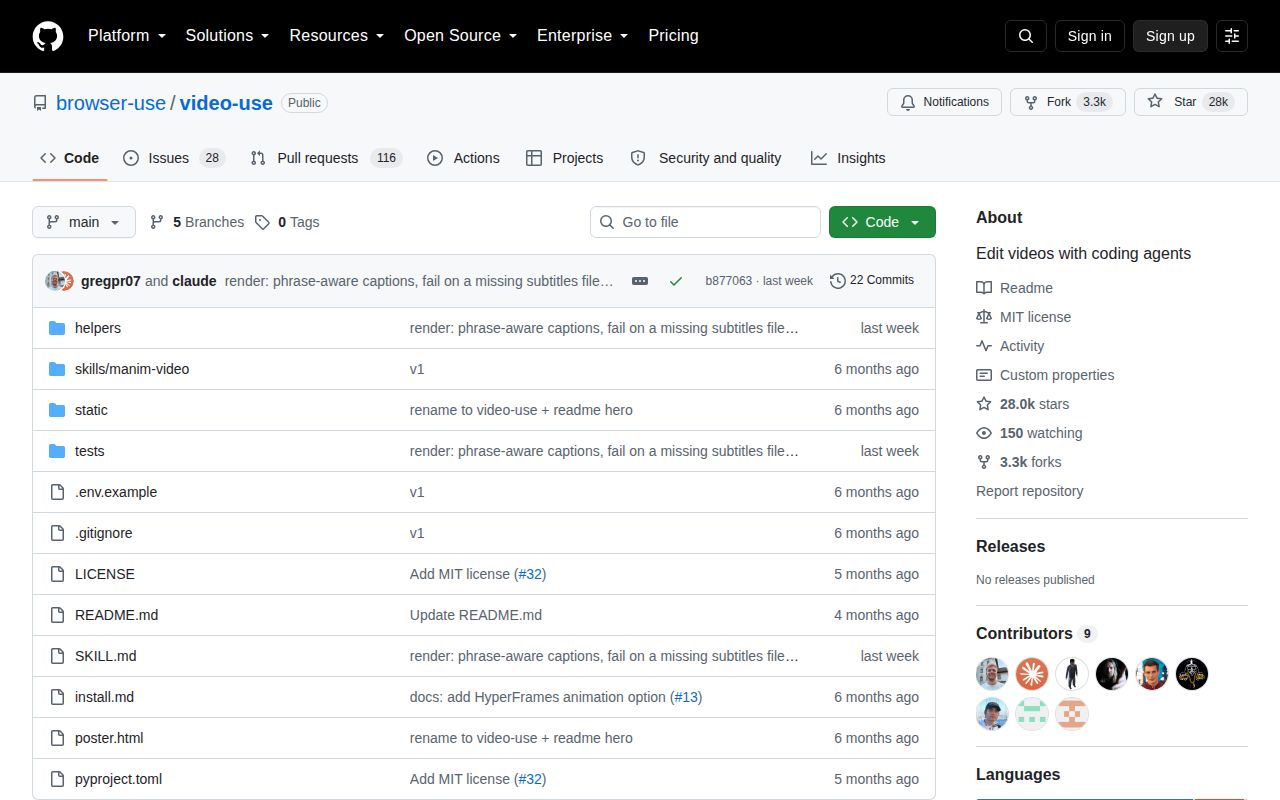
GitHub showed 28,028 stars and a repository push on October 2, 2026. The API counted 144 open issues and pull requests, split into 28 issues and 116 pull requests. There are no GitHub release tags, and the latest commit on the main branch is b877063 from September 24. The project is drawing attention and patches, though adopters must pin a commit rather than choose a published release.
Video Use is most convincing as an inspectable assistant for speech-led footage, not as an unattended editor. Its 36-file codebase is small enough to read, and our 26-test run gives the rendering helpers a credible floor. The decision turns on the parts our sandbox could not prove: hosted transcription, your agent's editorial choices, FFmpeg compatibility, and the final picture and sound. If nobody will watch that final MP4, choose a tool with fewer autonomous decisions.