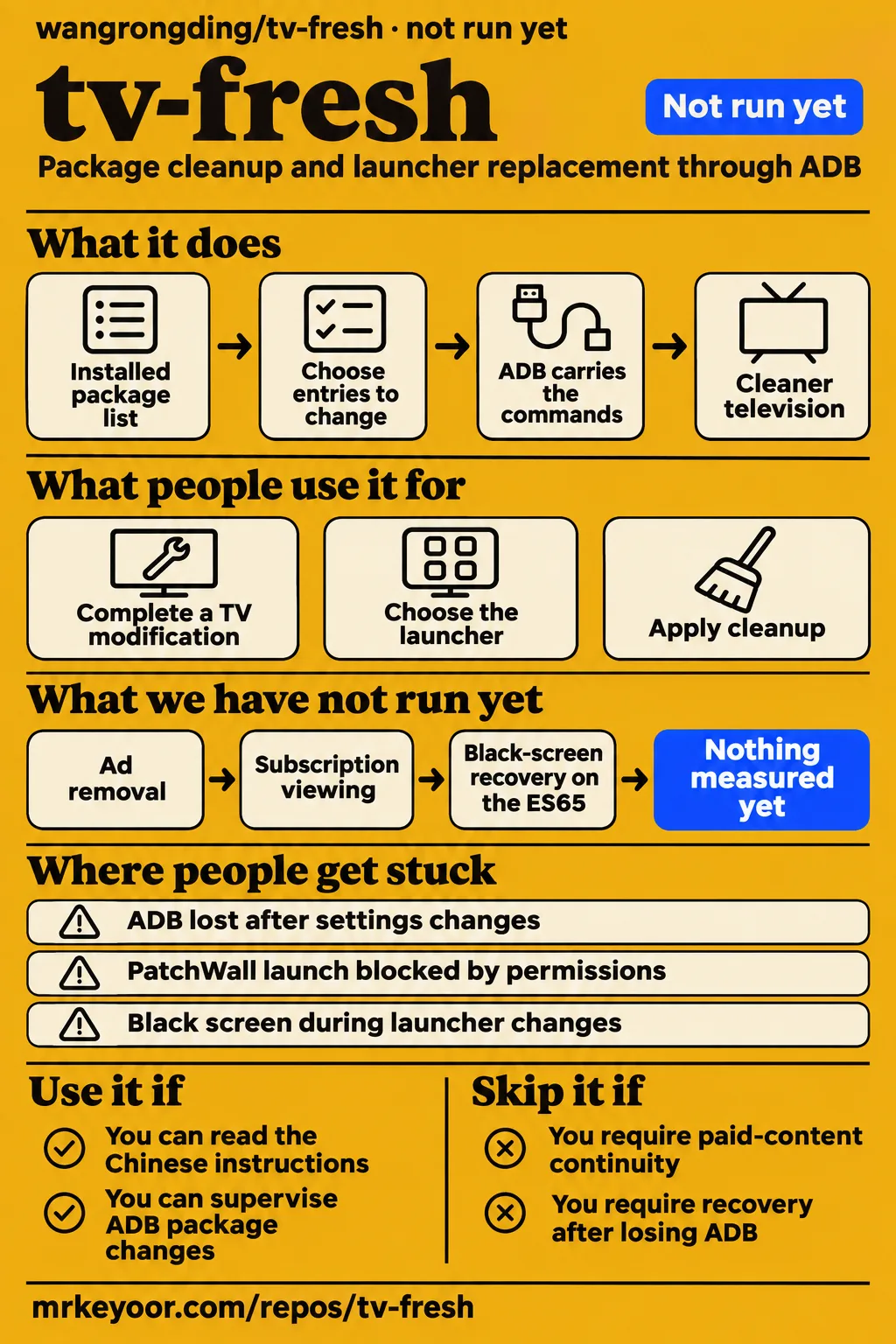
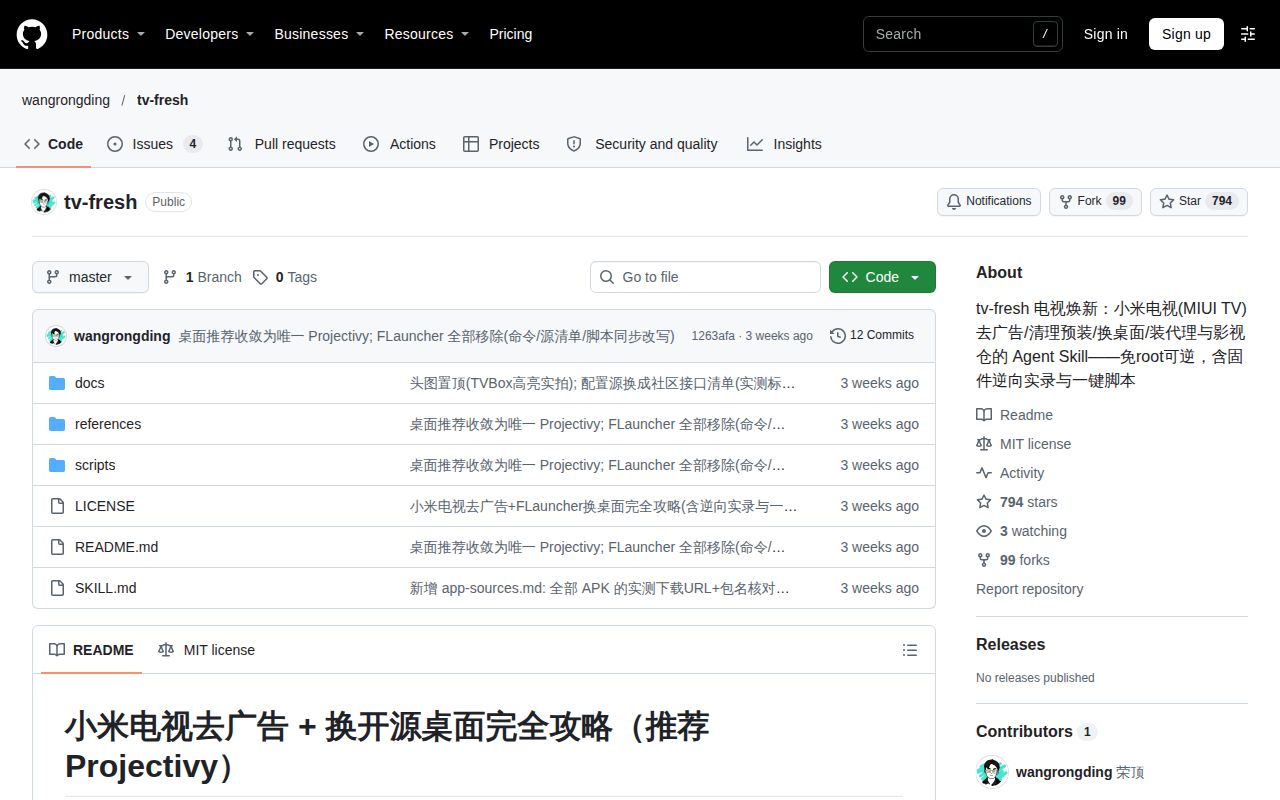
tv-fresh documents two separate decisions for Xiaomi MIUI TV owners: which preinstalled packages to remove and which home screen to use afterward. Its Chinese instructions cover both through ADB, with Projectivy as the README's launcher choice. Technically comfortable owners who can supervise package changes are the intended readers. Start by identifying the television's model, installed packages and current route to the content your household uses, then choose the task that addresses your actual problem.
What you can do with tv-fresh
tv-fresh documents package cleanup, launcher replacement, app configuration and remote control through ADB. The tv-fresh README describes an agent skill containing SKILL.md, task references and a shell script. Its example requests include removing advertising components, changing the launcher, installing SmartTube and entering configuration addresses. The task names separate these operations, so a request can target cleanup or text entry without asking for the author's entire television configuration.
The README names MiTV-ASTP0, Android 9 and armeabi-v7a as the author's worked configuration. Its cleanup list covers advertising, push and analytics packages; its launcher sequence installs Projectivy, registers a home activity, removes PatchWall for user 0 and disables the AOSP settings package. Those operations serve different purposes. Removing an advertising package and replacing the home screen should therefore be separate choices in the package list presented for approval.
The connection instructions use ADB on port 5555 and put the computer and television on a mutually reachable network. The television must have debugging enabled, and someone must accept its authorization prompt with the remote. Installing the instruction bundle and establishing that connection are distinct steps: the bundle describes the work, while the authorized computer connection carries the commands to the television.
What people use tv-fresh for
Issue #1 reports completing a television modification after one hour of tinkering and choosing aerial-tv as the launcher. The author preferred that launcher to the documented choice. This is a concrete example of using the broader modification workflow while making an independent home-screen decision. The one-hour figure belongs to that owner's report. Television modification report in issue #1
| Person and task | Reported outcome | What to take from it |
|---|---|---|
| Issue #1 author: complete a TV modification and choose aerial-tv | Finished after one hour of tinkering and preferred aerial-tv | Choose the launcher separately from the broader modification. |
| Issue #4 author: apply cleanup involving settings changes | Described a cleaner TV, then reported lost ADB connectivity | Include continued maintenance access in the desired outcome. |
Issue #4 reports a cleaner television followed by lost ADB connectivity, which the author attributes to disabling Xiaomi's original settings. That report makes maintenance access part of the cleanup decision. Together, the two owner accounts describe different outcomes worth planning for: the screen someone wants to use and the connection needed to maintain it afterward. Lost ADB connectivity report in issue #4
What happened when we ran it
Our run on November 17, 2026 stopped before executing tv-fresh at commit 1263afa. The build/test harness recorded NOT RUN: no supported ecosystem, language Shell, and no Dockerfile. Its configuration was 3 CPUs and 8 GB RAM, with image n/a; installation, build and test results are null. These figures identify the attempted sandbox check and its resources rather than the hardware needed for a television modification.
| Question or recorded check | Answer | Verdict | Why |
|---|---|---|---|
| Did the build/test harness execute tv-fresh? | NOT RUN | Stopped before execution | Shell was outside the supported ecosystems and no Dockerfile existed. |
| What configuration did the harness record? | November 17, 2026; commit 1263afa; 3 CPUs; 8 GB RAM; image n/a | Recorded configuration | These identify the sandbox attempt. |
| Did the separate hands-on safety step pass? | FAILED: no compose.yaml, compose.yml, docker-compose.yaml or docker-compose.yml | Prerequisite failed | That lab rule required a Compose file. |
| What did teardown record? | teardown: ok | Cleanup recorded | The teardown entry reports cleanup. |
| What did the separate run summary claim? | Deployment with the repository's own Docker Compose, with every port bound to 127.0.0.1 | Conflicting record | The safety step says no Compose file exists, and the harness records NOT RUN. |
The failed safety record calls the repository "unsafe" under its Compose-file rule. That is the label attached to a failed lab prerequisite, not a television security finding. The teardown record says "teardown: ok." The deployment summary conflicts with both the missing-Compose finding and the explicit NOT RUN result. The table preserves all three records rather than turning the summary into a successful deployment claim.
Where people get stuck: settings and launcher changes
Issue #4 attributes lost ADB connectivity to disabling Xiaomi's original settings after cleanup. The README distinguishes Xiaomi's com.xiaomi.mitv.settings from AOSP's com.android.tv.settings, so the exact package name matters when reading that report. Its final launcher procedure preserves Xiaomi settings and disables the AOSP package as the host of FallbackHome. A shortened instruction to "disable settings" would lose the distinction on which the author's procedure depends.
Issue #2 describes an ES65 owner's different obstacle: paid Xiaomi Video content is inside PatchWall on their television. They identify the set as MiTV-MTEQ0, codename baymax, running Android 10, SDK 29, with com.mitv.tvhome 3.47.1205. They report disabling 33 packages using a CleanYourTV list, removing boot advertising and retaining PatchWall. Paid-content and launcher questions in issue #2
That owner records a launch attempt requiring com.mitv.tvhome.permission.HOME_STATE, a SecurityException from monkey and activities marked as unexported. They propose restoring PatchWall for subscription viewing and removing it again afterward. Their question is more specific than adding a shortcut: the recorded permission failures obstruct direct launch attempts, while their proposed switching sequence changes which home application is available to the system.
| Problem | Documented response or relevant distinction | Source |
|---|---|---|
| ADB lost after settings changes | README distinguishes Xiaomi settings from AOSP settings | Issue #4 and README |
| PatchWall launch blocked by permissions | Owner proposes changing the home arrangement for subscription viewing | Issue #2 |
| Black screen during launcher changes | README rollback restores com.mitv.tvhome and enables com.android.tv.settings | README |
| Text entry changes ASCII characters | README describes ADBKeyboard text injection and restoring the original input method | README |
| Visual interpretation misreads interface state | README uses uiautomator XML dumps to inspect text, bounds and focus | README |
The README also reports seven ineffective taps on a confirmation button before keyboard navigation worked. Its troubleshooting account distinguishes button coordinates, keyboard focus and the state shown in an XML dump. The author describes misreading an interface label visually and recommends XML inspection. These upstream observations explain why a successful command return alone is a poor substitute for checking the resulting television interface.
Package approval starts with exact names
The README asks for a package list and user confirmation before disabling or removing system packages. It also asks for reversible operations accompanied by restoration commands. Its cleanup section explicitly says to leave com.android.packageinstaller and com.mitv.tvplayer alone and to check that a package exists before removing it. Those are the supported package-review requirements in the supplied text. README cleanup and approval instructions
Xiaomi's com.xiaomi.mitv.settings and AOSP's com.android.tv.settings are different packages. The README's final launcher sequence preserves the former, disables the latter and removes com.mitv.tvhome for user 0 after installing Projectivy and registering its home activity. Its rollback restores PatchWall and enables AOSP settings, with optional removal of Projectivy. Keeping these names beside their intended operations makes the proposed change understandable before approval.
A useful task request can follow the README's own pattern: ask for the installed package list, choose the entries to change and request the corresponding restoration commands. This gives the supervising owner a concrete set of operations to consider. It also separates permission to pursue a cleaner television from approval of a particular launcher change, settings change or application removal.
Chinese instructions describe a China-market TV
The README is Chinese and identifies domestic MIUI TV as its target. TypingMind supplies English instructions for importing the skill into its interface, but the television procedure remains the Chinese material reproduced around that listing. An English-speaking reader can use the import directions to understand how the bundle enters a chat; the package operations still require understanding the procedure and the television's package names. TypingMind import instructions
The author's named configuration is MiTV-ASTP0 on Android 9, with success dated October 2026 in the README. The ES65 issue describes Android 10 MiTV-MTEQ0 and asks about launcher priority and FallbackHome. Those internal model names are useful because they identify the actual configurations being discussed. Calling both simply "Android TV" would hide the firmware-specific home-resolution behavior that prompted the owner's questions.
tv-fresh vs CleanYourTV and aerial-tv
CleanYourTV includes cleanup and its own launcher, while aerial-tv is an Android TV launcher. The tv-fresh issues connect them to two distinct choices: using a cleanup list while retaining PatchWall, and choosing aerial-tv during a broader modification. Their roles are clearer when compared by the operation the reader wants to perform. CleanYourTV README and Aerial README
| Choice | Supplied evidence | Pick it when |
|---|---|---|
| tv-fresh | Chinese agent instructions cover cleanup, launcher replacement, app configuration and remote control | You want to supervise several Xiaomi MIUI TV tasks through one documented workflow. |
| CleanYourTV cleanup while keeping PatchWall | Issue #2 reports 33 disabled packages and removed boot ads with PatchWall retained | Cleanup is the immediate goal and the stock home provides content you use. |
| aerial-tv within a modification | Issue #1 reports choosing it and preferring it | You want to choose the home screen separately from the cleanup procedure. |
CleanYourTV's README says its cleanup disables packages rather than uninstalling them. It also describes installing a native launcher and restoring recorded package state, so describing the whole project as only a cleanup list would miss part of its scope. Aerial's README describes an Android TV launcher modeled on Apple TV. These primary descriptions establish the project categories; the tv-fresh issues describe how particular owners used them.
Stopping after cleanup is one concrete option in the evidence. The ES65 owner reports retaining PatchWall after removing boot advertising, while the issue #1 author chose another launcher during a completed modification. These accounts support making separate choices about packages and the home screen. Identify the outcome you want and the stock services you currently use before selecting the procedure that changes them.
What the other reviews get wrong
DevSly displays a clone command with tv-freshcp joined into the repository URL. Its copy operation runs into the clone target, making the displayed installation line malformed. The upstream README supplies a separate clone command targeting an agent skills directory. The practical correction is to use the upstream installation instructions rather than paste the directory's joined line. DevSly installation record and upstream README
TypingMind displays 529 stars and 65 forks without a supplied snapshot date; Rising records 791 stars and 99 forks on November 17, 2026. The counters differ, but the undated display does not establish when TypingMind observed them. These are repository-attention figures, distinct from reports of working television modifications. TypingMind listing and Rising's dated snapshot
The supplied GitHub metadata separately records 794 stars and a last push of October 25, 2026, observed on November 18, 2026. Those facts describe repository activity at that observation. The owner issues answer a different question by describing content access, launcher choices and connection problems. A star counter gives no answer to the ES65 owner's package-permission errors or their proposed switching arrangement. Supplied GitHub repository metadata
Questions people ask
Issue #2 says its ES65 owner's paid Xiaomi Video content is inside PatchWall, while the README's launcher sequence removes PatchWall for user 0. That is the central content-access conflict behind several questions below. The FAQ distinguishes the author's documented operations, the owners' proposals and the maintainer's answer; the final section collects the outstanding evidence needed to assess the requested outcomes.
Can I still watch paid Xiaomi Video content after replacing PatchWall with Projectivy?
The ES65 owner says paid content is inside PatchWall and asks what happens after removing it for user 0. The README performs that removal in its Projectivy sequence. These records identify the dependency that matters for this household: subscription viewing currently begins inside the application the launcher procedure removes. Paid-content question in issue #2
Can I reversibly switch between Projectivy for everyday use and PatchWall for subscription viewing?
Issue #2 proposes restoring PatchWall before viewing and removing it again afterward. The owner expects its higher HOME match to reclaim the home screen and asks whether repeated switching is stable under MIUI's package-manager behavior. This is the owner's proposed routine; the README describes a Projectivy setup sequence and a separate rollback sequence. Switching proposal in issue #2
Can I keep PatchWall installed and change only the default launcher?
Keeping PatchWall installed differs from the README's final sequence, which removes com.mitv.tvhome for user 0 and disables com.android.tv.settings. Issue #2 explicitly asks about retaining PatchWall while changing only the default home. That difference matters when choosing instructions: the owner is asking for a different package arrangement from the one the README documents. Launcher-retention question in issue #2
Does the Android 10 MiTV-MTEQ0 handle launcher priority and FallbackHome the same way as the tested MiTV-ASTP0?
The README describes Android 9 MiTV-ASTP0; issue #2 asks about Android 10 MiTV-MTEQ0. The owner's question specifically names priority clamping and FallbackHome, the two behaviors discussed in the author's launcher analysis. Match those model and Android identifiers when reading the proposed operations rather than treating the two configurations as interchangeable. Model-behavior question in issue #2
Is restoring PatchWall and enabling Android TV settings enough to recover from a black screen?
The README's rollback restores com.mitv.tvhome and enables com.android.tv.settings, with optional removal of Projectivy. The ES65 owner asks whether the first two operations would recover their television from a black screen. These are the documented restoration operations and the specific recovery question, including the AOSP package name that differs from Xiaomi's settings application. Recovery question in issue #2
Does com.android.tv.settings need to remain disabled when switching launchers?
The README disables com.android.tv.settings as the host of FallbackHome in its final Projectivy procedure. Issue #2 asks whether it must stay disabled during repeated switching between launchers. That question concerns transitions between two home arrangements, whereas the README gives one setup sequence and its rollback. The package's role explains why the owner raises it. Settings question in issue #2
Can ADB still connect after the TV cleanup and settings changes?
Issue #4 reports lost ADB connectivity after settings changes and attributes it to disabling Xiaomi's original settings. Separately, the README says some firmware resets the ADB switch after reboot. These are different reported circumstances: one follows a settings change, while the other is a documented reboot behavior. Keep both circumstances distinct when describing a connection problem. ADB question in issue #4
Will Xiao Ai voice control still work after installing tv-fresh?
Maintainer wangrongding answers yes in issue #3. That is the direct supplied answer to the voice-control question. The README also describes using the voice command to open settings when no launcher is available, which explains why voice access appears in its troubleshooting instructions. The maintainer's reply is an attributed statement about continued use. Maintainer voice-control answer in issue #3
Does the stock launcher appear briefly at boot before the custom launcher opens?
Commenter killer2lover asks whether the stock home appears for a few seconds before the custom launcher. The README names Projectivy as the intended boot destination. The comment distinguishes two behaviors worth recording separately: which home eventually opens and what appears during startup. The supplied completion report concerns the modification and launcher choice. Boot-transition question in issue #1
How do I install tv-fresh in TypingMind?
TypingMind says to open Plugins → Skills → Install from GitHub and paste https://github.com/wangrongding/tv-fresh/tree/master. Its listing says the imported skill can then be enabled per chat. Those steps import the instruction bundle into TypingMind. The README's network, debugging and television-authorization steps describe the separate ADB connection used for television operations. TypingMind import directions
Which AI models can use tv-fresh?
TypingMind says GPT, Claude, Gemini, Grok and local models can load the Markdown skill. Its explanation concerns loading plain instructions into models connected through that interface. The television workflow also involves ADB commands, so a plan for carrying it out must identify the computer tools and authorized television connection alongside the model that reads the instructions. TypingMind model-loading description
Is the tv-fresh AI skill free?
TypingMind describes tv-fresh as MIT licensed and says users pay their own AI provider for tokens. The supplied GitHub metadata also records MIT as the repository license. Those statements separate the instruction bundle's license from the cost of the model service used to read it. They give no fixed price for a complete television-modification session. TypingMind licensing answer
What we have not tested yet
No television was modified in our sandbox attempt at commit 1263afa. The record supplies no executed install, build or test result, measured TV performance or setup-time distribution. Ad removal, HOME handling, boot transitions, voice control, subscription viewing, restoration and ADB recovery need television-based evaluation. The one-hour completion time is the issue #1 owner's report, and image n/a supplies no actual runtime or operating-system version.
The supplied records do not demonstrate paid-content continuity after removing PatchWall, reliable repeated switching, retention of PatchWall with Projectivy as default, Android 10 equivalence or successful black-screen recovery on the ES65. Issue #4 contains no supplied diagnosis or recovery reply, and the boot-transition question in issue #1 has no supplied answer. Written restoration commands are therefore different evidence from a completed recovery on a named television.
The README's package-approval and restoration requirements are written instructions, not evidence of enforcement by a separate application or a security audit. The evidence supports no broader protected-package list or mandatory APK-source-reference rule. TypingMind's model-loading description supplies no end-to-end ADB execution result. The alternative-project reports also contain no controlled comparison on one television, and unrelated video, Bilibili or X material supplies no tv-fresh demonstration.
Rendered layout, automatic related links, recommendation modules and template content are outside this text-and-evidence review. A useful next record would capture a named television's firmware and starting package state, approved changes, HOME and reboot behavior, subscription access and restoration through the same connection. That is a proposed evidence checklist, not a test conducted for this draft; the conflicting Compose summary cannot supply those missing television observations.