Short answer: use it for deliberate cleanup, skip it for guaranteed recovery
Our sandbox installed CleanYourTV's Python tooling in 8 seconds, but the strongest reason to consider it is the combination of package cleanup and a home screen you control. Use it if you own an Android TV or Google TV, can check its exact firmware and are willing to review what gets disabled. Skip it if you need a promise that every mistake can be undone, or if you only want different app tiles and would rather start with a launcher. The recorded Mi TV Stick failure makes that distinction consequential. Mi Stick report
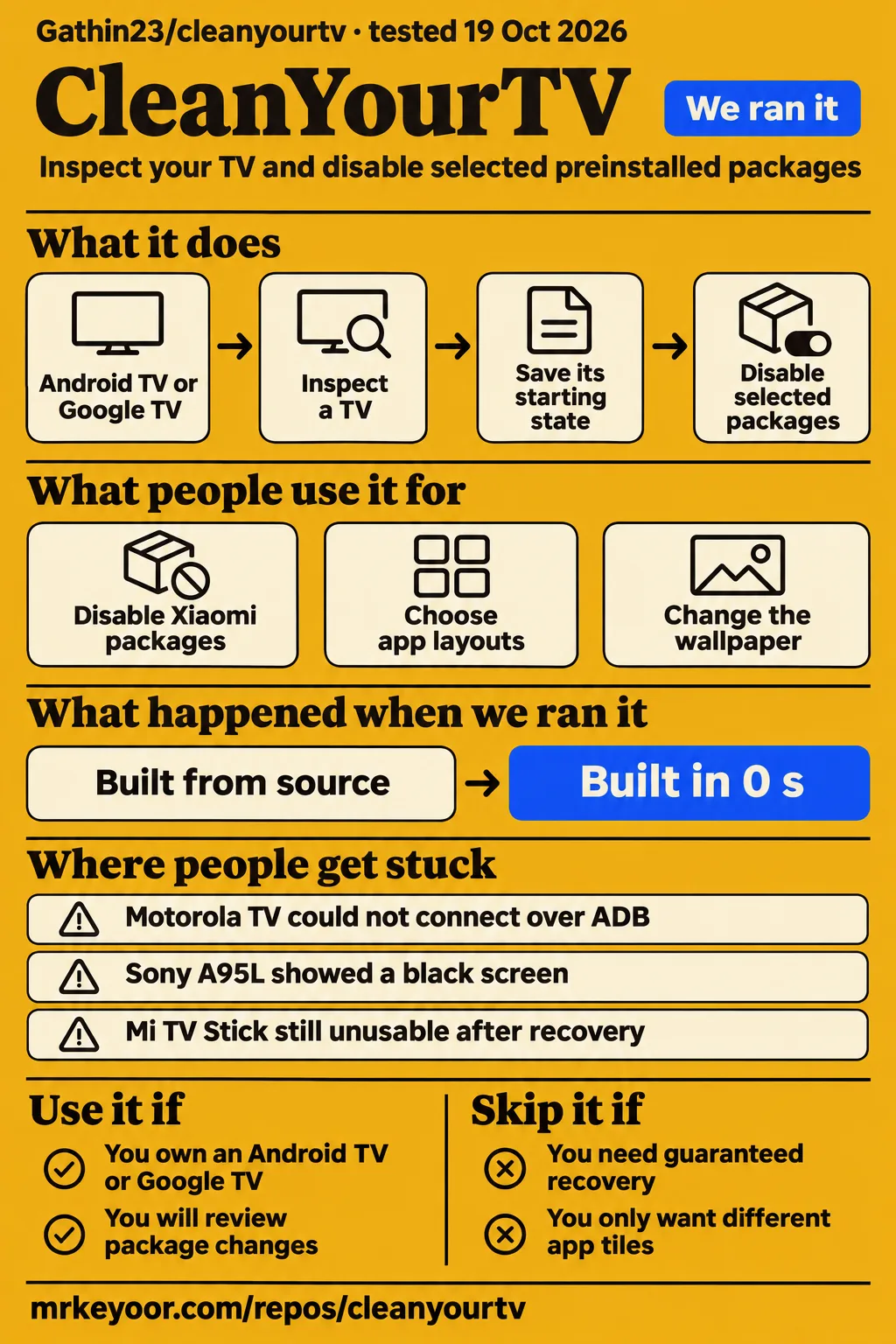
CleanYourTV uses Android's debugging connection, ADB, to inspect a TV, save its starting state and disable selected packages. Its replacement launcher is a separate step. My recommendation is to decide whether you need those package changes before accepting the whole workflow. A cleaner Home screen is an understandable goal. Switching off a component that controls casting or setup needs a separate reason. The upstream README describes the tools and the handover checks.
What people use cleanyourtv for
Gathin reports removing twenty-five Xiaomi packages on his parents' TV, while other owners use CleanYourTV for chosen app layouts and personal themes. These are device-specific outcomes.
| Who used it | What they actually report | What to take from it |
|---|---|---|
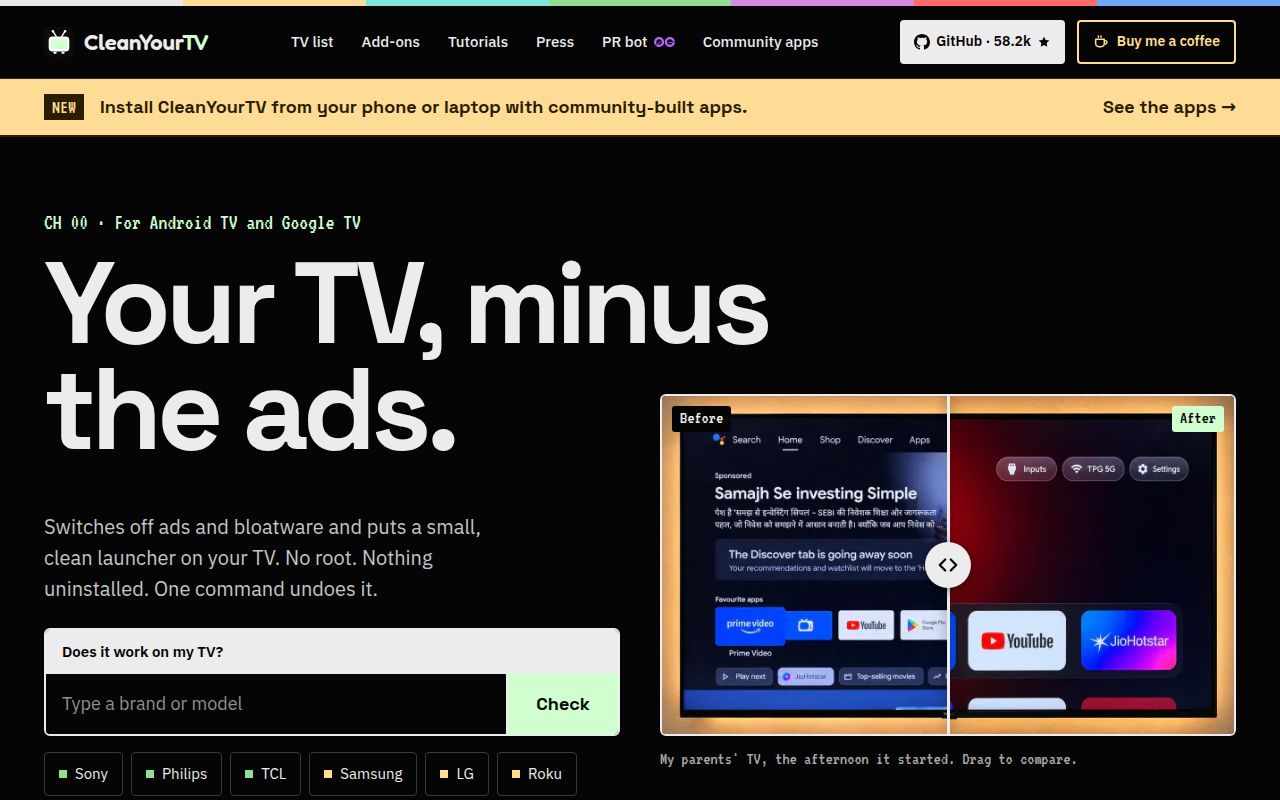
| Gathin, the project author | On his parents' Xiaomi TV, disabling twenty-five Xiaomi packages removed ads, telemetry and Discover in his account. He also restored the sponsored row and repeated the installation. Author's account | A concrete origin story and a restore demonstration on that TV. |
| The Ken Designers article author | Used Claude Code on a Haier Google TV running Android 14, ending with chosen apps, a personal wallpaper and no sponsored recommendations. Haier write-up | Customization was part of the work, rather than an automatic finish after cleanup. |
| Reddit user zeta_cartel_CFO | Reports completing cleanup on a Hisense TV, ONN Pro and 2017 NVIDIA Shield, and describes the Shield interface as cleaner and quicker. Owner thread | This is a named owner's subjective experience, rather than our speed measurement. |
| GitHub user prakash-zoro | Completed the launcher step on a TCL UnionTV through PowerShell after an interrupted agent session, then changed the wallpaper, greeting and top bar. Issue #2584 | You can continue a specific unfinished step without restarting the AI conversation. |
The Haier account is useful because its author describes choosing what to keep, including voice and casting, before making the home screen personal. The final layout contains the apps the owner picked. The Windows screen-mirroring detour in that article came from the agent's additional troubleshooting, and the author explicitly says that behavior is outside the repository. Don't choose CleanYourTV expecting every extra task an agent performed in somebody else's session.
Community modifications also extend beyond upstream. On X, chiefnerds reports adding Nuvio continue watching and a different visual style. Those are that developer's modifications, not a reason to assume the reference launcher includes them. X records For a first setup, choose the reference workflow or a particular derivative deliberately so you know which project's instructions and support apply.
What happened when we ran it
Our November 16, 2026 hands-on attempt stopped at the safety step because the harness required a Compose file and found none. The log names compose.yaml, compose.yml, docker-compose.yaml and docker-compose.yml as absent.
The generic run summary says the project was deployed with its own Docker Compose and ports bound to 127.0.0.1, but the specific failed step contradicts that deployment wording. We treat this as a blocked attempt, not a working installation on a television. Teardown reported success. A Compose requirement is a limit of that harness, not evidence that the documented ADB workflow is broken.
The earlier source-tooling run completed these recorded steps:
| October 19, 2026 sandbox observation | Recorded result |
|---|---|
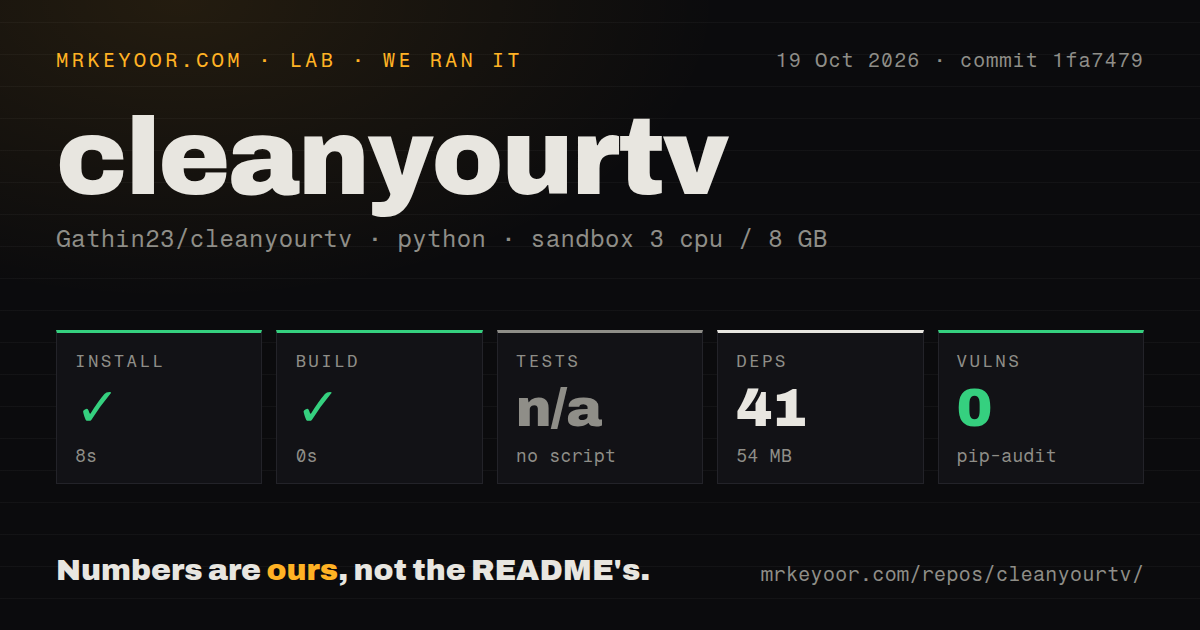
| Revision and project location | commit 1fa7479, Python project in ./tools/ |
| Install | Succeeded in 8 seconds, 41 dependencies recorded, 54 MB on disk |
| Build | Succeeded in 0 seconds |
| Tests | Skipped because no tests script or target was present |
| Dependency audit | pip-audit reported 0 known vulnerabilities |
| Repository scan | 135 files, approximately 4,105 source lines, 3.2 MB checked out |
| Automation signals | 0 CI workflow files, no Dockerfile, no tests directory |
That sandbox was configured with 3 CPUs and 8 GB of RAM, using image label ghcr.io/astral-sh/uv:python3.12-bookworm. The label records the configured image, not independently observed runtime or operating-system versions. Our harness recorded the successful zero-second build step for this checkout, rather than timing an Android launcher build. Equally, skipped tests are not passing tests. Those boundaries matter when deciding what the small tooling footprint tells you about the full job.
The current source route asks for Python 3, a full JDK from 17 through 22 and Android SDK platform 34 with build-tools 34. The README also documents a Docker build helper. These requirements explain why our 54 MB Python environment is only one part of preparing a computer. You still need a real TV connection, its debugging approval and the launcher build route you chose. Current setup requirements
Where people get stuck: connection, Home ownership and recovery
The Motorola Android 9 owner in issue #3171 could see the TV on Wi-Fi but could not connect over ADB. Discovery, debugging authorization and Home ownership are separate checkpoints.
| Reported problem | What the thread recommends or records | Outcome in the supplied thread |
|---|---|---|
| Motorola Android 9 TV never displayed the debugging approval prompt | In #3171, the maintainer suggested a shared phone hotspot and checking Windows firewall, antivirus or VPN restrictions around adb.exe. | Open. No successful retest appears. Connection report |
| TCL UnionTV cleanup finished after a power interruption, but the launcher was missing and the agent had reached its token limit | In #2584, the maintainer separated launcher installation from debloating and supplied the Windows PowerShell route. | The owner confirmed the launcher installed. Interrupted setup |
| Sony A95L showed a black screen | The original owner reports recovery through a factory reset. Another A95L owner reports a working installation and recommends the repository scripts with stock Home retained initially. | Recovery reported, original cause unresolved. A95L thread |
| Original Mi TV Stick remained at the Android TV boot screen | The reported command list disabled core Android components. The maintainer added core-package guards and directed the owner toward Xiaomi service. | Preventive change shipped. The owner's stick still did not work. Mi Stick thread |
| Wanbo X2 Pro hit a wtprovision deadlock | An owner reports USB firmware recovery, then a working 720p build after encountering different panel revisions. | Hardware-specific workaround reported. The maintainer declined to host or check firmware binaries. Wanbo report |
| TCL HomeKeyService lost activation after reboot | Owners describe manual rebinding and later opt-in repair work requiring additional permissions and auto-start handling. | Owner workarounds. The maintainer requested a PR. TCL reboot thread |
| Phone dock picker omitted BBC iPlayer and CX File Explorer | The maintainer directed the owner to the TV launcher's Add to dock or Edit dock controls and the independent phone-app repository. | Workaround supplied, phone-picker defect referred elsewhere. Dock report |
The UnionTV story is the useful antidote to treating an AI session as the product. After the power cut, the owner still had the stock launcher and sponsored content. The maintainer explained that the remaining launcher operation could run directly. Once that worked, the owner had a more ordinary usability problem: holding OK opened App info. Holding OK on the top-bar Settings button exposed the reorder controls, which the owner confirmed worked. Each symptom needed its own next step.
The Mi Stick thread has a different ending. Its closure records a protective change for other users, not a recovered stick. The maintainer identified permission-controller, package-installer and other core components in the disabled list, said those packages were outside the project's lists, and added a refusal in the scripts. That is a reason to use the repository tools instead of allowing an agent to improvise package commands. It is also why I would reject a blanket promise of reversibility.
Security: close debugging and preserve the restore records
The README says network ADB on port 5555 is plaintext and that some firmware gives any device on the local network a shell. Finish by turning off debugging, revoking authorizations and restarting the TV, then use the project's ADB-closed check. The documented paired Google ADB backend offers an encrypted wireless-debugging route on compatible devices. These are different connection paths, so follow the instructions for the one you actually used. Upstream security guidance
Keep the package list and recorded starting state on your computer. The independent setup guide describes restoration as returning recorded states, rather than restoring a complete system image. That is the distinction to understand before disabling anything: the undo command is part of a running workflow with access and records, while recovery from a device that cannot boot is a separate problem. Restore guidance
Google TV's setupwraith deserves explicit attention. The troubleshooting guide says it can take Home, and disabling it can remove setup-owned Wi-Fi credentials. On Chromecast and Google TV Streamer it is also needed for phone casting. Rejoin Wi-Fi through Settings before the relevant change, and retain or re-enable the wizard when casting requires it. A clean home screen is a poor trade if the household loses the feature it uses every evening. Setup and casting notes
Maintenance: v3.5 is newer than our sandbox checkout
GitHub lists v3.5.0 as published on November 14, 2026, and the repository's last push was November 15. The November 16 API snapshot recorded 58,291 stars, a measure of attention rather than completed TV cleanups. The sampled issues include maintainer replies, a package guard and step-by-step help, so an older tutorial version is a reason to check instructions rather than infer abandonment. The setup wiki still labels itself 3.4, while gathint's November 14 X announcement names 3.5. Repository facts, setup guide, announcement
The published 3.5 release notes go beyond the announcement: they describe old Home screens staying in memory after settings changes and report a lower memory figure after repeated changes. Those are upstream results. Our October 19 checkout predates that release. Use the v3.5.0 release notes to identify the change, rather than treating our Python setup measurements as a current launcher-memory result.
For several TVs, keep separate model and firmware records and the list actually applied to each device. The README says firmware updates can bring disabled packages and stock Home back, and provides check.py to inspect what changed. Successful setup is therefore not the last maintenance action. English instructions are available in the main README, with translations alongside it, so an English-speaking owner has a direct source route without depending on a translated walkthrough.
CleanYourTV vs Projectivy and ATV Optimizer
Choose Projectivy first if your main goal is a different Home layout, and consider CleanYourTV when you also want to inspect and disable selected packages with saved state.
| Choice | Documented scope or attributed reason to choose it | When I would start there |
|---|---|---|
| CleanYourTV | Source workflow combining package inspection, recorded changes and an optional reference launcher. README | You want to understand the package list as well as change Home. |
| Projectivy Launcher | Its official documentation lists categories, channels, wallpaper controls and input shortcuts. It also retains special device features, including disabling stock apps. Projectivy documentation | The visible layout is the problem and you want to examine a launcher-focused route first. |
| ATV Optimizer, in the shield_optimizer repository | Its current README describes a desktop app for disabling packages, changing launchers and inspecting Android TV devices, extending beyond Shield. ATV Optimizer documentation | You want a desktop interface rather than a coding-agent conversation or source-script workflow. |
The comparison responds to a real question from r/AndroidTV: what does this add beyond Projectivy, Monet, ATV or a launcher manager? One commenter favors changing the launcher to avoid further breakage, while others point Shield owners toward shield_optimizer or a Shield-specific guide. Those are preferences and recommendations, not measured winners. The current ATV Optimizer description also makes the old shorthand "Shield-only alternative" too narrow. AndroidTV discussion
Top Tech and Reviews starts its supplied setup video from a TV Detox interface and introduces a CleanYourTV attempt using Codex. That is a useful example of someone exploring a different home screen after earlier cleanup. The available transcript reaches the setup and tool choice, so I would not turn it into a successful head-to-head result. Top Tech and Reviews walkthrough
What the other reviews get wrong
The maintainer identifies cleanyour.tv as the official website and says cleanyourtv.com is not run by the project. Issue #1004 is the primary correction to make before following similarly named downloads or donation requests. The README also distinguishes independent community apps from upstream. Maintainer's domain clarification
The cleanyourtv.com comparison page describes its own packaging as a one-click optimizer. Apply that description to the service making it, rather than to Gathin23's source workflow. The upstream release notes explicitly say there are no binaries and direct users to build the launcher. CleanYourTV.AI separately identifies itself as independently developed and places supported cleanup and customization behind Plus. Its account and payment model belongs to that service. Comparison page, independent service
The same lookalike pages make safety and performance promises the reader should not accept as upstream guarantees. The Mi Stick outcome contradicts universal recovery, and an owner's impression of a quicker Shield cannot support a guaranteed frame rate or speed multiplier. Ken Designers' broad Android compatibility wording also needs the firmware qualification shown by the inaccessible China-market TCL report. Brand and operating-system labels are starting filters, not proof of a usable debugging route.
One correction applies to earlier upstream advice too. The introduction suggests the Python client avoids macOS blocking of Google's ADB. The later troubleshooting guide says Local Network permission belongs to the application running either tool. Allow Terminal, iTerm2 or VS Code in Local Network privacy settings, then quit and reopen it. Switching the client does not bypass that application permission. Original introduction, corrected troubleshooting
Fire TV also needs its own boundary. The standard README workflow describes debloating only, and says even that is refused on the 2015 Fire TV Box. Aman, posting as mdaman010 on X, describes a separate rooted Fire TV route using an exploit. That route cannot establish ordinary replacement-launcher support for upstream CleanYourTV. README, Aman's X post
Questions people ask
CleanYourTV can leave a device unable to boot: issue #884 records a Mi TV Stick that remained unusable after the owner's recovery attempts. That outcome matters more than a blanket safety label. Mi Stick report
Is CleanYourTV safe, and can an AI-guided cleanup leave my TV unusable?
The Mi TV Stick in issue #884 did not start after cleanup, and its owner reported unsuccessful recovery attempts. The project subsequently added core-package guards, which is a specific safeguard rather than a recovery guarantee. Use the repository scripts and review the proposed changes. Issue #884
How does CleanYourTV compare with simply installing Projectivy or another launcher?
CleanYourTV combines package cleanup with an optional launcher, while Projectivy's documented features include layout controls and some device-specific stock-app management. Choose by the changes you need, not a claim that one universally replaces the other. Projectivy's documentation, scope comparison
Can CleanYourTV remove tracking from a Samsung Tizen TV?
The Android workflow cannot run on Samsung Tizen. The upstream README directs those owners to platform-specific tracking settings instead. A separate port or investigation of Samsung's network interfaces does not make Android package-disabling commands available. Supported-platform guidance
Does CleanYourTV work on Vizio or other non-Android televisions?
Vizio, Roku, LG webOS and Hisense VIDAA are outside the standard Android workflow. Check the operating system, not only the name on the bezel: the README explicitly distinguishes these platforms from Android TV and Google TV. Platform table
Can I use Codex or Gemini instead of Claude Code?
The README lists Codex and Gemini CLI among supported coding assistants with shell access. You can also run the documented scripts yourself. The assistant still needs access to the local TV and the repository's instructions. Assistant and manual routes
Can I still run CleanYourTV through Claude Code?
Yes. Claude Code remains a documented quick-start option, and the author describes using it on his parents' TV. It is an optional way to operate the workflow, not a requirement for every manual step. Author's account, README
Can I clean my Google TV using only an Android phone?
Independent community Android apps offer a phone route for compatible TVs, and the official README links to them. Choose and check the particular app separately, because its maintainer, installation packaging and support differ from the source repository. Community-app route
Will the phone app work through a USB cable if my TV has no network-debugging option?
The China-market TCL owner in issue #101 failed to connect through USB, so a cable is not a dependable answer to missing network-debugging access. The Skyworth discussion ends with rejected TCP connections, and the China-market TCL owner also reports an unsuccessful USB attempt. Ask the companion developer about that exact connection route before buying adapters. Skyworth discussion, TCL USB attempt
Why does my TV appear on Wi-Fi but never show the Allow USB debugging prompt?
The Motorola Android 9 report shows a TV visible on Wi-Fi without a working ADB connection. In that report, the maintainer suggested checking PC network restrictions and testing both devices on a phone hotspot. The thread contains advice, not a confirmed diagnosis or successful retest. Issue #3171
How can I obtain a wireless-debugging pairing code on China-market TCL firmware?
For the TCL 98C12L firmware in issue #101, the owner and maintainer found no working route to the pairing screen. The maintainer closed it as currently impossible after the USB attempt also failed. A visible encrypted debugging port alone does not supply the missing authorization. Issue #101
Is there another way to get a shell on a TCL TV when pairing is unavailable?
The supplied TCL 98C12L thread ends without a working shell route after activity searches and USB attempts. Its closure means the current firmware was inaccessible, rather than that compatibility was fixed. That outcome applies to the reported firmware, not every TCL television. Issue #101 conclusion
Does CleanYourTV work on the Sony A95L?
One XR-55A95L owner reports successful reboots with HDMI, Live TV, picture, sound and remote functions intact. Another owner reports a black screen followed by factory-reset recovery. The thread supports a working configuration and a cautious staged approach, rather than a universal answer for every A95L run. Issue #2040
What we have not tested yet
Our evidence contains no completed TV cleanup by this lab, no controlled launcher comparison and no before-and-after network capture proving the amount of tracking removed. The November hands-on harness stopped before deployment, while the October source run measured Python tooling. We have not reproduced the 3.5 release's launcher-memory result, or measured the full JDK and Android SDK footprint, launcher compilation, agent spending or household setup duration.
Owner reports establish individual outcomes, not failure rates across models, regions and firmware. We have not tested whether restore returns every setting on each supported device, whether a particular companion preserves all upstream safeguards, or whether the Wanbo recovery instructions are complete and merged. The supplied video excerpt is also insufficient to judge its final Codex outcome. Forks, rooted ports and commercial companions need their own assessment.
Before changing the family TV, identify the exact model and firmware, preserve the starting-state records and decide which functions must survive. If a launcher-only change solves your problem, start there. If you want package cleanup too, keep stock Home until the replacement works and settle the recovery route before you need it.