Community Edition builds internal apps without the AI layer
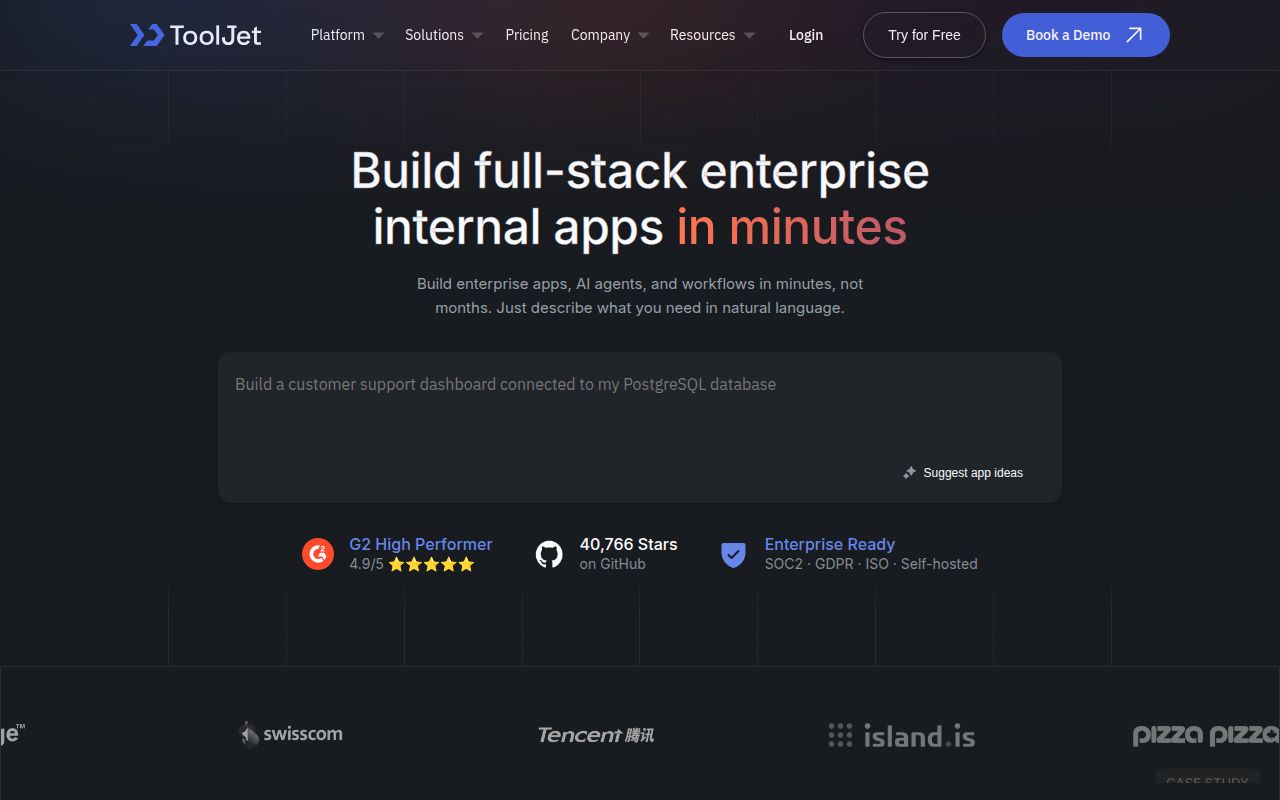
ToolJet Community Edition combines a drag-and-drop application builder, more than 60 responsive components, a built-in database, multiplayer editing, comments, and more than 80 data sources. Builders can connect tables and forms to databases, APIs, cloud storage, and SaaS systems, then add JavaScript or Python where visual configuration is insufficient. That is a practical mix for inventory screens, support consoles, approval tools, and dashboards that are important to a business but do not justify a dedicated frontend team.
The first buying decision is the edition, not the hosting target. The README places AI-generated apps, AI query building, debugging assistance, and agent creation in ToolJet AI Enterprise. GitSync, CI/CD, audit logs, multiple environments, white-labeling, embedded apps, advanced permissions, and enterprise support are also on that side. Community Edition is still substantial, but a proof of concept that quietly depends on any paid feature gives a false estimate of both cost and portability. Write the required capability list before building the first screen.
More than 80 connectors create a large trust boundary
Internal tools often sit between sensitive systems and employees who should see only part of the data. ToolJet says connected data flows through its proxy and that stored credentials use AES-256-GCM encryption. Community also includes granular access control and collaboration tools, according to the README. Those are relevant building blocks, but operators remain responsible for database accounts, API tokens, network reachability, user lifecycle, backups, and reviewing what each app query can do. A visual query is still production access to a real system.
GitHub reported 1,172 open issues and pull requests on August 26, 2026, and 40,766 stars. The repository was pushed that day. Those numbers describe a large, active project rather than a count of confirmed defects. Release v3.20.216-lts, published August 25, fixed dropped update filters in ToolJet Database, tab rendering, editor error boundaries, and several interface problems. The update-filter fix is exactly the sort of behavior an internal-tool buyer should notice: a friendly builder does not remove the need for cautious releases and database permissions.
What happened when we ran it
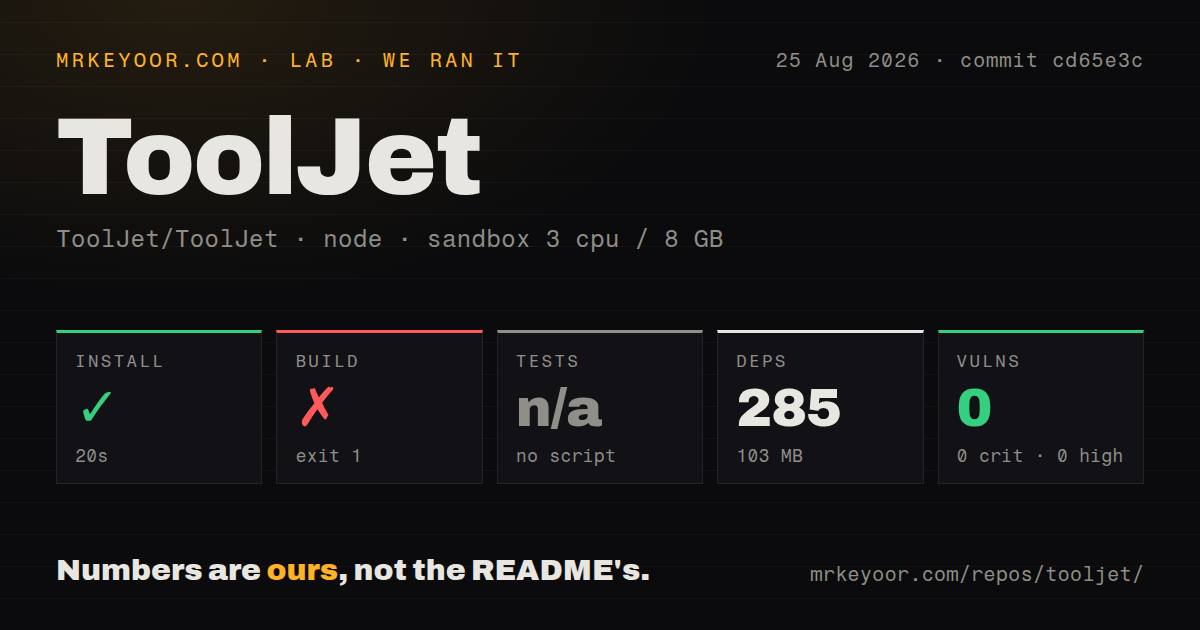
Our commit cd65e3c checkout installed 285 npm packages in 20 seconds and occupied 103 MB. Npm audit reported 0 known vulnerabilities. The source tree itself was far larger: 11,366 files, about 572,392 lines of source, and 1,711.1 MB checked out. The build ran for 146 seconds before exiting with code 1. Its visible tail printed a byte array that included npm's message about installing lerna@10.0.1, then ended at Node.js v22.23.2. The tail did not provide a clear originating exception, so we cannot responsibly name the cause.
The harness found no root test script or target, so tests were skipped. It detected 32 CI workflow files, no Dockerfile, and no tests directory. The missing Dockerfile refers to this checkout, while the README separately provides a published tooljet/try:ee-lts-latest Docker image for a quick trial. That distinction matters. Our failed monorepo build is a source-contributor finding, not proof that the supplied container cannot start. It does show that npm install plus the root build command was not a clean contributor path in our Node 22 sandbox.
The published container is the sensible first trial
The README's shortest route maps port 80, creates a persistent volume for PostgreSQL 13 data, and runs the published trial image on linux/amd64. ToolJet Cloud removes hosting work entirely. Longer-lived self-hosting has documented paths for Docker, EC2, ECS, OpenShift, Helm, EKS, GKE, AKS, Azure Container, Cloud Run, and subpath deployments. That breadth is useful, though every path still needs upgrades, backups, observability, secrets, and a recovery plan. An internal builder becomes infrastructure once colleagues depend on its apps.
The project recommends LTS releases for upgrades, citing production fixes, security patches, and performance changes. That advice is worth following. The August 25 LTS release shows a rapid maintenance cadence, while the 1.7 GB checkout shows the cost of treating ToolJet as code you will regularly modify. Most evaluators should deploy the published artifact first, connect one low-risk data source, and build a representative app before deciding whether they need a fork.
AGPL v3 and Enterprise boundaries need approval early
ToolJet Community Edition is released under AGPL v3. Organizations planning modifications or network deployment should have someone who understands that license review the intended use and distribution model. This is particularly important when the proposal is to embed ToolJet into a product rather than operate it as an internal service. Licensing is not a footnote to settle after custom plugins and screens have accumulated.
Appsmith and Budibase are the closest visual-builder comparisons. Windmill is worth testing when scripts, scheduled work, and developer-owned workflows dominate the use case. None should be chosen by counting connectors alone. Build the same small tool in two candidates: one database query, one write action, one role boundary, and one deployment upgrade. ToolJet wins when its component set, collaboration model, integrations, and chosen edition reduce actual engineering work enough to justify running the platform.
Our run leaves a split verdict. The product surface and current LTS activity look mature, but the source experience was heavy and did not produce a clean build or root test signal. The published trial image avoids that first obstacle and is the correct evaluation route. Community Edition is a serious internal-tool platform on its own terms. Buyers attracted by AI agents, GitSync, audit logs, or environment promotion are evaluating Enterprise and should price and govern it as such.