Quiz unlocking works; power-button enforcement can fail
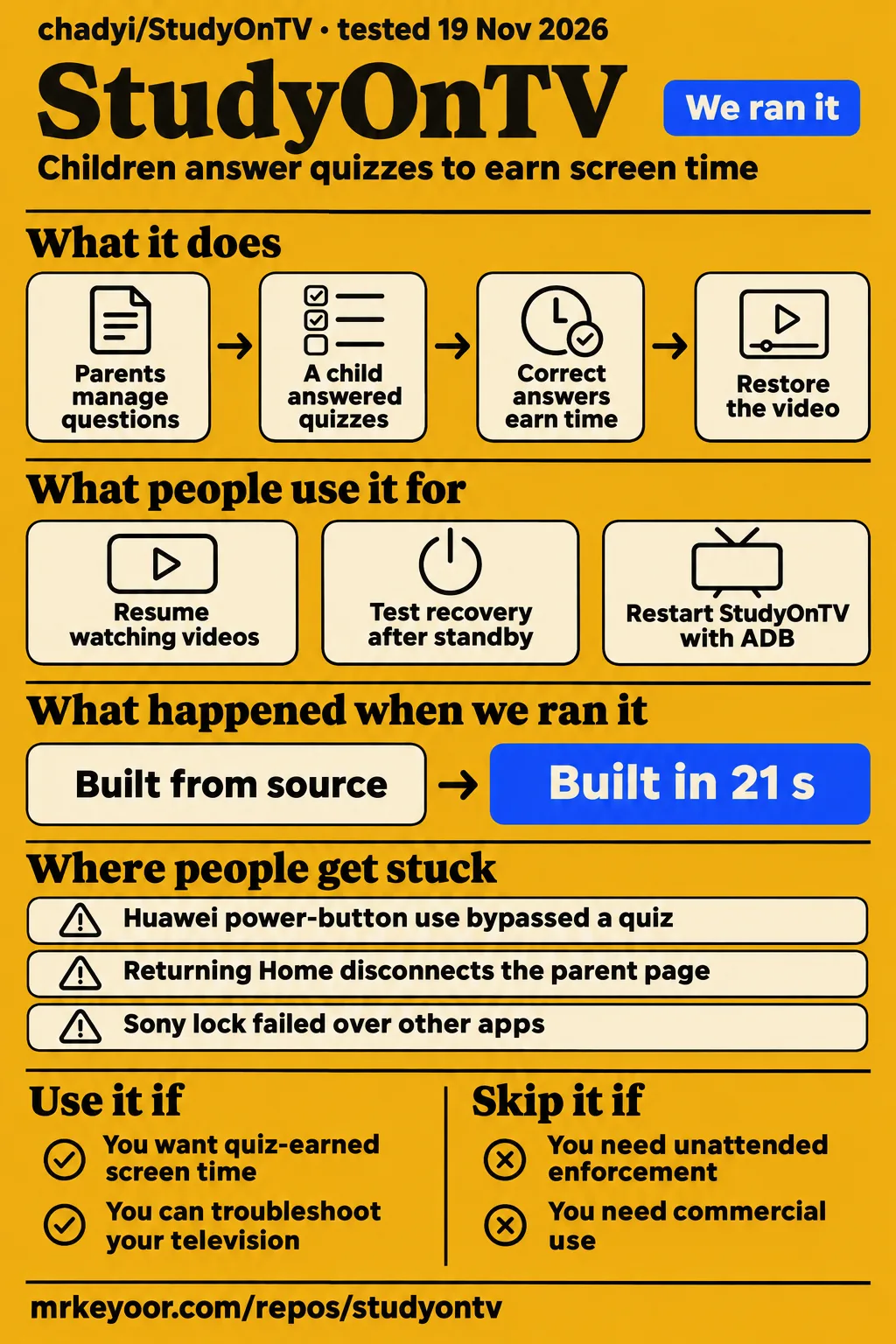
StudyOnTV lets a child answer questions to earn viewing time on an Android device, and one Huawei household reported repeated successful quiz-to-playback cycles. Use it if you want that family routine and can troubleshoot your television. Skip it if you need unattended screen-time enforcement that survives a child using the power button: adamji1332 documented precisely that escape on a Huawei/Honor NYHS-370A running v0.4.2 in issue #164.
The product's appeal is easy to understand. Instead of asking you to stop the video yourself, it puts a learning task between the child and the next viewing allowance. The English README describes question banks, daily limits, allowed hours, wrong-answer practice and optional grading by a parent or AI service. You manage the controlled device from a browser on your home network. There is no project-operated account system to join.
The distinction that should decide your choice is whether that routine continues after the app leaves the foreground. Our parent-interface build passed its recorded checks. Hardware reports show that a working quiz and a dependable television lock are separate achievements.
What people use StudyOnTV for
Three community accounts show a functioning quiz routine, a successful recovery modification and a partial workaround, each on the reporter's own equipment.
| Person and equipment | What they did | Reported outcome |
|---|---|---|
| adamji1332's household, Huawei/Honor NYHS-370A, v0.4.2 | A child answered quizzes while watching videos | Correct answers closed the quiz and restored playback; repeated allowance-triggered quizzes worked while the process stayed alive. Household report |
| cx5311, MiTV-MFFU0, Android 14 | Tested a modified build after process termination, standby and cold boot | Reported recovery without an external watchdog; the maintainer later said the approach entered v0.4.0. Contributor tests |
| qidunhu | Combined always-on ADB with a watchdog after waking the TV | Reported partial process-survival relief, but power loss switched persistent ADB off and defeated the workaround. Watchdog account |
The first account deserves attention because the reporter revised an earlier diagnosis. A quiz appeared, the child answered correctly, and the application closed its learning screen to restore the video. When another clock boundary passed without a new quiz, the reporter initially suspected a scheduling bug. Later observations showed repeated quizzes as the viewing allowance ran out. That correction makes the account more useful than an uncomplicated success story: it separates an expected gap between quizzes from the later failure of the enforcement process.
The contributor's Xiaomi work serves a different reader. If you can inspect Android logs and maintain a modified build, it offers a concrete recovery approach. For a parent looking for an appliance, the important outcome is narrower: this was one named television, not a compatibility certificate for a brand.
What happened when we ran it
Our November 20 hands-on attempt stopped at the safety step because no Compose file existed: the log says "hands-on step safety: FAILED". The runner required one of compose.yaml, compose.yml, docker-compose.yaml or docker-compose.yml before proceeding. That is a mismatch between the deployment harness and this Android project, not an observed failure to install the TV app.
The run summary nevertheless says "deployed with its own docker compose". That conflicts with the failed step. We give the explicit failure priority and claim no working deployment from this attempt. The final cleanup record reports "teardown: ok".
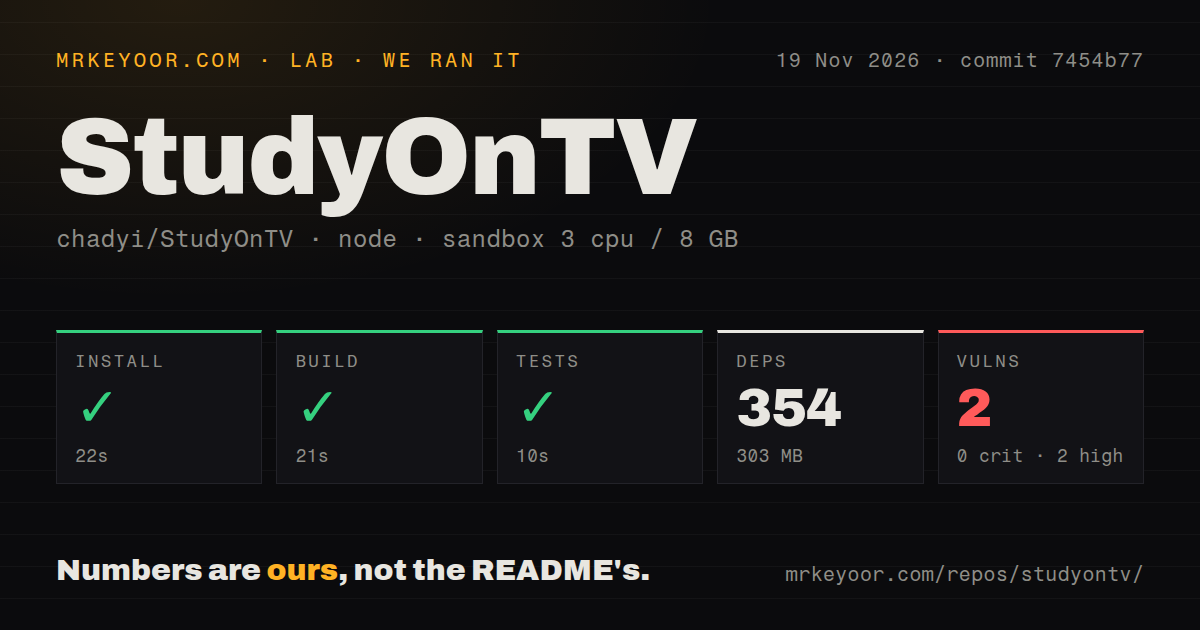
The earlier repository run gives a useful, smaller result. On November 19, our sandbox checked commit 7454b77 in ./parent-ui/: npm installation succeeded in 22 seconds, the build in 21 seconds and tests in 10 seconds.
| Recorded check | Result from our November 19 run |
|---|---|
| npm install | Succeeded in 22 seconds; 354 dependencies recorded |
| Dependency footprint | 303 MB on disk |
| Build | Succeeded in 21 seconds |
| Tests | Succeeded in 10 seconds; no test count reported |
| npm audit | 2 high vulnerabilities; 0 critical, 0 moderate, 0 low |
| Repository scan | 410 files, about 43,347 source lines, 8.2 MB checked out |
| Automation signals | 3 CI workflow files; no Dockerfile or tests directory detected |
The configured sandbox had 3 CPUs, 8 GB RAM and image label lab-node:22. That label is configuration, not a toolchain version log. The successful commands concern the parent UI, which is the browser interface you use to manage the app. They offer a reason to consider working on that component, without answering whether a television keeps the Android service alive. Likewise, the missing tests directory is a scan result, not proof that the successful test command ran no checks.
Where people get stuck: the TV removes the service or its permissions
Xiaomi and Huawei reporters describe lost accessibility permissions and killed processes alongside interrupted timing and missing quizzes. Accessibility is an Android permission that lets an app observe interface activity and help enforce a restriction; an enabled switch is useful only while the relevant service actually works.
| Symptom | What the issue reports | Remedy or current status in the thread |
|---|---|---|
| Parent page disconnects on returning Home | The miTV reporter in #52 says port 8099 stops listening after leaving the foreground | Reopening the app restored access. The maintainer offered diagnostics and recovery options; the issue is open. #52 |
| Accessibility disappears and allowance stops decreasing | The EA75 2022 report identifies system cleanup despite extensive permission grants | qidunhu's external watchdog helped partially; power loss disabled its ADB connection. The issue is open. #38 |
| Countdown and lock fail on S 75 miniLED | Tangjuyi says watchdog repair is undone by repeated cleanup and foreground-service rejection | The latest report still says timing and locking are unusable. The issue is open. #113 |
| Sony lock appears on Home but not over apps | The KD-75x9000H discussion prompted a foreground-app caching change | The maintainer reopened the issue pending Sony 20/21 hardware confirmation after v0.3.22. #93 |
| Custom AI connection reports a Wi-Fi timeout | #106 describes an OpenAI-compatible endpoint failing despite both devices sharing Wi-Fi | The maintainer changed timeout handling, then identified an older installed version in logs and recommended v0.3.24. The issue is closed without a successful provider result. #106 |
For your own diagnosis, distinguish three observations: whether the phone can reach the parent page, whether the app process survives, and whether the quiz covers the video when the allowance expires. Issue #113 is especially instructive. Repairing accessibility and starting the app produced a temporary recovery, but the next cleanup removed the service again. A successful recovery command therefore answered a different question from whether the next viewing session would stay controlled.
Recovery changed between v0.3.22 and v0.4.0
The maintainer offered an external watchdog in v0.3.22, notification-listener recovery in v0.3.24 and reported merging SyncAdapter recovery into v0.4.0. These are successive recovery paths, not evidence that every affected television now behaves alike.
In #38, the watchdog runs outside the television and asks ADB, Android's debugging connection, to restart StudyOnTV and repair missing accessibility settings. That arrangement needs another machine and a reachable debugging service. Notification-listener recovery instead uses Android rebinding a service as a route back into the application.
The #111 discussion then changed direction. cx5311 reported device-side recovery through SyncAdapter, Android's synchronization framework, on a MiTV-MFFU0 running Android 14. The maintainer first rejected the approach, then acknowledged the contributor's results and said it was merged in v0.4.0 through PR #151. Read the later reply alongside the earlier warning.
If you are collecting compatibility evidence, record the television model, firmware and app version together. A release containing a recovery mechanism and a successful test on your exact firmware answer different questions. The Huawei report concerns v0.4.2, which is later than that merge.
Local storage still leaves an AI privacy decision
Optional AI grading sends question and answer content to the configured provider, according to the English README. Keeping the question bank in local SQLite storage does not make that request local. If you use a hosted service, decide whether the child's answers belong there before enabling it.
You can choose parent grading instead. The README also describes authenticated Agent grading and endpoints such as DeepSeek or a local Ollama server. Those are configuration choices, with their own service and network requirements. Handwriting needs a vision-capable model or human review, and failed AI calls preserve the submission for later review. The Chinese README points separately to an analytics explanation, another reason to read the data-handling documentation rather than infer privacy from the absence of an account.
The parent panel and API require the management password. The installation guide advises closing ADB debugging after installation to reduce exposure. An external watchdog depends on continuing access to ADB, so choosing that recovery route changes your operating arrangement. Keep that decision explicit instead of treating every permission and debugging toggle as something to turn on once and forget.
Our npm audit recorded two high vulnerabilities in the parent-UI dependency environment. No package names or exploit details accompany that result, so it supports reviewing the dependency audit before adapting the interface, rather than declaring a specific attack against the Android app.
English documentation exists; the main guidance is Chinese
StudyOnTV has an English README, while its main README, installation guide and the detailed hardware discussions checked here are Chinese. You can learn the product's basic operation in English, then need translation to follow the most useful device-specific troubleshooting.
That affects the real setup burden for a worldwide audience. The English README covers parent authentication, screen-time rules, permissions and grading. The installation guide contains the brand-specific debugging steps. English prose in the repository should not be mistaken for a measured English-interface result on a TV.
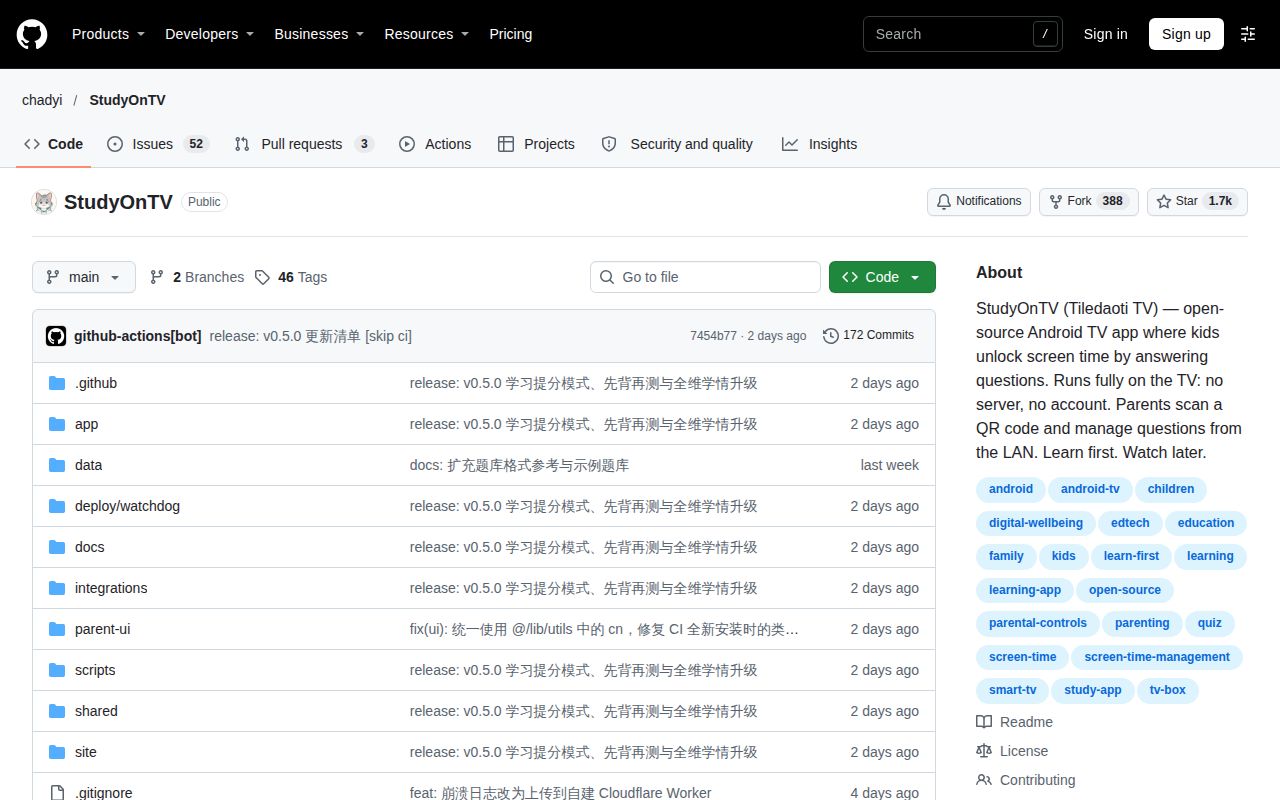
The project is active in the dated GitHub snapshot: the last push was November 18, 2026, and the latest-release endpoint returned v0.5.0 from that date. Its issue discussions include maintainer responses, reopened problems and contributor work. That is evidence of development, alongside unresolved hardware reports, rather than a reason to dismiss the reports as obsolete.
StudyOnTV vs Aerial TV, PlanYourTV and an external watchdog
Aerial TV is the recovery implementation reference discussed by StudyOnTV contributors; PlanYourTV is a closer product comparison because its README describes a parental-control launcher with quiz rewards. Choose by the job you want the television's home screen to do.
| Option | What it changes | When it belongs in your shortlist |
|---|---|---|
| StudyOnTV with device-side recovery | Keeps the quiz-control application and attempts recovery through Android services | You want StudyOnTV's routine without a continuously connected computer; cx5311 reported success on one MiTV-MFFU0. #111 |
| StudyOnTV with an external ADB watchdog | Moves the restart attempt onto another machine | You can maintain a reachable ADB connection; qidunhu reported partial relief and failure after power loss disabled ADB. #38 |
| Aerial TV | Replaces the TV launcher; contributors borrowed its recovery structure | You chiefly want a different home screen or are studying the recovery implementation. It is an implementation reference here, not a demonstrated quiz-control replacement. #111 |
| PlanYourTV | Its README describes a parental-control launcher with scheduled windows, app rules and quiz challenges | You specifically want parental control at the launcher level. Treat its claimed behavior as a separate evaluation. Project README |
The PlanYourTV README says it replaces the TV home screen and enforces screen-time rules at the launcher level. It also limits its own hardware claim to Xiaomi standard builds and says other devices follow Aerial support without individual testing by that project. That is a useful boundary to retain when comparing it with a requested StudyOnTV launcher role. Neither a shared recovery ancestry nor a home-screen design settles resistance to your television's firmware cleanup.
What the other reviews get wrong
HotRepo's overview explicitly acknowledges personal-use licensing and AI data transfer, while shorter listings and social descriptions omit qualifications that determine whether you can use StudyOnTV as intended.
The GitHub learn-first listing and TrueStars entry call it open-source. The license discussion describes source availability for personal household use, with prior written permission required for redistribution of source or binaries. That distinction matters if you intend to share a patched APK with other parents, sell a configured device or embed it in a service.
The gitpopular Instagram post calls it fully local. HotRepo gives the missing qualification: AI grading sends questions and answers to your configured service. Gorden Sun's X introduction describes automatic locking when time expires. The Huawei household's power-button escape shows why intended locking behavior needs a model-specific qualification.
On Bilibili, 发肥的包子's video title broadly claims perfect Xiaomi operation. The title is promotional evidence, not a transcript documenting a complete resistance test. Compare it with the named MiTV-MFFU0 success and Tangjuyi's continuing S 75 miniLED failure. The same search also lists unrelated HaloTV material; it cannot all count as StudyOnTV adoption.
Earlier maintainer replies saying the APK cannot recover itself after force-stop also need the later v0.4.0 reply beside them. Finally, the r/GetStudying study-methods discussion concerns exam preparation, not this application. It contributes no family-use evidence for StudyOnTV.
Questions people ask
The parent page can disconnect because returning to the TV home screen kills the StudyOnTV process: the miTV reporter in #52 saw port 8099 stop listening and restored access by reopening the app.
Why does the parent management page disconnect when I return to the TV home screen?
In #52, leaving the foreground stopped the local management service, and reopening StudyOnTV restored it. The maintainer offered diagnostics, an external watchdog and notification recovery, but the thread remains open. Check whether the TV-side app is still running before treating the phone's disconnection as a router problem.
Why does StudyOnTV's accessibility permission keep turning itself off on Xiaomi or Redmi TVs?
The Xiaomi reports describe firmware cleanup removing StudyOnTV's accessibility entry and killing its process. Tangjuyi says watchdog repair was undone again on the S 75 miniLED, alongside rejection of the foreground service in #113. Repeatedly granting the same permission did not solve that reported failure.
Can StudyOnTV run reliably on Xiaomi TVs, and which models and firmware versions have actually been tested?
cx5311 reported recovery success on a MiTV-MFFU0 running Android 14 in #111. The EA75 2022, MiTV-ASTP0 report names Android 9 and MIUI for TV 22.8.30.1385 in #38, with interrupted timing. Those are model-specific outcomes, not a universal Xiaomi answer.
Does StudyOnTV trigger a quiz at each schedule boundary or when the unlocked viewing allowance runs out?
The Huawei reporter's later observations support allowance-driven quizzes while the process stays alive, rather than a fresh quiz at every half-hour boundary. They explicitly corrected an earlier suspected boundary failure in #164. The README separately describes schedules controlling when use or learning restrictions apply.
Could making StudyOnTV an optional default launcher improve startup and prevent Home-button escapes?
An optional HOME launcher role is a proposal from the Huawei reporter, intended to make boot and Home actions return to StudyOnTV. The #164 discussion presents the mechanism as a suggested change, without a completed implementation or successful launcher test. Don't choose StudyOnTV on the assumption that this proposal already works.
Why does a custom OpenAI-compatible API report a Wi-Fi timeout when the TV and phone are on the same network?
The maintainer says v0.3.22 separated AI-request timeouts from local-network timeouts and increased the AI request allowance. Logs later showed v0.3.21, prompting advice to try v0.3.24 in #106. The closed thread contains no successful connection result for that custom provider.
Can I select all questions or delete question-bank entries in bulk?
Yes: the maintainer says selection, selecting all filtered results and bulk deletion arrived in v0.3.1 in #21. This answers the original complaint about deleting questions individually. The qualification is filtered results: it describes the selected question-table view rather than an unrelated whole-device reset.
Can parents filter question banks by grade for children at different levels?
Yes: the maintainer reports subject and grade filters from v0.3.4 in #21, after WU-H-DENG requested a way to separate questions by grade. Choose your question bank and filters deliberately when siblings use the same device; that request concerned keeping different levels from mixing together.
Why does Windows antivirus flag or delete the StudyOnTV APK?
The maintainer attributes reported detections to false positives and says the APKs were submitted to Microsoft for review in #10. That is the author's explanation of specific detections, not our malware analysis. It is no reason to disable antivirus protection generally or assume every future downloaded APK is safe.
May I share a modified StudyOnTV branch or test APK with other families?
The license requires prior written permission for redistribution to third parties. In #111, cx5311 explicitly requested permission for wider testing, and the maintainer later invited a branch and pull request. That exchange concerns that contributor's request; read your own intended distribution against the license rather than assuming blanket permission.
How do I install StudyOnTV and enable a quiz-before-TV setup?
Install the TV APK from the project's releases, open it, set the management password and connect the phone's browser through the TV's QR code on the same network. The setup overview then directs you to configure the viewing allowance, question count, pass percentage and schedule. Grant the appropriate enforcement permissions for your device and try the routine over the video app your child actually uses.
What we have not tested yet
Our measured software checks covered the parent UI at commit 7454b77, and the later hands-on attempt stopped before deployment. We did not install the Android APK on a television, reproduce the Huawei power-button bypass, or run a complete quiz, standby, wake and cold-boot sequence. The contradictory deployment-summary wording needs correction in the lab record before it can support a deployment claim.
We have not measured learning improvement, long-term household compliance, large question banks, AI grading accuracy, provider interoperability, TV memory use or interface language on hardware. The npm audit summary lacks the affected-package details needed for a specific vulnerability assessment, and the antivirus discussion is not an independent security examination. Search popularity, star counts and video titles cannot fill those gaps.
The community's hardware reports concern the versions they name, including v0.4.2 on Huawei; our fresh GitHub lookup returned v0.5.0. We have not retested those incidents on that release or compared PlanYourTV and Aerial on the same television. Before relying on any of them, the useful next result is a recorded session on your exact model that continues through a quiz, Home, standby and power restoration.