Step Code binds a terminal agent to one built-in provider
Step Code's default CLI has 1 built-in model provider: Step. The agent can inspect a repository, edit files, run commands, resume sessions, and keep working through an explicit goal. You sign in through a Step Plan account or supply a Step Platform API key, then choose among the models returned by that service. This is a good fit if Step already handles your model access. It is a poor reason to switch providers on its own.
The terminal interface covers interactive work and headless prompts. It can import MCP settings from Claude Code or Codex, read an existing CLAUDE.md, and generate AGENTS.md. A bundled StepPage plugin publishes a local directory as a static site with versions and rollback. Those integrations make the agent useful beyond chat, but each one increases what the local process can read or execute.
The source checkout passed, while the full suite took 444 seconds
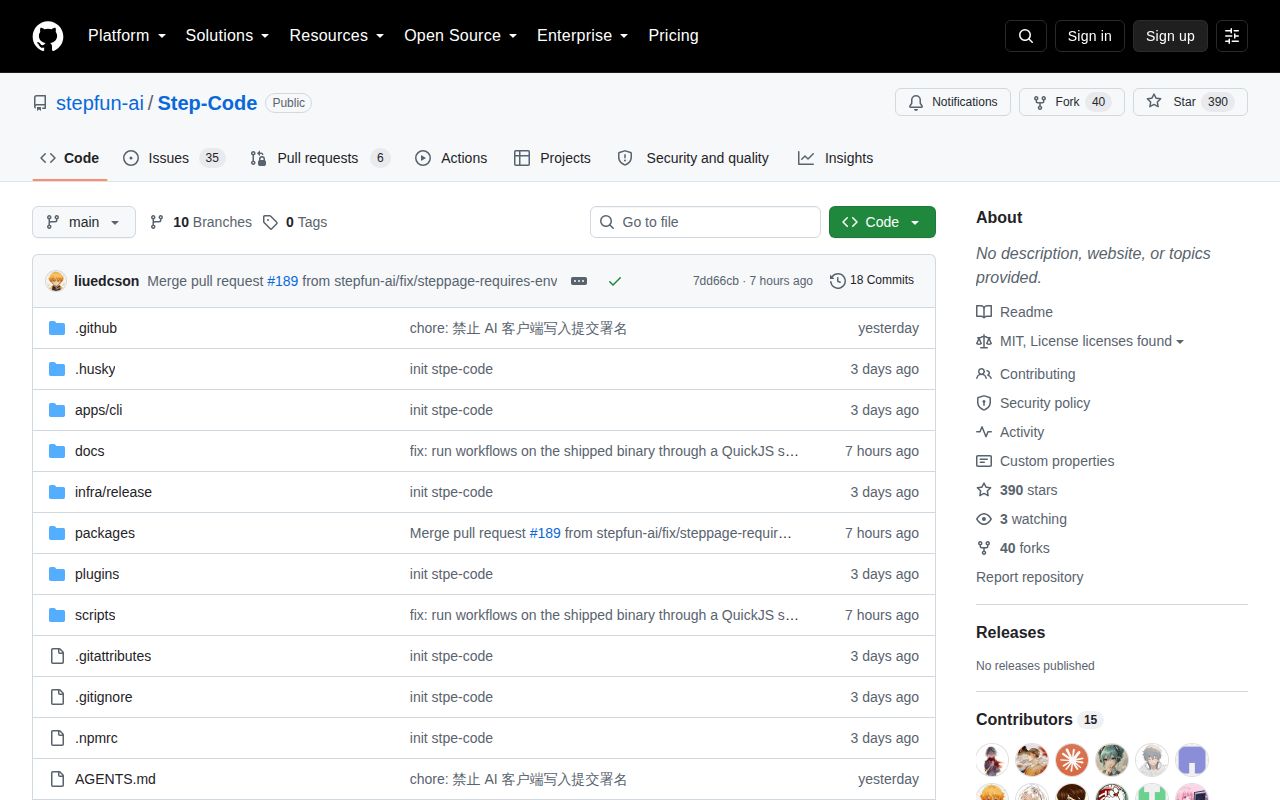
The repository is much larger than the short installation instructions suggest. commit 7dd66cb contained 1,407 files and roughly 301,231 lines of source in a 14.9 MB checkout. It is a pnpm workspace spanning the CLI, terminal UI, provider code, configuration, telemetry, and the coding-agent runtime. Our scan found 3 CI workflow files, no Dockerfile, and no top-level tests directory.
Source setup is still straightforward. The documented path needs Git, Node.js 22.19 or newer, and pnpm. Its root package pins pnpm 9.15.9 and chains builds across the workspaces. The public tree can create local release bundles, but the project's open-source status document says publication credentials and protected release operations live elsewhere. GitHub's latest-release endpoint returned no release object when we checked.
What happened when we ran it
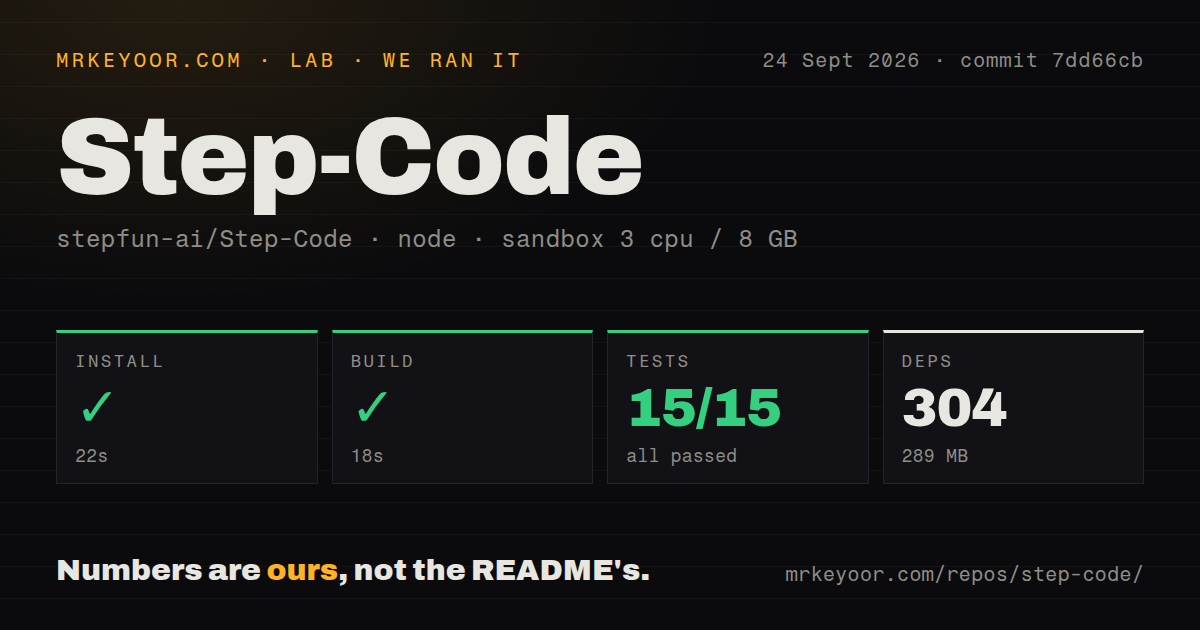
Our sandbox installed 304 packages in 22 seconds and occupied 289 MB on disk. The build completed successfully in 18 seconds. This was a fresh, unprivileged Debian container with 3 CPUs, 8 GB of RAM, Node 22, and no secrets. The result shows that the checked-out source can be assembled without a Step login.
Vitest passed all 15 tests, with 0 failures, in 444 seconds. That is a clean result, though the test step took far longer than the install and build combined. We did not sign in, ask a model to edit a repository, connect an MCP server, publish through StepPage, or assess generated code. The run proves the measured repository checks passed, not that autonomous changes are safe.
Four permission modes still sit outside a sandbox
Step Code has 4 permission modes, and its security policy says the agent is not sandboxed. Ask, Read Only, Bypass, and Autopilot control when Step Code requests approval. Built-in dangerous commands are meant to require a separate confirmation even in permissive modes. The policy assumes trusted repositories and extensions, and it treats files writable by your user account as inside the same trust zone. Run it in a container or virtual machine if that boundary is too broad.
Open issue 130 matters here. Its reproduction says forms such as git push -f, reordered dd arguments, and systemctl poweroff can miss the dangerous-command patterns and be classified as ordinary under the default Bypass preset. The report is open, so treat it as a current warning rather than a fixed incident. A confirmation regex should not be your last barrier against destructive model output.
MCP compatibility can pass parent secrets to local servers
Step Code imports MCP settings from 2 clients, Claude Code and Codex, on first launch. Interactive sessions start discovery in the background, and the README says most Claude Code plugins work directly. That makes migration easy, and it earns both the MCP and Claude Code labels. It also means third-party server commands and plugin instructions run inside the same local trust boundary as the agent.
Issue 191 reports that a local stdio MCP subprocess receives the full Step Code environment instead of the MCP SDK's smaller default set. The supplied reproduction used 1 synthetic variable and found it in the child process. The same code path can add a stored Step credential when STEPFUN_API_KEY is absent. Until maintainers resolve the report, declare MCP environments narrowly and avoid launching unreviewed servers beside unrelated secrets.
Windows is beta, and WSL is the safer documented route
The README labels PowerShell support beta and recommends WSL. Its installer covers 4 environments, macOS, Linux, WSL, and Windows PowerShell, verifies a checksum, and places the binary under ~/.stepcode/bin by default. Open issue 151 gives the beta label teeth: its reporter found native Windows source builds failing at an npm spawn and a session migration silently leaving files behind.
The issue queue is active enough to make these reports useful rather than archaeological. GitHub showed a push on September 24, 2026, 390 stars, and 41 combined open issues and pull requests. Several reports and proposed fixes were updated that same day. There is no GitHub release record to compare with the source activity, so use the installer version output and pinning option when repeatable setup matters.
Step Code has earned a trial if you want Step models in a capable terminal agent. Our 15 passing tests remove one source-level concern, but they do not cancel the product's stated trust model. Put the agent where a mistaken command cannot reach everything you own, inspect every MCP server, and choose WSL over native Windows until the open build path is repaired.