mrkeyoor.com_
Thu 24 Sept 15:48 UTC
AI Toolsevaluationupdated 24 Sept 2026

lap review

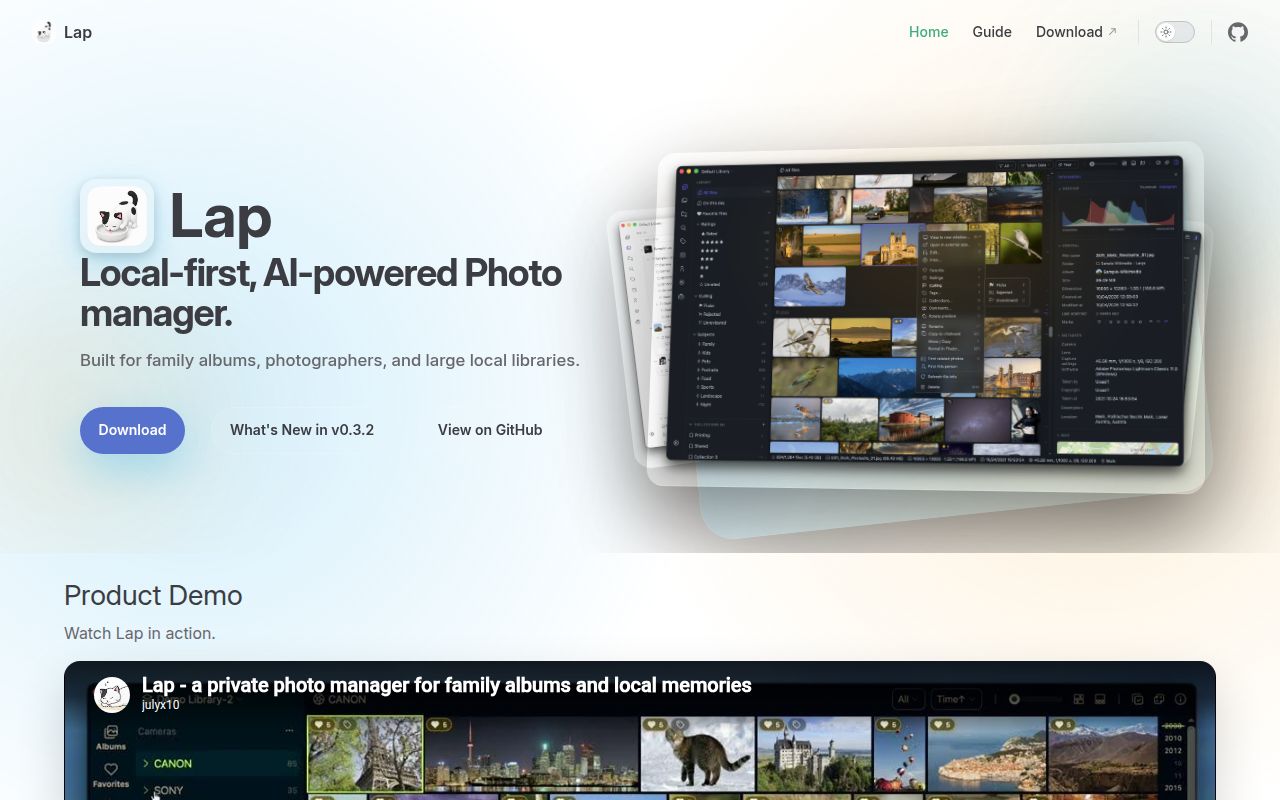
Lap is a local desktop photo manager for macOS, Windows, and Linux. It browses existing folders, indexes more than 60 media formats, and runs search, similarity, tagging, and face features on the user's machine instead of requiring a photo-cloud account.

Verdict

Our Lap build timed out after 900 seconds, and its tests failed after another 623 seconds, so source verification is a serious commitment despite a 44-second dependency install. The packaged app is worth trying for one person's large local library, especially when RAW pairs and local AI search matter. Choose a different catalog if portable IPTC or XMP organization, signed Windows packages, or an easily reproducible build is mandatory.

We ran it

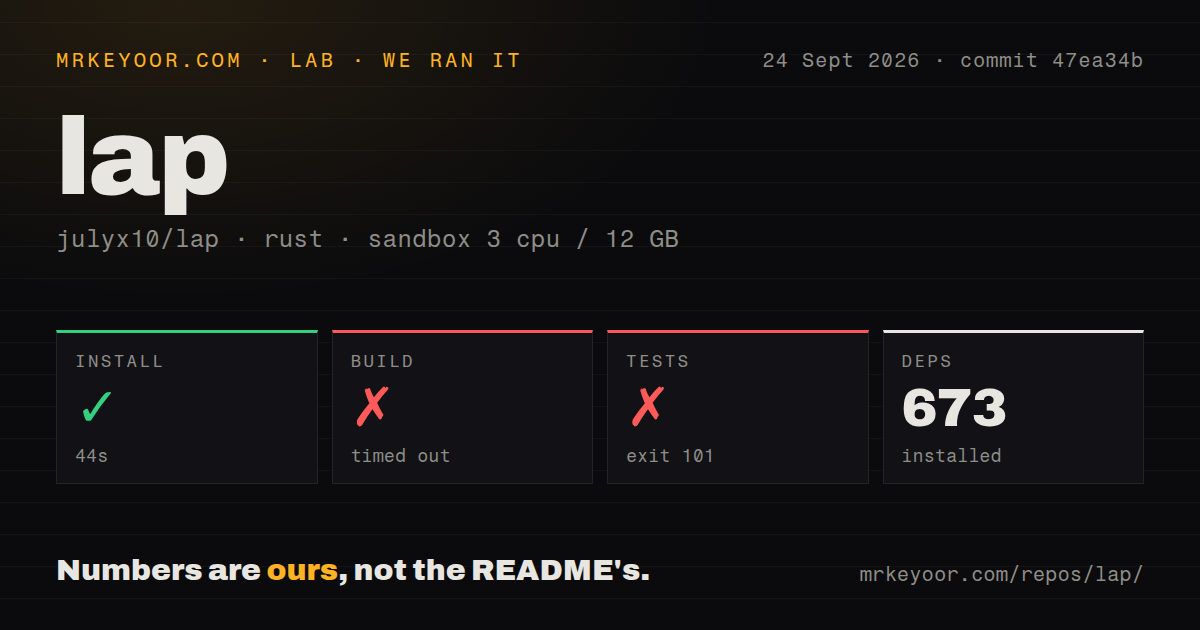
Lab card: what happened when we ran lapScreenshot of lap (julyx10.github.io/lap)
Install✓ · 44s673 packages
Build✗ timed out · 900s
Tests✗ · 623sran, no count parsed
Repo2132 files~475,237 lines of source · 56.7 MB · 5 CI workflows

Answers from our run

Does lap build from source?

Dependencies installed in 44 seconds (673 packages), and the build failed. We cloned commit 47ea34b into a clean Debian container with 3 CPUs and no project-specific setup.

Do lap's tests pass?

The test command failed in our container, and its output did not report a pass or fail count.

Who should not use lap?

Photographers who need tags and ratings to travel in IPTC or XMP metadata: the README says this organization stays in Lap's database, and issue 40 remains open.

What are the alternatives to lap?

digiKam, Immich, PhotoPrism. Our Lap build timed out after 900 seconds, and its tests failed after another 623 seconds, so source verification is a serious commitment despite a 44-second dependency install.

Setup2/544-second install, but build timed out and tests failed
Docs5/5Formats, metadata boundaries, platforms, privacy, and builds are clear
Community4/52,719 stars with active September issue discussion and fixes
Maturity3/5v0.3.2 is active, while catalog and deletion reports remain open

Who it’s for

Photographers who want one desktop catalog over existing folders without uploading originals.
People managing mixed RAW, JPEG, HEIC, Live Photo, Motion Photo, and video libraries.
Users who want local semantic search, face grouping, maps, duplicate cleanup, and culling.
Households willing to back up Lap's database alongside the original media folders.

Who it’s NOT for

Photographers who need tags and ratings to travel in IPTC or XMP metadata: the README says this organization stays in Lap's database, and issue 40 remains open.
Windows users who cannot install unsigned software: the README says the MSI is unsigned and may trigger SmartScreen.
Developers expecting a quick source build: our build hit the 900-second limit, and the test command failed after 623 seconds.
Linux users unwilling to manage media packages: the README calls for extra GStreamer plugins when video playback fails on Debian-based systems.
Anyone treating a local catalog as a backup: deleting Lap's database preserves originals but removes its collections, tags, ratings, comments, AI data, and indexes.

Setup reality

Our Rust sandbox installed 673 packages in 44 seconds. The build did not finish within the 900-second limit. Tests then failed with exit code 101 after 623 seconds; the supplied log tail shows CMake feature probes, not a final root-cause message.

The packaged app needs no account, but local AI models, thumbnails, previews, embeddings, face data, and indexes consume local storage. Map view fetches map tiles, release builds send two anonymous lifecycle events through Aptabase, and updates come from GitHub.

Building from source needs Node.js 20+, pnpm, stable Rust, Tauri CLI, platform libraries, downloaded models, and an FFmpeg sidecar. Linux video playback may also need GStreamer plugins. Lap's catalog must be backed up separately from the photo folders.

More than 60 formats stay in ordinary folders

Lap treats your existing directories as the photo library and supports more than 60 photo, RAW, and video formats. It handles Apple Live Photos, Google Motion Photos, and RAW plus JPEG or HEIC pairs as linked assets. Browsing can pivot by date, folder, map location, camera, lens, tags, ratings, faces, or saved Smart Album rules. That is a broad desktop workflow without first copying every original into a managed cloud.

The folder-first promise has an important limit. EXIF dates, camera details, GPS, and orientation come from the files, while collections, tags, comments, favorites, ratings, culling states, face data, and AI indexes stay in Lap's local database. Copying a photo outside the app does not carry that organization with it. Issue 40 asks for IPTC and XMP tag synchronization and was still open on September 23, 2026. Back up the database and configuration with the originals if that organization matters.

Local AI avoids photo uploads but still creates a second library

Lap runs text search, visual similarity, smart tags, face detection, and face clustering locally. The README claims optional multilingual search across more than 50 languages. Thumbnails, previews, embeddings, faces, and video indexes also remain on the device. Those derived files make search possible, but they create another body of data that needs disk space and a backup plan. Deleting the catalog leaves the original photos untouched while removing the work stored only in Lap.

Privacy is narrower than complete offline operation. The May 2, 2026 policy says photos, filenames, searches, tags, and face data are not uploaded to a Lap service. Map view can request OpenStreetMap tiles, update checks reach GitHub, and release builds enable Aptabase by default. Aptabase receives 2 lifecycle events, app started and app exited, with the Lap version, platform, and operating system. Buyers with a strict no-network rule should account for those documented connections.

What happened when we ran it

Our sandbox installed 673 Rust packages in 44 seconds. The checkout at commit 47ea34b contained 2,132 files, roughly 475,237 lines of source, and occupied 56.7 MB before the dependency work. Five CI workflow files were present, with no Dockerfile and no tests directory. The project under test lived in src-tauri/, which matches the Rust and Tauri core described by the README.

The build reached our 900-second limit without completing. A separate test command ran for 623 seconds and then failed with exit code 101. The supplied log tail shows CMake checks for ARM32, ARM64, pthread support, a potentially evaluated expression, and JPEG ICC profile support. Some probes passed and some failed, but the tail does not contain the final error. We cannot honestly assign a cause from that evidence. The useful conclusion is that commit 47ea34b did not complete our fresh Debian verification.

Building needs Node 20, Rust, models, and an FFmpeg sidecar

Source setup starts with Node.js 20 or newer, pnpm, stable Rust, and Tauri CLI 2. Platform libraries add Xcode tools on macOS or WebKitGTK, AppIndicator, SVG, Clang, NASM, CMake, and related packages on Linux. Two scripts download AI models and an FFmpeg sidecar before cargo tauri dev. That is a much larger path than downloading a release asset.

Packaged users have 8 downloads in the v0.3.2 release table across macOS, Windows, and Linux architectures. The macOS builds are notarized. Windows x64 and ARM64 MSI files are unsigned, so the README instructs users to bypass SmartScreen with Keep anyway. Linux gets DEB and AppImage choices, but H.264 playback depends on GStreamer and may require two extra plugin packages on Ubuntu, Debian, or Linux Mint. Platform coverage is wide, yet each platform keeps a specific installation caveat.

The v0.3.2 release is active while catalog gaps remain

Version 0.3.2 shipped on September 12, 2026, with map browsing, Motion Photos, date-based import, duplicate cleanup, and Linux AppImage fixes. The repository was pushed again on September 24. GitHub listed 2,719 stars and 38 combined open issues and pull requests when fetched, and several issues received updates that same day. This is current development activity, not a dormant release page.

Current reports still touch everyday library work. Issue 325 says deleting one image on a macOS 27.2 beta system temporarily blanked the whole library until scrolling. Issue 331 asks Lap to prefer JPEG previews for RAW pairs, and issue 40 covers portable metadata. None of those reports proves broad data loss, and the deletion report names a beta operating system. They do show where to run a trial: copy a representative folder, test deletes and rescans, inspect RAW pair behavior, then verify the catalog backup before pointing Lap at the only copy of a family archive.

Alternatives

ProjectWhat it isPick it when
digiKamA long-running desktop photo manager with deep metadata and editing workflows.pick this instead when IPTC and XMP interoperability or a more established photography catalog matters most.
Immich gh↗A self-hosted photo and video backup service with mobile apps and local machine learning.pick this instead when phone backup, multi-user access, and a browser interface matter more than a folder-first desktop app.
PhotoPrism gh↗A self-hosted photo library with browser-based search and organization.pick this instead when the collection should be served to several devices from one host.

What people are saying

  1. [github-trending] julyx10/lap

Sources

  1. Lap repository and README
  2. Lap v0.3.2 release
  3. Lap privacy policy
  4. Issue 40: IPTC and XMP tag synchronization
  5. Issue 325: library blanks after deleting a photo

More ai tools reviews

agenticSeek · starnet · stable-diffusion.cpp · Model-Optimizer · DreamX-Creator · hexstellar · the whole board →