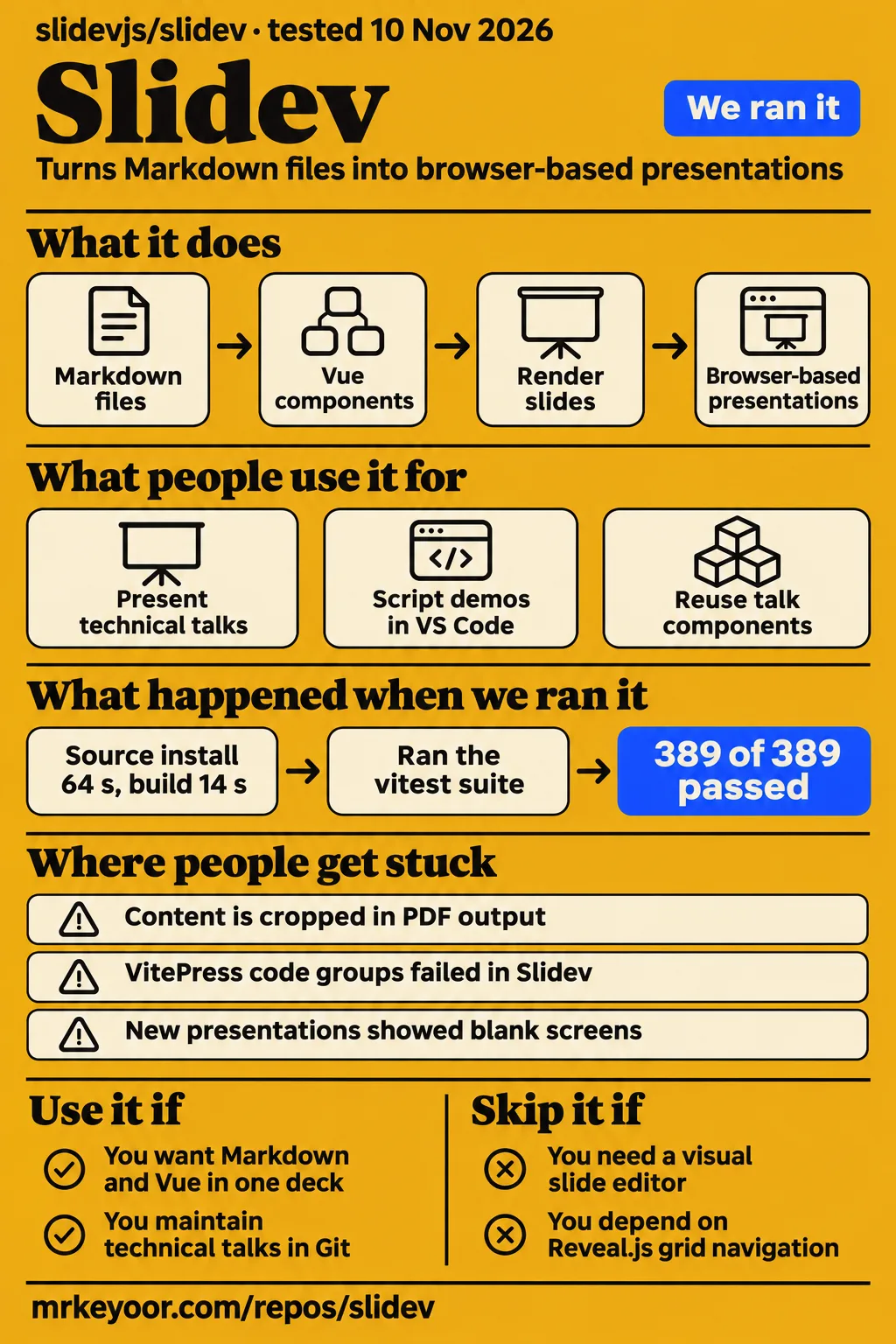
In our run, Slidev installed in 64 seconds and passed all 389 tests. Use it if you want to maintain technical talks in Markdown and Vue; skip it if colleagues must revise every slide in a visual editor without owning the source project. The developer-oriented authoring model is the attraction, and the handoff is where you should make your decision.
What people use Slidev for
Sean McPherson delivered a Pittsburgh TechFest talk with Slidev, and Elio Struyf used it alongside scripted demos at Cloud Summit. Their accounts give you something more useful than a feature checklist: a description of the work the deck accompanied.
- Sean McPherson used Slidev for Pittsburgh TechFest 2023. He wanted Markdown content that was easier to edit and share, and less opportunity to procrastinate over slide design. He liked the default designs and editing content and comments from presenter mode. His conclusion was that he was happy with it and expected to use it again.
- Elio Struyf scripted his GitHub Actions slides and demos with Slidev and Demo Time. At Cloud Summit, he presented inside VS Code, using its Simple Browser for the hosted slides and Demo Time for file creation, editor actions and commands. He reported easier switching between slides and demos without changing applications.
- The maintainer of prrao87/slidev-talks keeps talk content, shared LanceDB components and assets together. The maintainer describes easier Git review, reuse across talks and reproduction on another machine. This is the stronger case for adopting Slidev across repeated talks: the presentation's reusable parts can live beside its text.
- DanKornas described a Claude Code training repository on X that pairs Slidev materials with lab handouts, instructor notes, commands and sample projects. That post describes the teaching materials, rather than reporting measured learning outcomes.
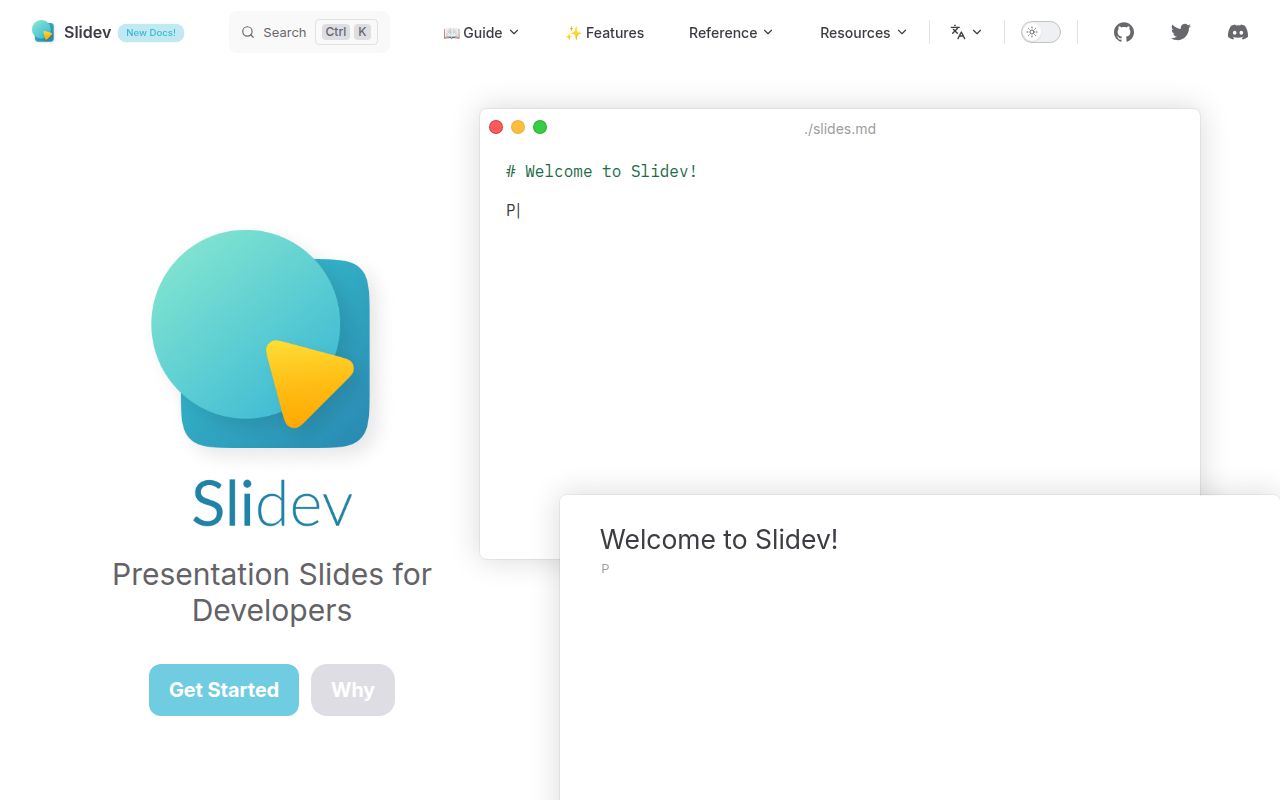
A Slidev presentation is a web presentation whose source starts in Markdown, with Vue components available for interactive parts. The project's rationale documents code highlighting, an embedded Monaco code editor, themes and browser-based customization. If your talk explains code changing step by step, those features have a purpose beyond decoration. If it is mostly photographs and short captions, owning a web project may buy you much less.
What happened when we ran it
Our November 20 hands-on attempt did not start a presentation: the safety step required a Compose file and found none. The run header described a Docker Compose deployment, but the actual failed safety step is decisive: it says none of compose.yaml, compose.yml, docker-compose.yaml or docker-compose.yml exists. No presentation task followed that stop.
The error labels the repository unsafe under that lab rule. It is a mismatch with a Compose-only launch procedure, not a finding that Slidev is unsafe to use. The teardown reported success. Treat the header as a description of the intended procedure, not proof that a browser opened.
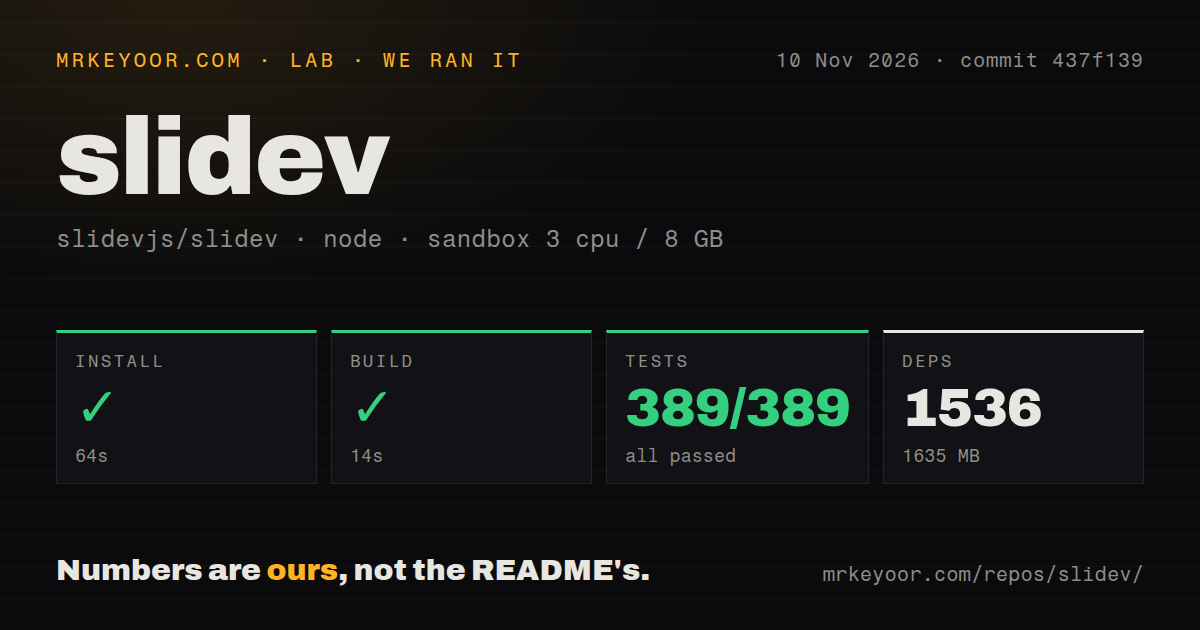
The earlier source run did complete. On November 10, our sandbox checked out commit 437f139 and used pnpm. Installation succeeded in 64 seconds, the build in 14 seconds, and tests in 11 seconds.
| Source-run step | Result from our sandbox |
|---|---|
| Install | Succeeded in 64 seconds; 1,536 dependencies recorded; 1,635 MB on disk |
| Build | Succeeded in 14 seconds |
| Tests | Succeeded in 11 seconds; Vitest reported 389 passed, 0 failed of 389 |
| Checkout | 794 files, approximately 42,476 source lines, 18.6 MB |
| Repository signals | Five CI workflow files, a tests directory and monorepo workspaces; no Dockerfile |
Our measurement setup was 3 CPUs, 8 GB RAM and image label lab-node:22. That label doesn't identify the actual Node or operating-system version; those require the raw toolchain logs. The installed workspace was much larger than the checkout. For contributors that disk figure is useful planning information, while someone creating a single deck should follow the documented project creation route, rather than assuming a clone of the whole development workspace is necessary.
Where people get stuck: rendering and old fixes need a closer look
A user on r/vuejs reported slides that looked fine while editing but cropped content in PDF output or during the talk. 123v321se built an overflow checker, describing it as a heuristic early warning suitable for CI, rather than a perfect validator. Commenter kcdragon said it helped before a talk. For you, the practical consequence is to inspect the audience's output, including dense code and images, before relying on the editor view.
The tracker also contains older failures with very different resolutions. Read the version and the final exchange before borrowing a workaround.
| Report | What the participants found | Resolution shown in the thread |
|---|---|---|
| Issue #116, PDF rendering timeout | The renderer waited for network resources; madlogos reported success through a global proxy after blocked components prevented rendering. | Proxy workaround. Larger timeouts and remoteAssets: false did not help everyone; madlogos explicitly said v0.16.0 had not fixed it. |
| Issue #954, PostCSS errors | Reports around v0.40.x included Unknown word and parsing errors in newly created decks. |
Removing style tags helped some participants; other reports continued. Closure supplies no dependable final fix. |
| Issue #229, blank screen | Users reported blank presentations across browsers and operating systems. Editing the file or setting container height helped individual users. | A maintainer suggested a dependency-related update. The conversation ends without a conclusive common resolution. |
| Issue #854, formatting breaks frontmatter | Generic Markdown formatting rewrote layout metadata. | jakebailey confirmed the linked frontmatter approach worked after actually upgrading. Ignore directives were earlier workarounds. |
| Issue #1826, Chromium crashes on macOS | Reports involved v0.49.26; disabling wake lock or pinning v0.49.24 supplied workarounds. | Reports about v0.49.27 conflicted. The last reinstall report was provisional, not a confirmed permanent resolution. |
These are historical reports, not a claim that the current release reproduces every error. In #1826, schauppi first thanked the maintainer for a working release, then returned after longer use to report the crash again. That sequence is why a closed badge alone shouldn't decide your rehearsal plan. Keep the deck's dependencies pinned and rehearse in the browser you will present from.
Reusing a teaching deck hurts most at navigation and translation
Teachers in issue #1187 asked for Reveal.js-style vertical navigation, so optional detail could sit beneath a main slide. heyalexnet wanted to go deeper only when questions required it; jpgehrig described using the same deck for business and technical audiences. Those are content-organization needs, not requests for another transition effect. The conversation includes an external implementation and an intended pull request, with the issue still open in the discussion we checked.
Translated talks introduce a different maintenance job. In issue #1125, lauriegriffiths described duplicated code blocks and asked for translated presenter notes. The discussion considers separate files, multiple entry points, inline translations and a Vue internationalization addon. Anthony Fu argues that duplicating files may be clearer than increasingly complex inline syntax. If you need several languages, decide who keeps shared snippets and notes synchronized before choosing an authoring convention.
Documentation reuse also has a boundary: kermanx explained in issue #1865 that VitePress code groups were incompatible with Slidev in that discussion. Installing VitePress as a dependency didn't change how Slidev ran. Plain Markdown familiarity helps you start, but a documentation site's extensions aren't automatically portable slide syntax.
Slidev vs Reveal.js, Marp and React-based decks
Choose Slidev for Markdown with Vue interactivity, Marp for a simpler deck workflow, and Reveal.js when its navigation model matters to your teaching. The official comparison emphasizes Slidev's concise source, Vue support and Vite tooling; the users requesting vertical slides explain why concision isn't everyone's deciding factor.
| Your requirement | Alternative worth considering | Why choose it instead of Slidev? |
|---|---|---|
| Optional teaching detail below main slides | Reveal.js | Participants in #1187 describe using its grid to organize chapters and reveal depth only when needed. |
| Linear Markdown slides without embedded Vue demos | Marp | Slidev's own comparison calls Marp focused on simplicity and portability; choose that scope when it covers the talk. |
| Existing React components and JSX authoring | Spectacle | Deckary's alternatives article describes React/JSX composition, avoiding a Vue-oriented presentation source model. |
| Decks sharing React documentation conventions | MDX Deck and similar tools | Deckary describes MDX and React reuse, with more assembly work than Slidev's integrated approach. |
React use in Slidev has a more specific answer than either "supported" or "impossible." In issue #233, Ygilany published slidev-addon-react and nirtamir2 confirmed it worked. Earlier JSX attempts in that same conversation failed, and Anthony Fu described React as a community-extension fit. A successful addon report is useful, but it doesn't turn React into Slidev's first-party component model.
Angular developers face the same decision in another form. Slide NG creator erkamyaman said they liked Slidev but didn't want to rewrite Angular demos in Vue. That post explains why the alternative exists; it describes upcoming talks rather than a measured outcome from delivering them. Keep your actual demo framework in the comparison, alongside export formats and themes.
PPTX output now has two distinct routes
The current export documentation distinguishes image-based PPTX from editable PPTX. Standard PPTX export makes pictures of slides, with unselectable text. The CLI also documents slidev export --format pptx-editable, rebuilding browser-measured content as PowerPoint shapes. Some elements remain pictures, and a slide can fall back to image export. Browser export produces image-based PPTX.
Deckary's comparison describes the image export; reading that as a permanent limit on every export route would now be too broad. If a colleague needs to change wording in PowerPoint, choose the route explicitly. If matching the browser appearance matters most, the docs describe standard PPTX as the more visually faithful choice. Keep the editable route's output checks separate from whether the command finishes.
AI can draft the deck, but the creator still edits it
The creator of the YouTube walkthrough about making Claude Code slides repeatedly changes columns, spacing, click behavior and content after generating an initial draft. They report a successful presentation and audience follow-up questions. The useful part of the video is the editing: it shows a person checking what the generated slides say and how the material fits, rather than accepting the first rendering.
The rhuss/cc-slidev plugin lists GPU scheduling and LLM-on-Kubernetes presentations with source and PDF exports. Those examples help you inspect what its workflow produces. Its claims about design guardrails are the plugin author's claims; examples alone don't measure readability or audience understanding.
A Slidev skill and Slidev MCP serve different jobs. The current AI guide documents an official skill for syntax and authoring guidance, plus a built-in MCP server, the protocol AI assistants use to call outside tools. MCP exposes slide inspection, editing, reordering and navigation. These are more specific capabilities than a generic promise of "AI slides."
Publishing the deck makes notes and assets a deliberate choice
The prrao87/slidev-talks maintainer makes public hosting opt-in for each deck, and explicitly enables speaker notes only when they should be included in the public build. That is a useful publishing habit to copy: review the deck list and notes before sharing the generated site. It is a convention in that repository, not a statement of Slidev's security defaults.
The same repository warns against hard-coded root asset paths when each talk lives under a separate hosting subpath. Its advice is to reference assets from Markdown or import them through Vue so the build can handle the base path. For a private technical talk, also read the notes and screenshots as publication material: a hosted deck and an internal source folder can have different intended audiences.
Outdated plugin prerequisites, corrected
The cc-slidev plugin page lists Node.js v18 or later beside installation of an unpinned global Slidev CLI. The current Slidev guide requires Node.js 22.12.0 or newer. That prerequisite needs updating for the current CLI; it says nothing about what every older pinned deck requires.
What the other reviews get wrong
Sean McPherson's 2023 formatting complaint was real, but repeating it as an unavoidable current defect leaves out the later resolution. His review describes frontmatter breaking after formatting; jakebailey's later confirmation in #854 says the frontmatter approach worked after upgrading. The current getting-started guide lists a Prettier plugin. Use the Slidev-aware tooling rather than treating every Markdown formatter as equivalent.
Broad export summaries deserve the same care. iTechGuides lists PDF, PNG and PPTX export, but a list of file extensions doesn't answer whether a teammate can edit the text. The two current PPTX routes make that an authoring and handoff decision, rather than a yes-or-no checkbox.
Questions people ask
Slidev uses Markdown and Vue for developer presentations; Reveal.js is the alternative to consider when vertical navigation drives your deck structure, as teachers explain in issue #1187.
How does Slidev compare with Reveal.js?
Slidev emphasizes concise Markdown, Vue components and Vite, according to its official comparison. Reveal.js users in #1187 value grid navigation for optional detail and chapters. For a linear code talk, source concision may win; for a course with branching depth, navigation deserves more weight.
Should I choose Slidev or Marp?
Marp focuses on simplicity and portability; Slidev adds Vue components and a richer interactive workflow, as Slidev's comparison explains. Choose Marp when Markdown slides cover the job without embedded demos. An export-format listing alone doesn't prove the PowerPoint editing behavior you need.
How does Slidev compare with Quarto?
Quarto can create Revealjs presentations and include executable-code output on slides, according to its presentation guide. Compare it when the deck should carry computed results from a Quarto document. Slidev's Vue and embedded-editor approach serves a different kind of code demonstration.
Where can I find Slidev's GitHub project and example presentations?
The Slidev GitHub project is slidevjs/slidev; its README links a demo folder, and the official presentation list gives named talks and venues. For Slidev examples with reusable project structure, inspect prrao87/slidev-talks. Search suggestions also contain slideview, slideviewer and slidevqa; the suggestions alone don't identify those terms as official Slidev editions.
How can I use Slidev with VS Code?
Slidev documents a VS Code extension, while Struyf's presentation workflow uses Simple Browser and Demo Time to show hosted slides alongside scripted coding actions. For the Slidev VSCode editing route, start with the official editor tools. Demo scripting is an additional workflow choice.
What are Slidev's AI-agent skills and MCP integration?
The official Slidev skill supplies authoring guidance, while Slidev MCP provides tools for inspecting and changing decks. The AI guide documents skill installation with npx skills add slidevjs/slidev, an HTTP endpoint at /__mcp on the development server, and a standalone slidev mcp slides.md command. The cc-slidev Claude Code plugin is a separate community project.
Why does Slidev PDF export time out, and can I increase the timeout?
Unreachable external resources caused rendering trouble for participants in #116; a proxy helped some users. The current export guide documents --timeout and warns that changing the default waiting behavior can produce incomplete output. A larger timeout won't make a blocked asset reachable.
How can I remove Twitter widgets and other blocked external resources from a deck?
Anthony Fu said Twitter's script was used when a deck included a Tweet component in #116. However, madlogos reported that removing all Tweet components still left the script in the rendered page. The thread ends without a confirmed universal removal procedure. Check the rendered requests when making a deck independent of external services.
Why does a newly initialized Slidev project fail with PostCSS or parsing errors?
Issue #954 includes v0.40.x failures with Unknown word and other parsing errors. Some users changed styles or versions, while others continued reporting failures. Match your exact version and error before adopting those historical workarounds; the closed issue isn't proof of a fix for every case.
Why does a new Slidev presentation show a blank screen?
Users in #229 reported blank screens with several browsers. Editing slides.md helped one user; setting the slide-container height helped another. Later messages still described errors. Those individual outcomes offer debugging leads, not a single diagnosis for every empty presentation.
How do I format slides.md in VS Code without breaking frontmatter?
The getting-started guide lists a Prettier plugin and Slidev editor tools. In #854, a later frontmatter solution worked after jakebailey upgraded. Use that history to distinguish Slidev-aware formatting from the generic formatter that rewrote layout metadata.
How do I create multilingual Slidev decks without duplicating shared content?
The open translation discussion explores shared code, separate files and Vue internationalization. Participants explicitly raise duplicated snippets and presenter notes. It is a discussion of approaches rather than a completed native translation workflow, so select and document your own synchronization convention.
What we have not tested yet
Our completed source run covers installation, a build and Vitest at commit 437f139; the November 20 presentation attempt ended before launch. We have not presented a deck, produced PDF or PPTX files, checked click-step output, or reproduced overflow, remote-asset failures and browser crashes. The current editable PPTX route needs its own test of text editing, layout fidelity and fallback behavior. It is not a result from our November source build.
We have not exercised the official skill, MCP tools, community React addon, multilingual authoring or grid-navigation fork. The current docs' features and requirements are documentation findings, not proof that they all existed at the tested commit. We have not measured preparation time, audience comprehension, large-deck memory use or export performance. The video creator's positive outcome remains their account.
We have not audited dependency security, public-hosting defaults, speaker-note exposure, or MCP access controls. No supported-platform comparison or offline rehearsal accompanies this review. Before moving a recurring talk, take one of your own decks through the whole handoff: render it, inspect dense slides, open the export in the recipient's application and have that person make a real edit.