The AI Taste Gap
Artificial intelligence can write code, fix bugs, and even build entire applications from a simple prompt. But ask it to create a user interface that feels good, and you'll often get something that's technically correct but emotionally sterile. This is the AI taste gap: the chasm between functional code and delightful user experience. AI agents, for all their power, lack the nuanced understanding of animation timing, visual hierarchy, and interaction design that separates a great UI from a mediocre one. They might use an ease-in when an ease-out is called for, or a harsh solid border where a subtle shadow would suffice. These are the small details that, when compounded, create what the author calls "a sea of slop."
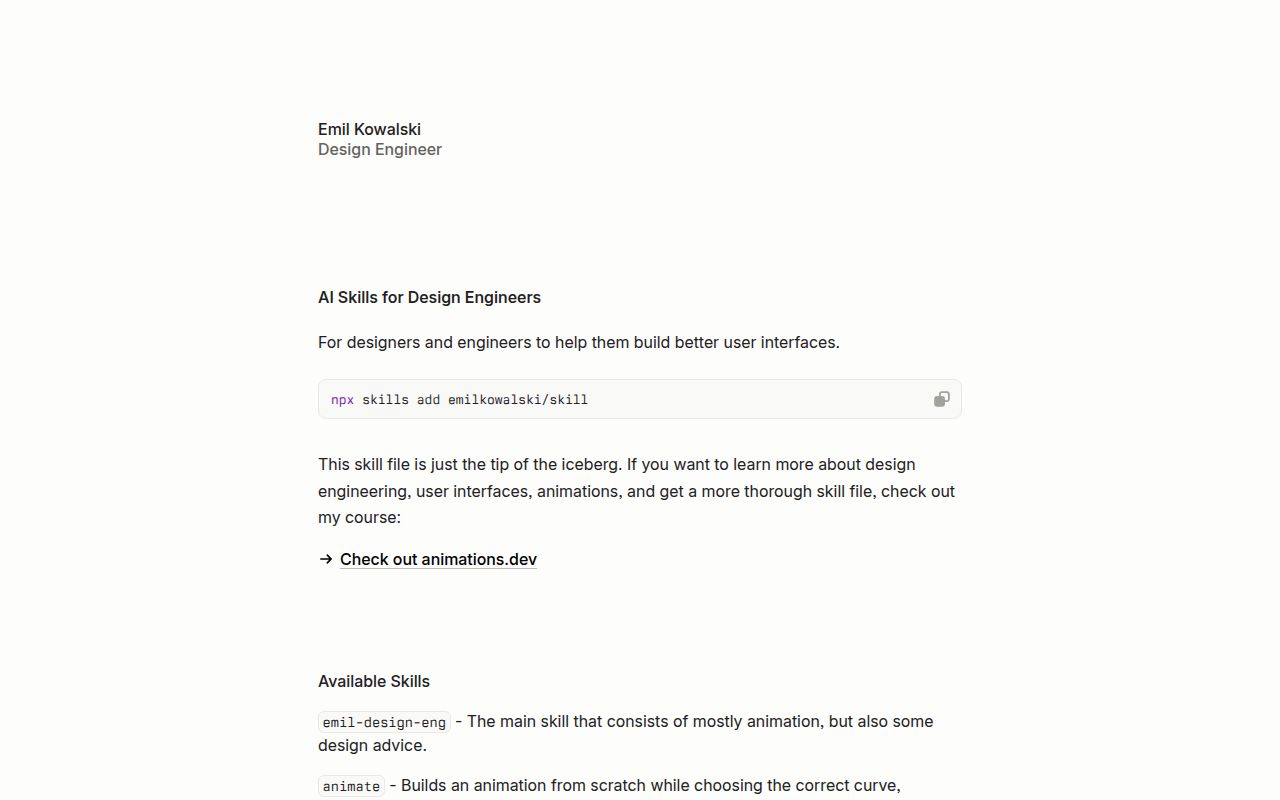
This is the problem that emilkowalski/skills sets out to solve. It’s not a component library or a framework, but something more foundational: a collection of expert knowledge, distilled into prompts designed to be fed directly to AI agents. It aims to inject the taste and domain expertise of a seasoned design engineer, in this case, one with experience at highly regarded companies like Vercel and Linear, into the AI's "brain" before it even writes a line of code.
Distilling Expertise into Prompts
At its core, skills is a set of Markdown files, each representing a specific "skill" for an AI. The project frames these not as simple prompts but as comprehensive instruction sets that guide an agent toward better design decisions. The installation, a simple npx skills@latest add emilkowalski/skills, downloads these files into your project, making them ready to be integrated into your AI workflow.
The repository breaks down this expertise into discrete, actionable modules. For instance:
review-animations: Provides a strict set of rules for an AI to critique existing animations, catching common mistakes.improve-animations: Goes a step further, tasking an agent with auditing an entire codebase and generating prioritized plans for improvement.find-animation-opportunities: Helps an agent identify parts of a UI that would benefit from motion, while crucially also advising on what not to animate, preventing over-eager, distracting interfaces.pick-ui-library: Acts as a trusted advisor, guiding the agent to select well-maintained and appropriate UI libraries from a curated list, preventing the use of abandoned packages or the unnecessary reinvention of common components like toasts.apple-design: Translates Apple's coveted design principles and fluid motion guidelines, originally from WWDC talks, into a language that an AI can apply to web development.
This approach is powerful because it codifies tacit knowledge. It’s the kind of expertise that is typically built over years of practice and is difficult to articulate, let alone automate. By structuring it as a set of rules and heuristics, the project makes high-end design sensibility accessible and scalable.
A Shortcut to Sophistication
The primary strength of emilkowalski/skills is its role as an accelerator for quality. For a solo developer or a small team without a dedicated design engineer, it’s a shortcut to achieving a level of polish that would otherwise be out of reach. Instead of vaguely asking an AI to "make this modal animation look nice," a developer can prepend the emil-design-eng skill to their prompt and get a result informed by years of top-tier industry experience.
The project effectively provides a shared vocabulary for communicating with AI about design. The animation-vocabulary skill, for example, equips the user and the agent with the precise terminology needed to define and request complex animations, leading to more predictable and refined outcomes. This is a significant step up from the trial-and-error process that often characterizes AI-assisted development. It’s about moving from hoping for a good result to engineering one.
The philosophy behind the project, as articulated in the "Agents with Taste" concept, is its most compelling feature. It acknowledges that AI is a powerful tool for amplification, not replacement. It posits that human expertise remains the most valuable ingredient, and skills is simply the mechanism for delivering that ingredient to the agent. This is a refreshingly pragmatic take in a hype-filled landscape.
Is It a Library or a Manifesto?
While the concept is brilliant, its implementation raises questions. Calling skills a software project feels like a slight misnomer; it's more accurately a structured content repository. There are no releases, no versioning, and community interaction seems limited to a massive number of stars (over 23,000) and a handful of open issues. This suggests widespread interest in the idea, but less clarity on its practical, day-to-day use as a collaborative tool.
The biggest ambiguity is the "last mile" of integration. The README provides an npx command for installation but offers little guidance on how to weave these skills into a robust development workflow. Is the intended use to manually copy and paste the Markdown content into a ChatGPT session? Should you build a custom script that injects these skills into an API call to an LLM? The lack of examples or best practices leaves this crucial step as an exercise for the user.
This makes skills less of a plug-and-play tool and more of a starting point. It's a collection of high-quality ingredients, but the recipe for combining them into a finished dish is missing. This isn't a fatal flaw, but it's a critical consideration for anyone expecting a traditional developer tool. The project's maturity is that of a concept, not a production-ready library.
How It Fits in Your Workflow
In a real-world stack, emilkowalski/skills serves as a "system prompt" library for front-end development. Before you ask your AI agent to build a new feature, you would prime it with the relevant skill. For example, you might start your session with the content of apple-design and pick-ui-library, and then ask it to "build a settings page with a toggle for notifications." The agent, now armed with expert context, is far more likely to produce a clean, well-designed, and appropriately animated result using a reliable library.
This contrasts with other approaches. You could use a component library like shadcn/ui to grab pre-built, well-designed components directly, bypassing the AI generation step for the UI itself. Or you could use a platform like Vercel's v0, which is an integrated end-to-end solution for generating UI from prompts. emilkowalski/skills occupies a middle ground: it’s for the developer who wants the flexibility of a general-purpose AI agent but desires the specialized design guidance of an expert system. It's a tool for enhancing the process of AI-assisted development, not just the output.