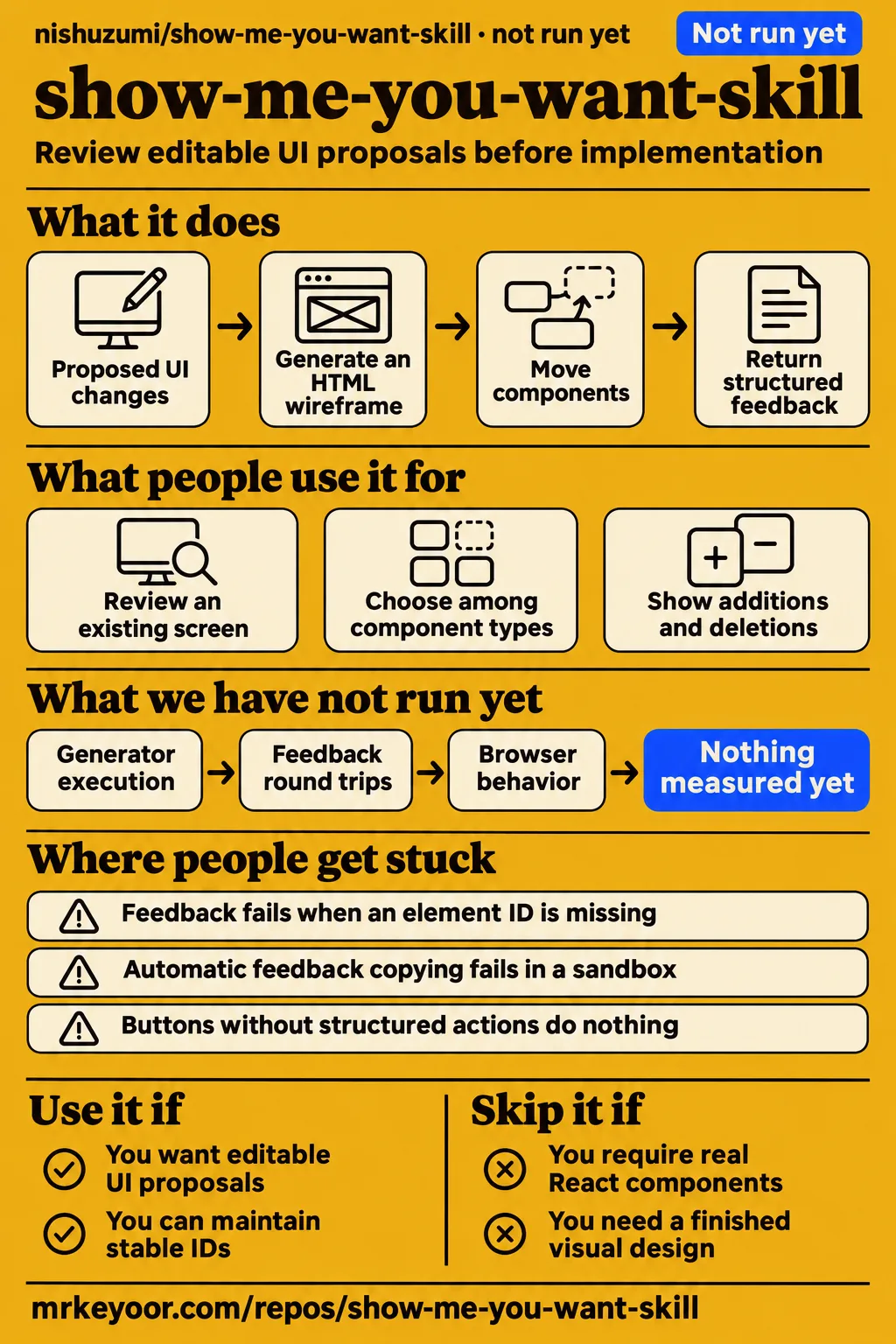
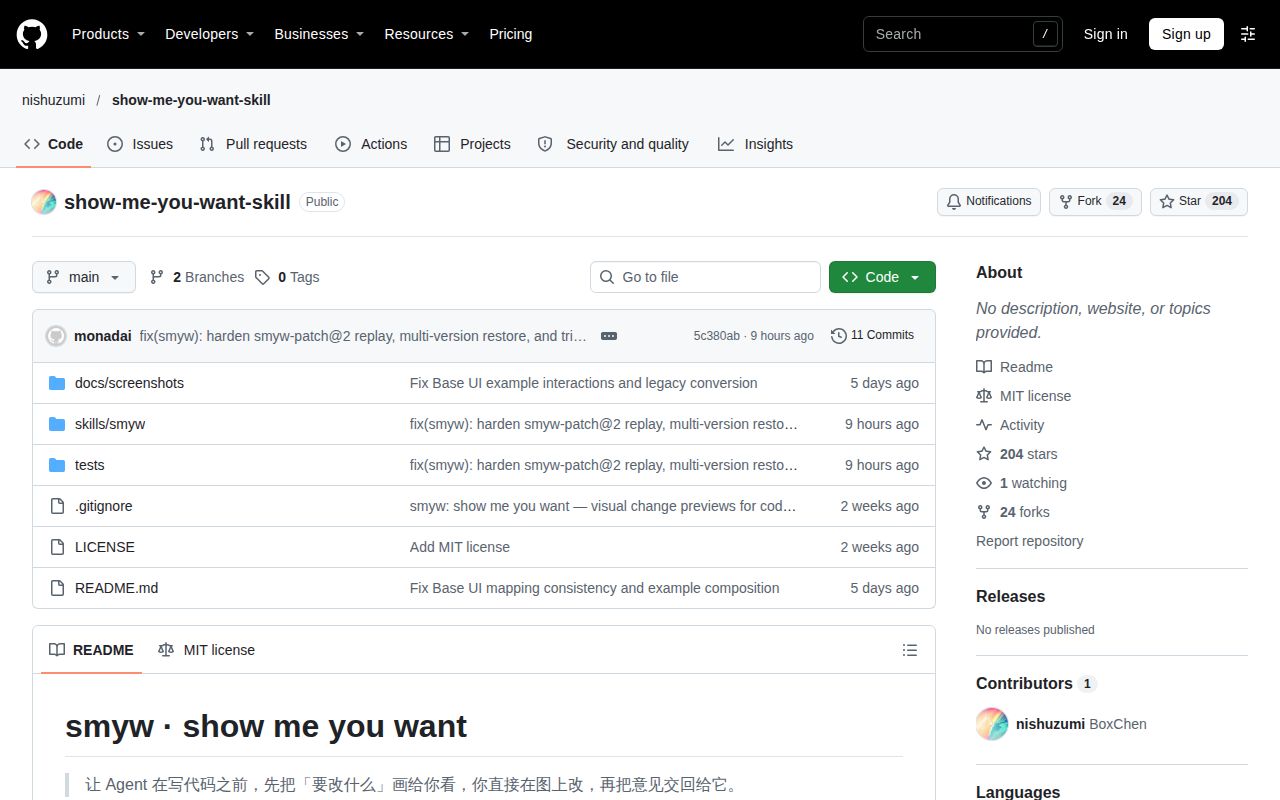
Use smyw if you want to rearrange a proposed interface and return structured feedback to your coding agent before implementation. Skip it if approval requires exercising actual React components or accepting a finished visual design: the smyw README describes a structural wireframe. Our attempt at commit 5c380ab stopped before application execution. The documented workflow gives the reviewer a concrete handoff: an edited proposal, comments and answers that the agent uses to produce the next spec.
What people use show-me-you-want-skill for
The author includes three examples: a helpdesk workspace, team settings and multipage task-tag changes. The README's example collection links generated HTML files for each. These examples cover reviewing a change within an existing screen, choosing among component types and showing additions or deletions across pages. They also give a first-time reader a starting point for understanding the JSON spec before describing a change in their own application.
| Who made it | Example | What the author demonstrates |
|---|---|---|
| The smyw author | Helpdesk AI | A full-screen support workspace with AI reply suggestions, described in the helpdesk example. |
| The smyw author | Base UI team settings | Dialogs, menus, switches, toggles, tabs, accordions, progress and sliders in the team-settings example. |
| The smyw author | Task tags | Whole-page additions and deletions in the multipage example. |
The helpdesk walkthrough describes moving the resolved-ticket action from the header to the reply area and adding an AI-suggested-reply module. Those changes have visible locations, triggers and consequences that a reviewer can discuss directly. The README's interaction walkthrough also describes drawers, menus and a demo mode for stepping through the proposed actions. Its change markers distinguish modifications in yellow, additions in green and deletions in red.
A spec is the JSON document describing the proposed change. The agent reads the project's code, writes the spec and generates an HTML wireframe from it. You can move components, change text or component types, turn inline content into a dialog and leave comments. The skill instructions describe copying those changes back as structured feedback, so the review produces something the agent can apply rather than a separate conversation about screen coordinates.
What happened when we ran it
Our harness attempt at commit 5c380ab lasted 3 seconds and stopped at prerequisite detection. The harness measurement records no supported ecosystem for the repository's HTML classification and no Dockerfile. Its recorded sandbox configuration was 3 CPUs and 8 GB RAM, with image n/a. The separate hands-on safety step stopped at a Compose-file check, and teardown reported ok. These records describe the attempted entry paths and their outcomes.
| Question | Answer | Verdict | Why |
|---|---|---|---|
| Did the build/test harness run smyw? | NOT RUN: no supported ecosystem, language HTML; no Dockerfile. | Stopped before application execution after 3 seconds. | The harness measurement records prerequisite detection and totalS of 3. |
| Did the separate hands-on safety step pass? | FAILED because none of the accepted Compose filenames existed. | The Compose path stopped. | The safety step required a Compose file. |
| Did cleanup complete? | Teardown reported ok. | Cleanup completed. | The teardown record records that outcome. |
The hands-on attempt stopped with unsafe repo: none of compose.yaml, compose.yml, docker-compose.yaml, docker-compose.yml exists (rule: a compose file is required). The safety log uses “unsafe repo” as its label for that prerequisite failure. The file check explains exactly where this path stopped: it looked for four accepted filenames and found none. The README describes a different entry point, generating preview.html for a browser.
A generic hands-on summary says the repository was deployed with its own Docker Compose and every port bound to 127.0.0.1. That deployment assertion conflicts with the specific failed safety step. We use the detailed step as the finding and retain the discrepancy here so readers can distinguish the two records. The README's workflow describes an offline HTML file that needs no server.
Where people get stuck: actions and feedback versions
Buttons need structured actions, and feedback must correspond to the current spec. The authoring instructions identify prose-only interactions, stale feedback and missing IDs as failure modes. A label such as “click to expand” describes an intention; the on, hidden and states fields describe the behavior. Feedback application also depends on identifying the elements and document version that the reviewer edited.
| Symptom | Documented response | Evidence |
|---|---|---|
| DeepSeek Harness preview stays on its loading message | Enable 显示代码工作视图 so the sidebar runs page scripts. |
DeepSeek setting. |
| Automatic feedback copying fails in a sandbox | Copy the automatically selected feedback with Ctrl+C or Command+C. | Clipboard fallback. |
| Browser refuses to save progress | The page displays a warning. | Browser restriction. |
| Feedback refers to an older spec | Refresh the latest preview, repeat the edits and export again. | Stale-feedback recovery. |
| An element ID is missing or a patch is incomplete | Export with the complete revised spec attached, then explicitly select the full-spec fallback. | Recovery instructions and format reference. |
| A described button does nothing | Encode its interaction using on, hidden and states; place overlays in page.overlays with triggers. |
Interaction authoring rules. |
A patch is a list of edits to the existing spec. The format reference describes a base version and content hash, a fingerprint of the document, that must match the spec on disk. It also documents --force and --use-full, with checks on the full-spec fallback. The stale-feedback recovery instruction is to refresh the latest preview and export again, keeping the reviewer’s changes tied to the current proposal.
Stable IDs keep revisions connected
Smyw uses stable element IDs to align patches and comparisons across versions. The skill instructions require semantic IDs that are unique across the spec and preserve an existing ID when the same module, button or step moves or changes. A button can occupy a different position while retaining its identity. That distinction lets feedback continue to refer to the same element after a layout revision.
The author also instructs the agent to show unchanged modules without expanding every child and to mark only the outermost newly added or deleted module. For changes spanning pages, each page has its own board. The task-tags example illustrates whole-page additions in green and deletions in red. This gives the reviewer a view of the change’s scope before opening individual details or inspecting the underlying spec.
Flow steps connect to interface elements through the node field. The flow instructions describe actors including user, frontend, backend, database and external service, with fn holding a function or interface reference. These fields connect a screen action to the proposed flow and backend changes. For a feature involving an API, the reviewer can follow the relationship from a visible button into the corresponding operation.
Security: inspect instructions and generated files
Inspect SKILL.md, build.mjs, apply-feedback.mjs and the generated files before adopting the workflow. The skill directory description identifies the instructions and scripts that read the proposal, generate the preview and apply returned feedback. The documented workflow writes specs, previews, feedback and archived versions under .smyw/. Those files make the agent’s proposed changes and the reviewer’s returned edits concrete inspection targets.
The generated preview can contain implementation details alongside interface text. The README's toolbar description includes component names, function placeholders and API routes, while the spec uses component and fn fields for those references. Sharing the preview therefore includes a decision about sharing those codebase names. The documented handoff also saves copied feedback as a versioned Markdown file before applying it to the spec.
RepoAlerts describes its checks as quick checks from public data with no guarantee. Its repository listing labels the license MIT and the repository active, and recommends taking a closer look before installation. The README separately describes a confirmation step before implementation. Together, these sources identify what the workflow asks the agent to do and what the listing checked; they give the reader specific files and instructions to inspect.
English readers will encounter Chinese documentation
The README, skill instructions and format reference are primarily Chinese. The README's interface walkthrough includes Chinese button labels and feedback categories, while the DeepSeek workaround names a Chinese setting. For an English-speaking reviewer, useful translation includes both the introduction and the recovery instructions. Field names, file paths and command options need to stay intact when translating the surrounding explanations.
The component examples help explain distinctions that a broad translation of “interactive mockup” would miss. The README distinguishes toggle from switch: the former is a pressable toolbar-style button, while the latter is an on/off control. It also distinguishes inline content from overlays connected to trigger buttons. Those choices affect the proposed structure and behavior, so retaining the component names makes the translated review discussion more precise.
show-me-you-want-skill vs HumanLayer show-me and Figma-style walkthroughs
HumanLayer's show-me explains code visually; smyw documents an editable proposal and feedback workflow. The HumanLayer catalog describes concise diagrams, code-shape sketches and focused HTML artifacts. The smyw instructions describe editing the proposal and returning feedback. These are separate repositories with different documented outputs, so the useful comparison starts with what the reviewer needs to produce.
| Your task | Candidate | Reason to choose it | Documented output |
|---|---|---|---|
| Revise a proposed interface before implementation | smyw | Move components and return structured feedback. | An editable change wireframe. |
| Understand a diff, service or call structure | HumanLayer show-me | Request a compact visual explanation. | Diagrams, code-shape sketches and focused HTML artifacts. |
| Walk through proposed interactions | The author's Figma-style analogy | The smyw README compares demo mode to clicking through a Figma prototype. | In smyw, a low-fidelity walkthrough of spec-defined actions. |
The README says the generated preview does not bundle React or Base UI. Building requires Node 18 or later, and the repository's development checks require Google Chrome. The README separates preview generation from implementation: Base UI supplies component identities and the implementation approach, with the project’s own CSS applied later. The wireframe’s div elements are not the documented implementation to copy into the application.
Outdated claims, corrected
Smyw’s references disagree about where explanatory notes appear. The spec-format reference says notes appear below elements, while the skill instructions describe corner hover bubbles. The accurate documentation summary preserves both descriptions rather than choosing one placement. A reviewer reading the format reference should keep this difference in mind when explaining a note’s purpose or planning where it belongs in the generated proposal.
A separate dated claim concerns the similarly named alternative: Skillselion’s September 29 guide lists six HumanLayer skills, while the HumanLayer catalog also lists rpi. That correction belongs to HumanLayer’s catalog history, not smyw’s capabilities. The relevant distinction for this review is the repository identity: nishuzumi/show-me-you-want-skill supplies the editable proposal workflow described here.
FAQ
Install smyw by placing skills/smyw where your coding agent reads skills; generating previews requires Node 18 or later. The README installation instructions describe linking or copying that directory and name Claude Code and DeepSeek Harness as examples. The repository also includes generated HTML examples that can be opened in a browser, giving readers an introduction to the output before authoring a spec.
Can I trust show-me-you-want-skill enough to install it?
RepoAlerts recommends taking a closer look before use, and its checks carry no guarantee. The RepoAlerts listing reports public metadata and MIT licensing. For the installation decision, inspect the agent instructions, preview generator, feedback script and generated files described above. The README’s workflow explains how the skill directory, spec and returned feedback fit together.
Does HumanLayer's similarly named show-me generate PR descriptions or only format how diffs are shown?
HumanLayer lists show-me for visual explanations and visual-pr for creating or updating a pull request. Its repository catalog assigns those jobs to separate skills, and ExplainX describes show-me as shaping how a diff is shown. Smyw’s documented output is an editable change proposal with feedback returned before implementation, which is a different handoff from either HumanLayer description.
Is HumanLayer's show-me limited to Claude Code?
ExplainX describes HumanLayer’s show-me as a plain SKILL.md that a harness reading agent skills can load. That is the article’s description of HumanLayer. For smyw, the README names Claude Code and DeepSeek Harness and describes putting its directory in the agent’s skills location. Repository names distinguish these two accounts of how agent instructions are loaded.
What we have not tested yet
The 3-second harness attempt produced no smyw runtime or performance result at commit 5c380ab. Installation effort, generator execution, feedback application, browser behavior, build success and test outcomes remain unassessed. The recorded 3 CPUs and 8 GB RAM describe configuration, not consumption or minimum requirements; image n/a establishes no operating-system or runtime version. The Compose failure describes a lab prerequisite, not a code-security finding or a failure of the documented browser-file workflow.
Helpdesk interactions, feedback round trips, forced application and full-spec application on conflicting edits need direct testing. So do accessibility, English interface behavior, note placement, operating-system compatibility and long revision histories. The README supplies a clipboard fallback but no persistence recovery for a browser that blocks saving. The confirmation pause is an agent instruction rather than a demonstrated permission boundary, and version and hash checks concern correspondence between feedback and a spec.
The author’s examples do not measure independent production adoption, comparative performance or Figma feature equivalence. A code-security audit and compatibility conclusions drawn from HumanLayer reports are also outside this review’s results. A useful next check is the documented browser-file sequence: generate a preview for a small real change, move one component, export feedback and inspect the revised JSON before implementation. That would put the preview, returned patch and next spec side by side.