Search puts the page ahead of browser furniture
Search removes the usual toolbar and start page, leaving a page beside tabs you can arrange across the top or down the side. Office Commun's browser uses Apple's WebKit engine and stores browsing state locally. That makes it interesting if your working day consists of a few familiar sites and the surrounding browser interface has become a distraction. The useful question is whether its missing conveniences match what you can comfortably give up.
The lab snapshot is commit 59c1b4e, and it contains no successful runtime measurement. The README describes pinned tabs, reading mode, persistent hiding of page elements, and an enabled-by-default ad blocker. These are practical reasons to consider a trial, especially if you repeatedly dismiss the same overlay. They remain documented behavior here. We haven't established how well the blocker handles your sites or whether the browser feels faster than Safari.
What happened when we ran it
We did not run Search: our sandbox did not support its Swift ecosystem, and the repository had no Dockerfile. We cloned commit 59c1b4e on 2026-10-12 into a fresh Debian container with 3 CPUs and 8 GB of RAM, without elevated privileges or secrets. The harness stopped at platform eligibility. There is no installation, compilation, test, startup, or memory-use result to report.
That matters because Search is explicitly a native Mac application. Our measurement setup cannot answer whether its keyboard handling, password prompts, or extensions behave correctly on macOS. The exclusion is neither a failed Mac build nor evidence that the app is broken. For adoption, I would start with a secondary browsing session on the intended Mac and check the sites and extensions that would make switching painful.
Extensions need a newer Mac than basic browsing
Search documents macOS 14 as the application's minimum and macOS 15.4 for extensions. A Mac can therefore qualify for the browser while missing one of its most appealing features. The README says Chrome Web Store extensions run through WebKit's extension engine, with native code filling gaps in Chrome APIs. That is an ambitious compatibility layer, and it deserves a check against your actual extension list before you move daily work over.
Our 3-CPU Debian container supplies no evidence about that layer. The documented implementation checks a downloaded extension's CRX3 signature and stores extensions under the application's support directory. Those checks don't establish that every Chrome extension behaves correctly on WebKit. If a password manager or work extension is mandatory, try its full workflow, including sign-in and page interaction. A successful download alone would be a poor acceptance check.
Local storage means you must arrange continuity yourself
The Search privacy and storage description places history, bookmarks, open tabs, and hidden-element rules in local JSON files. Passwords live in the macOS login keychain, while cookies use WebKit's app store. The README explicitly rules out sync and a cloud account. That is attractive for a single Mac, but it leaves device changes and a lost machine as jobs you must account for yourself.
For commit 59c1b4e, our lab evidence stops before any of those behaviors could be checked. The README also distinguishes an app you sign yourself from Office Commun's signed app: the keychain treats their signatures differently, so their passwords remain separate. That is easy to miss if you try a personal source build after using the download. Publishing a notarized build requires Apple credentials and a Developer ID certificate, beyond the ordinary local development path.
The README's one-window limit conflicts with v1.0.4
Release v1.0.4, published on 2026-09-27, added several windows, including moving tabs between them and restoring windows after quitting. The README still says there is one window. I would follow the v1.0.4 window behavior for that release and treat the README sentence as conflicting documentation. Rejecting Search solely for a single-window design would overlook a feature already described in its release history.
A more useful reason to hesitate appears in issue 534 about address suggestions. The reporter says typing a previously visited site into the tab's address field produces no history suggestions, despite the README promising address completion. The issue remained open with activity on 2026-10-12. That is a user report, not our observation, but it concerns an everyday navigation action and is worth reproducing before replacing your regular browser.
Recent activity supports a trial, not an unchecked migration
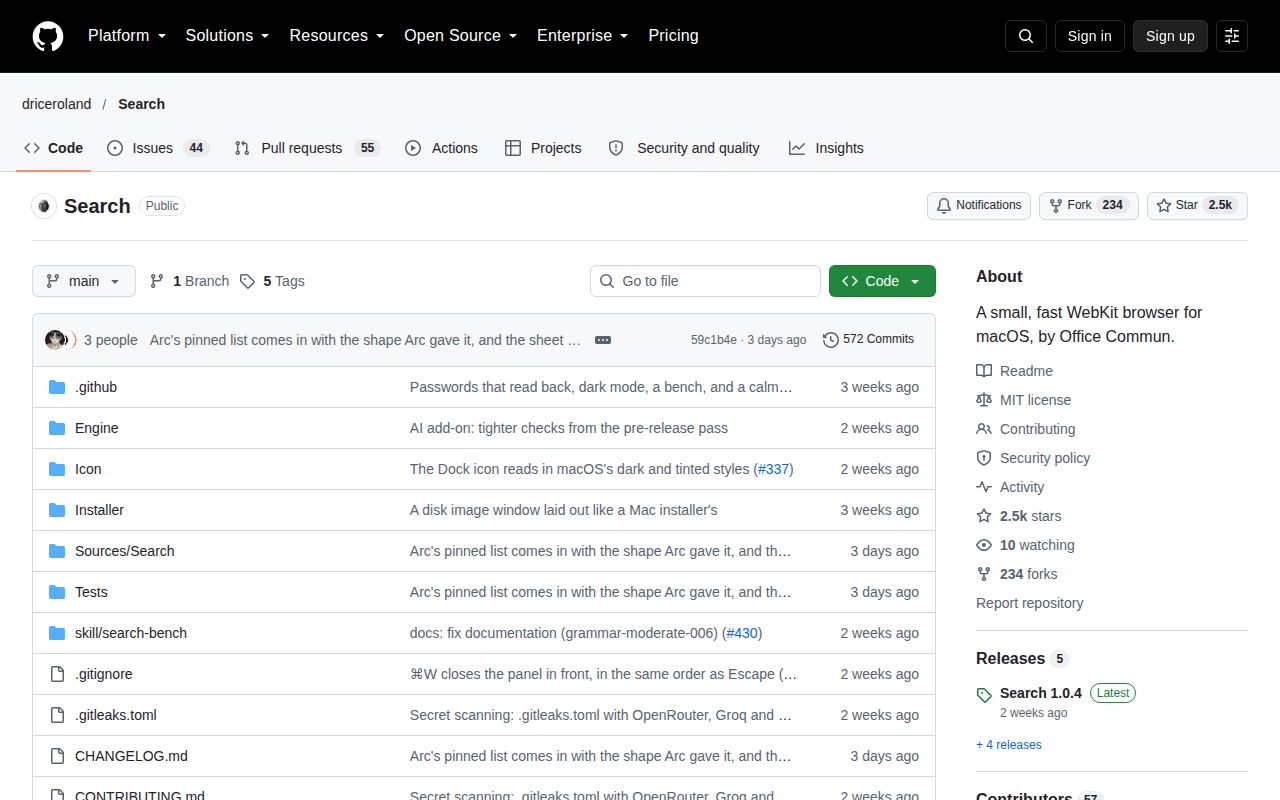
The last push was 2026-10-10. GitHub returned 2,515 stars and 99 open issues and PRs, with recent discussion covering address completion and routing links into Spaces. Together, the push date and issue activity show ongoing work. The combined count isn't a bug total. An open proposal for domain routing also shouldn't be treated as a feature already delivered to the app you download.
Zen Browser is a better candidate if you want a Firefox-based browser with a different interface, while ungoogled-chromium suits people who need Chromium with Google integrations removed. Neither comparison supplies performance evidence for Search. On a Mac where local-only state and minimal chrome fit, keep Search beside your current browser and move one real workflow first. Leave your established password and browsing setup intact until that workflow survives normal use.