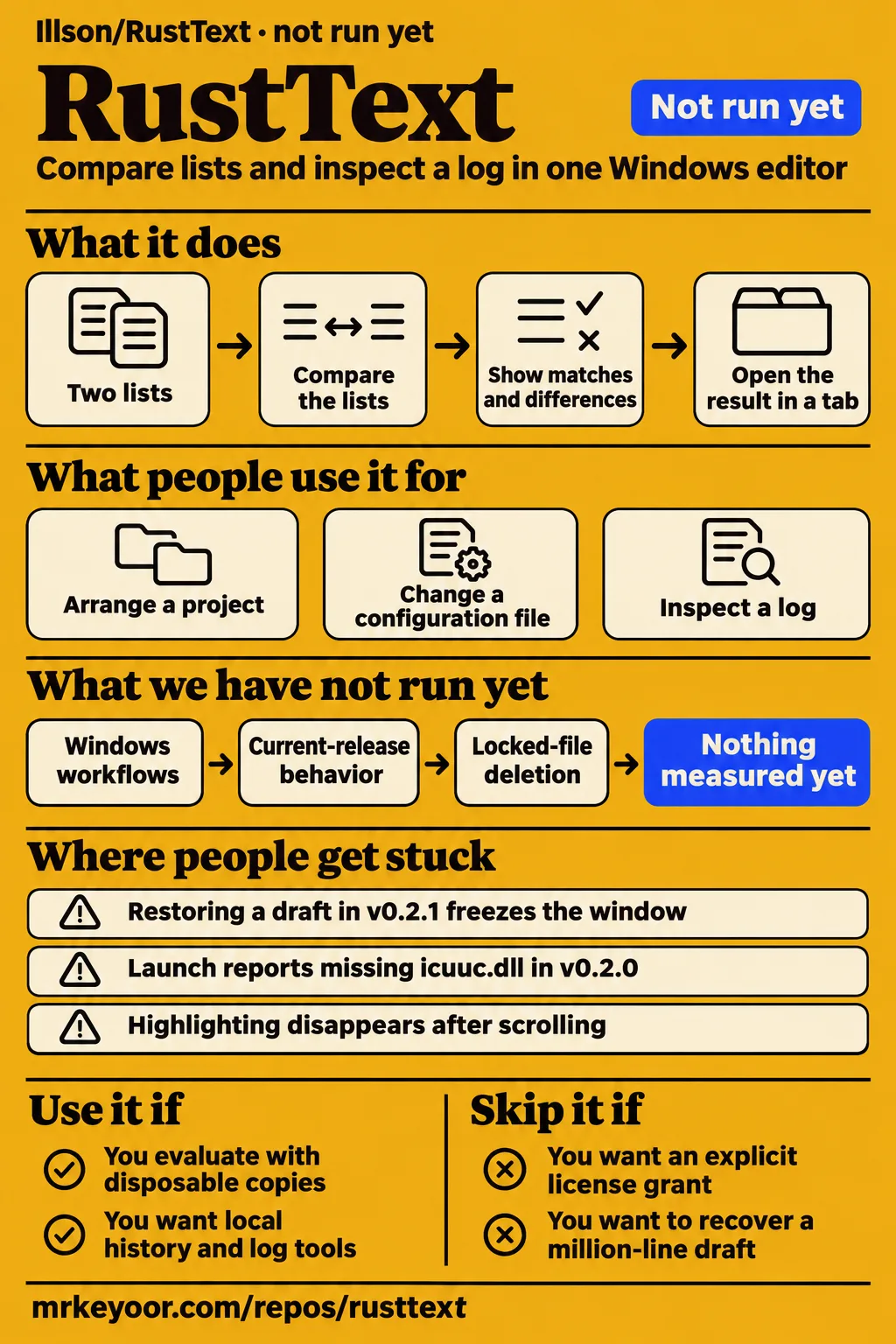
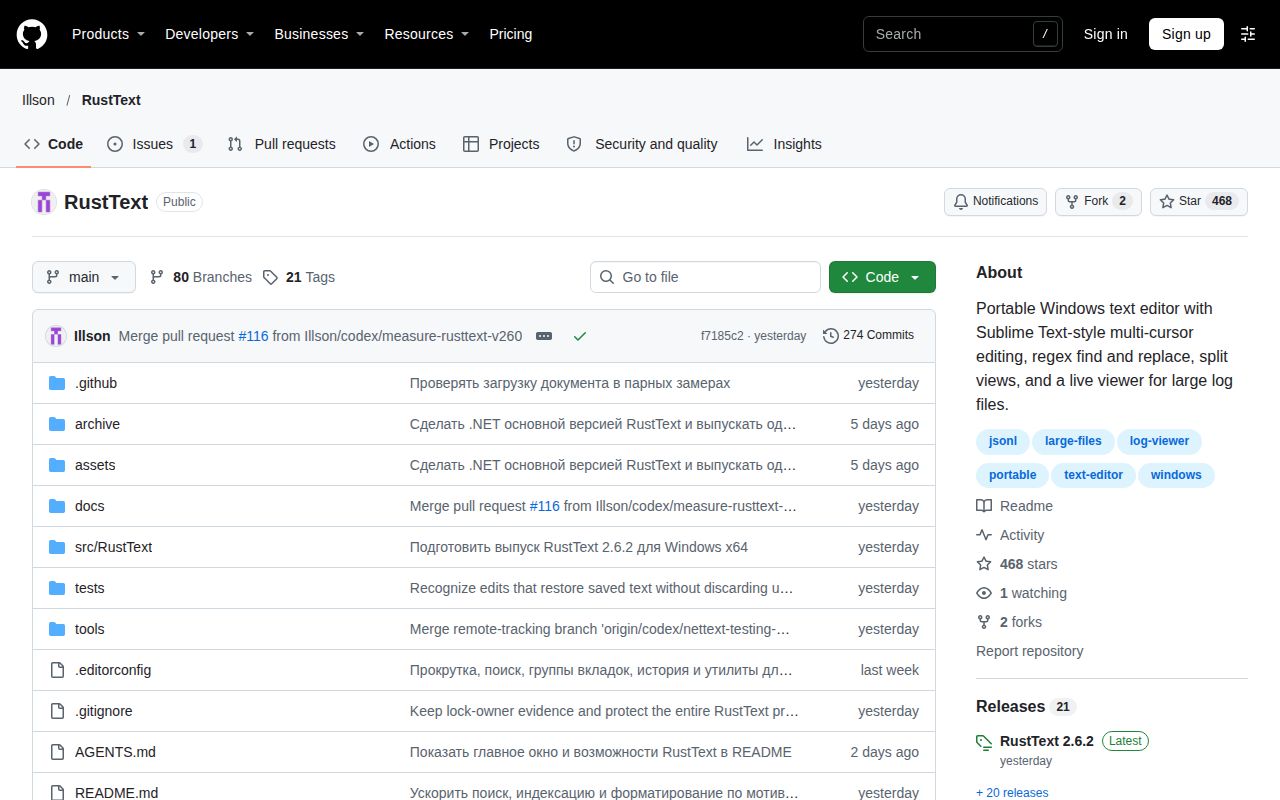
RustText combines Windows project workspaces, unnamed drafts, local file history and log tools in its current documentation. Release metadata records v2.6.2 dated November 22, 2026. The severe draft-restoration report discussed below concerns v0.2.1, while our November 23 sandbox attempt used commit f7185c2 and stopped before launch. These are three separate references: a recorded release, a historical failure report and the exact commit selected for our evaluation.
Use RustText for a disposable-copy evaluation if you want its documented Windows workspaces, local history and log tools together. Do not choose it on this review's evidence for recovering an irreplaceable million-line draft. The useful distinction is between opening a large file and restoring millions of short lines from a saved draft. Issue #47 describes restoration; the current README's 20 GiB statement concerns opening, paged reading and moving to the end of a file.
What people use RustText for
RustText's README describes project workspaces, local file snapshots and log filtering as tasks within one Windows editor.
| Who and task | What happened | Where it is documented |
|---|---|---|
| A Windows x64 user restored a large unnamed draft from history | The user reported roughly 18 GB RAM usage and repeated freezes; Windows recorded a 19.25 GiB peak working set | Restoration report in issue #47 |
| An isolated diagnostic started a synthetic session | A 21.09 MiB draft with 9,215,361 lines reached 1,561.5 MiB private bytes within 2.94 seconds; the diagnostic working set reached 1,504 MiB | Diagnostic described in issue #47 |
| Illson checked severity recognition and filtering in a large log | The author reports whole-row coloring, multiple selected levels and preservation of a long UTF-16 entry across chunks | Log checks in issue #32 |
| Illson renamed file and draft tabs, then restarted the application | The author reports that the custom name survived restart, the line counter updated after input and its visibility setting persisted | Tab checks in issue #14 |
For project work, the RustText README describes separate workspaces with their own tabs, drafts, panel layout and theme. For configuration editing, it describes local snapshots that can be compared with unsaved text before restoring a version into the editor. For log inspection, it lists severity filters, time navigation, following appended lines and rotation. Those tasks provide a concrete evaluation sequence: arrange a project, change a copied configuration file, then inspect a log.
The author-reported log and tab checks concern PR #59, identified as commit 558d3d7. Both issue comments say that PR awaited merging when the issues closed. Their wording records development work at that point in time. The current README and guide separately describe the advertised workflows, including log filtering, tab renaming and side-by-side files. Keeping the author checks attached to their PR preserves the distinction between a development result and a documented feature.
What happened when we ran it
Our November 23, 2026 attempt at commit f7185c2 was NOT RUN because the sandbox lacked a supported C# ecosystem and the repository had no Dockerfile.
| Lab item | Recorded result |
|---|---|
| Commit and date | f7185c2, November 23, 2026 |
| Configured resources | 3 CPUs, 8 GB RAM |
| Image | n/a |
| Execution | NOT RUN: no supported C# ecosystem; no Dockerfile |
| Install, build and tests | No application execution results |
Our run recorded a stopped evaluation route. The safety step failed because none of compose.yaml, compose.yml, docker-compose.yaml or docker-compose.yml existed. Its label, "unsafe repo", came from a rule requiring a Compose file. The failure describes that harness requirement, rather than a finding of malicious behavior. The separate teardown record says "ok", which records cleanup rather than application execution.
An automated run summary says "deployed with its own docker compose", contradicting the missing-Compose failure and the build harness's NOT RUN result. That summary also describes every port as bound to 127.0.0.1. The detailed failure records support reporting that execution stopped. RustText's README instead links a portable Windows download, so the documented desktop setup and the attempted Compose route are different installation paths.
Where people get stuck: restoration, startup and search
Issue #47 reports frozen restoration, issue #31 reports a missing startup DLL, and issue #11 reports search highlighting disappearing after scrolling.
| Symptom | What the thread says | Practical distinction |
|---|---|---|
| Restoring an enormous draft freezes the window | Issue #47 identifies v0.2.1 and a 9,215,361-line draft | Keep restoration separate from ordinary file opening |
| Launch reports missing icuuc.dll | Issue #31 identifies a direct import in the v0.2.0 archive | Match the archive to the historical report |
| Highlighting disappears after scrolling | Issue #11 reports the symptom | Separate scrolling from the current-match-only setting |
| Clicking the logo fails to open history | Issue #18 records the navigation complaint | Compare the request with the current guide's workspace-icon description |
For the startup problem, Illson traced icuuc.dll to a GPUI u_strlen call in the v0.2.0 archive, according to the issue synthesis. The proposed work included removing the call, checking Release EXE imports in Windows CI and testing an unpacked executable on the affected Windows Server. The server version and edition were to be identified during that check. The report concerns a particular archive and import, rather than an instruction to download an arbitrary replacement DLL.
Search involves two separate behaviors. In issue #36, Illson reports that a new profile has "current only" disabled, with all six editor flags using common styling and a test covering both matches. Issue #11's scrolling complaint concerns highlighting disappearing after movement through the document. The current guide says search highlights all matches by default and that enabling the current-only option narrows the display to the selected match.
Millions of lines stress a different path from file size
Issue #47 describes a 21.09 MiB draft containing 9,215,361 lines, so byte size alone misses a defining part of the reported workload.
The user reported roughly 18 GB RAM usage and CPU usage up to 18%; Windows recorded a peak working set of 19.25 GiB. The diagnostic described in issue #47 used a synthetic session matching the draft's size and line count. Within 2.94 seconds, private bytes reached 1,561.5 MiB and working set reached 1,504 MiB. Private bytes measures private committed memory; working set is a separate measurement. The 19.25 GiB peak belongs to the user's running process, rather than the short diagnostic.
The issue synthesis describes the history-click handler synchronously expanding the complete draft from Rope into String. It also records that the diagnostic process was stopped at its memory threshold before the window responded. The supported explanation stops at that full-text expansion and the recorded outcome. The issue's proposed control uses the same text volume with fewer lines, giving the next evaluation a specific comparison between byte size and line count without assigning an additional implementation mechanism.
Issue #20 reports another large-file display problem: rendering broke at line 5,835,553, while line 729,461 was described as the last line where the cursor displayed correctly. It also mentions high disk activity, including on a ghost file. These reports identify distinct operations to examine: cursor placement, scrolling, reopening a closed draft and restarting a saved session. Their individual symptoms are more useful than a general statement that large files fail.
Russian documentation and the current .NET setup
The current RustText user guide names .NET 11, Avalonia and AvaloniaEdit, and says rusttext.exe includes the .NET runtime.
The user guide's startup instructions distinguish using the executable from developing the application. Development requires the .NET 11 SDK; Native AOT publishing also requires the Visual Studio C++ desktop component with Windows SDK. The guide lists dotnet run, build, test and publish commands. Its startup instructions say to launch rusttext.exe directly or pass a file path, and explain that graphical libraries unpack into the user's cache on first launch.
Both the checked README and user guide are in Russian. The guide gives menu paths, keyboard shortcuts and profile settings, including RUSTTEXT_PROFILE_DIR for an isolated profile. It instructs readers to set that variable to an absolute test-directory path. That documented setting supplies a concrete starting point for evaluating restoration with copied text, while keeping the test profile separate from a profile containing existing drafts and session history.
A November 19 X post by clxymox describes RustText as Rust with GPUI. The current guide is the direct setup reference for the documented .NET application, and GitHub's repository metadata identifies C# as the main language. Older GPUI issue reports remain attached to their named archives. Readers choosing development tools should use the guide's .NET 11 instructions rather than infer the toolchain from the RustText name or that older social description.
Local history and locked-file deletion
The current user guide documents "Release and delete", graceful closing first, and separate confirmation before forced process termination.
The README describes local file snapshots that can be compared with current text, including unsaved edits. Restoring a snapshot places the previous version in the editor; the disk file changes only after saving. Draft history serves a different purpose: it retains unnamed text and moves closed drafts into an archive according to configurable settings. These are separate recovery actions for a named file's earlier contents and an unnamed draft's saved text.
The current user guide documents deletion through the Windows Recycle Bin. For a locked object, "Release and delete" first asks the holding application to close normally. Forced termination requires a separate confirmation because unsaved changes in that application can be lost. The guide excludes critical Windows processes, another user's processes and ambiguous lock ownership from termination, and says folders with links and mount points are unsupported.
Issue #83 records the earlier proposal, including the option of manually closing the holding application before retrying deletion. The current guide now describes a corresponding command and its confirmation sequence. This operation reaches beyond the editor's own text: releasing a lock can involve another application's process and unsaved work. The distinction between an ordinary Recycle Bin action and a separately confirmed process termination belongs in the selection decision.
RustText vs Sublime Text and Notepad++
Sublime Text documents split panes, while Notepad++ explicitly names the GPL in its Windows-editor README.
| Choice | Documented reason to consider it | When to pick it |
|---|---|---|
| RustText | Its README combines workspaces, draft archives, local snapshots and log tools | Evaluate it when these tasks belong in the same Windows workspace |
| Sublime Text | Its official page documents splitting the interface to show multiple tabs | Choose it when that pane workflow is the main requirement |
| Notepad++ | Its README describes a Windows source-code editor and Notepad replacement governed by the GPL | Consider it when an explicit license is part of the selection requirement |
The Sublime Text official page describes a modifier that splits the interface to show multiple tabs, and issue #11 uses Sublime as its layout reference. RustText's current README also describes side-by-side files. These documented workflows give readers a concrete comparison: whether arranging different files is sufficient, or whether project workspaces, draft archives and local snapshots are central to the same task.
The Notepad++ README names the GPL. GitHub's RustText repository response returned a null license field. That result is a metadata observation, not a legal determination about every repository file. A team planning redistribution needs an explicit license grant as part of its selection decision; the RustText metadata offers no basis for labeling the project MIT or GPL. Notepad++ states its license directly in its README.
Questions people ask
RustText v0.2.1's restoration report concerns a 9,215,361-line draft; its current guide separately documents paged editing and draft restoration.
Why does restoring a RustText draft with millions of lines freeze the window and use so much memory?
Issue #47's synthesis identifies synchronous full-text expansion from Rope into String during restoration. The reported draft contained 9,215,361 lines in 21.09 MiB, and the diagnostic stopped before the window responded. This explains which operation the historical diagnosis names. It does not require an additional claim about rebuilding the editor's text structure or a rendering index.
Does RustText handle high line counts as well as large file sizes?
Issue #47 records a 9,215,361-line restoration workload, while the README describes opening, paged reading and end navigation on a 20 GiB file. These are different operations and different workload descriptions. Issue #20 adds a display failure at line 5,835,553 and cursor displacement beyond line 729,461. A comparison should retain both byte size and line count.
How can I fix RustText failing to start because icuuc.dll is missing?
Issue #31's synthesis ties the import to a GPUI call in the v0.2.0 archive and records proposed removal and Windows checks. The current guide describes a .NET executable with its runtime included. The practical first step is identifying the archive involved so that an old GPUI startup report is not applied to a differently documented build.
Can RustText highlight entire log lines by severity and show only selected levels?
The current guide documents severity coloring and selection of visible levels through the levels control. All lines are initially visible; clearing the selection and selecting Error leaves errors visible. Issue #32 separately records Illson's checks of whole-row coloring, multiple selected levels, navigation and a long UTF-16 entry across chunks, identifying PR #59 and commit 558d3d7.
How can I highlight all search matches, and why does highlighting disappear after scrolling?
The guide says all matches are highlighted by default; "current only" narrows the display to the current match. Issue #36 records that default in a new profile. Issue #11 reports disappearing highlights after scrolling as a separate symptom. Changing which matches are selected and scrolling through their display are distinct actions in these reports.
Can I rename RustText tabs and display a draft's line count?
The guide documents renaming through the tab context menu and a setting to hide draft line counts. In issue #14, Illson reports that a custom name survived closing and restarting, the count updated after input and the visibility setting persisted. The author identifies those checks with PR #59, commit 558d3d7, before its merge.
Can RustText split its window into panes for different files like Sublime Text?
The README says RustText opens files side by side, and the guide describes controls that divide the workspace. Issue #11 records the earlier request for a Sublime-like layout. Sublime's official page describes its own multi-tab split workflow. Those references support comparing file arrangement as a documented feature, rather than assigning either editor a comparative performance score.
Why does clicking the RustText logo fail to open the history page?
Issue #18 reports the upper-left logo failing to open the history homepage and records Illson's plan to restore the transition. The current guide assigns the upper-left square icon to the workspace list. It places recent files, closed files and ghost tabs on the homepage, with history and draft commands also accessible through the Tools menu.
Can file history show line counts and when each file was last worked on?
Issue #19 requests line counts and last-worked times on the homepage and in recent or closed-file menus. The synthesis records planned relative times within the last day and local dates for older entries. The current guide describes sizes in homepage rows and draft line-count settings. The requested timestamp presentation and the documented size display are separate details.
Can RustText release and delete files or folders locked by another application?
Yes, the current guide documents "Release and delete", starting with graceful closing and requiring separate confirmation for forced termination. It lists process exclusions and excludes folders with links and mount points. The command can affect the holding application's unsaved work, so its confirmation sequence is part of the documented behavior, rather than an ordinary file-unlock shortcut.
Can RustText compare two lists and show their matches or differences?
Yes, the README describes separating two lists into common lines and lines unique to either side, with the result opening in a tab. Issue #11 records the earlier request for matches and differences. This is a specific use for temporary text alongside configuration editing: the documented output is another editor tab rather than a separate comparison application.
What we have not tested yet
We did not launch RustText at f7185c2; installation, Windows workflows and current-release behavior are unassessed.
The lab has no installation timing, application build result, test count, runtime log or application-memory measurement. Its image label supplies no actual runtime or operating-system version. No Windows Server version was exercised. The recorded latest release, v2.6.2, was not tested, and the current README and guide are documentation observations rather than exact-tag execution evidence. The historical restoration diagnosis and issue #20 display symptoms therefore do not describe measured v2.6.2 behavior.
The issue #47 excerpt and synthesis establish the reported workload and diagnostic figures, but no completed repair or before-and-after result. The startup, navigation and timestamp threads likewise record reports or plans without completed follow-up evidence. PR #59's author-reported checks do not identify which downloaded release contains the changes. Independent behavior checks remain outstanding for log filtering, search highlighting, tab persistence, split views and history display; closure alone does not establish a released fix.
The guide documents locked-file deletion, confirmations and process exclusions, but their operation, preservation of unsaved data and security behavior were not independently tested. English interface coverage, a security audit, adoption, support capacity and a shared-workload comparison with other editors are also unassessed. Similar-name RustTeX and rust_text results concern other projects. A next Windows evaluation should use an isolated profile and copied text, compare many short lines with fewer lines at similar byte size, and examine opening, restoration and restart separately.