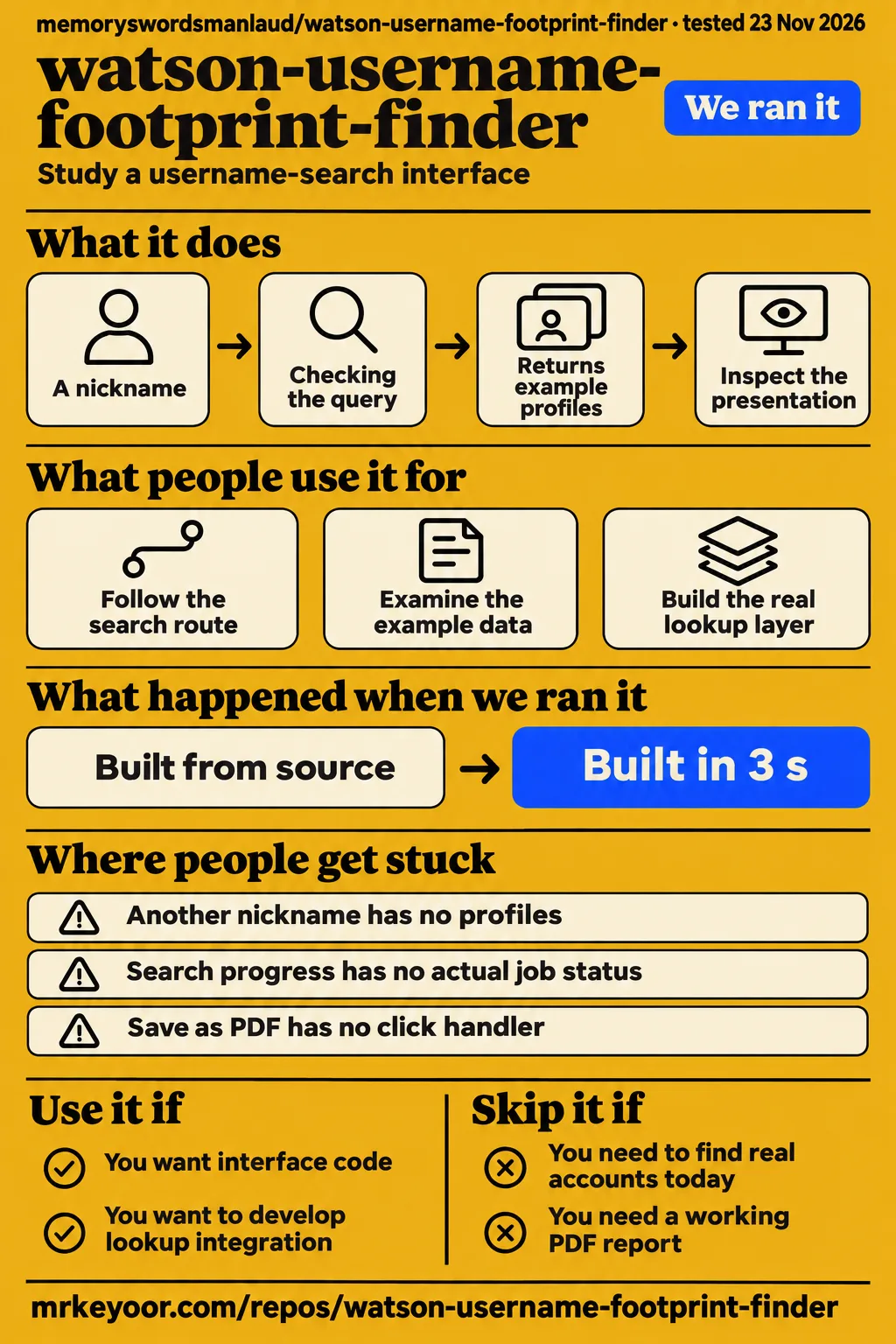
Our source build passed in 3 seconds, but Watson's search implementation returns built-in example profiles. Use this checkout if you want to study a username-search interface or develop the missing lookup integration; skip it if you need to find real accounts today. That recommendation applies to commit 817f819, the source our lab checked on November 23, 2026. The Windows download advertised separately is outside this review's product verdict.
What you can do with watson-username-footprint-finder
You can inspect a React search interface whose result function currently serves example data. The decisive detail is in the source's search function: it returns profiles for johndoe_92 and an empty list for every other input. That makes this checkout useful as interface material, with considerable work between the screens and an actual account-finding tool.
The README describes entering a nickname, searching public pages and reading a timeline of first appearances, renames and linked accounts. Those are the proposed uses. The implementation makes a narrower promise possible: you can examine how a search screen presents matches and groups results by site category. Don't base an investigation on the text in those example cards.
OSINT means gathering information from publicly accessible sources. In a username tool, the useful output would be a traceable profile page you can inspect. Watson's interface uses the language of that workflow, including labels for a name match and the same person. The source of those labels matters more than how convincingly they are presented.
What people use watson-username-footprint-finder for
The community searches checked for this review produced no attributable account of someone using this repository to find a real profile. The X search returned an empty result list. That is a result from one search, not a census of users.
The video results offer no substitute. The YouTube transcript discusses email and sender spoofing, while Bilibili returned unrelated tutorials, including Watson LIMS. Neither shows this username finder completing a task. There is no honest customer story to retell from those results.
For you, the distinction is practical. A documented aim such as finding forgotten accounts can explain why a project interests you. It cannot show that someone recovered an account, connected two identities or saved time using this checkout. The supported use here is code study: follow the search route, examine the example data and decide whether you want to build the real lookup layer.
What happened when we ran it
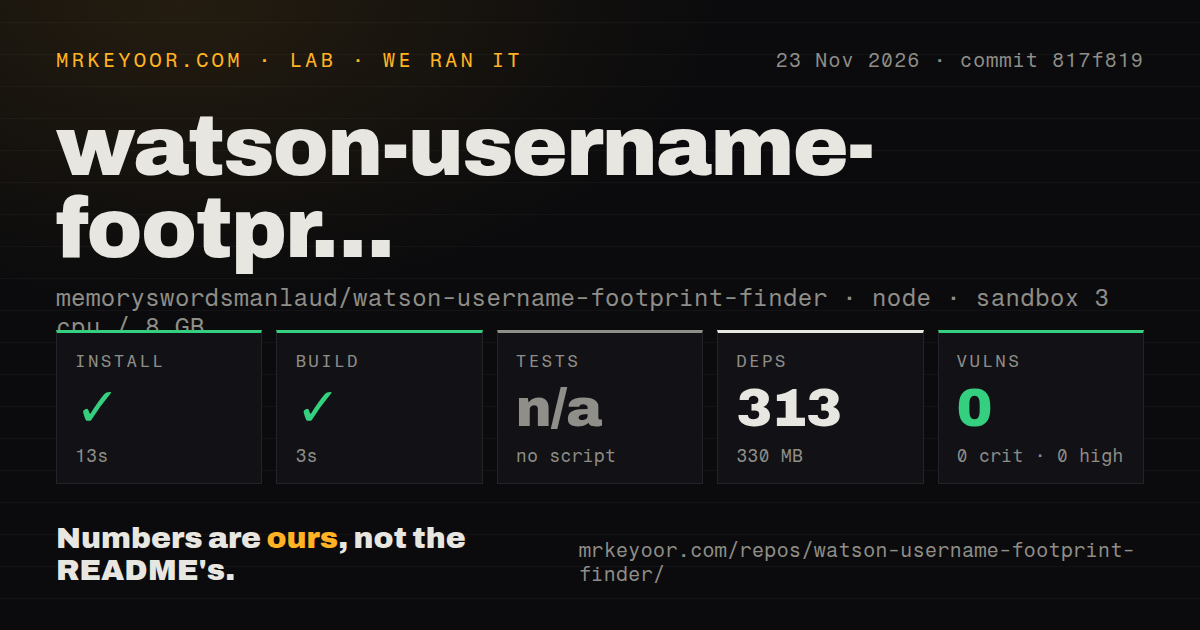
Our run on November 23 installed dependencies in 13 seconds and built the repository in 3 seconds at commit 817f819. The separate hands-on deployment attempt stopped at the safety check because no Compose file existed. No username-search task followed that stop.
Our harness required a Compose file. The deployment check looked for compose.yaml, compose.yml, docker-compose.yaml or docker-compose.yml. It found none and reported unsafe repo. Here, that phrase is the harness's label for failing its Compose requirement. It is not a malware finding, nor an application crash. Adding a Compose file would address that harness requirement, but would leave the example-only search function unchanged.
| Source-run check | Recorded result | What you can conclude |
|---|---|---|
| npm install | Succeeded in 13 seconds | The recorded dependency installation completed |
| Dependencies and disk | 313 dependencies, 330 MB on disk | This was the measured installed footprint |
| Build | Succeeded in 3 seconds | The source build completed |
| Tests | No tests script or target, skipped | There is no passing test-suite result |
| npm audit | 0 known vulnerabilities, including 0 critical, high, moderate and low | The audit reported no known dependency advisories |
| Repository scan | 61 files, about 1,949 source lines, 3.1 MB checked out | This describes the measured checkout |
| Automation and packaging scan | 0 CI workflow files, no Dockerfile, no tests directory | Those files were absent from the scan |
The source-run measurements above come from our recorded sandbox run, configured with 3 CPUs, 8 GB of RAM and image label lab-node:22. The label alone supplies neither the actual Node version nor the operating-system version. We measured 313 dependencies and 330 MB on disk in the installed source environment. That footprint says nothing about the Windows application's memory use or download size.
The hands-on summary also says the project was deployed with its own Docker Compose and localhost-bound ports. That conflicts with the failed step. The step's explicit missing-file error is the useful operational result, so this review does not treat that summary as proof of a running deployment. The final step reported teardown success.
A successful build answers whether the build step finished. Reading the search function answers what that built interface is wired to display. Both findings belong in the decision.
Where people get stuck: an empty result is built into the search
An input other than the example nickname takes the inspected search function straight to an empty list. In mock.ts, the comparison trims whitespace and lowercases the query before checking it against johndoe_92. There is no live site request in that function.
That explains a particularly misleading path through the interface. Results.tsx displays “Nothing found on public sites” when the returned list is empty, then suggests checking the spelling or trying another identifier. For this implementation, changing a real nickname's spelling still won't connect a lookup service. The result is determined by the example-name comparison.
| What you encounter in the source | What causes it | Useful next action |
|---|---|---|
| Example nickname has profiles | The function returns the built-in profile list | Use it to inspect the presentation |
| Another nickname has no profiles | The function returns an empty array | Connect a real lookup provider before interpreting absence |
| Search progress advances | A local timer increments progress | Replace the timer with actual job status |
| Save as PDF appears | The results component renders a button without a click handler | Implement export before promising a report |
These are source-reading findings, not bug reports from users or observations of a running desktop session. The fix map is for someone considering development work. If your objective is simply to search a username, implementing a provider is a different job from adjusting a setting.
What the README gets wrong about the source search
The README says Watson sweeps public pages, archives and registries, while the inspected source path returns preset profiles. The data file itself calls them built-in examples used until real lookups are connected. That is the correction this checkout needs.
The progress display strengthens the impression of a working search. Results.tsx says progress is timed locally until lookups are connected. Its stage labels refer to social networks, forums, developer sites and games. The displayed total of 3,100 sites comes from a constant in that component. It is a display value, not a measured coverage result.
The same file writes that matching profiles have the same name, matching photos and links between profiles. It also supplies a fixed oldest-account year and names GitHub and Reddit as the most active sites. Those sentences appear in the result template. They are not evidence that the code compared photos or investigated someone's history.
This matters even for a cautious user who plans to inspect every match manually. A polished result card can start your work in the wrong place if the card represents a built-in example. Begin with the function that produced the card, before trusting its dates or identity labels.
Privacy promises belong to a specific artifact
The README promises public pages only, no leaked databases and no telemetry. Those are the project's stated privacy terms. The terms should be read alongside the exact source or executable you intend to use.
For the inspected search path, a local array explains the displayed matches. It does not demonstrate how a future crawler would handle your queries, where a provider would store them or whether a separately distributed executable behaves the same way. A dependency audit with no known advisories answers another question again: whether that audit reported known vulnerable packages.
If you develop this interface, keep the origin of each result visible. A name match needs a source URL and a separate identity judgment. The current example model's exact and likely labels are categories in the data, not a method for establishing who owns an account. Connecting a provider should include a way to distinguish a blocked request from an absent profile, rather than mapping both to a reassuring empty screen.
Watson's name leads to several different products
The Apify listing identifies its product as Watson - Username Finder, lofomachines/watson. Its advertised cloud searches and coverage belong to that listing. They should not be transferred to memoryswordsmanlaud/watson-username-footprint-finder because the names resemble one another.
Likewise, Footprint: Username Checker identifies shaad dev studio as its publisher, and IBM's known-issues page concerns watsonx Orchestrate ADK. An Android self-checking app and IBM's agent tooling cannot establish this repository's capabilities or requirements.
The PyPI page checked for watson-osint returned a browser challenge saying a required part of the site could not load. That response supplies no package identity to connect to this repository. Don't substitute a similarly named package for the checkout reviewed here.
These distinctions also change how you read a search for reviews. A cloud product's user count, an Android app's permission description or IBM's troubleshooting instructions would each answer questions about its own product. None resolves whether this source function performs a real lookup.
watson-username-footprint-finder vs Sherlock and Maigret
Sherlock and Maigret are more relevant starting points if your immediate objective is username lookup, because their own documentation describes search commands rather than an example-only result function. This is a comparison of documented workflows and inspected code, with no speed or accuracy ranking.
| Project | What the checked material supports | Pick it when |
|---|---|---|
| Watson, this checkout | Example-profile search and a result interface | You want interface code and accept implementing lookup integration |
| Sherlock | Its README documents username searches and saving accounts to a text file | You want a command-line account-search workflow |
| Maigret | Its README describes gathering profile information and recursive username searches | You want to evaluate a dossier-oriented workflow |
Sherlock documents searching one or several usernames and storing found accounts in individual text files. That makes its documented workflow a closer match for someone who wants a list to inspect. A terminal command is less visual than Watson's cards, but the task you need is a search, and the output should let you continue checking the accounts yourself.
Maigret documents recursive searches using discovered usernames and other identifiers. It also describes extracting information from profile pages. That is relevant when the first nickname is a starting point for following leads. Its broader workflow deserves its own evaluation rather than an assumed win based on a larger feature list.
Watson's example data lists Maigret among tools marked connected. That entry is inside the built-in example data; it is not proof that this checkout invokes Maigret. If you're choosing Watson specifically to avoid operating a command-line tool, first ask where the integration actually runs.
Questions people ask
The inspected source returns example profiles only for johndoe_92; it does not perform a live lookup in its search function. These starter questions follow the README and source because the checked community searches produced no relevant user questions.
Can this checkout find real accounts from my username?
The search function returns the example list only for the example nickname and an empty list otherwise. Its own comment tells developers to connect real lookups there. Treat this commit as interface code rather than an account-discovery service.
Where does the README send Windows users?
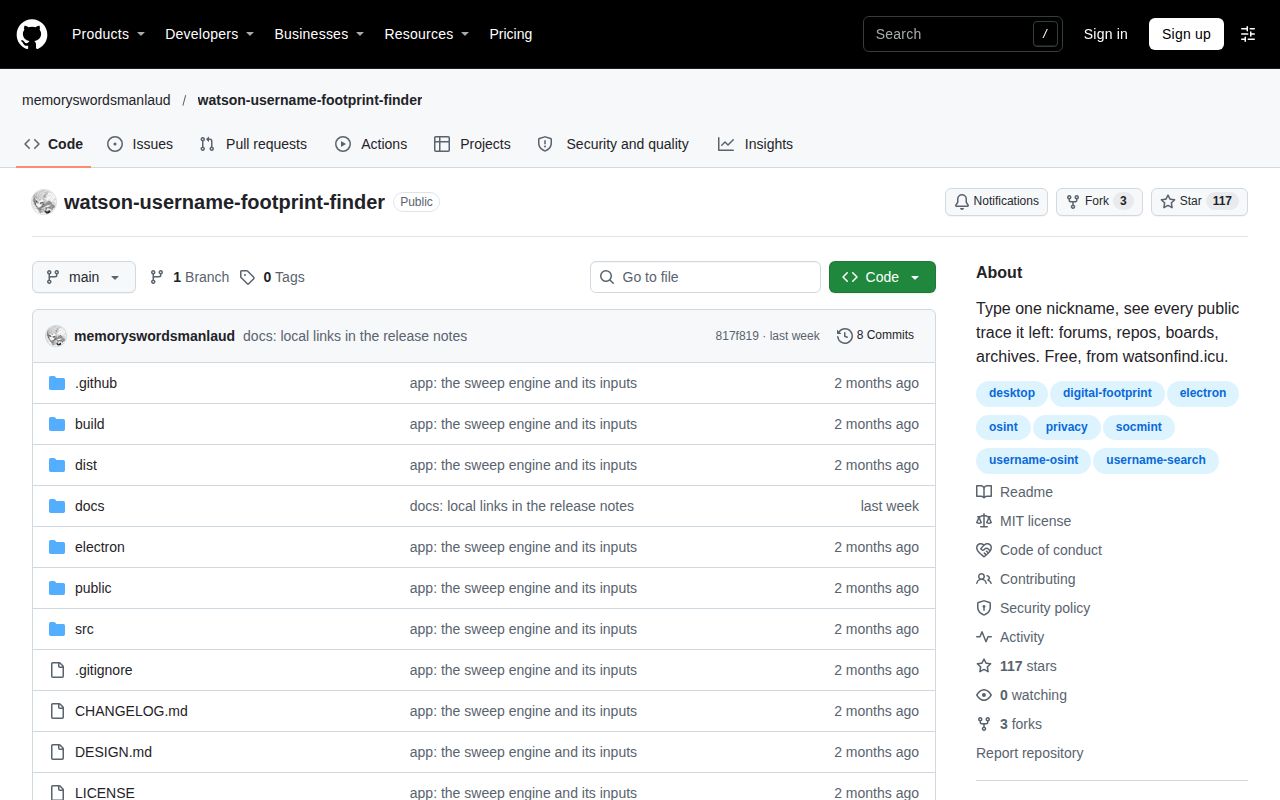
The README directs Windows users to watsonfind.icu and says releases here hold the source only. That is an upstream download direction, not a recommendation to run the executable or evidence that it matches the source reviewed here.
What licence does the project claim?
The README identifies the project as MIT licensed and points to LICENSE. That licence statement concerns the project; it does not settle the terms of an external service you might connect or ownership of the public profiles you search.
Which alternatives should I look at first?
Sherlock documents a username-search CLI, while Maigret describes collecting a dossier by username. Choose which workflow to evaluate before comparing the appearance of their interfaces.
What we have not tested yet
Our lab measured source installation and building, while the Compose-dependent hands-on attempt stopped before an application task. We have not tested a live username lookup, detection accuracy, false-positive handling, archive searches, renames, identity matching or behavior under sustained load. There are no recorded known-answer questions, task timings, application memory measurements or screenshots for this attempt.
We have not tested the separately advertised Windows download, established that its behavior matches this commit or assessed its provenance. This review therefore makes no claim that the executable is safe, harmful or functionally identical to the React source. We have not inspected network traffic or completed a security review. The zero-advisory npm result is not a safety certificate.
Support responsiveness and production adoption also remain unmeasured. An empty search result gives no basis for rating either badly, and it does not prove nobody uses the project. Source installation succeeded in our configured sandbox; complete toolchain logs would be needed to name actual runtime versions or diagnose platform-specific behavior.
The next result that would change the recommendation is a real lookup path returning inspectable source URLs for known accounts and correctly distinguishing absent profiles from failed requests. Until that exists in the artifact you choose, an attractive results screen cannot answer where your username appears.