A backup engine, not a backup service
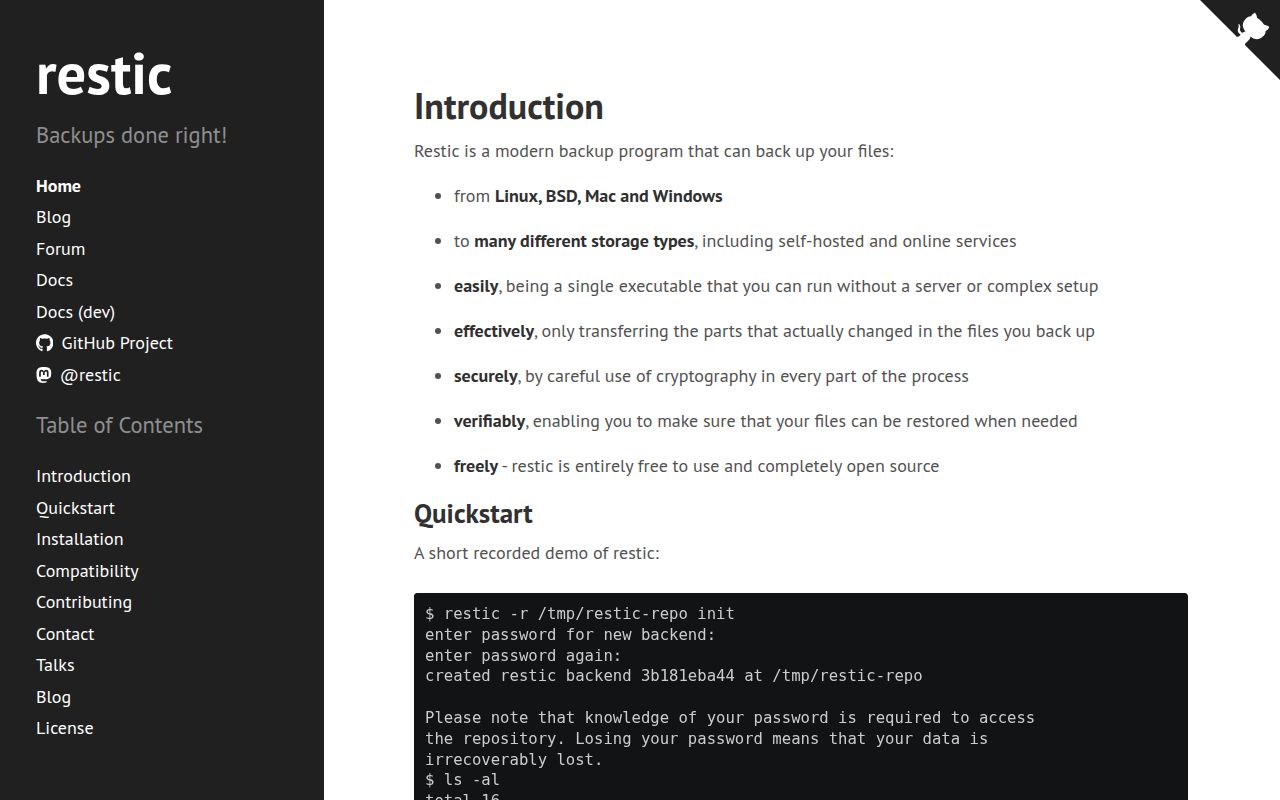
restic turns files and directories into encrypted snapshots stored in a repository. That repository can live on a local disk, an SFTP server, the project's REST server, Amazon S3, an S3-compatible service, OpenStack Swift, Backblaze B2, Azure Blob Storage, Google Cloud Storage, or another provider reached through rclone. One executable handles snapshot creation, listing, checking, pruning, mounting, and restoration across the major desktop and server operating systems.
The design is a good fit for operators who prefer small tools with visible commands. You choose where the data lives, when jobs run, how long snapshots stay, and where credentials come from. restic handles encryption, integrity checks, and deduplication before writing to storage. Repeated snapshots therefore reuse existing data rather than copying every unchanged file again.
That control comes with work. There is no hosted control panel watching every machine. A production setup needs a scheduler, secret storage, logs or alerts, a retention policy, and regular recovery tests. The scripting guide provides environment variables, stable exit-code meanings, and JSON output for automation, but it does not make operational decisions for you.
The storage choices are unusually practical
A local repository takes only an init, a password, and a path. Remote targets add the provider's normal authentication. The scripting guide lists separate variables for S3, Azure, B2, Google Cloud, OpenStack, and the REST server. SFTP may invoke ssh, while the rclone backend can invoke rclone; those programs bring their own files and environment settings.
The repository password is absolute. The README says losing it makes the data irrecoverable. Multiple repository keys can be added and passwords changed, yet one valid key must remain available to open the repository. Store recovery material outside the host being backed up, and test that the documented recovery process works before deleting an old key.
Encryption is meant for storage you do not trust with plaintext. The README says restic protects confidentiality and integrity even when administrators can access the backend. That does not remove the need for deletion protection. A stolen backend credential or compromised client can still be dangerous, so object locking, append-only service configuration, separate retention controls, or another independent copy belong in serious ransomware planning.
What happened when we ran it
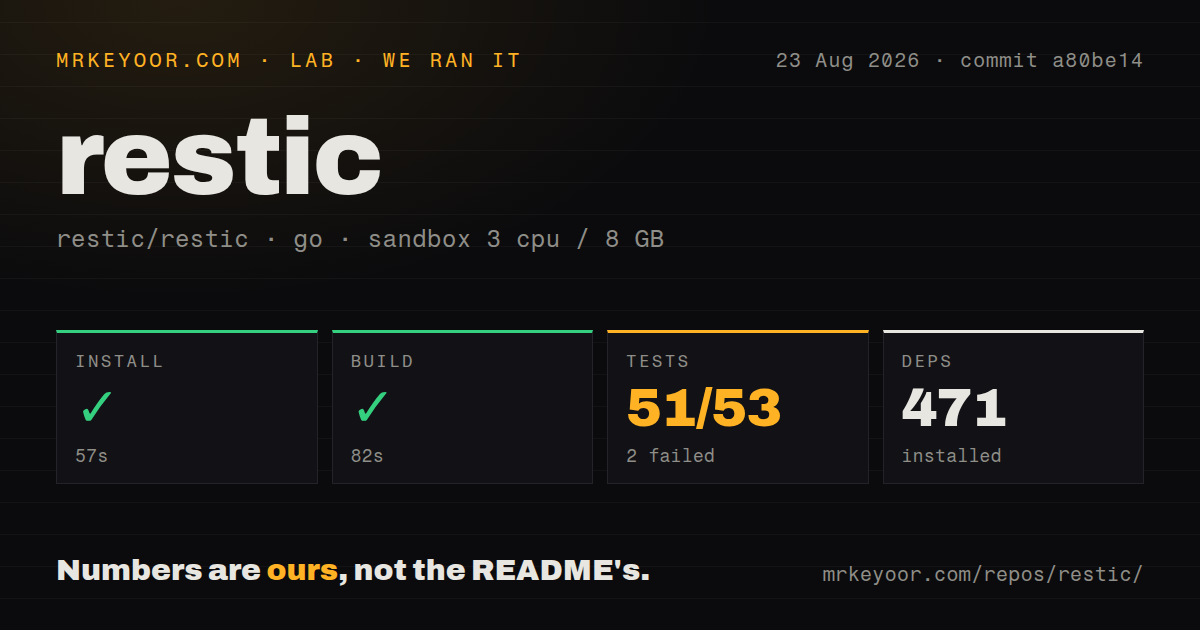
We cloned commit a80be14 in a fresh unprivileged Debian container with 3 CPUs and 8 GB of RAM. The checkout contained 1,391 files, about 93,380 lines of source, and occupied 27.5 MB. Installation succeeded in 57 seconds and installed 471 packages. The build completed successfully in 82 seconds.
Tests were the one failed step. go test ran for 385 seconds, with 51 package results passing and 2 failing out of 53, then exited with code 1. The supplied tail lists successful results for text-file, UI, restore, stats, table, terminal-status, walker, and other internal packages. Several packages report that they contain no test files. It ends with FAIL without naming the two failures or printing their error messages.
That log is enough to say the pinned checkout did not pass in our environment, but not enough to explain why. We will not attribute it to missing services, container restrictions, or a code defect without the missing failure output. The repository has three CI workflow files. Our checkout had no Dockerfile and no top-level tests directory, while the installation guide separately documents an official minimal container image.
Recovery behavior deserves rehearsal
restic's quick start is short: initialize a repository, run backup, then use restore or mount a snapshot through FUSE. The harder decisions arrive later. Include and exclude rules determine what enters a snapshot. Host and path metadata affect how snapshots are selected. forget applies a retention policy, while prune removes unneeded stored data. A typo in automation can therefore change what is saved or retained.
The documentation recommends running restic check regularly. A full check --read-data downloads the entire repository, which may cost time and backend transfer fees. That is still the closest test of whether stored pack data can be read. Sampling checks and scheduled full checks can control cost, but neither replaces restoring files to a separate target and opening them.
Restore has sharp edges worth knowing before an incident. Existing target files are overwritten by default when their contents differ. The --delete option removes target files absent from the snapshot, and the guide tells users to inspect a verbose dry run first. An interrupted in-place restore can leave a partial result, so the documentation advises taking a current backup before restoring another snapshot over live data.
The local cache also needs watching. Issue #4325 asks for a cache-size cap because a cache on the root filesystem can fill it; the request was still active on August 23, 2026. Operators can choose a cache directory and clean old cache data, but restic does not currently enforce the requested ceiling itself. That is a specific concern for small system partitions and large repositories.
Maintained, conservative, and worth the chores
The last repository push was August 1, 2026. The latest release, 0.19.1, arrived July 5 and fixed backup, mount, snapshot, JSON-output, and Windows SFTP behavior. Issues and pull requests were being updated on August 23. GitHub's count of 576 combines both types of work, so it should not be read as 576 confirmed defects.
One current regression report says 0.19.1 may reject a valid mount when the repository URL comes from --repository-file; the same report says direct -r input works. It is narrow, but users of wrappers such as resticprofile should test mounting after upgrades. The release also fixed a mount configuration that could deadlock the kernel, which explains why path validation became stricter.
Choose restic when you want an inspectable backup tool and already know who will own its operations. Pin the binary, secure the password separately, monitor exit codes, cap or relocate cache use, run repository checks, and practice a restore. The software gives you sound building blocks. Recovery still depends on the routine around them.