An existing autoloader comes before the dashboard
PS5 Payload Manager asks you to load pldmgr.elf through an existing autoloader or another manual ELF-loading route. If you already have that working, the dashboard addresses a daily annoyance: finding the right homebrew file and starting it without managing everything from the console. The README recommends linked Y2JB, BD-JB, and Lua autoloaders. It does not describe a way to turn an ordinary retail console into a homebrew machine.
That prerequisite matters more than the friendly screenshot. Our 498-package npm installation exercised the frontend project, which lives under frontend/. It says nothing about whether your console can execute the manager. For someone already loading payloads, a shared browser interface can reduce repeated file handling. For someone still looking for a compatible entry point, downloading this dashboard skips the problem they need to solve first.
What happened when we ran it
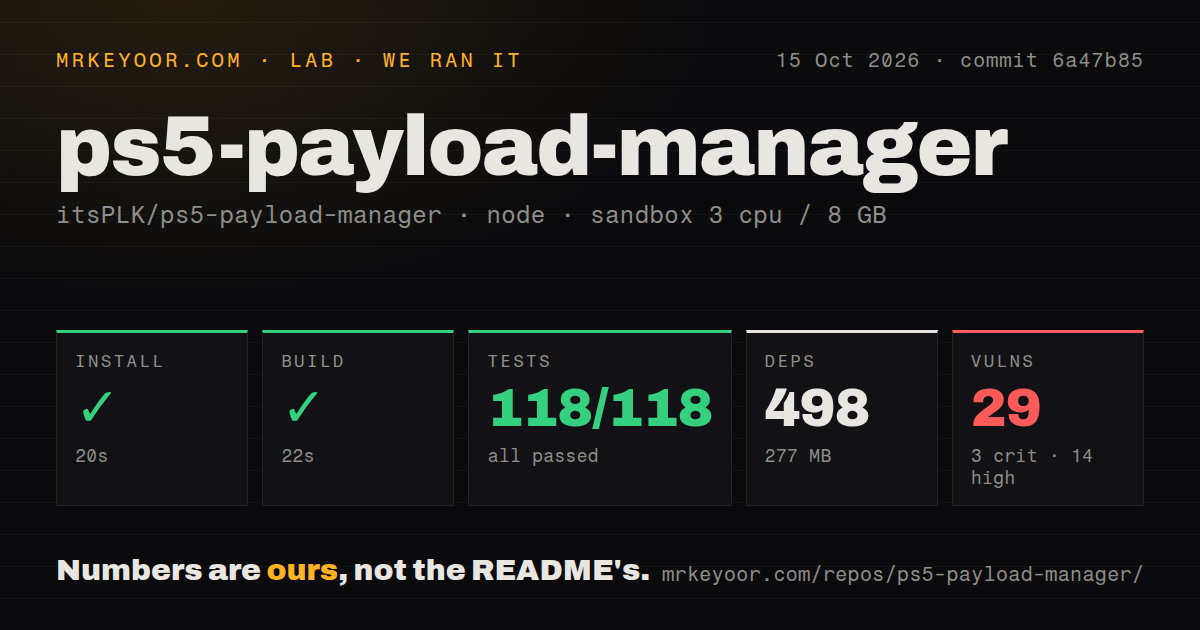
Our run installed 498 npm packages in 20 seconds, built successfully in 22 seconds, and passed all 118 node:test tests in 2 seconds. The installed environment used 277 MB. We ran commit 6a47b85 on October 15, 2026, in an unprivileged Debian container with 3 CPUs, 8 GB of RAM, and the lab-node:22 image. The sandbox had no secrets.
The checkout contained 230 files, about 23,473 lines of source, and occupied 3 MB. Our scan found 2 CI workflow files and a tests directory, without a standard Dockerfile. The frontend result is encouraging for contributors because the measured commands completed. It does not establish a native ELF build, successful console startup, or payload compatibility. Those outcomes require the console environment that this sandbox result does not cover.
npm audit reported 29 known vulnerabilities: 3 critical, 14 high, 9 moderate, and 3 low. The supplied measurement does not identify affected packages or distinguish development tooling from code reachable in the dashboard. It therefore supports a dependency-maintenance concern, not a claim that the console is remotely exploitable. Anyone adopting the frontend should investigate that tree before treating the passing build as a security assessment.
USB import and catalogs reduce repeated file handling
The manager can import payloads from USB or a hosted repository, keep favorites, and load a configured sequence when it starts. Its home-screen shortcut gives you another way back into the interface. Those features belong together: once you repeatedly use several payloads, a remembered collection is easier to manage than sending files separately each time. Process inspection and termination of eligible processes are also documented.
Our 118 passing frontend tests do not verify any downloaded payload. A custom catalog is a JSON document that points the manager to binaries. The repository guide supports stable identifiers so favorites and autoload entries can survive updates, and optional checksums for download integrity. A checksum can detect a mismatch with the catalog's expected file. It cannot establish that the catalog operator chose a trustworthy program.
The local dashboard has no login service
The development guide explicitly says the native daemon supplies neither a login nor pairing. Its browser request checks restrict mutations by origin, but direct network clients can supply their own headers. That makes a trusted local network part of the operating assumption. A console dashboard that can launch payloads and manage files should not become an internet-facing administration page simply because a router can forward its port.
The 29 audit findings and this access model are separate concerns. Fixing frontend dependencies would not add authentication to the native service. Conversely, keeping the console on a trusted network would not resolve dependency advisories. Use the HTTP access contract to understand who can reach the service before choosing where to run it. This is a concrete reason to reject it for a shared, untrusted network.
A frontend build does not produce the console payload
The documented developer route builds the React interface before embedding it in a native ELF using the PS5 SDK environment. The guide names Dockerfile.sdk, then describes sending the resulting file through a separate loader. Our successful 22-second build covered the measured Node project. It did not validate that full toolchain, and the supplied lab record gives no timing or success result for native compilation.
For ordinary users, the release ELF avoids that development route. Keep a known working copy before changing versions or autoload settings. PS5 websrv is another candidate for a browser-oriented homebrew workflow, while PS5 ELF Loader fits the narrower job of receiving and starting ELF files. The latter can also be part of a manager setup, so it replaces the dashboard only when you do not need its catalog and saved organization.
October releases are active, with compatibility reports still open
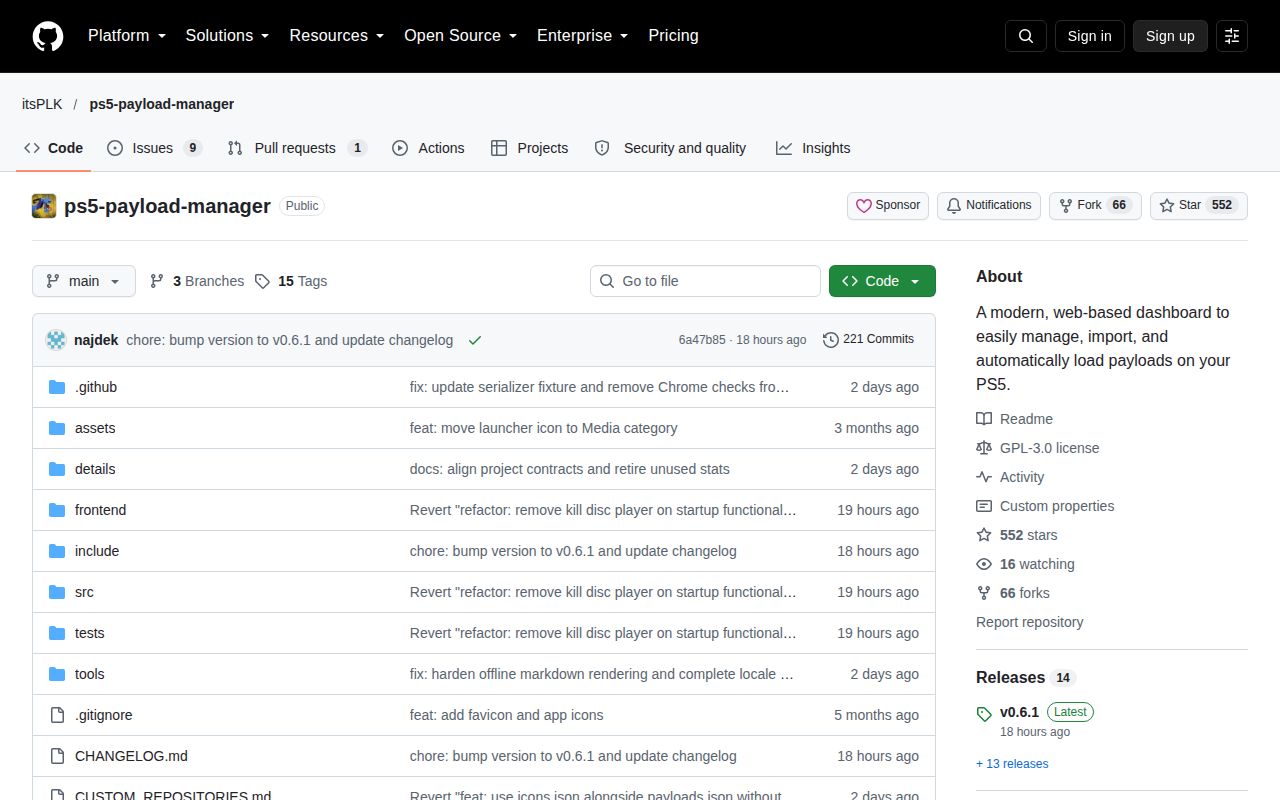
The last push was October 14, 2026, and GitHub listed 10 open issues and PRs. Release v0.6.1 arrived that day and restored automatic Disc Player termination for BD-JB users after its removal in v0.6.0. That specific repair, alongside fresh issue activity, shows ongoing maintenance. It does not justify assuming every change is trouble-free on every firmware.
Open issue #124 reports kstuff-fpkg loading trouble after the 0.6 update on firmware 11.60. That is a user's report, not a failure from our sandbox. If it matches your setup, keep your working version until you can verify the combination yourself. Our 118 passing tests earn the frontend a closer look. Your own payload sequence still decides whether the manager can replace the workflow you already trust.