Each agent gets a persistent computer
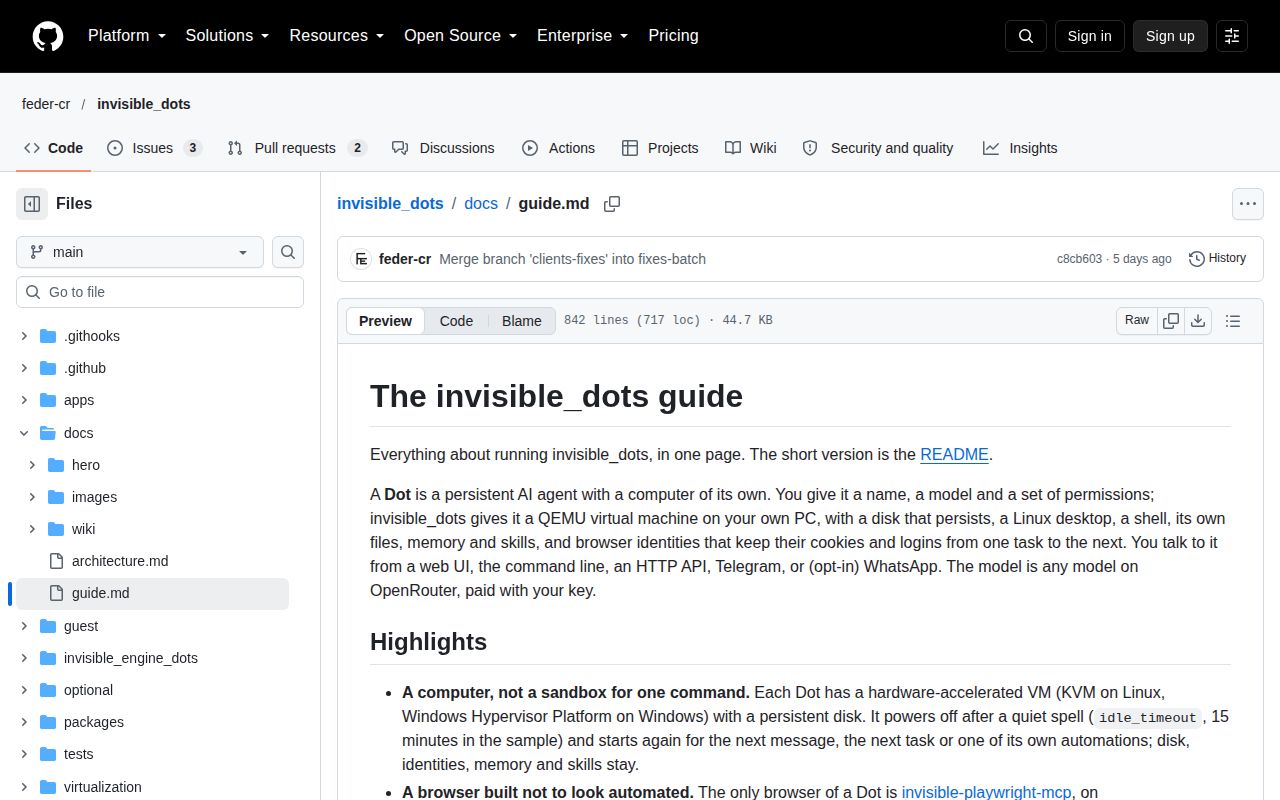
Dots, now hosted as feder-cr/invisible_dots, gives an agent a QEMU virtual machine with a persistent Linux desktop and disk. Browser identities keep cookies and logins between tasks, while the agent saves notes and skills for later work. That makes sense for a personal assistant revisiting the same websites or documents. You are adopting a small computer-management system alongside the chat interface. The README labels the project alpha.
Our checkout contained 965 files and about 139,445 source lines. The documented stack includes a host control plane, a guest daemon and a model engine, plus a patched Firefox browser exposed through MCP. This is a much larger commitment than attaching browser tools to an existing script. Persistent state is the attraction: it also creates state you must be able to inspect and recover when an automated task goes wrong.
What happened when we ran it
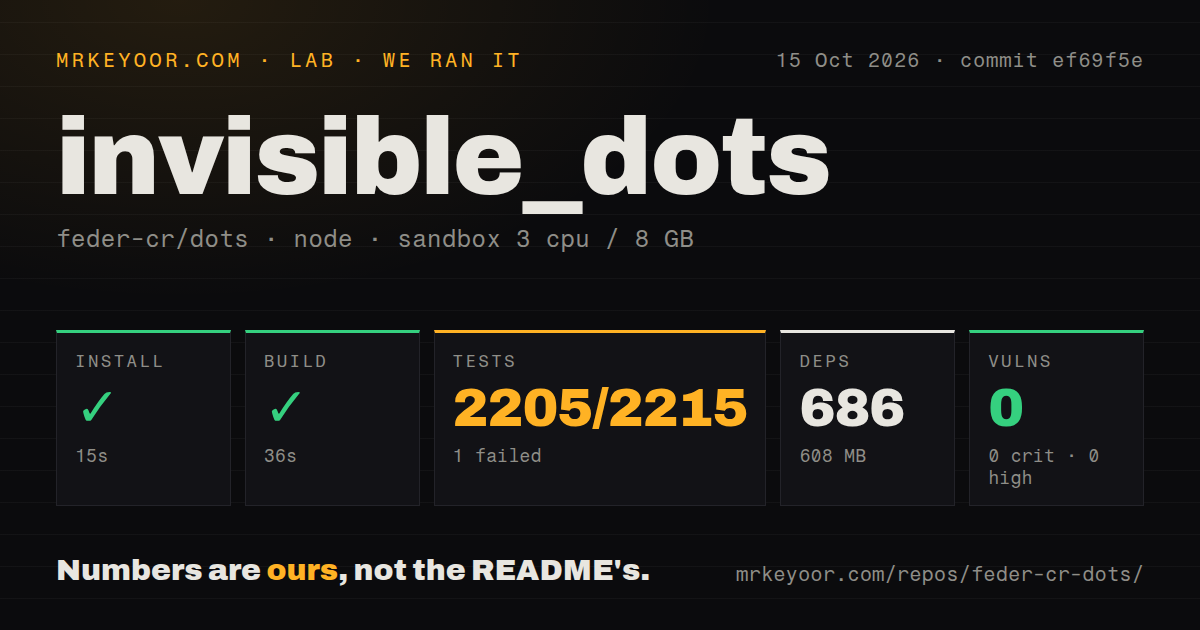
Our sandbox installed commit ef69f5e in 15 seconds, adding 686 npm packages and using 608 MB on disk. The build succeeded in 36 seconds. The October 15, 2026 run used the lab-node:22 image in an unprivileged container with 3 CPUs, 8 GB of RAM and no secrets. That establishes a working repository build in our environment, without establishing a working virtual desktop or a completed browser task.
Tests failed with exit code 1 after 142 seconds. Vitest reported 2,205 passed, 1 failed and 9 skipped out of 2,215. The log names apps/cli/test/secret-input.test.ts as containing the failed case. It also marks apps/vm-manager/test/agentd.linux.test.ts as a failed file while listing its cases as skipped. The tail does not include the underlying assertion or file-level exception, so it cannot explain either cause.
Npm audit reported 0 known vulnerabilities across all severities. Our scan found 3 CI workflow files, a tests directory and workspace packages, with no Dockerfile. These are useful repository signals, but they do not turn the mixed test result into a pass. The unprivileged run also provides no evidence that host virtualization, browser logins or scheduled wake-ups worked. Those require a separate acceptance exercise on suitable hardware.
The host setup extends beyond npm
The current quickstart requires Linux or Windows on x86-64 with hardware virtualization enabled. It also calls for Node 24 or newer, Go and an OpenRouter key. That differs from our Node 22 lab image: the successful build there should not be read as support for an older production runtime. The guide describes QEMU installation, accelerator setup and guest-image creation or download.
Our measured 608 MB footprint covers the installed repository environment, not the complete collection of guest images and persistent agent disks. The guide requires additional free space and documents separate memory requirements for the builder and running agents. It also excludes macOS hosts. A developer with an ordinary container-only hosting account should check virtualization access before spending time on the npm setup, because a successful build cannot supply a missing hypervisor.
The web interface listens on a local loopback address and supplies the API token for its own requests. It has no separate login screen. The guide also requires a plain ASCII data-directory path without a comma, which can affect default home paths. These are unusually specific operational constraints. They deserve a place in your deployment checklist alongside the model key, rather than being discovered after an agent already holds account sessions.
Permission prompts do not erase the documented trust boundaries
Every tool belongs to an allow, ask or deny permission. Pending approvals survive a restart, and an approved call is documented to run at most once. The model engine and computer daemon run under separate guest users from the model's commands. Those controls address real risks in a persistent assistant. They also need direct validation for your intended workflow, especially given the 1 failed test in our supplied result.
The guide names limits that matter more than the browser's anti-detection marketing. A guest can reach services on the host's loopback network. Model commands can read a configured browser identity's proxy credentials, and an approval for browser typing can display the typed password. Those are documented boundaries, not findings from our sandbox. Pass if your security requirements assume that every guest is isolated from local host services or that all browser secrets stay inaccessible to model-run commands.
Persistence arrives before backups and quotas
The status section lists backups, snapshots and rollback as absent, along with quotas and network policies. A persistent disk can preserve a browser login after a restart while still leaving recovery from an unwanted change to you. For an assistant handling recurring invoices or account workflows, preservation alone is insufficient. Establish a way to restore the relevant state before allowing unattended changes to valuable accounts.
The 2,205 passing tests are encouraging for an alpha project, but our suite did not pass and did not exercise a fully provisioned agent computer. Browser Use is worth comparing when browser actions are the main requirement. Nanobot, which this project's engine derives from, is another option for a personal agent without adopting this entire VM design. Dots earns the extra machinery when persistent computers themselves solve your problem.
October changes show active work on the guest boundary
GitHub recorded a push on October 15, 2026 and 32,085 stars. Recent technical pull requests address browser interfaces and guest startup order, alongside unrelated spam in the issue list. Open PR 1456 describes moving guest-unit startup after proxy configuration. That is evidence of current engineering attention and an unresolved proposed change, not proof that a particular networking policy is already fixed. The PR concerns this guest startup path directly.
The latest release is a golden guest image, rather than a conventional application version. Begin with an expendable browser identity and a task whose result you can verify outside the agent. Require recovery and permission checks before handing a persistent Dot an account you cannot afford to repair manually.