LibreTV needs your own catalog and playlist addresses
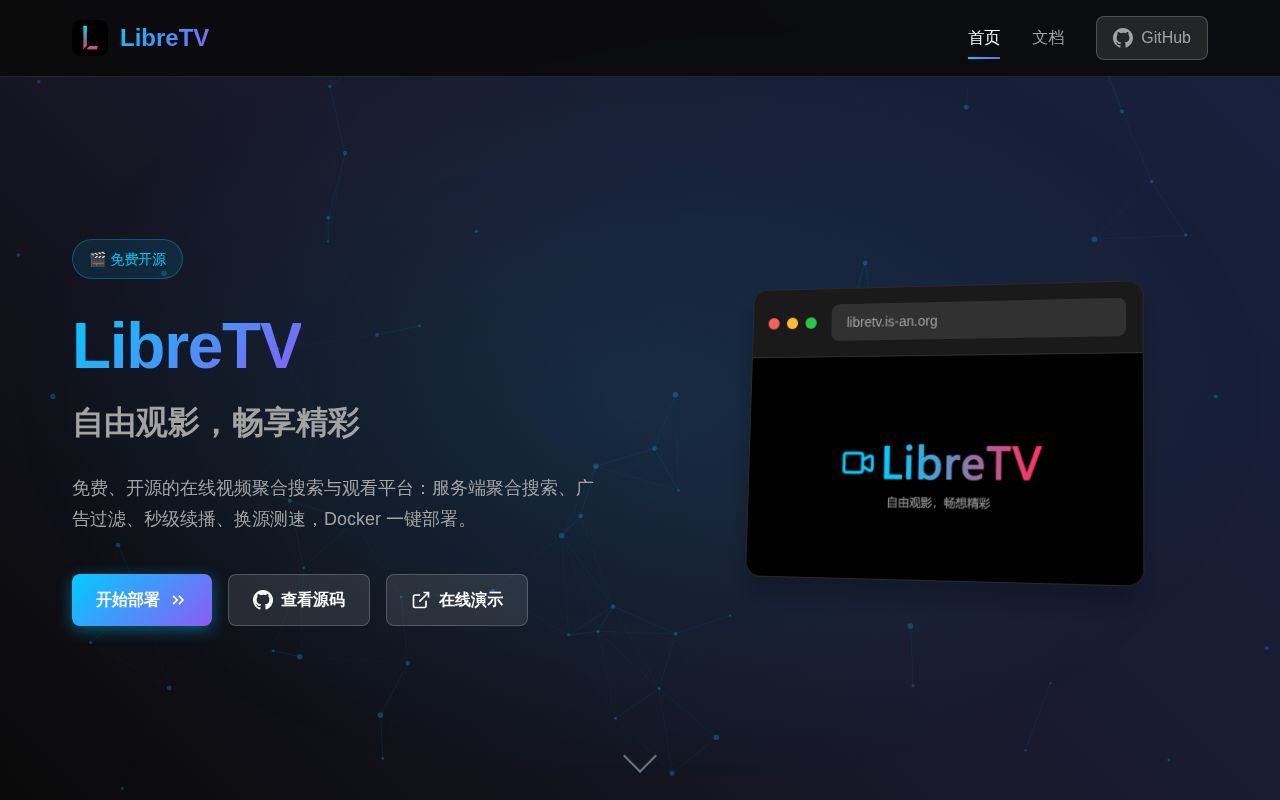
Add a working video source before expecting LibreTV to find anything worth watching. This Chinese-first project searches external catalogs and plays their streams in your browser. Its README and linked documentation are Chinese, and the repository has no English README. The current application uses Next.js with TypeScript, combining same-title results so you can compare providers without opening separate websites. That is useful if you already maintain sources you trust.
The 1.3 MB checkout makes this look like a small addition to a home server, though our installed environment occupied 680 MB. What you get for that space is a web application with source management and a player, rather than a supplied film library. The README documents Apple CMS catalog interfaces and M3U live playlists. If your starting point is a folder of films you own, Jellyfin is a closer match.
What happened when we ran it
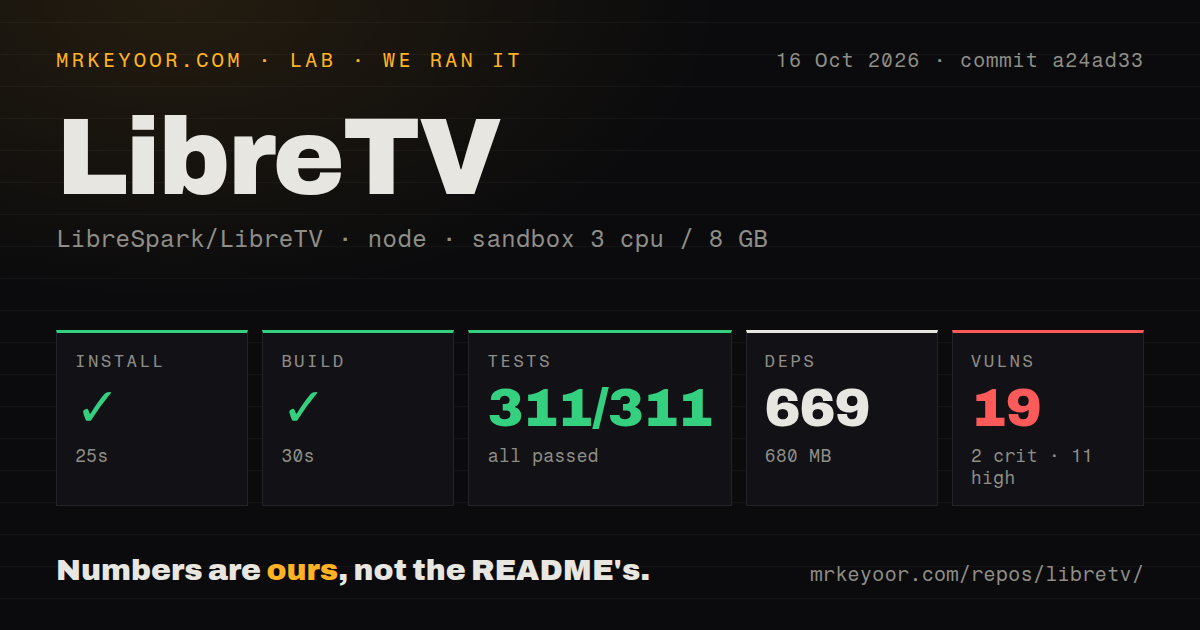
Our run installed LibreTV commit a24ad33 in 25 seconds, adding 669 packages and using 680 MB on disk. The build succeeded in 30 seconds. We ran it on October 16, 2026, in a fresh Debian sandbox using lab-node:22, with 3 CPUs and 8 GB of RAM. The container had no secrets or elevated privileges, so the successful build did not depend on production credentials.
Vitest passed all 311 tests in 6 seconds, with 0 failures. The checkout contained 146 files and about 20,691 source lines. Our scan found 2 CI workflow files, a Dockerfile, and a Compose file, but no tests directory. The passing suite is the useful result here: a directory-name check alone would miss it. These measurements establish that this revision installed, built, and completed its available suite in our environment.
Npm audit reported 19 known vulnerabilities: 2 critical, 11 high, and 6 moderate. The supplied results do not identify the affected packages or show whether vulnerable code is reachable through the running application. Treat that as unresolved work before public exposure. The sandbox results also contain no playback latency, stream reliability, or video-quality measurements, so a green suite cannot tell you whether your chosen provider will work tonight.
HTTPS is part of getting login to work
The README's manual route sets PASSWORD for the build and server, which listens on port 8080. Docker Compose is the recommended deployment path. A production host also needs HTTPS: the deployment warning says browsers can discard the secure session cookie when you visit a plain HTTP server address. Issue 922 describes that exact correct-password-but-no-login experience. A successful password response can therefore leave a newcomer stuck outside the app.
The 30-second build is only the measured preparation step. You still need a domain and TLS configuration for a normal remote deployment, plus usable source addresses. PROXY_SECRET is documented for session and proxy signing, with an explicit recommendation for multiple instances. None of that calls for a paid streaming API credential in the basic setup. It does call for someone comfortable checking proxy headers and cookies when login behaves differently behind a reverse proxy.
TVBOX Spider sources are skipped during import
TVBOX import accepts supported catalog interfaces and live playlists, but skips Spider entries that require TVBOX's own execution engine. XML interfaces and multi-repository configurations also fall outside the documented import path. That makes an existing TVBOX subscription a compatibility question, rather than a promise that every entry will appear. Check the import report against the sources you need before choosing LibreTV as your household's player.
All 311 tests passing leaves that compatibility question open. The README describes automatic source health tracking and temporary disabling after repeated failures, which helps manage unreliable providers without repairing them. It also warns that edits to subscribed sources can be overwritten on synchronization. If you need persistent local exceptions, change the hosted source list or manage the source directly. Otherwise, a routine refresh can undo the adjustment that made a particular stream usable.
Watch history stays on the current device
Playback progress and history live in the browser's IndexedDB, according to the usage instructions. Configuration import and export provide a migration path, but the documented local storage should not be read as account-based synchronization between a phone and television. LibreTV suits someone happy to resume within one browser. For shared history across devices, LunaTV documents server storage through Kvrocks, Redis, or Upstash and is worth comparing directly.
The player supports automatic episode continuation and changing providers while retaining the episode position. Live television gets a separate browsing page, optional XMLTV programme information, and a streaming proxy. Private-network IPTV addresses are blocked by default under the documented SSRF protections, with LIVE_ALLOW_PRIVATE available for self-hosted internal sources. That is a specific configuration tradeoff for home networks. Our 19 audit findings remain a separate concern from the presence of those application controls.
October issue activity argues against calling it abandoned
GitHub reported 18,202 stars and 5 open issues and PRs on October 16, 2026. The last push was October 2, while issue 931 received an October 15 question about Cloudflare deployment. An open contribution also proposed source-quality detection. These are signs of continuing attention, though a proposed feature is not a shipped feature. The latest-release endpoint returned no published release, so the package version and documented image tags are more useful deployment references than a release announcement.
I would consider LibreTV for a private browser player when its source formats already match your collection and Chinese documentation is manageable. Its successful build and 311 passing tests give a developer a credible starting point. Public deployment deserves another decision after the critical and high audit findings have been assessed. If automatic history across devices is essential, compare LunaTV first; if you're serving media files you control, start with Jellyfin.