
React owns the scene graph, while Three.js still owns the graphics
React Three Fiber turns JSX such as <mesh> into real Three.js objects and keeps them in sync with React. A scene can use components, props, hooks, events, Suspense, and shared state without wrapping every Three.js class by hand. That is especially helpful when a 3D configurator or data view sits inside a larger React product and must respond to the same application state.
The abstraction stops at the right place. Materials, geometry, cameras, lights, loaders, and renderer behavior still come from Three.js. The README tells newcomers to learn those concepts before rushing in. React Three Fiber changes how you compose and update them; it does not explain lighting, shaders, draw calls, asset formats, or GPU budgets for you.
Version 9 requires React 19
The compatibility rule is unusually clear: React Three Fiber 9 pairs with React 19, while Fiber 8 pairs with React 18. That matters because this package is a renderer, like React DOM, rather than a component kit that can ignore React internals. The v9 migration guide also lists Strict Mode, JSX type, color management, and renderer-construction changes that deserve code review during an upgrade.
A browser app installs three and @react-three/fiber, with @types/three for TypeScript projects. Vite is the easy path. Next.js may need three added to transpilePackages when an add-on ships untranspiled code. React Native uses @react-three/fiber/native with Expo GL and asset packages, and the docs recommend testing on physical iOS hardware because simulator OpenGL ES support can be unreliable.
What happened when we ran it
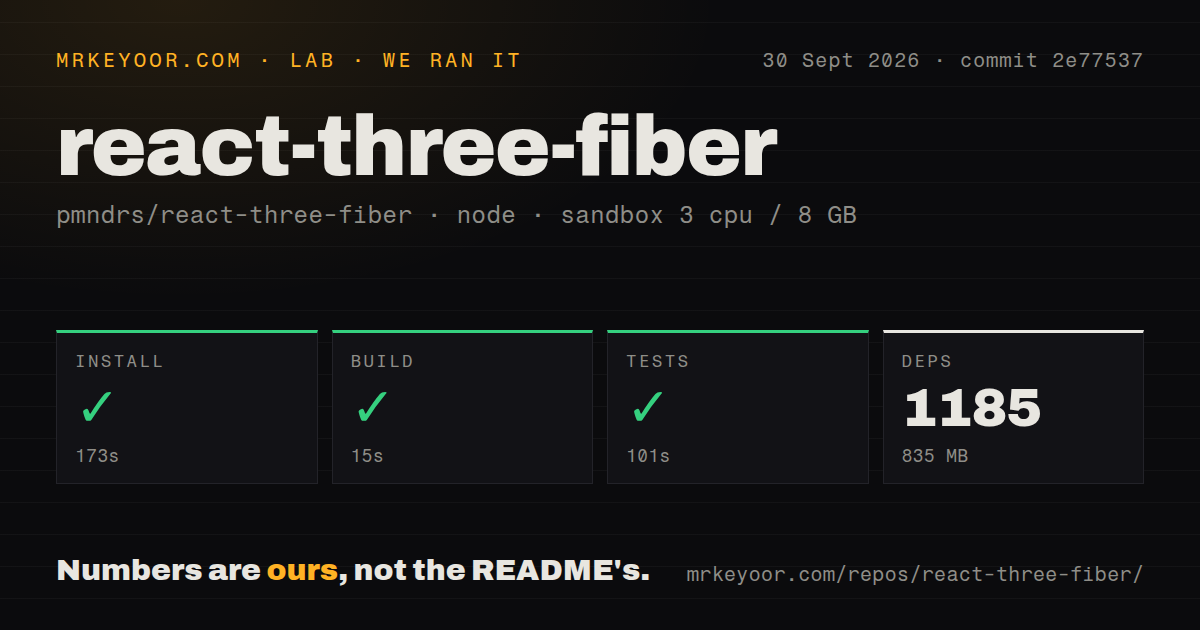
Our sandbox installed commit 2e77537 in 173 seconds, pulling 1,185 packages and occupying 835 MB. The environment was a fresh unprivileged Debian container with 3 CPUs, 8 GB of RAM, Node 22, and no secrets. Installation was the slowest step by a wide margin, but it completed without an error.
The build succeeded in 15 seconds. Tests then succeeded in 101 seconds. Those results cover repository mechanics, not browser frame rate or scene quality. The checkout had 211 files, about 14,761 lines of source, and used 3.3 MB before installation. Its compact source tree expands into a much larger contributor toolchain because the workspace includes React, React Native, Expo, Jest, TypeScript, Vite, and release tooling.
Our scan found 2 CI workflow files, no Dockerfile, no conventional tests directory, and Yarn workspaces. The successful test command is the result that matters; folder names are only a repository-layout signal. We did not measure frames per second, model loading, memory use in a browser, or WebGPU behavior, so this run cannot support performance claims about a real scene.
A 60 fps loop needs mutation, not React state churn
Three.js animation code runs on a frame loop, often 60 times per second. The project's performance guide tells you to update object references inside useFrame, multiply movement by the supplied frame delta, and avoid routing each fast change through React state. That advice can feel odd to a React developer trained to treat mutation with suspicion. In this renderer, it is the intended hot path.
Object lifetime matters too. Creating materials and geometry can trigger GPU work, so the docs recommend reuse, caching, and instancing. The scaling guide suggests a few hundred draw calls where possible and treats 1,000 as a maximum target rather than a promise. useLoader caches assets by URL, while demand rendering can stop the loop when a scene is idle. React organizes these choices, but Three.js performance rules still set the bill.
Demand rendering in v9.8.1 can leave a removed object visible
Open issue 3980 reproduces a v9.8.1 regression with frameloop="demand". Unmounting a mesh does not request a new frame, so the removed object stays visible until another event invalidates the canvas. Mounting and prop changes still redraw. The report traces the behavior to invalidation occurring after the child's parent link is cleared and says the same reproduction worked in Fiber 8.
That is a narrow bug with a practical consequence. Demand rendering is recommended for scenes that can sit still because it reduces idle GPU work and battery use. If your interface frequently removes objects while otherwise idle, add this reproduction to your browser checks or issue an explicit invalidation until the fix reaches the version you ship.
WebGPU support still needs tests on a real GPU
Fiber 9 accepts an asynchronous renderer factory, which is needed to initialize Three.js's WebGPU renderer. Open issue 3782 reports that a React rerender during that asynchronous setup can create two renderers on one canvas and produce GPU validation errors. The report covers Fiber 9.6.1 and describes navigation failures as well as the duplicate initialization. Treat WebGPU as a path to test, not a drop-in flag.
Issue 3798 makes the project-level gap explicit for the upcoming v10 work: browser checks for WebGPU initialization, multiple canvases, visibility, pipelines, and related behavior are still run interactively against the example app. A planned non-headless Chromium harness has not yet replaced that checklist. Our 101-second Node test run therefore should not be read as proof of real-GPU coverage.
A September 30 push and 13 open issues show active maintenance
The measured commit landed on September 30, 2026, and fixed device-pixel-ratio changes. GitHub also showed issue and pull-request updates that day. Release v9.8.1 arrived on September 24 with fixes for renderer disposal and React Activity visibility. The open queue was small: 13 issues and 4 pull requests, rather than 17 bugs.
React Three Fiber is the right layer when your scene is part of a React application and benefits from the same component boundaries. The green 15-second build and 101-second test run make its source baseline easy to trust. The harder work begins in the browser: profile the assets, frame loop, disposal, and weakest target device before deciding that JSX made the 3D problem simple.