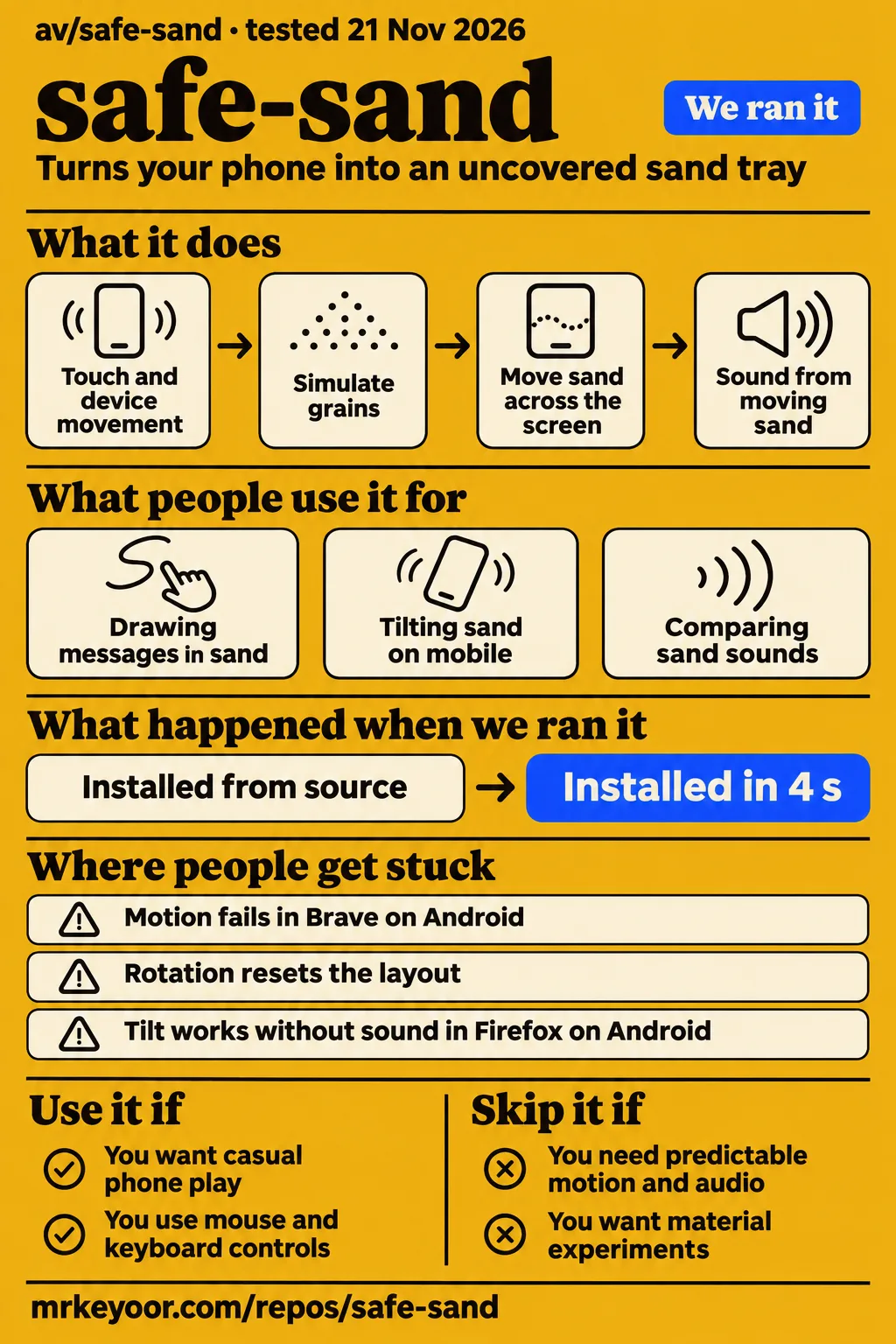
Short answer: an uncovered sand tray for your phone
av/safe-sand turns your phone into an uncovered tray: push grains with a finger, tilt to move them and flip it face-down to spill them, as the README describes. Use it for casual play if some device troubleshooting is acceptable. Skip it for a public touchscreen exhibit that needs predictable motion and audio, given the conflicting rendering, motion and sound reports from Hacker News users.
The useful distinction is how you hold the phone. This JavaScript simulator uses WebGL2 to simulate grains on the graphics processor. Start with the screen facing upward, then move the phone as you would a tray. Hacker News user winkelmann initially expected a Powder Toy-style falling-sand game before recognizing that the screen should face up. That interaction explains why sand leaving the screen can be part of the toy.
What people use safe-sand for
People have used safe-sand for short play sessions, drawing messages and comparing simulated materials, according to the Hacker News discussion. The accounts describe specific activities: playing for 15 minutes, writing a romantic message, tilting sand on mobile and listening to different presets. They give a clearer picture of the appeal than the landing page's broad realism label.
| Person | What they did | Reported outcome |
|---|---|---|
| asaddhamani | Played on a phone for 15 minutes | Said it was a lot of fun |
| mashally | Wrote a romantic message in the sand | Said their girlfriend liked it |
| lavendermon | Compared desktop and mobile, including tilting | Liked the residue left on the mobile screen and described different experiences |
| thomaswhite | Viewed beach sand on a MacBook Pro nano texture display | Reported trying to wipe the simulated sand off the screen |
| rybosome | Compared different sand sounds | Described brighter, hissing desert sand and a different volcanic sound |
The message-writing example makes the activity easy to picture: mashally wrote a phrase in the sand and showed it to their girlfriend. The display anecdote is equally specific. thomaswhite named the beach preset and a MacBook Pro nano texture display, then described trying to wipe the grains away. lavendermon's account adds another reason to compare devices: the residue after tilting was part of what they enjoyed on mobile.
What happened when we ran it
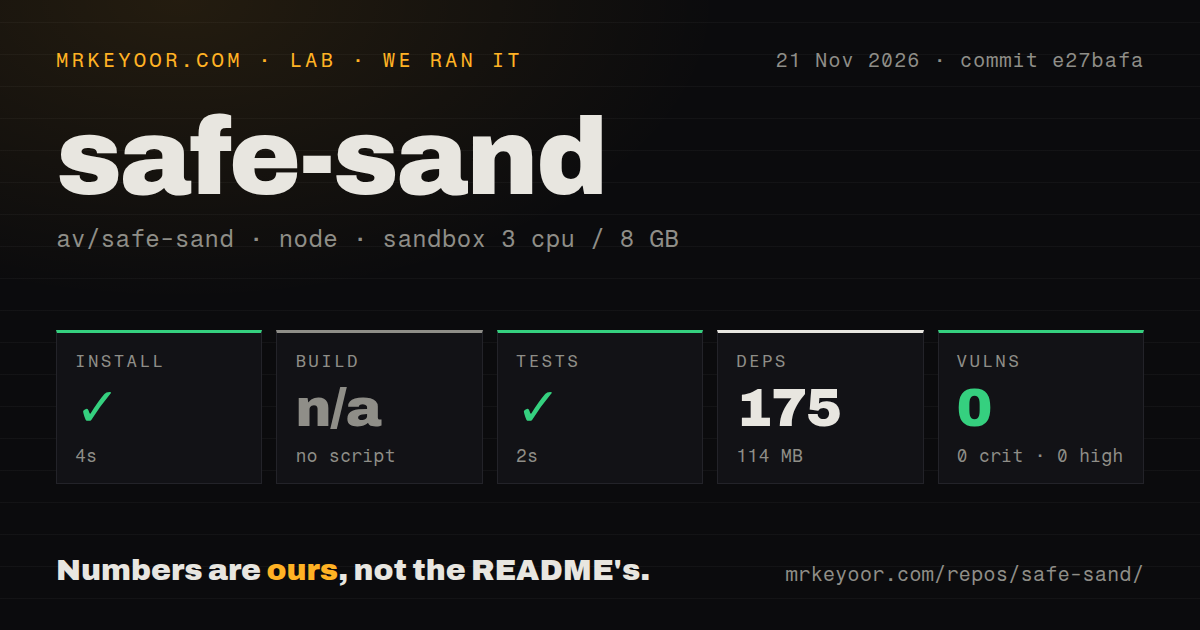
Our November 21, 2026 run at commit e27bafa recorded a successful 4-second dependency installation and a successful 2-second test step. The sandbox had 3 CPUs and 8 GB of RAM, with the configured image label lab-node:22. These are our repository measurements. Installation recorded 175 dependencies occupying 114 MB, and npm audit returned 0 known vulnerabilities.
| Repository check | Recorded result |
|---|---|
| npm dependency installation | Succeeded in 4 seconds |
| Dependency footprint | 175 dependencies; 114 MB on disk |
| Build | Skipped: no build script or target |
| Tests | Succeeded in 2 seconds |
| npm audit | 0 known vulnerabilities: 0 critical, high, moderate or low |
| Checkout | 77 files, about 2,805 source lines, 17.4 MB |
| Project signals | One CI workflow file, a tests directory, no Dockerfile |
The November 22 run summary says the project was deployed with its own Docker Compose, with ports bound to 127.0.0.1. The safety step instead records failure because no Compose file exists: unsafe repo: none of compose.yaml, compose.yml, docker-compose.yaml, docker-compose.yml exists (rule: a compose file is required). The specific failed step takes precedence over the summary's deployment wording. The attempt stopped at that prerequisite, and teardown completed successfully.
The Compose requirement belongs to our harness. The README's browser instructions say there is no build step and tell developers to serve the folder over HTTP. Its documented command is python3 -m http.server 8000. A Docker-first harness therefore stopped on a requirement separate from the project's static browser setup. The skipped build in the earlier repository run likewise records an absent target, rather than a failed build.
Where people get stuck: spilling, permissions and sound
Sand leaving the screen is documented behavior, while users also reported missing motion, slow rendering and audio trouble in the Hacker News discussion. The first distinction is physical: a screen facing upward holds the simulated sand, while tipping can spill it. Permissions, orientation resets and sound have their own reports and workarounds in the table below.
| Symptom | What someone reported | Useful response and its status |
|---|---|---|
| Sand vanishes when the phone is sideways | nomel thought the toy was broken while lying sideways | Intentional spilling is part of the interaction. |
| Animation vanishes and Pour returns in Chrome on iOS | leobuskin said shaking and movement did not help | leobuskin reported the disappearing animation and return to Pour. |
| Motion fails in Brave on Android | jarek83 attributed their failure to permissions | They reported success after switching to Chrome. |
| Rotation resets the layout | ChrisMarshallNY described resets on orientation changes | They recommended locking phone orientation. |
| Choppy movement | Users named a budget Android, iPad A16 and iPhone 13 | The README documents adaptive quality. |
| Unexpected loud audio | evnp requested muted startup; codingjinxx opened it in class without muting | The README documents the iPhone silent switch. |
| Tilt works without sound, or noise continues | andai reported both kinds of audio trouble in separate comments | The Firefox-on-Android comment reports working tilt without sound; another reports endless distorted noise. |
Faint reported a different combination: smooth operation on a OnePlus 13, with flickering at the side where sand hit hard. The same discussion includes low frame rates on a poco x8 pro and successful Safari use on an iPhone 17 Pro and iPhone 13 mini. Keeping those device names attached to their reports makes the mixed results easier to interpret than a single compatibility badge.
Quality adapts downward during a session
The README says safe-sand reduces rendering resolution and then grain count when it detects overload, after checking whether the browser is simply limiting frame rate. It says quality never steps back up during a session. The chosen level is remembered for the next visit, which starts one step more optimistically. This explains the documented relationship between a session's performance checks and its changing rendering settings.
The documented inspection expression is window.sand.info().quality. The README describes a 2-second slow-frame trigger, followed by idle frames to distinguish overload from a browser frame-rate cap. Its example is iOS Low Power Mode at 30 fps. For overload, the documented device pixel ratio steps are 3, 2 and 1.5, followed by fewer grains. Query parameters also expose grain caps, density and a seed.
The desktop path uses mouse dragging, arrow keys or WASD for tilt, and Space for shaking. On iOS, the README says to tap Pour and allow motion access. Share → Add to Home Screen is its route to fullscreen on iOS, while Android has an Install app option. These controls give laptop users and phone users separate ways to reach the same basic interaction.
Android adds ads and paid unlocks
The Android app adds AdMob ads and Sand Pro purchases through code that the README says does nothing on the web. Android banners appear on the start screen and in the menu, never over the sand while playing. Google's consent form in the European Economic Area is also listed among the Android additions, alongside the paid unlocks.
Sand Pro is described as a one-time purchase that removes ads and unlocks Desert, Volcanic and Coral. Without Pro, a rewarded video unlocks those types for 24 hours. Those details distinguish opening the browser simulator from using the Android app. The README locates the app-specific behavior in src/app.js and identifies the Android package as io.github.av.sand, using Capacitor to ship the same underlying code.
Android development calls for JDK 21 and the Android SDK. The README lists dependency installation, tests, synchronization and a Gradle debug build, while releases require signing secrets and store configuration. It also says Android builds require OpenGL ES 3.0 for the WebGL2 simulator. Serving the static browser folder and preparing an Android release are therefore different setup tasks with different prerequisites.
safe-sand vs The Powder Toy and Sandboxels
safe-sand uses the phone as a tray, while The Powder Toy and Sandboxels document interacting materials for experiments. Hacker News user winkelmann initially expected a Powder Toy-style falling-sand game before recognizing the screen-up interaction. Choose according to the activity you want: move grains by moving the device, or draw materials into a scene and watch their interactions.
| Choice | What it is for | When to choose it |
|---|---|---|
| safe-sand | A phone-as-tray interaction with touch and motion | Choose it for pushing grains and tipping the screen, as the safe-sand README describes. |
| The Powder Toy | A physics sandbox with pressure, heat, gravity and interacting substances | Choose it for constructing experiments: its README describes building materials, liquids, gases and electronic components. |
| Sandboxels | A falling-sand game with heat, chemical reactions and electricity | Choose it for material experiments in the browser: those features are listed in its README. |
The Powder Toy's README describes constructing machines and scenes with its materials and components. Sandboxels lists drawing and erasing pixels, selecting elements, and applying heat, cooling or electricity. A separate Hacker News comparison concerns an unnamed project: tgtweak said safe-sand retained volume better than a smudge demo. The named alternatives offer the more useful decision because their documented controls and material systems identify what you would actually do next.
Corrections to landing-page and README claims
The landing page calls safe-sand hyper-realistic and invites play on phones, tablets and desktops; the README states that stationary sand produces exactly silent output. The landing-page wording, README description and user reports support a more precise account: realism is disputed, device experiences vary, and the audio discussion includes an unresolved report of endless distorted noise.
The realism label describes an impression. thomaswhite's beach-sand experience was convincing enough to prompt an attempt to wipe the screen, while techpression described stuck grains and stones that did not rotate. nkmnz wanted more friction because stones moved too fast, and emilfihlman described abrupt stopping and harsh audio cutoff. Another commenter, kccqzy, preferred the beach preset. These contrasting accounts replace an unconditional realism verdict with specific observations.
The invitation to play on phones, tablets and desktops describes the project's intended reach. The discussion includes successful Safari sessions and smooth OnePlus 13 operation alongside missing motion, choppy rendering and flickering. The README's sentence, "When nothing moves, the output is exactly silent," describes intended audio behavior. andai separately reported distorted noise continuing without end. That comment does not say whether all grains had stopped moving.
FAQ
Start with the screen facing upward: safe-sand intentionally spills when you tip or flip the phone, as the README describes. The questions below cover the same controls, sound, device trouble and requested additions raised in the Hacker News discussion. The documented inputs are touch and device movement, with keyboard substitutes available on desktop.
Why does the sand disappear or return to the Pour button when I move my phone?
Flipping the phone face-down makes sand fall off, according to the README. nomel described confusion while holding the phone sideways, and intrasight explained the lidless-tray model. leobuskin separately reported an animation disappearing and Pour returning in Chrome on iOS, with shaking and movement having no effect. Those are the two distinct situations described in the discussion.
Does safe-sand respond to shaking as well as tilting?
Yes: the landing page says shaking scatters the grains, and the README describes grains lagging when you jerk the phone. For desktop use, hold Space to shake and use arrow keys or WASD to tilt. These controls sit alongside mouse dragging, which pushes sand across the screen, and the phone's finger input, which plows a channel through the grains.
Why is safe-sand so slow or choppy on my phone or iPad?
Users reported choppy rendering on a budget Android, an iPad A16 and an iPhone 13 in the Hacker News discussion. The README describes automatic quality reduction after checking for a browser frame-rate cap. It lowers pixel ratio before reducing grain count, and window.sand.info().quality shows the current state. Faint reported smooth operation on a OnePlus 13 with some edge flickering.
Can safe-sand start muted or warn me before playing loud sound?
The README documents the iPhone silent switch as a way to mute sound. In the discussion about loud startup audio, evnp requested default sound off for parents and headphone users, while another comment asked for an indication to lower volume before Pour. codingjinxx described opening it in class without muting. Lowering device volume before Pour addresses that immediate surprise.
Are the different sand sounds synthesized from the physics simulation?
The README says audio is synthesized from how much sand is moving, with resonant clicks for sliding grains, lower clicks for pebbles and brighter pour impacts. In the discussion, rybosome described desert sand as brighter and more like a hiss than volcanic sand. Their account focuses on audible differences between presets and the sound of pouring and shuffling the grains.
Why does tilt work in Chrome but fail in Brave on Android?
jarek83 attributed their Brave failure to permissions and reported success after switching to Chrome. The discussion also contains an Android report with no motion and andai's Firefox-on-Android report of working tilt without sound. For iOS setup, the README explicitly says to tap Pour and allow motion access. Browser choice and permission prompts both appear in these accounts.
Does safe-sand have a license that lets me modify it?
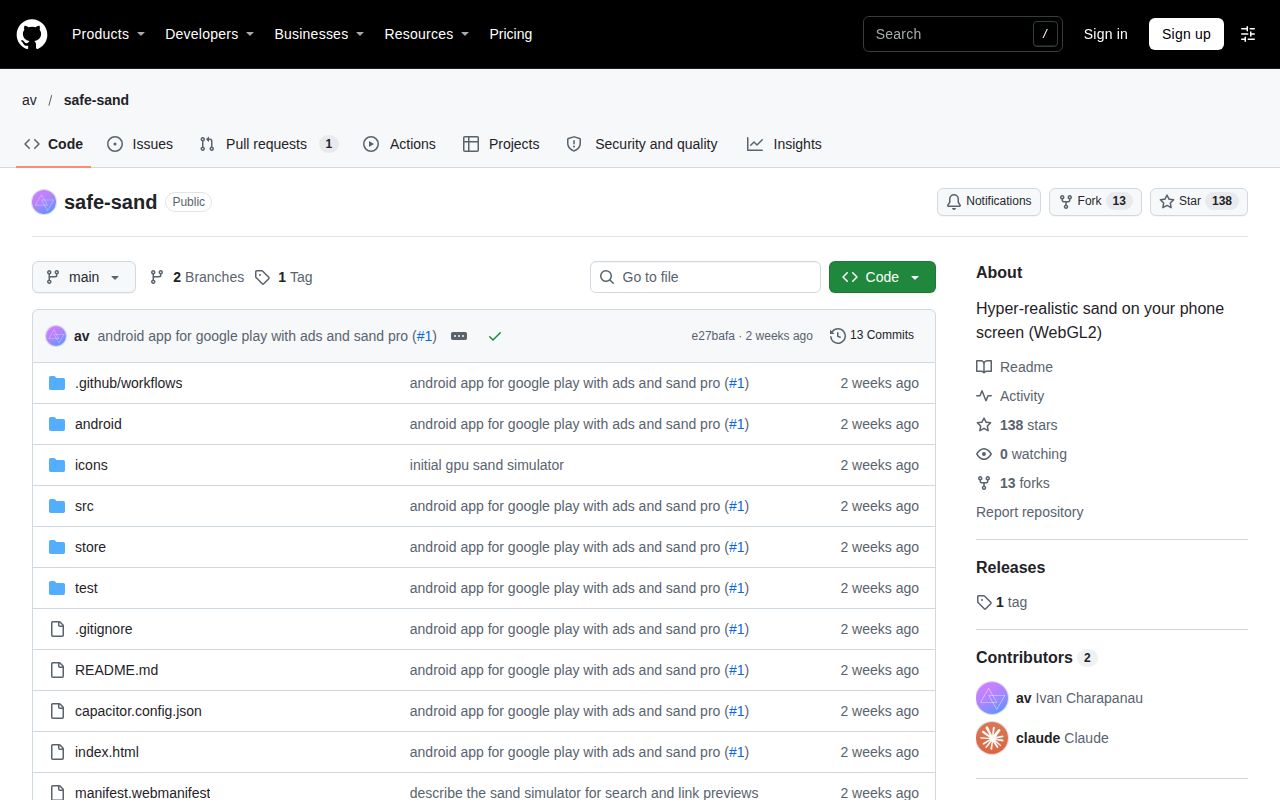
Hacker News user hjun1052 raised a missing-license concern while wanting to add ants. The repository metadata's license field is empty, and our repository run recorded no license signal. For someone interested in adapting the toy, the concrete starting point is that contributor's intended modification and the absent license identification, rather than an assumption based on the code being publicly accessible.
Can safe-sand make patterns when a sine wave plays through the phone speaker?
weitzj asked whether a sine wave through the phone speaker would produce patterns. The README describes touch, tilt and jerking the phone as inputs, and movement-driven synthesized audio as output. Desktop controls substitute the mouse and keyboard for those physical actions. The sine-wave question concerns a different interaction from the controls documented for ordinary play.
Could safe-sand add an hourglass or snow globe mode?
lavendermon suggested an hourglass or snow globe after comparing desktop and mobile play. Their comment also praised the residue left on the screen after tilting sand on mobile. The suggestion follows directly from playing with an open tray of grains: it asks for another container or presentation for the material rather than describing the current phone-as-tray controls.
Can the sound pan left and right to follow the sand?
cbeach requested sound panning to follow the sand's position. The README describes sound driven by how much sand moves, with different clicks and impacts for sliding sand, pebbles and pouring. rybosome's listening account compares sand types and their timbres. Position-following panning is the particular addition cbeach wanted to hear alongside those movement-driven sounds.
What we have not tested yet
Our November 22 browser attempt stopped at the Compose prerequisite before a usable deployment. The November 21 passing repository command gives no browser frame-rate, battery, heat or playback measurement, and its 2-second test result includes no test count. The configured image label lab-node:22 does not identify the actual runtime or operating-system version. The zero-result npm audit checks dependency advisories rather than establishing security or privacy.
The community comments do not identify a common reproducible version or confirmed resolution for the Chrome-on-iOS reset, choppy rendering, stuck grains, Firefox audio or endless-noise reports. The endless-noise comment also gives no stationary-grain condition, so it cannot resolve the README's exact-silence claim. We have no controlled device-and-browser matrix, calibrated physics or acoustic comparison, or identified target for the smudge-demo comparison. The sine-wave question and requests for panning, an hourglass and a snow globe supply no demonstrated implementation.
Android purchases, rewarded ads, consent behavior, vibration, fullscreen installation and permission recovery are outside our recorded interactive testing. Modification and redistribution rights also remain unresolved: the empty license identification and contributor complaint supply no license grant. Relevant independent Reddit, X, YouTube, Bilibili and GitHub issue corroboration is absent from this research. Before adapting the code, obtain an explicit license; for an exhibit, the useful next step is a full session on the intended device, including tilt, spilling and audio after the grains stop.