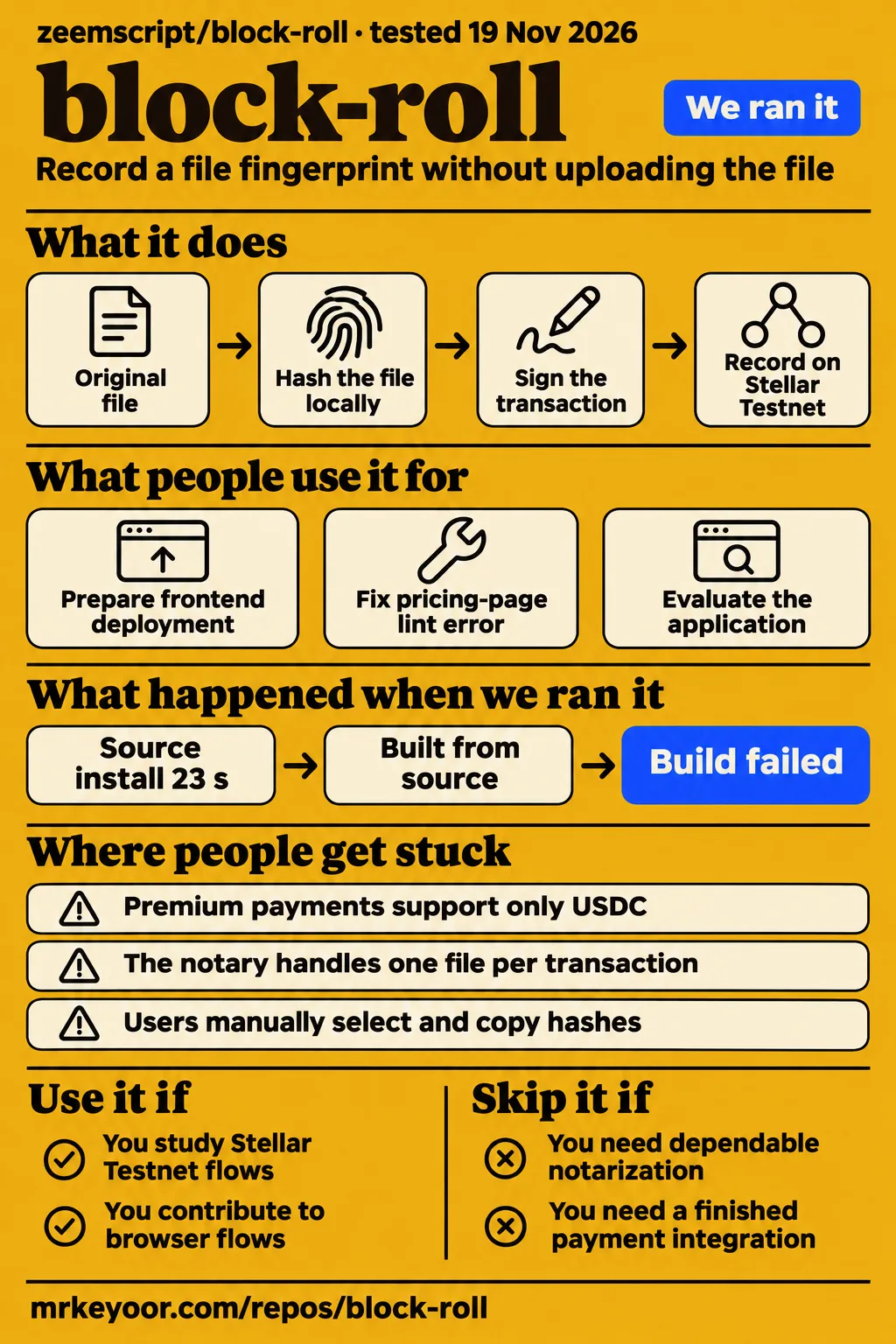
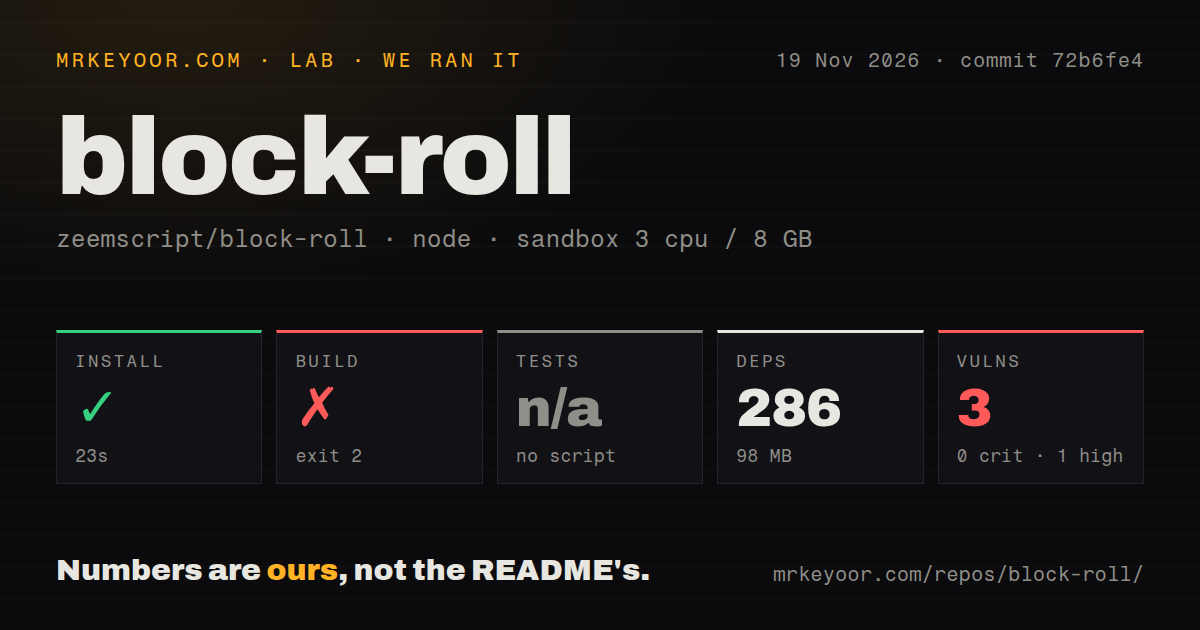
Our server installation succeeded in 23 seconds, then the build failed after 8 seconds with TypeScript errors at commit 72b6fe4. Use block-roll to study or contribute to its documented Stellar Testnet file-notary flows; skip it if you need dependable document notarization or a finished payment integration. The compiler output gives contributors a specific server problem to investigate, while the issue threads identify separate work in the active browser application.
What you can do with block-roll
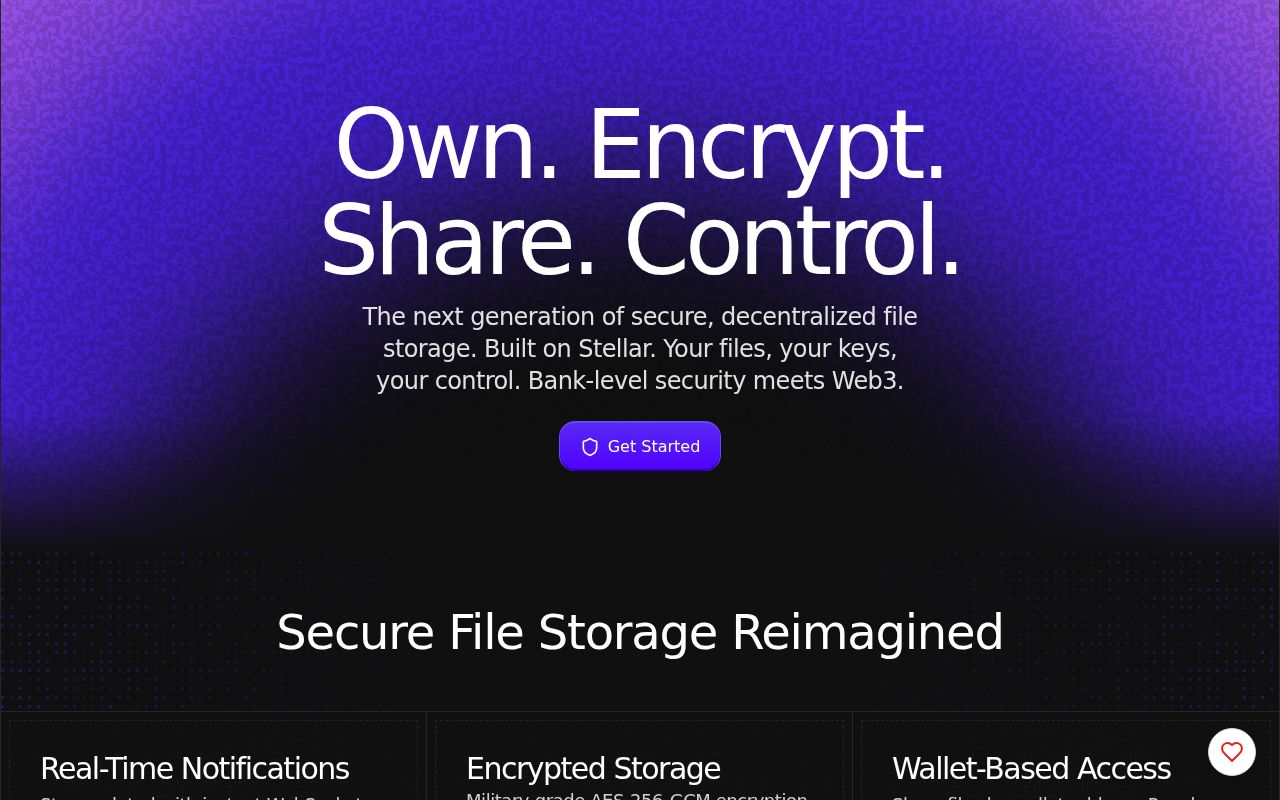
The block-roll README describes a browser-based Stellar File Notary and USDC Premium payments alongside encrypted file storage and sharing. The notary's documented task is to record a file's fingerprint on a public ledger without uploading the file itself. That makes the browser hashing and wallet-signing path a more specific starting point for a contributor than the project's broader storage pitch.
The README describes computing a SHA-256 hash locally with the Web Crypto API, placing that hash in a Stellar ManageData operation under the key blockroll_notary, and asking Freighter to sign the transaction. It says the signed transaction goes through Horizon to Stellar Testnet. Its payment diagram separately describes a USDC Payment operation and a checkout link to the transaction on Stellar Expert. These are the project's descriptions of its two Stellar flows.
The documented comparison step uses the original file again: someone re-hashes it and compares the result with the recorded transaction. That is a different task from retrieving stored file contents. A reader choosing between notarization and storage should therefore start with the required outcome: comparing a file fingerprint with a ledger record, or retaining an encrypted copy that can later be opened. The README places both ideas under BlockRoll, but gives them different workflows.
What people use block-roll for
The recorded activities are zeemscript's frontend deployment preparation and our lab's application-evaluation attempt. The author reported fixing a pricing-page lint error, while the November 20 lab records describe setup, a failed safety step and successful teardown. These activities identify concrete work on the repository rather than a general account of how customers use its storage features.
| Who | What they did | Outcome |
|---|---|---|
| zeemscript, the project author | Prepared the Next.js frontend for Vercel | Issue #1 records an author-reported pricing-page fix and closure of the deployment-blocking lint report. |
| MrKeyoor lab | Attempted a controlled application evaluation | The November 20 setup entry describes localhost-only ports; the safety step failed because no Compose file existed. |
What happened when we ran it
Our November 19, 2026 run installed the server dependencies in 23 seconds, then the build failed with exit 2 after 8 seconds. The server measurement covers ./server/ at commit 72b6fe4, with a recorded sandbox configuration of 3 CPUs, 8 GB RAM and image lab-node:22. Installation completed before the TypeScript compiler reported errors, so the failed step was compilation rather than dependency installation.
| Check | Recorded result | Verdict | Why |
|---|---|---|---|
| npm installation | Succeeded in 23 seconds | Passed | Dependency installation completed for the server project. |
| Dependency footprint | 286 dependencies, 98 MB on disk | Recorded | These figures describe installed dependencies. |
| Server build | Failed, exit 2, after 8 seconds | Failed | TypeScript emitted three diagnostics. |
| Tests | Skipped: no tests script or target | Skipped | The selected project had no runnable test target. |
| npm audit | 3 known vulnerabilities: 1 high, 2 moderate, 0 critical, 0 low | Findings recorded | The audit reported dependency vulnerabilities. |
| Repository scan | 496 files, about 37,300 source lines, 38.4 MB checked out | Recorded | These figures describe the checkout. |
| Automation scan | 0 CI workflow files, no Dockerfile, no tests directory | Recorded | These were the scan results at this commit. |
| November 20 application setup | Setup entry describes a lab Compose deployment and ports bound to 127.0.0.1 | Setup entry recorded | The subsequent safety result determines where the attempt stopped. |
| November 20 safety step | No compose.yaml, compose.yml, docker-compose.yaml or docker-compose.yml | Failed | That evaluation workflow required a Compose file. |
| November 20 teardown | teardown: ok | Passed | Cleanup reported success. |
The build log shows blockroll-server@1.0.0 build invoking tsc. At src/index.ts(216,42), TS2339 reports: Property 'stack' does not exist on type '{}'. At src/services/BlockchainService.ts(45,9) and (50,7), TS2322 reports that HDNodeWallet is not assignable to Wallet. Both wallet diagnostics explain that property #private refers to a different member that cannot be accessed from within Wallet.
The separate application attempt is dated November 20 in its actual records. Its setup entry describes a deployment with every port bound to 127.0.0.1. The safety step then failed because the repository lacked a required Compose file, and teardown completed successfully. The safety message's word "unsafe" is the workflow's classification for that missing prerequisite, rather than a report of an application exploit.
Where people get stuck: frontend fixes and open requests
Issue #1 records a closed pricing-page lint report; issues #2 through #5 describe open requests for Stellar tests, XLM payments, batch notarization and clipboard controls. The paths in those threads point to new-frontend, while our compiler diagnostics came from server. Keeping those directory names beside the findings makes it possible to choose the relevant task without treating every build report as the same failure.
| Problem and source | Reported fix or requested change | Recorded status |
|---|---|---|
| Issue #1: pricing-page apostrophe lint error | Escape or restructure the string; the author reported fixing the blocker during Vercel preparation. | Closed |
| Issue #2: Stellar integration tests | Add hash checks and mocked Horizon/Freighter integration checks. | Open |
| Issue #3: USDC-only Premium checkout | Add an XLM payment path, currency selection and pricing configuration. | Open |
| Issue #4: one file per notarization | Combine file hashes into one commitment and update comparison to match. | Open |
| Issue #5: manually copied hashes | Add clipboard buttons and a brief confirmation. | Open |
The payment request identifies a practical account requirement: issue #3 says native XLM needs no trustline on the payer's side, unlike the described USDC flow. Its proposed work spans payment.ts, a currency choice in StellarPayButton.tsx and a pricing decision. That is a payment-feature contribution with configuration and interface work, rather than a change to the server types reported by tsc.
A folder of files means repeated wallet approvals
Issue #4 describes one Stellar transaction and one wallet-signature prompt per file. Its proposed batch workflow would let a user select multiple files and combine their SHA-256 hashes into one value anchored on-chain. The suggested approaches are hashing the concatenated hashes or using a Merkle root, with the interface explaining which file hashes went into the proof.
That proposal includes changes to both NotarizeCard and VerifyCard. The first would accept multiple files and create the combined commitment; the second would accept multiple files and reproduce it in the same way. This gives a contributor a concrete completion criterion: selecting several files is only one part of the requested behavior, because the later comparison must calculate the same combined value.
Recording results is a separate interface task. Issue #5 says users manually select and copy hashes, which is awkward on mobile and error-prone for a 64-character hex string. It asks for buttons beside the SHA-256 hash, transaction hash or Stellar Expert link, and the on-chain and local hashes shown after comparison. The requested confirmation state is a brief "Copied!" message after a clipboard action.
Security language and transaction tests
The server audit recorded 3 known dependency vulnerabilities, including 1 high and 2 moderate. Separately, the README labels its backend security "Bank-level" and gives it a 95/100 rating. That rating is the author's statement. This review keeps its own setup, documentation, community and maturity dimensions unassessed rather than converting that README number into an editorial score.
The transaction-testing request is more specific than the security slogan. Issue #2 reports that the Stellar integration has no automated tests and identifies hash.ts, wallet.ts, payment.ts and notary.ts as the relevant files. It proposes known input/output checks for bytesToHex and base64ToHex, a small mocked file with a known SHA-256 digest, and mocked calls to Horizon and Freighter.
Those proposed checks separate local transformations from external calls. The issue describes the hash conversions as pure functions without browser or network dependencies, while the transaction paths need mocks for Stellar SDK and Freighter calls. It also asks contributors to inspect the existing runner configuration before adding one. This is a concrete contribution sequence: identify the runner, cover deterministic hash behavior, then exercise transaction-building paths through controlled dependencies.
block-roll vs OpenTimestamps and Cryptomator
OpenTimestamps Client documents Bitcoin-backed timestamp proofs, while Cryptomator documents client-side encryption for cloud files. Those are two different reasons someone might arrive at block-roll's README. The comparison below follows those documented jobs, so a reader can choose between studying its Stellar browser flow, using a timestamp-proof client, or encrypting files in a synchronized cloud directory.
| Project | Documented job | Choose it when |
|---|---|---|
| block-roll | Stellar Testnet notary and USDC checkout described in its README | You want to examine or contribute to those browser and wallet flows. |
| OpenTimestamps Client | Creates and validates timestamp proofs using Bitcoin. | Your task is timestamp proofs and a command-line workflow suits you. |
| Cryptomator | Provides client-side encryption for cloud files. | Your task is protecting files in cloud storage. |
The OpenTimestamps README says it can create timestamps without a local Bitcoin node, but checking timestamps requires a local Bitcoin Core node; a pruned node is acceptable. It also documents timestamping PGP-signed Git commits and checking timestamps for individual files within a Git repository. Those requirements and workflows give a reader more useful selection criteria than treating both projects as interchangeable notary interfaces.
The Cryptomator README lists cloud services including Dropbox, Google Drive, OneDrive, MEGA, pCloud, ownCloud and Nextcloud, plus other services that synchronize with a local directory. It describes working through a virtual drive, encrypted filenames and obfuscated folder structure. That makes Cryptomator relevant to the encrypted-storage side of block-roll's description, while OpenTimestamps addresses the narrower timestamp-proof task.
Similar names identify separate products
zeemscript/block-roll is separate from the App Store's Block Roll puzzle and the Blockroll finance app. The App Store description identifies a rolling-block puzzle, while blockroll.app describes finance services for Nigerian gig workers and freelancers. Use the owner-qualified repository name when finding issues or comparing features; the games' ratings and the finance app's payment claims belong to those products.
Questions people ask
Issue #1's pricing-page lint blocker was fixed according to zeemscript's closing comment. The remaining questions below come from the repository's issue requests and cover tests, payment currency, pricing, batch notarization and copying hashes. Their answers distinguish the closed fix from the proposed work without treating an issue title as a description of an implemented feature.
How do I fix the pricing-page lint error that blocks block-roll's production build?
Issue #1 recommends escaping or restructuring the apostrophe-containing string, and zeemscript reported fixing it during Vercel preparation. The named lint rule is react/no-unescaped-entities, and the affected file is the pricing page under new-frontend. This is the frontend report to follow for that error; the server compiler locations are listed in the run section.
How can automated tests be added for block-roll's Stellar payment and notary integration?
Issue #2 proposes hash-conversion checks, a mocked file with a known SHA-256 digest, and mocked Horizon/Freighter calls. It also asks contributors to check the runner configuration before introducing one. The division between pure hash functions and external transaction calls gives the proposed work an order without requiring a wallet connection for every check.
Can I pay or notarize with XLM instead of USDC?
Issue #3 requests an XLM payment path alongside USDC Premium checkout. Although its title mentions both paying and notarizing, its detailed scope concerns payment.ts, payment pricing and StellarPayButton.tsx. The README separately describes the standalone notary as free, so the issue title should not be read as a USDC fee requirement for that tool.
How should the XLM payment price be set: a fixed configurable amount or a live USD/XLM rate?
Issue #3 presents both options and calls a fixed configurable XLM amount the simpler starting point. The requested decision belongs to the proposed XLM payment path. A contributor would need to carry that choice through the payment amount and currency interface rather than assume an existing exchange-rate rule from the request's title.
Can I notarize multiple files in one Stellar transaction with one wallet signature?
Issue #4 requests that behavior and describes the current flow as one file per transaction. Its scope includes reproducing the combined hash when checking files, as well as accepting multiple selections. The request explicitly asks the interface to identify which file hashes entered the proof, whether the implementation uses concatenated hashes or a Merkle root.
Can I copy the notarization transaction hash and SHA-256 hash with a button?
Issue #5 requests clipboard buttons beside the displayed hashes. It covers results after notarizing and checking a file, with a brief confirmation after copying. The thread describes the existing values as plain text that users select manually, and proposes reusing the project's existing icon dependency for the button's copy and confirmation states.
What we have not tested yet
Our records contain no completed payment or notarization on Testnet or a production network. The November 20 safety failure stopped that application evaluation; its setup wording does not demonstrate a successful transaction. There is no completed known-answer task, screenshot sequence, transaction latency, application memory measurement or independent customer outcome here. Frontend deployment success, browser compatibility and the requested feature changes also remain outside the completed observations.
The November 19 measurement covers ./server/ at commit 72b6fe4, rather than every component or another revision. The configured image label does not establish the actual Node.js, npm or operating-system version. The compiler log supplies no successful repair or demonstrated package or environment cause. The audit total does not identify affected packages, exploitability or remediation, and the scan's lack of a tests directory does not establish whether every component lacks checks.
Storage recovery, encryption implementation, signature cancellation, transaction-failure handling and legal suitability of timestamp proofs were not assessed. OpenTimestamps and Cryptomator were compared through their README descriptions rather than installed alongside block-roll. Rendered layout, resolved links, related links, recommendation modules and other site-template content were also outside this text review. A completed transaction followed by reproducing its file fingerprint would provide the next useful result for evaluating the documented notary workflow.