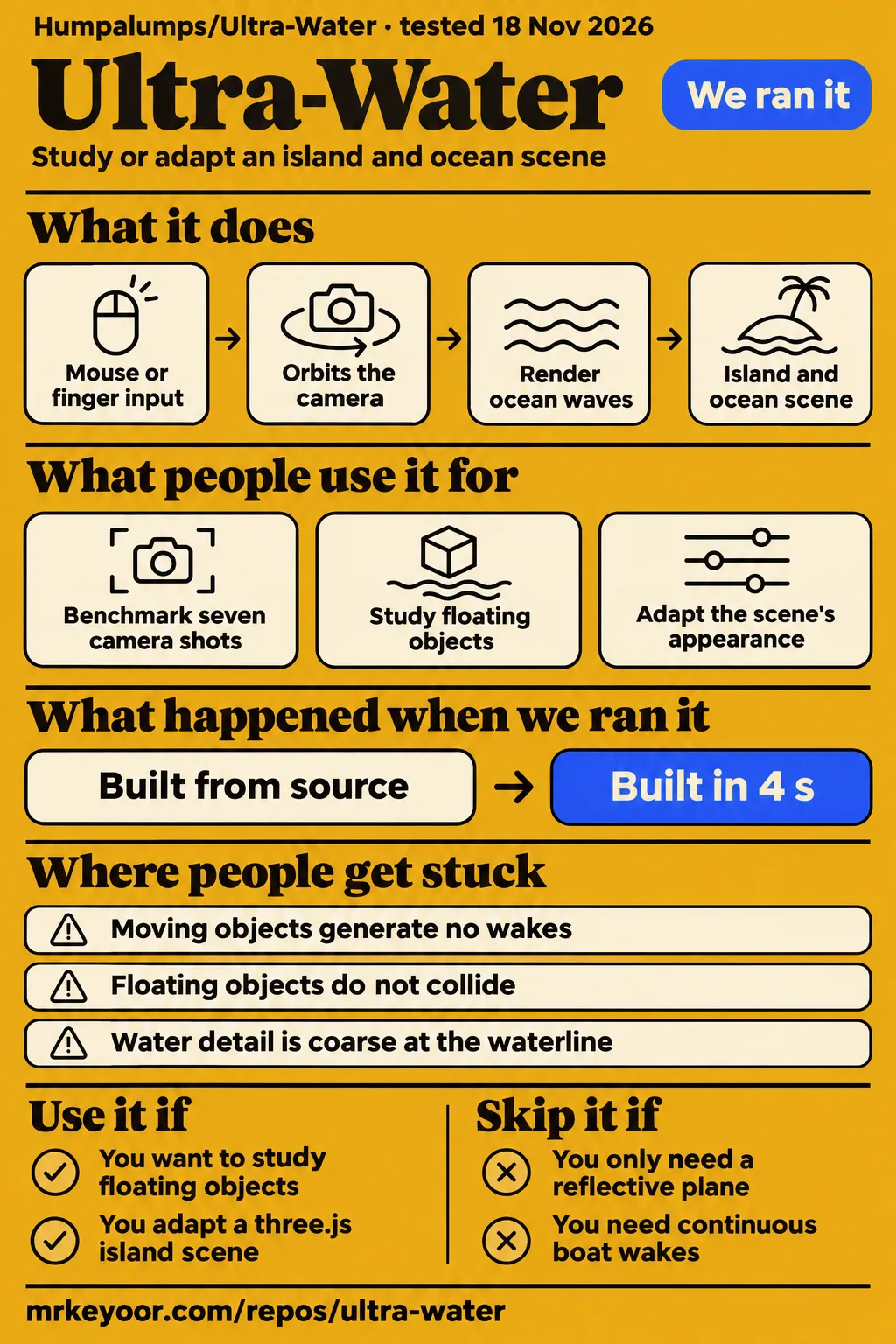
Humpalumps/Ultra-Water connects ocean waves, shore effects, underwater rendering and floating props in a three.js WebGL2 island demo. It is a useful source project for graphics developers who want to understand how those systems work together. Developers adding only a reflective plane to an existing scene have a narrower option in three.js Water. The most useful performance comparison here is between camera shots and profiles, with each result kept beside the author's hardware and settings.
What people use Ultra-Water for
The project author documented two concrete uses: benchmarking seven desktop camera shots and tuning a lighter profile on a OnePlus Nord 4. The captured Ultra-Water README records both. For a developer assessing the source, these examples suggest two practical starting points: compare the scene's different rendering workloads, or inspect how the mobile profile changes the rendering pipeline.
| Who used it | What they did | Reported outcome |
|---|---|---|
| Project author | Benchmarked seven camera shots on an RTX 3060, at 1954×1692 with 4× MSAA and all features enabled | About 208 to 303 uncapped fps in the captured README, before a crest-foam upgrade |
| Project author | Ran the lighter mobile profile on a OnePlus Nord 4 | 60 live fps and 0% missed frames across seven shots, warm while charging over USB |
The island scene also provides a concrete way to study floating objects. The current README's floating-object description says a GPU pass evaluates the rendered water surface and returns height data asynchronously. Crates, barrels, buoys and boats use buoyancy and drag, with 240 Hz physics substeps and contact against the island heightfield. Reading these systems together answers a more specific question than studying a water shader alone: how does the visible surface connect to an object's motion?
Colour presets provide another useful inspection task. The documented presets change absorption, in-scatter colour, thin-foam tint and underwater scattering together, while clarity and scatter remain adjustable. That makes the preset system a sensible place to start when adapting the scene's appearance. Inspect the linked surface and underwater settings as a group before replacing individual colours. The current README's scene controls also describe camera presets and buttons for spawning, dropping and clearing floating props.
What happened when we ran it
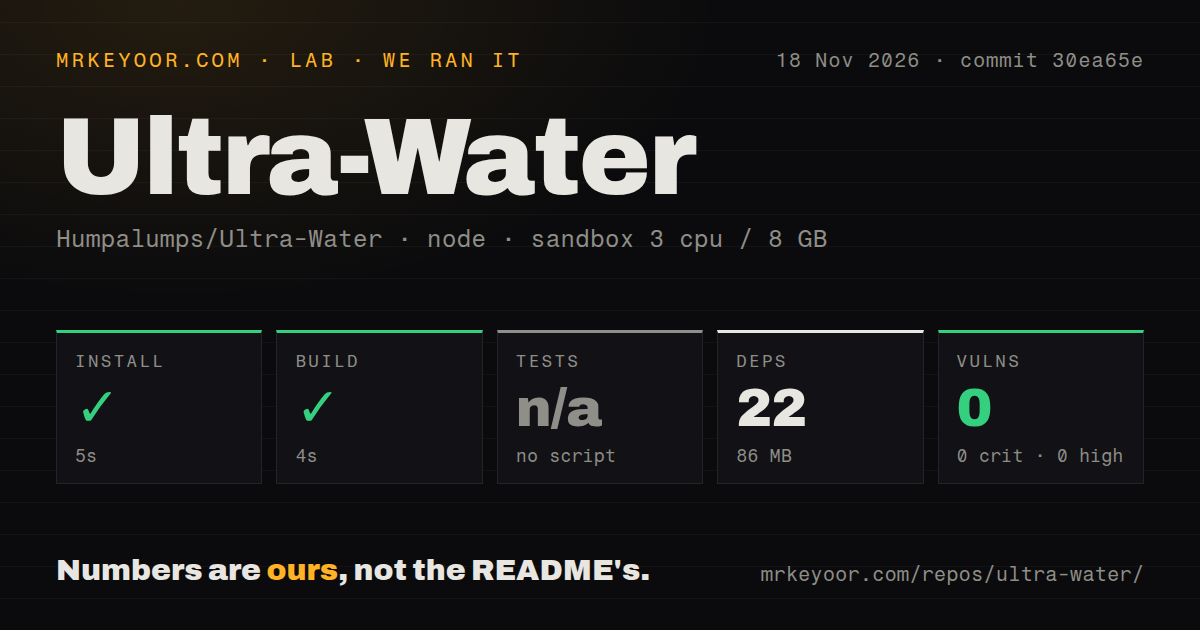
Our November 18, 2026 source-build run at commit 30ea65e installed in 5 seconds and built in 4 seconds. We measured these setup results with the supplied sandbox harness. A separate hands-on attempt failed its Compose-file safety requirement. These are two recorded workflows: the source-build harness completed its npm steps, while the deployment harness stopped at its safety step.
| Source-build check | Our recorded result |
|---|---|
| npm install | Succeeded in 5 seconds |
| Build | Succeeded in 4 seconds |
| Tests | Skipped: no tests script or target |
| Dependencies | 22 recorded, 86 MB on disk |
| npm audit | 0 known vulnerabilities, including 0 critical, high, moderate or low |
| Repository scan | 32 files, about 4,988 source lines, 0.3 MB checked out |
| Automation signals | 0 CI workflow files, no Dockerfile, no tests directory |
The source-build measurements record a configured sandbox with 3 CPUs, 8 GB RAM and image label lab-node:22. The installation and build timings belong to that configuration and commit. The dependency footprint was 86 MB on disk, and the repository checkout occupied 0.3 MB. The audit returned zero known vulnerabilities across critical, high, moderate and low severity categories. Tests were skipped because the harness found no tests script or target.
The hands-on run wrapper describes deployment with the repository's Docker Compose and ports bound to 127.0.0.1. Its detailed safety result, however, records failure because none of compose.yaml, compose.yml, docker-compose.yaml or docker-compose.yml existed. The step result supports a failed safety check, so the wrapper's wording is not evidence of completed deployment. The teardown record says teardown: ok.
Where people get stuck: the performance counters measure different things
Ultra-Water exposes a display-capped loop, an uncapped live loop and a separate 300-frame benchmark. The author's benchmark instructions explain their different purposes. Uncapping makes frames render back-to-back, with at most three in flight on the GPU, while the screen continues updating at its own rate. The dedicated benchmark instead pauses the regular loop and times completion with a fence.
| What you encounter | What the author says to do | How to interpret it |
|---|---|---|
| A high uncapped fps counter | Compare it with the display-capped reading | Rendering throughput and visible screen updates are different quantities |
| A brief frozen screen during the benchmark | Let the requested benchmark finish | The benchmark renders 300 frames with the regular loop paused |
| High HUD GPU timings while capped to vsync | Use the fence-based benchmark for throughput | The author attributes the HUD reading to GPU downclocking between frames |
| Poor phone pacing with desktop settings | Start with the mobile profile | The author's phone comparison changes resolution, MSAA, reflections and bloom |
The README says the requested benchmark freezes the screen for about a second. That pause is part of its procedure. For comparing shots, record the profile, rendered dimensions, live fps and benchmark throughput beside the browser and GPU. These fields distinguish visible pacing from rendering capacity and make the result easier to interpret. A large fps number alone leaves out whether the scene was running at desktop quality, reduced mobile settings or a different pixel count.
The desktop results changed between README versions
The captured README reports approximately 208 to 303 uncapped fps across seven RTX 3060 shots; the current extract reports approximately 169 to 303 across eight. Both describe Chrome with ANGLE/D3D11, 4× MSAA, all features enabled and a 1954×1692 render size. These are the author's figures in the captured benchmark and the current benchmark.
Open ocean remains approximately 303 fps in both tables. Aerial changes from approximately 208 to 204, and Lagoon changes from approximately 223 to 188. The current table adds Surf rock at approximately 169. These differences make the camera choice consequential: the open-ocean number answers a different scene question from a view looking into shallow water. A developer planning a beach composition should start with the shallow-water rows when reading the author's results.
The current README gives a reason for the heavier shallow views: nearly every water pixel in Lagoon, Flotsam and Surf rock runs shore waves, foam and swash. It reports a water-pass cost of 2.6 to 3.0 ms for those views. In Breakers, it lists water at 1.90 ms, opaque rendering at 1.63 ms, post-processing at 0.38 ms, caustics at 0.22 ms and FFT simulation at approximately 0.45 ms. This breakdown helps identify which part of the documented scene resembles the workload you intend to adapt.
Mobile settings changed frame pacing on one phone
The author reports 60 live fps and 0% missed frames across seven shots on a OnePlus Nord 4 using the mobile profile. The current phone-results extract labels these measurements as preceding the shore update. It names a Snapdragon 7+ Gen 3, Adreno 732 and Chrome 156, with a portrait render size of 424×782. The phone was warm, at thermal status 1, and charging over USB.
The mobile profile uses resolution 0.6 of device pixel ratio, caps that ratio at 2, selects 2× MSAA, scales reflections to 0.35 and disables bloom. With desktop settings at 708×1304, 4× MSAA and bloom, the author reports 41 to 50 live fps, up to a third of frames missed and an average of 62 uncapped fps on the same phone. The author attributes the larger benefit from disabling bloom to removing its 12 rendering passes.
Automatic resolution steps down by 0.05 to a floor of 0.5 when more than 4% of frames miss vsync over 2 seconds. It climbs back to 0.6 after clean frames and selects a steady 30 fps if the floor still misses more than a quarter. The URL options ?mobile and ?desktop force either profile. These controls give developers an explicit way to compare the supplied settings on a device rather than relying solely on automatic selection.
Setup uses npm and a localhost browser URL
The README starts Ultra-Water with npm install, followed by npm run dev and the printed localhost URL. The current startup instructions say the scene opens on Lagoon. Mouse or finger input orbits the camera, and the camera dropdown selects other shots while also changing the sun. The performance panel displays the GPU, render size, fps, milliseconds per frame and a 20-second graph.
For source navigation, the README names separate files for ocean simulation, surface shading, caustics, underwater rendering and floating objects. Start with the subsystem that matches your task, then follow its place in the documented pipeline. Water-height queries feed floating-body updates; simulation and caustics precede the reflection, opaque and water passes. This ordering gives a reader a practical map through the project instead of requiring them to infer the whole frame sequence from file names.
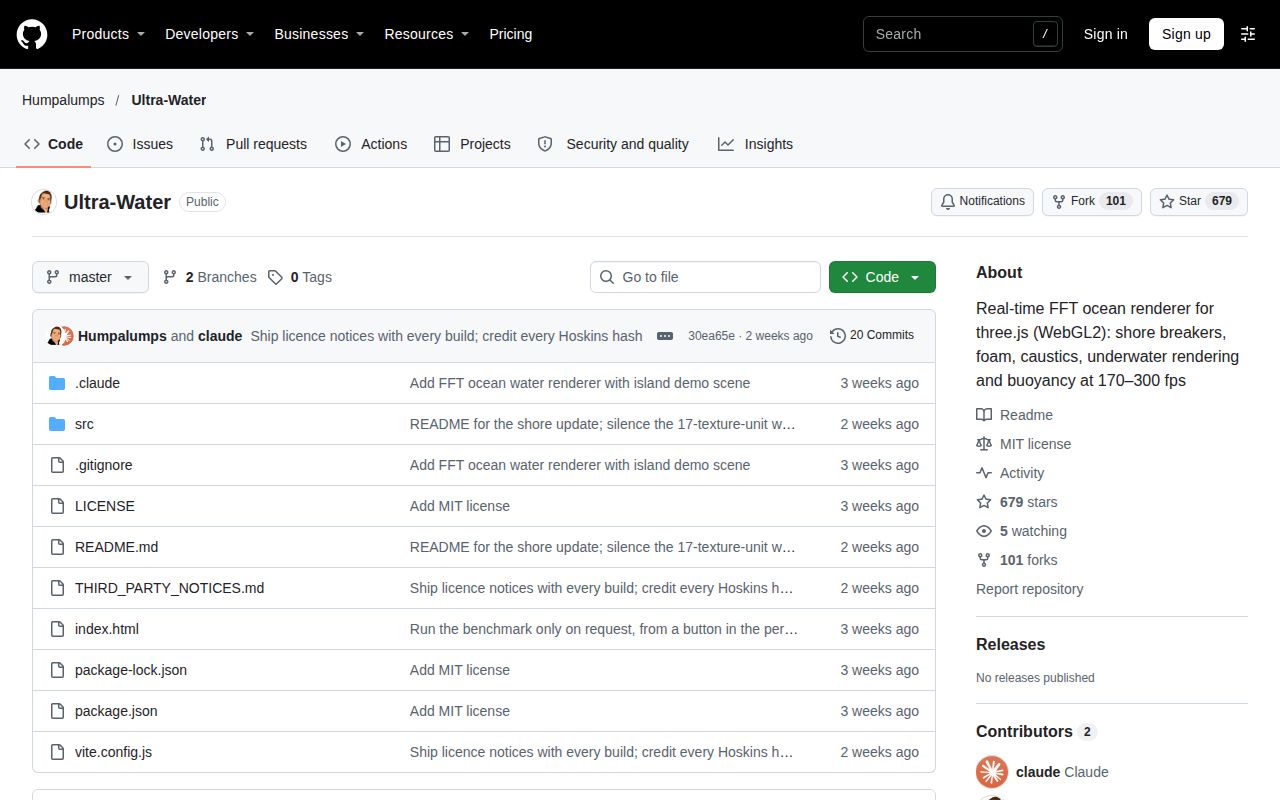
The current README identifies the project as MIT licensed and points to third-party notices for adapted code. Read LICENSE together with THIRD_PARTY_NOTICES.md when preparing an adaptation for redistribution. Those two pointers are more useful than treating the repository's top-level licence label as a complete inventory of adapted components. The README's licensing section supplies both file names.
Ultra-Water vs three.js Water and Evan Wallace's WebGL Water
Three.js Water describes a basic flat reflective effect, while Ultra-Water documents an island scene with ocean, shore and underwater systems. Evan Wallace's WebGL Water provides interactive ripples and a movable sphere. Choosing among them starts with the effect your application needs: a reflective surface, a focused water-interaction demo or a larger connected ocean scene.
| Candidate | What its primary source describes | When to choose it |
|---|---|---|
| Ultra-Water | Ocean scene, shore breakers, underwater effects and floating props | You want to study or adapt those systems together |
| three.js Water | A basic flat, reflective water effect | Your existing three.js scene needs that narrower effect |
| Evan Wallace's WebGL Water | Interactive ripples, a movable sphere, reflections, refractions and caustics | You want a focused water-interaction example to inspect |
The three.js Water implementation describes its effect as flat and reflective, specifies WebGLRenderer, and directs WebGPURenderer users to WaterMesh. The Water addon documentation provides its import and constructor options. That renderer distinction belongs early in the choice, particularly when the surrounding application already has a rendering backend selected.
Evan Wallace's WebGL Water lists drawing ripples, moving a sphere and changing the light direction among its interactions. Its features include raytraced reflections and refractions, heightfield simulation, soft shadows and caustics. The page identifies OES_texture_float for the simulation and OES_standard_derivatives for caustics. These documented interactions make it a useful reading choice when the question is how a compact water demo responds to direct input.
Outdated claims, corrected
The author says earlier README frame-time figures were two to four times too low and replaces the synchronization method with a fence-based benchmark. The current correction attributes the earlier numbers to synchronization with readPixels and finish, which the author says ANGLE did not wait on. Keep that correction attached when interpreting older timings rather than combining figures from different benchmark methods.
The supplied repository metadata records a last push of November 2, 2026 and zero open issues and pull requests when observed on November 18. Those are dated repository facts from the GitHub metadata extract. The unrelated AlkaViva filtration review and purifier video in the research pack concern different products, so they contribute no renderer comparison or user experience to this review. The renderer's full repository name resolves that identity mismatch.
Questions people ask
Ultra-Water's documented first-use route is npm installation followed by a local development server. The README also answers first-time questions about profiles and licensing. The following questions focus on those concrete decisions: how to open the demo, how to select the lighter profile, and which licence files to read before adapting the source. Each answer follows the supplied README rather than unrelated search matches.
How do I start Ultra-Water locally?
Run npm install, then npm run dev, and open the printed localhost URL. The current startup instructions say the scene opens on Lagoon and supports orbiting with a mouse or finger. Use the camera dropdown to move between the supplied shots; it changes the sun as well as the viewpoint. The performance panel sits at the top left.
Does Ultra-Water have a mobile profile?
Yes. The README describes a lighter profile selected when a finger is the primary pointer, with ?mobile and ?desktop as explicit overrides. The profile documentation specifies reduced resolution, 2× MSAA, reflections at 0.35 scale and disabled bloom. Automatic resolution then adjusts within the documented range according to missed frames, with a 30 fps fallback at its floor.
What licence does Ultra-Water use?
The README identifies MIT as the project licence and names THIRD_PARTY_NOTICES.md for code adapted from other projects. The licensing section points to LICENSE as the main licence file. Read both documents when planning redistribution so the adaptation review includes the project's own licence and its listed third-party code notices.
What we have not tested yet
Our recorded work covers source installation, build and the failed deployment safety step; it contains no completed browser task, screenshots or independent GPU benchmark. Browser rendering, visual quality, integration effort, cross-browser compatibility, sustained battery use, thermal throttling, control accessibility and production hosting remain outside the completed checks. The sandbox image label does not establish actual runtime versions, its configured RAM is not a measured requirement, and the audit count is a dependency-advisory result rather than an application security assessment.
The README's declared physics limits are concrete adoption boundaries: moving objects generate no wakes, floating objects do not collide with each other, and heightfield breakers lean without curling into tubes. Detail is coarse within 1 metre of the camera at the waterline. Drop impacts create rings and splashes rather than continuous boat wakes. Developers requiring those missing behaviours should choose another starting point; a boat-following waterline shot brings two of these boundaries directly into view.
The captured README says its crest-foam upgrade followed the older desktop run and lacked a clean remeasurement because another application was loading the GPU. The current phone table predates the shore update. The two desktop tables are not a controlled experiment isolating one feature's cost, and the supplied metadata does not establish a latest release. Broader device performance, production adoption and support response quality also lack matching evidence. Use Ultra-Water for studying or adapting its documented scene, then assess the particular shot and device your application requires.