One interface covers four local AI jobs
Portable AI Studio puts 4 jobs in one local browser interface: Stable Diffusion image generation, GGUF model chat through llama.cpp, Whisper transcription, and Kokoro speech output. Each workspace runs against files on your machine, and the README says the app requires no login, subscription, telemetry, or API key. That is a useful arrangement for someone who wants to experiment privately without assembling a separate front end for every engine.
The convenience has a clear boundary. Text and image engines are mutually exclusive by default so they do not compete for RAM or VRAM. Image weights live in one directory, GGUF chat models in another, and speech models have their own location. Our checkout contained 52 files and about 20,544 lines of source, so the project is small enough to inspect. The model binaries and downloaded runtimes are where its footprint can grow.
The 5-second code path stops before model inference
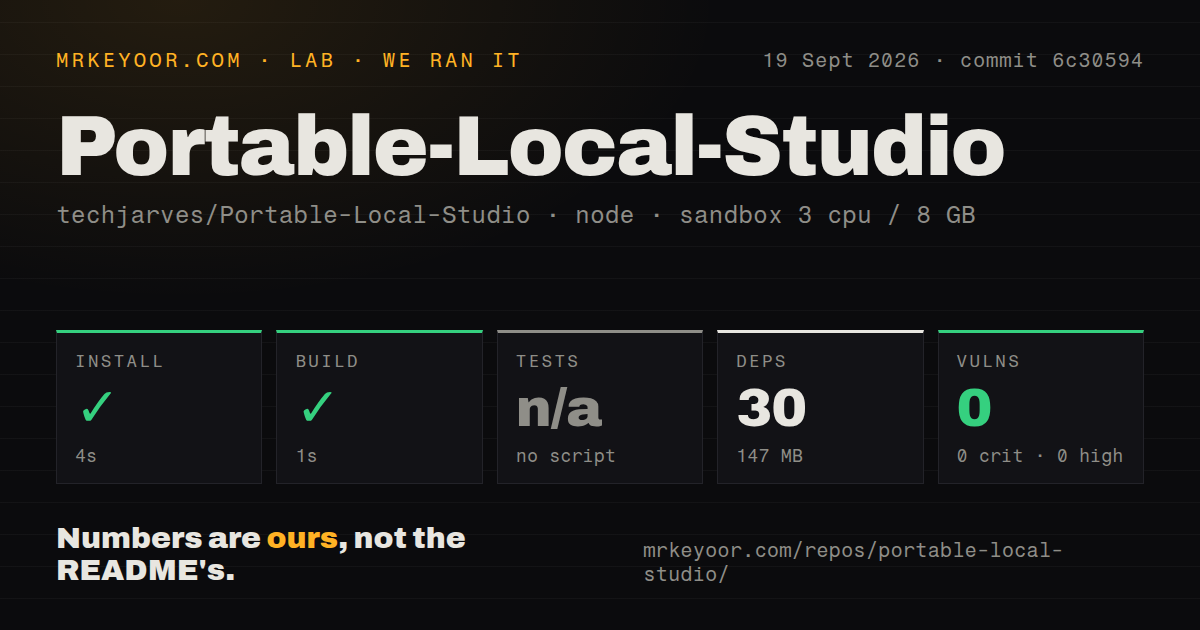
Our clean sandbox installed the frontend's 30 npm packages in 4 seconds, then completed its production build in 1 second. That result establishes that the React and Vite portion at commit 6c30594 can be prepared without much ceremony. It does not establish that CUDA, ROCm, Vulkan, Metal, OpenVINO, llama.cpp, Whisper, or Stable Diffusion will run on a particular computer. We had no GPU or model weights in the supplied run.
That distinction matters because the README calls the product zero-configuration. The launchers do a lot of setup, including obtaining a portable Node.js runtime and choosing backend binaries, but they still depend on the host. Windows needs a supported 64-bit version and suitable drivers. Linux uses a set of native libraries. Apple support starts with M1 hardware. The fast 147 MB frontend install is the front door, not the whole house.
What happened when we ran it
Our sandbox run at commit 6c30594 used 3 CPUs, 8 GB of RAM, Node 22, and no secrets. Installation succeeded in 4 seconds, adding 30 packages and occupying 147 MB. The build succeeded in 1 second. Npm audit reported 0 known vulnerabilities across critical, high, moderate, and low severity levels.
There was no test script or target, so the test step was skipped. Our scan also found 0 CI workflow files, no Dockerfile, and no tests directory. None of those absences proves that an inference request will fail. They do mean the repository does not give a new contributor an automated check that a change preserved image, chat, transcription, and speech behavior. The build only confirms that the frontend compiles.
Hardware support has hard borders
The prebuilt Linux backends target Ubuntu 24.04-era systems and require glibc 2.38+. CPU use needs libgomp.so.1; Vulkan adds libvulkan.so.1 and a working driver. Intel NPU support narrows the path further to x86_64 Linux, kernel 6.6 or newer, Python 3 with venv, the Intel driver, and a visible /dev/accel/accel0 device. Older Linux machines can build from source, which requires CMake, a C++17 compiler, and the development stack for the chosen backend.
Mac users get a simpler answer. The supplied backend supports Apple Silicon with Metal, while Intel Macs are explicitly excluded. On Windows, the launcher handles separate CUDA, Vulkan, and CPU choices, yet driver and runtime failures are still possible. The README devotes troubleshooting entries to missing DLL exit codes and backend crashes. A 1-second frontend build cannot screen for any of those host conditions.
Model support is narrower than the file picker suggests
The image workspace supports single-file Stable Diffusion 1.5 and SDXL checkpoints in selected formats. It does not load Flux, HiDream, Hunyuan, Wan, Qwen Image, or Z-Image workflows. LoRA, ControlNet, VAE-only, text-encoder-only, and diffusion-only files are also excluded. People used to ComfyUI should read that table before moving a model collection over. This app favors direct checkpoint loading over graph-based pipelines.
Downloads are another current caveat. Open issue 84 says only one listed image model downloaded successfully through the local interface for its reporter, while other links had changed or produced unusable files. The same report says the CUDA download broke. Issue 82 asks for a higher or configurable upload limit because WAV transcription is capped at 250 MB. Those reports are specific enough to test on your own machine before depending on the catalog or long-recording workflow.
Current commits have not become tagged releases
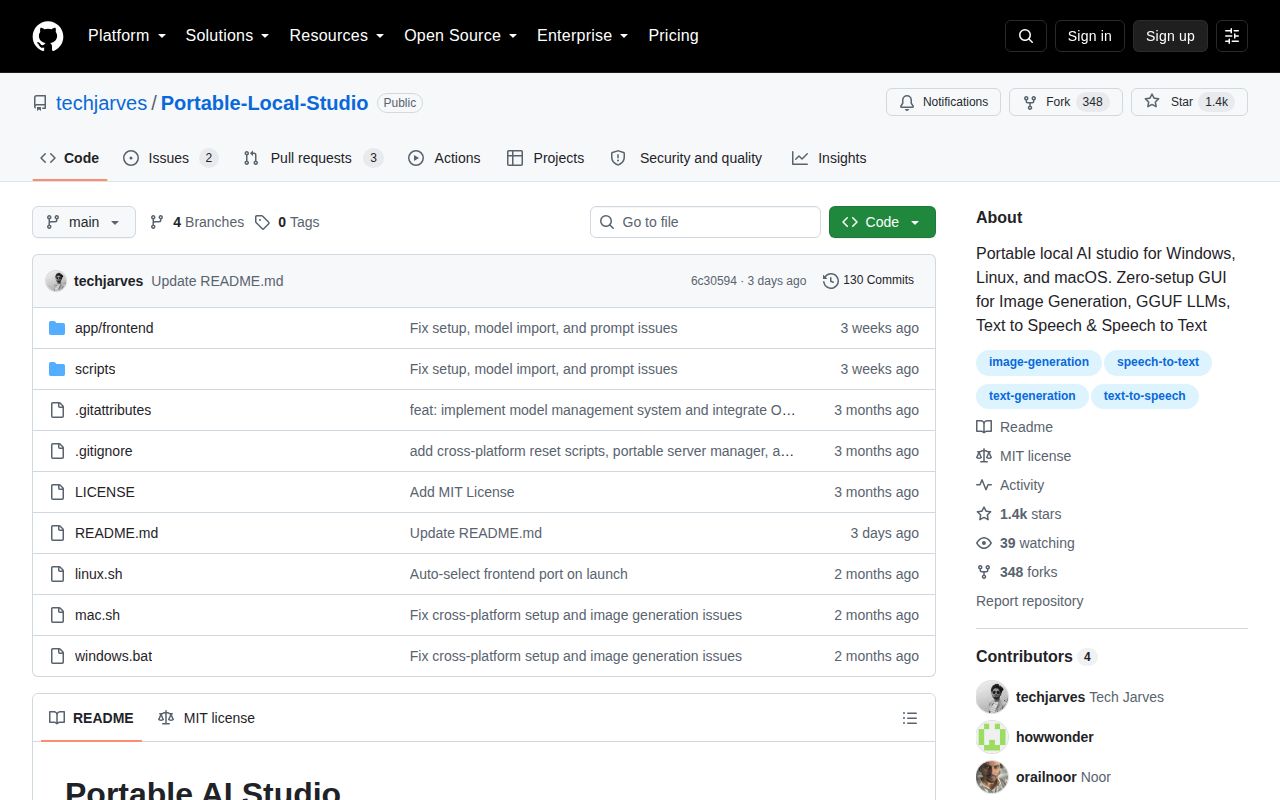
GitHub recorded the last push on September 17, 2026, and listed 5 combined issues and pull requests when fetched. Two were open issues and three were pull requests. That is recent activity, but the repository had no latest GitHub release. Users therefore install from the moving main branch rather than choosing a tagged package with fixed release notes.
The project is licensed under MIT, and the README explains its hardware matrix better than most young local AI bundles. Still, our measured 0-test run and the open download report set the right expectation. Try it when the appeal is one offline screen for 4 different jobs and you are willing to diagnose native backends. Pick ComfyUI for deeper image workflows or Ollama for a more focused local language-model service.