Saved graphs make repeatable image work worth the setup
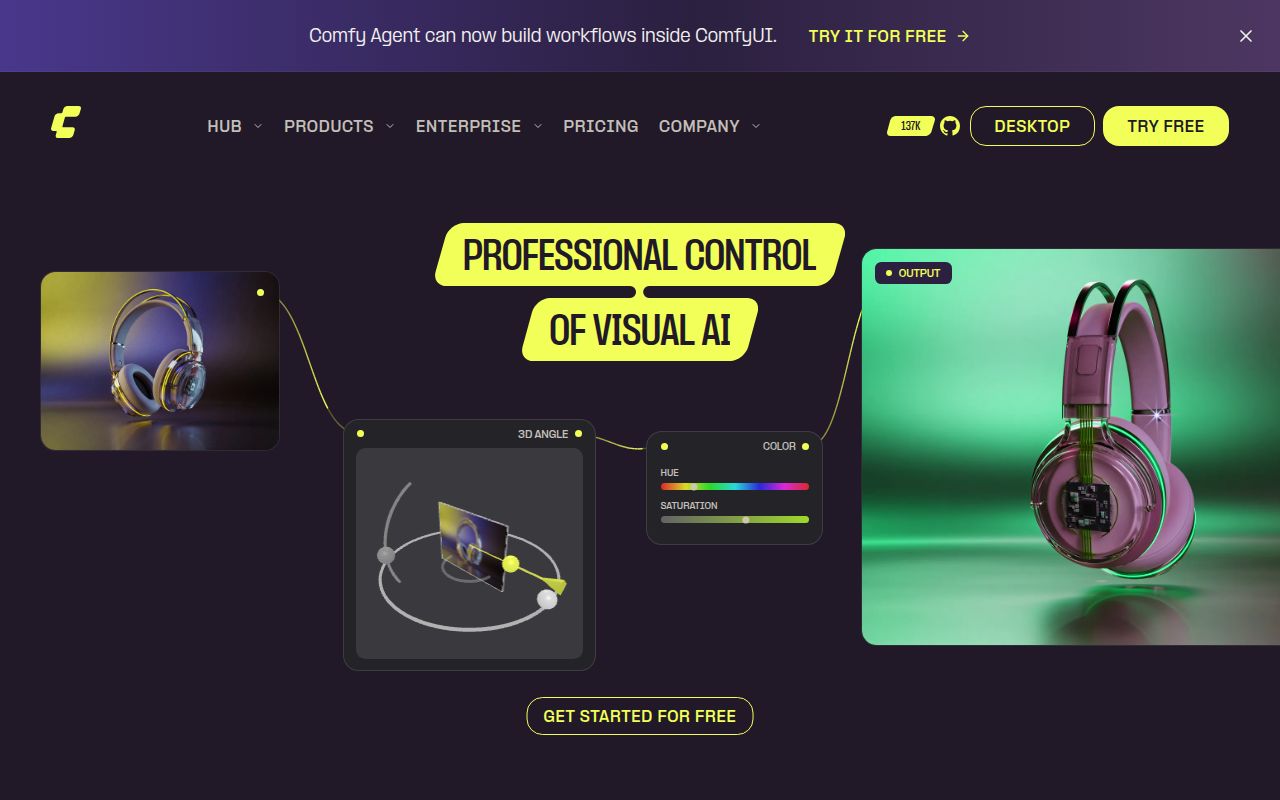
ComfyUI occupied 6,691 MB after installation in our sandbox, so choose it for a workflow you intend to keep. Its node canvas exposes the steps between loading a model and saving an image. You can connect conditioning, sampling, and post-processing, then save that graph as JSON. For someone repeatedly adjusting the same pipeline, visible connections are useful: you can change a stage without rebuilding the whole process in code.
The ComfyUI README describes partial execution: changing the final stage reruns that stage and whatever depends on it. Generated PNGs can also carry the workflow and seeds, letting you recover the recipe by dragging an image into the page. That makes the output easier to revisit. It doesn't bundle the model files or every custom node used to produce it, so a shared image still needs a matching environment.
What happened when we ran it
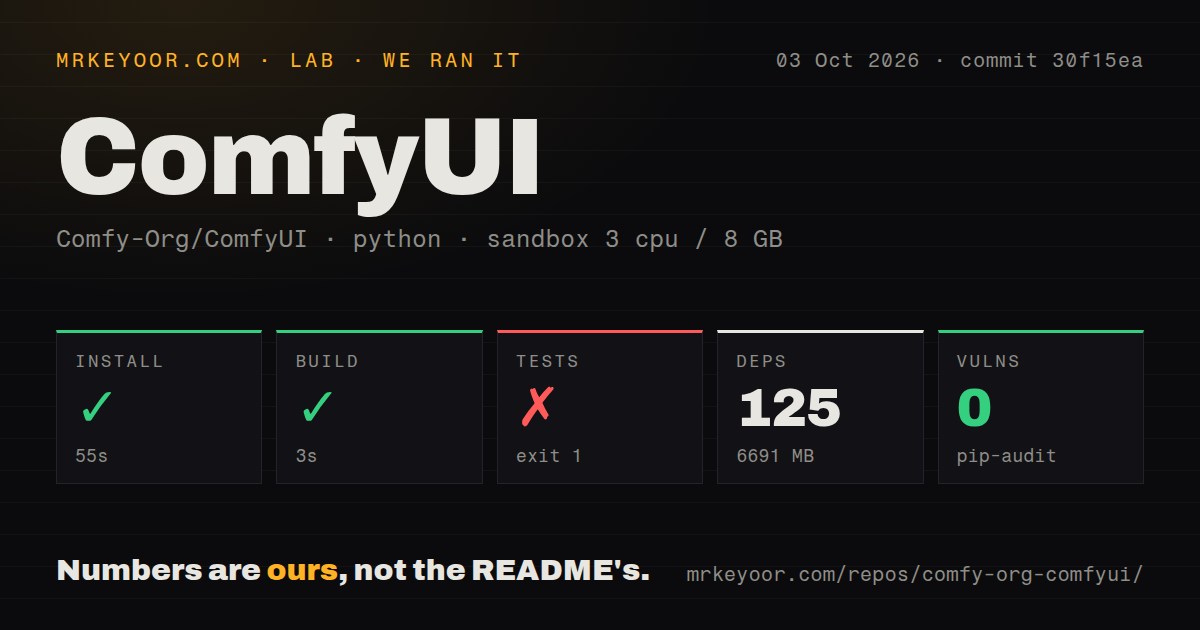
Our run installed ComfyUI commit 30f15ea in 55 seconds, adding 125 packages and using 6,691 MB on disk. The build succeeded in 3 seconds. We ran it on October 3, 2026, in an unprivileged Debian container with 3 CPUs, 8 GB of RAM, and the ghcr.io/astral-sh/uv:python3.12-bookworm image. The container held no secrets. These are repository checks, with no image-generation speed or output-quality measurement attached.
The test step failed with exit code 1 after 200 seconds. The supplied tail shows failures in tests-unit/server_test/test_cache_control.py, including uppercase image extensions, query strings, and preserved response headers. Cases in test_offline_flag.py failed too. Each displayed failure says that async functions are not natively supported. The log establishes that the runner did not execute those async cases successfully. It does not establish why, or whether their assertions would pass under another setup.
Pip-audit reported 0 known vulnerabilities in that run. The checkout contained 1,239 files, roughly 323,609 source lines, and 48.5 MB before installation. Our scan found 28 CI workflow files and a tests directory, with no Dockerfile. Those are useful maintenance signals, but they don't cancel the failed test command. Neither the audit result nor a successful build certifies the custom nodes or models you might add later.
Model files and hardware choices outlast the short build
A 3-second build leaves most of the practical setup decision untouched. The manual route asks you to supply checkpoints and put them in models/checkpoints, with VAEs in models/vae. Larger models can require several files in different folders. The model-path configuration example lets you reuse an existing model library, which is preferable to maintaining duplicate copies across image tools.
Local core workflows can run offline once their assets are present, without a hosted generation credential. Optional partner nodes call paid services and change that arrangement. The current README documents --offline for keeping built-in functionality offline and --disable-partner-nodes for disabling those integrations. Neither flag proves that an arbitrary custom node avoids network access. Read the nodes your workflow actually imports before treating the whole environment as private.
The Python 3.12 container in our measurement is only one runtime path. Current documentation separates NVIDIA, AMD, Intel, and Apple Silicon instructions, and warns that some custom nodes have interpreter compatibility problems. Windows and macOS users can choose the desktop app, which the project recommends for newcomers. Linux users following the manual path must match their hardware libraries themselves. Our install result doesn't settle whether your graphics card, driver, and chosen model will work together.
Custom nodes make stable releases a sensible default
The 125-package environment we measured covers the sandbox install, not a promise about every extended workflow. ComfyUI allows custom nodes, and its release policy explicitly warns that commits outside stable tags can break many of them. That is a concrete reason for a studio to pin a working core release and its extensions together. A new model feature is a poor trade if an existing delivery workflow stops loading.
Frontend maintenance also lives in a separate repository, with its compiled package installed as a core dependency. The README directs interface bugs to that project and allows selecting a frontend revision. This separation gives you control, but adds another version to record when reproducing a problem. Keep the workflow JSON with its model identifiers and node revisions. Otherwise, an image with an embedded graph may document what someone intended without giving you a runnable copy.
Recent pushes show maintenance, not a trouble-free release
ComfyUI had 136,960 stars and 5,134 open issues and PRs in the October 12, 2026 API snapshot. Its last push was October 12, and release v0.39.0 shipped October 5. Recent discussions include a text-encoder device-placement report and proposed asset-database recovery work. Pushes plus issue activity show ongoing maintenance. The combined queue is not a count of confirmed bugs, and popularity doesn't diagnose our async test failure.
Pick the canvas only when you need the control
Budget the 6,691 MB installed footprint we measured before choosing ComfyUI for a small machine. InvokeAI is worth comparing if your work centers on an editing canvas and image composition. Fooocus suits prompting with fewer exposed controls, though its README says development is limited to fixes and its focus remains SDXL. ComfyUI earns its extra attention when you need a graph you can inspect, modify, and hand to another technical operator. Start with a built-in workflow and pin it before adding extensions. If you only want to type a prompt and receive a picture, that maintenance job is probably unnecessary.