One helper vocabulary drives iPhone Mirroring and adb
Phone Harness presents the same operations to an agent whether the selected device is iOS or Android. Helpers open apps, capture the screen, find text, tap coordinates, enter text, scroll, and wait for the display to settle. Each device sits behind a send(op, **kw) transport boundary, so agent scripts call the same functions while the backend handles different capture and input systems.
On iPhone, the Mac's iPhone Mirroring window is the transport. Apple Vision OCR turns visible text into coordinates, and HID-level events provide taps and keyboard input. Android uses adb directly: screencap supplies pixels, uiautomator supplies exact text and boxes, and adb input supplies taps, swipes, text, and Back. Android coordinates match screenshot pixels; iPhone screenshot points require conversion to global Mac coordinates.
The agent skill exposes helpers without hiding the Python
The recommended setup installs a phone-harness command and registers the bundled SKILL.md so Claude Code or Codex knows when and how to use it. Scripts arrive through standard input with helper functions preloaded. The protected package owns capture and device transport, while agent-workspace/agent_helpers.py is deliberately editable. An agent can add a missing convenience function without modifying the core every time.
That openness is useful for exploration and risky for repeatability. An agent may write helper code during execution, so later runs can depend on state that was not present at installation. Teams should review that workspace like ordinary source code and keep useful additions versioned. The skill tells an agent how to operate the phone; it does not make generated Python trustworthy or turn visual guesses into stable selectors.
What happened when we ran it
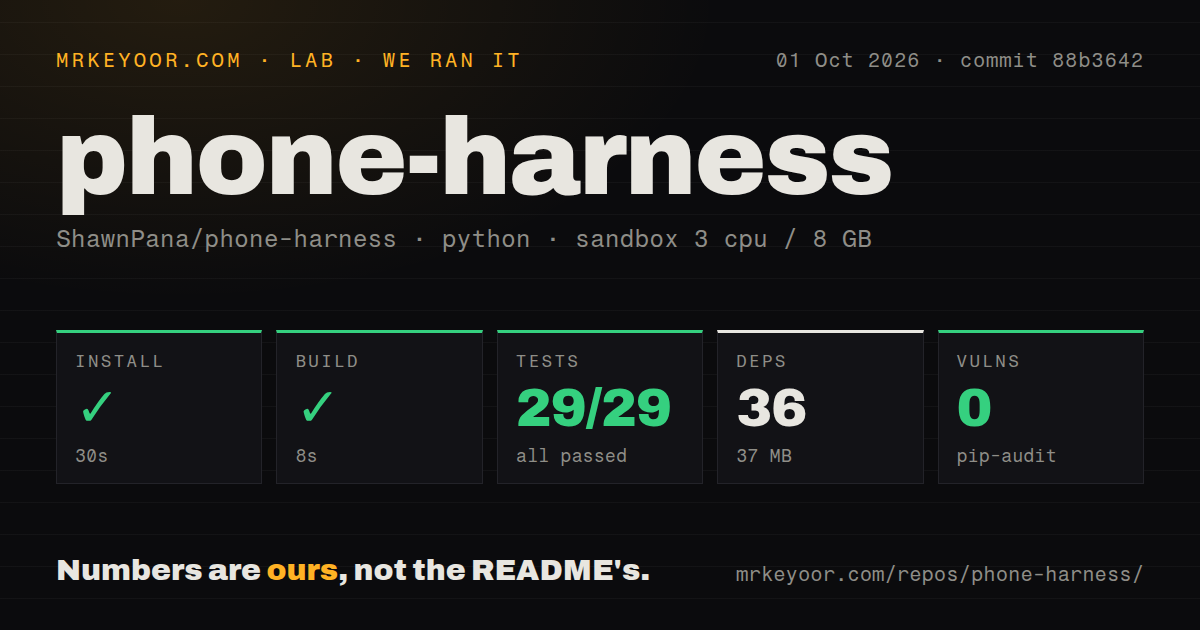
Our sandbox cloned commit 47f37a6 and installed 33 Python packages in 26 seconds. The installed environment used 36 MB, and the build completed in 7 seconds. The checkout was only 21 files, about 3,152 source lines, and 0.2 MB. One CI workflow was present, with no Dockerfile and no tests directory.
There was no test script or target, so our test step was skipped. Pip-audit found 0 known vulnerabilities in the installed Python environment. The fresh Debian container had no attached phone, Mac desktop, credentials, or secrets, so these measurements establish packaging and build behavior only. They do not show OCR accuracy, device latency, successful pairing, or completion of a phone task. Those require the exact handset and host operating system in use.
iPhone setup grants powerful permissions to the host process
The iOS path requires macOS Sequoia or newer and a paired iPhone Mirroring session. The user must grant Screen Recording and Accessibility permission, then restart the terminal after Screen Recording changes. A subtle problem is identifying the correct permission subject. Issue 17 explains that an agent host can launch a nested signed application, so granting the visible terminal may not authorize the process that performs capture and input.
Window focus is also part of correctness. The README says input is swallowed when the mirroring window is not frontmost. Using the physical iPhone pauses mirroring, and only one phone and one session are supported. Issue 13 reports that window discovery expects the English application name, which prevented detection on a Simplified Chinese macOS installation. These are desktop integration constraints, not defects that a better prompt can solve.
Android gains exact UI text but keeps adb's limits
Android pairing works over USB or Wi-Fi. For wireless setup, the phone supplies a 6-digit code, while mDNS handles discovery and the paired device is remembered. The harness refuses to control a PIN-locked handset and can keep an unlocked phone awake for a session. If scrcpy is installed, the awake command can show a live mirror without changing a permanent phone setting.
The accessibility tree provides exact text and bounding boxes, often better than OCR for controls. It can still take seconds on a slow phone and may be unavailable on screens that never idle. In that case the agent must inspect the screenshot. adb text input is ASCII, key chords are unavailable, and the user must enter the device PIN. Those limits rule out many login and international text-entry flows without application-specific work.
Input edge cases demand screenshot checks after every action
Issue 48 reports that type_text() appends to an existing field rather than replacing its contents. An agent that assumes a search box is empty can silently create a combined query. Issue 26 records the next character after the Cmd+3 Spotlight shortcut inheriting the Command modifier and closing iPhone Mirroring as Cmd+W. Issue 24 says scroll end detection does not stop correctly on a settled screen with no recognized text.
The project's usage loop already points toward the right defense: act, wait, capture again, and verify visible state. That raises token use and run time, but phone automation without a semantic tree needs observation. Camera and Face ID flows, DRM video, multi-touch, and pinch gestures remain unsupported on both platforms. Connecting the phone and passing its lock screen always belong to the user.
Release 0.2.0 added Android while the interface remains young
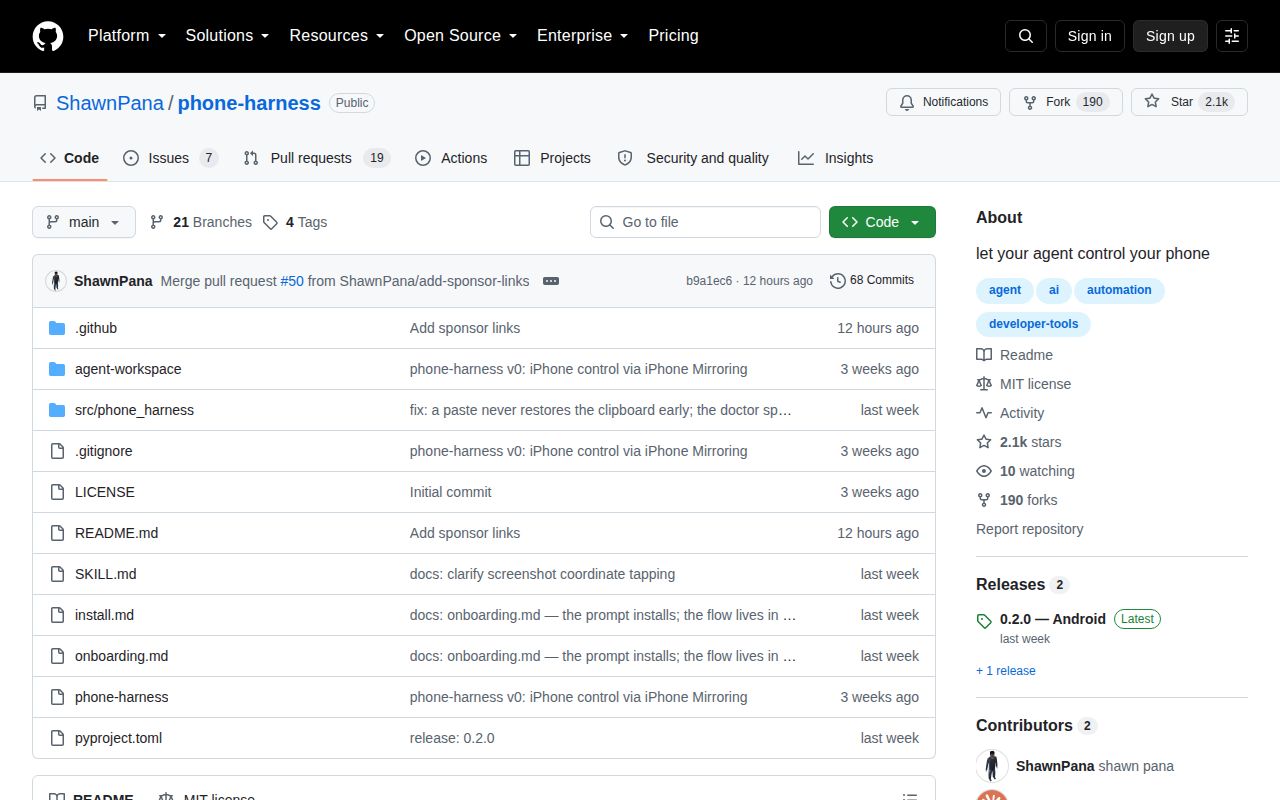
GitHub showed 2,065 stars, 26 combined issues and pull requests, and a push on August 26, 2026. Release 0.2.0 arrived August 18 and added the Android transport, configuration, paired-device recovery, awake sessions, and the shared operation vocabulary. Its notes explicitly say a cloud backend is absent, despite one merged change entry mentioning cloud work. The stated release limit is the safer basis for adoption.
Phone Harness is an appealing small tool for letting an agent perform a supervised real-device chore. Its 33-package environment and direct helpers are easier to inspect than a full device farm. The lack of an exposed test target, young cross-platform layer, and open input bugs make it a poor foundation for unattended regression testing. Use it where a human can see the screen and stop a bad tap.