What our run establishes
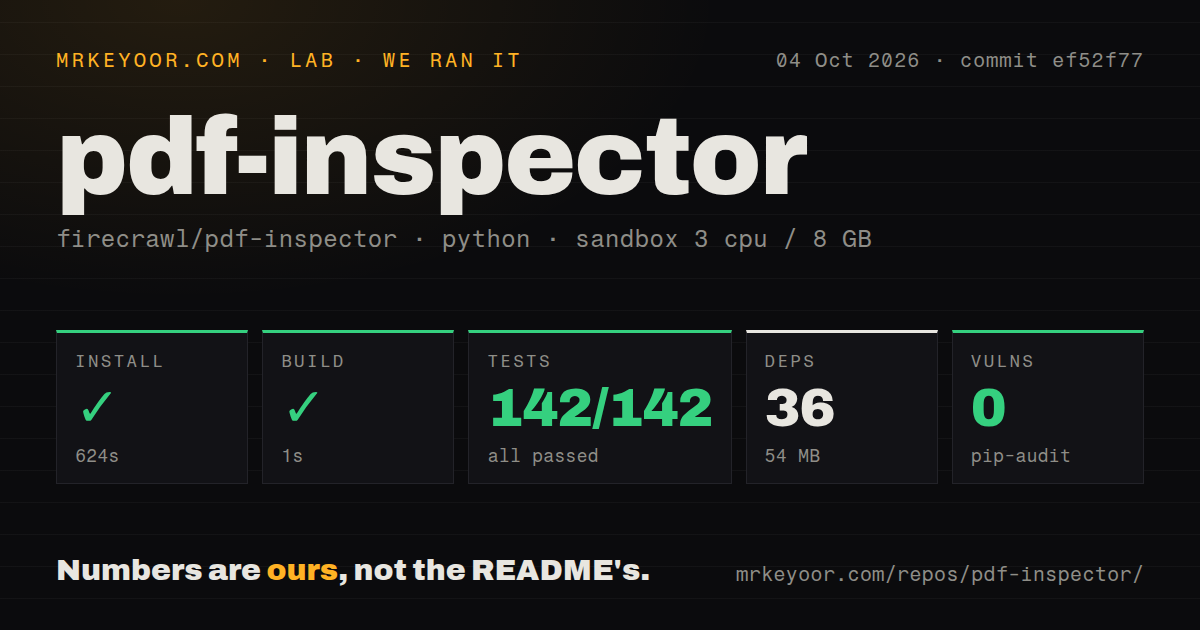
Our run on October 4, 2026, at commit ef52f77 used the Python path in our sandbox. Its stored parser summary reports 142 passed and 0 failed tests. The harness also records command success, exit codes, elapsed time, and timeout status: install, build, and test all returned 0 without timing out.
Installation took 624 seconds and produced a dependency footprint of 36 packages and 54 MB. The build step took 1 second and the test command took 62 seconds. The raw pytest footer reports 142 passed and 9 passing subtests in 58.90 seconds. That footer measures pytest's reported duration; the harness records elapsed time for the command. We retain both and do not add the subtests to the stored total.
These stored parser summaries do not establish exhaustive unique test coverage. The attached record contains no separately named failure to diagnose and does not establish whether protected PDFs, real OCR workloads, or production CLI deployments were tested. We performed no new execution for this correction.
The recorded pip-audit advisory total is 0. Scan coverage is unknown because the supplied record has no scannedPackages value; the packages field does not establish coverage. This result is not a security assessment.
How MrKeyoor tests explains the publisher's approach to recording command outcomes and its limits. That methodology page was retrieved later than this run and does not establish which procedure version the October 4 run used.
Extraction and OCR have different setup requirements
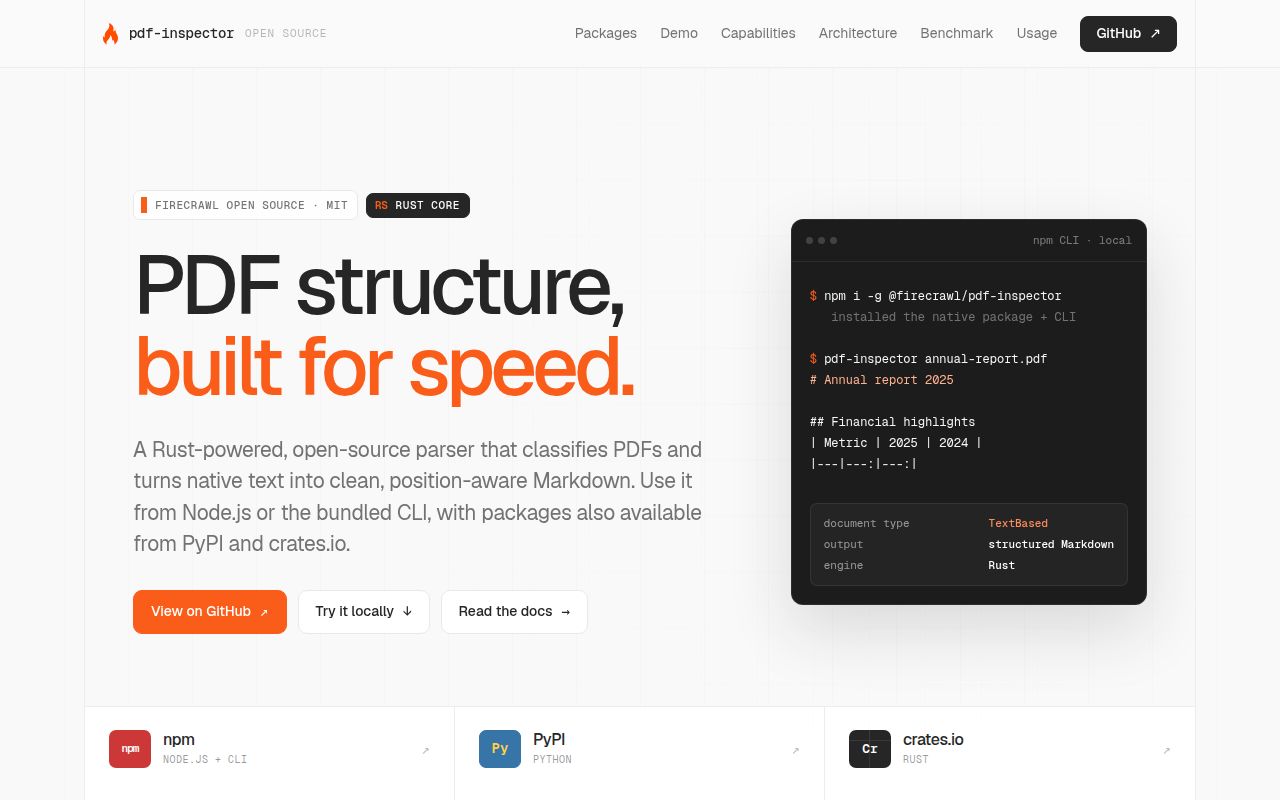
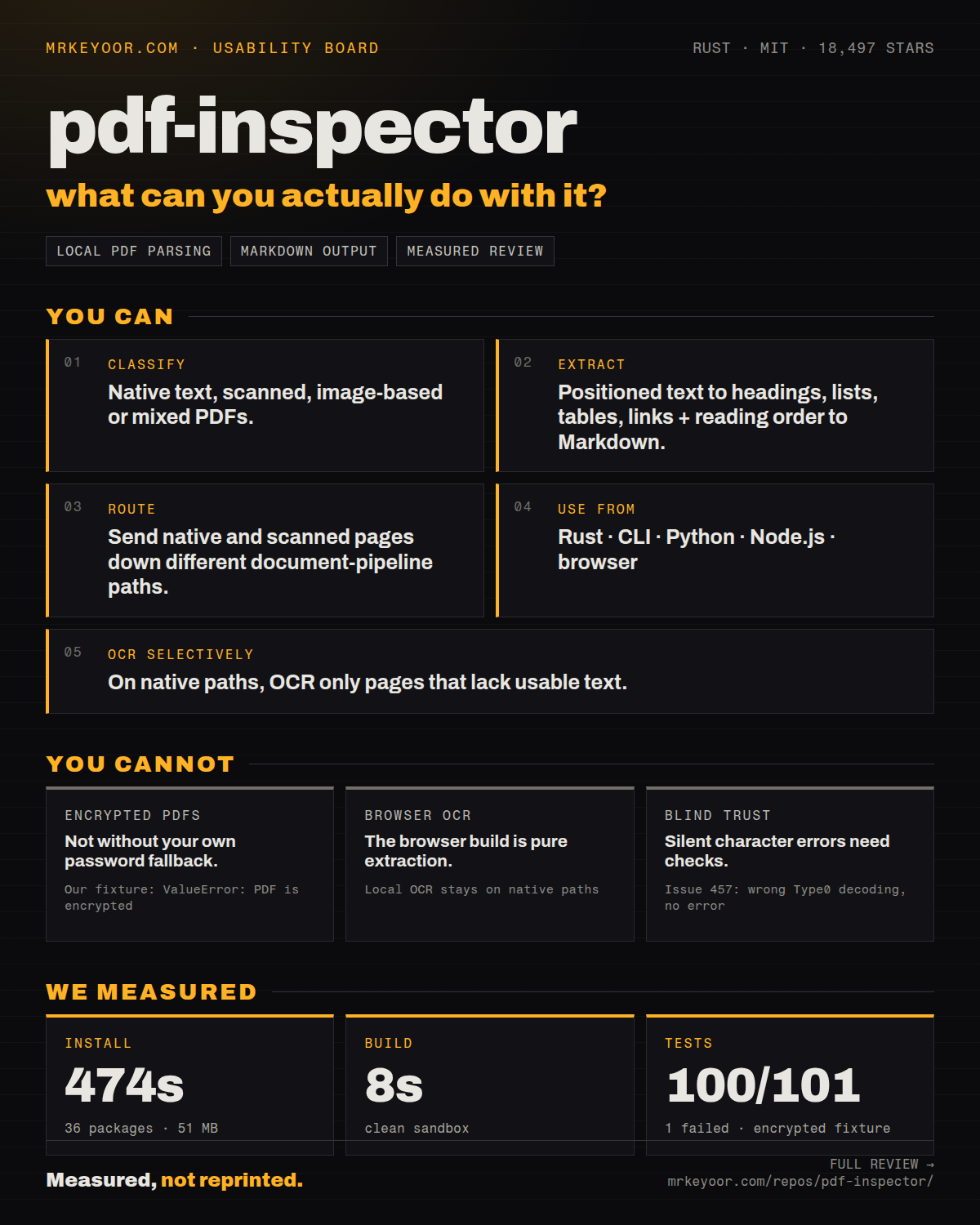
PDF Inspector provides position-aware text extraction and selective local OCR through its native entry points. The README describes classification into text-based, scanned, image-based, or mixed documents, followed by extraction into Markdown. Positioned text exposes coordinates and font information for applications that need to relate extracted content to a page.
The native Python and Node packages include OCR integration, but the external runtime remains separate. Routed OCR requires PDFium, ONNX Runtime, and the pinned PP-OCRv6 Small model set. The Python guide says the wheel embeds none of those artifacts. Clean native-text requests can complete without loading them.
The OCR runtime guide distinguishes two failure paths. A completed local OCR result can recommend a hosted fallback for empty, low-confidence, or incomplete pages. Missing libraries, failed model acquisition, and execution errors occur before that result exists and return an error. A downstream pipeline must handle that error separately if it has a hosted fallback.
For offline deployment, stage the model files and compatible libraries before processing scans. The guide documents offline operation with a populated cache or model directory. It identifies Linux x64 as the platform with an end-to-end OCR CI path; macOS and Windows external-runtime paths are described as preview. Intel macOS requires a compatible custom ONNX Runtime build for local OCR.
Classification needs an output check
The README's default classification strategy samples eight pages. It also documents full scanning, early exit, and caller-selected pages. Sampling is useful when speed matters more than classification precision; choose full scanning when a missed scanned insert would change how you route the document.
Classification alone should not be your acceptance test. Compare extracted text, reading order, and table cells with your own PDFs, and handle empty or unusable output explicitly. This is an adoption check, not a defect observed in our sandbox. The supplied evidence does not independently verify the old page's encrypted-fixture or table-issue allegations, so those allegations do not determine this verdict.
The README includes a vendor benchmark with OCR disabled. It is separate from our sandbox run and does not establish current-version performance on your documents. This review makes no runtime speed or extraction-accuracy claim for version 1.25.2.
When another tool fits the job
MarkItDown converts PDFs and other file formats to Markdown for text analysis pipelines. Consider it when Word, Excel, PowerPoint, images, or audio belong in the same ingestion workflow. It can replace a PDF-only conversion stage when broad format support is the priority, or complement PDF Inspector by handling other formats. Its README warns that the output may not suit high-fidelity conversion for human consumption.
OpenDataLoader PDF provides auto-tagging from untagged PDFs to Tagged PDFs; PDF/UA export is an enterprise feature. Consider it when writing accessibility structure is part of the requirement, rather than only extracting text. That can be a separate remediation stage alongside extraction. Its documented hybrid mode also routes complex pages to an AI backend, but the supplied material does not establish comparative accuracy on your documents.
The supplied PyMuPDF4LLM repository extract describes an empty compatibility package whose former code now lives in PyMuPDF 2.x. It does not support retaining the previous page's extraction and OCR recommendations for that package.
How the editorial scores work
These scores are editorial judgments, separate from the sandbox measurements. For setup ease, 1 means blocked setup, 3 means successful setup with substantial time or provisioning work, and 5 means a straightforward documented setup with little extra provisioning. Intermediate scores fall between those anchors. PDF Inspector receives 3 because installation succeeded, took 624 seconds, and OCR requires additional artifacts.
For documentation, 1 means insufficient installation guidance, 3 means installation and core API coverage, and 5 means those plus deployment limits and failure handling. Intermediate scores reflect partial coverage. The supplied Python and OCR guides earn 5 by documenting platform support, external artifacts, offline operation, provenance, and error boundaries. This rates the supplied guidance, not every example or binding.
Community and maturity remain unassessed. The supplied evidence does not establish contributor responsiveness, maintenance continuity, or behavior across releases and representative production workloads.