Table edits come with SQL you can inspect
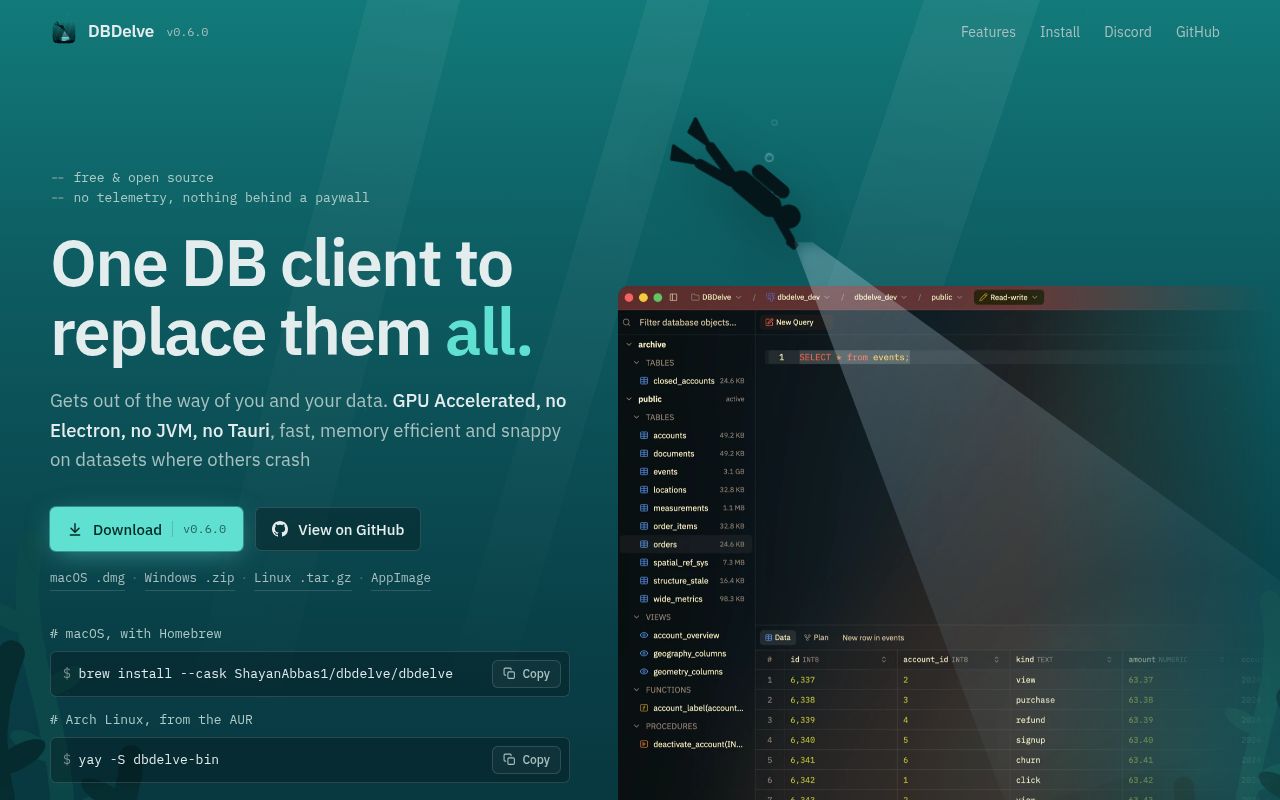
Change a cell in DBDelve and, according to its README, the application prepares an UPDATE for you to review before execution. That is a better reason to investigate this database client than its choice of programming language. When a grid is connected to data you care about, seeing the statement matters more than how the window was drawn.
DBDelve uses Rust and GPUI. The project presents that architecture as an answer to heavier desktop clients, but our run supplies no memory or responsiveness comparison. I would evaluate it for the editing workflow first. Treat the advertised performance advantage as a separate question that still needs a desktop workload.
What happened when we ran it
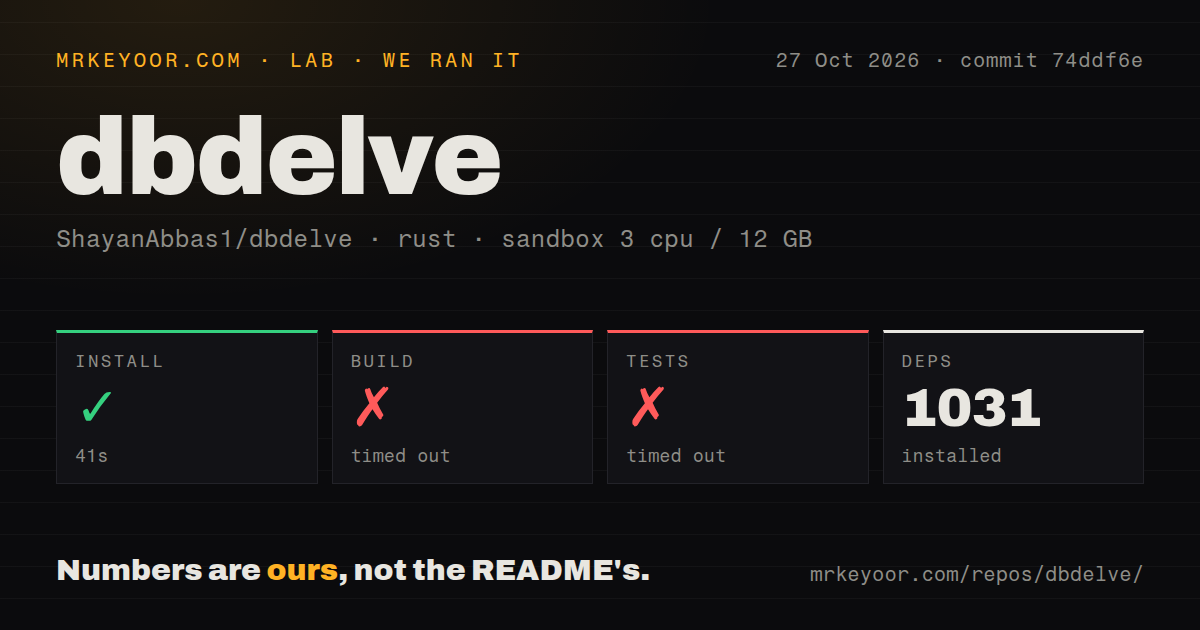
Our DBDelve sandbox run completed installation in 41 seconds and recorded 1,031 dependencies, but both the build and test steps timed out at 900 seconds each. We ran commit 74ddf6e on October 27, 2026. This gives a contributor a concrete limit: our allotted source-check window ended before either command finished.
The test-log tail contains compilation messages for packages including mysql, geozero and rustls-native-certs. It does not show a completed test summary or a failing assertion. There is no basis here for claiming a particular compiler error, missing system package or database failure. The timeout also supplies no count of tests that executed or passed.
The checkout contained 268 files, approximately 121,052 source lines and 19.3 MB. The recorded sandbox configuration specified 3 CPUs, 12 GB RAM and image label lab-rust:1. Actual toolchain and operating-system versions require the raw logs. Neither the image name nor the compilation tail establishes them.
Our scan found 2 CI workflow files and a Compose file, with no Dockerfile or tests directory detected. A directory scan cannot establish whether Rust source contains tests, and the compilation messages cannot establish application behavior. We have no measured query result, window launch or database write from this run. Calling the product broken would go further than the evidence permits.
Packaged downloads leave desktop requirements to check
The installation guide documents downloads separately from source compilation. Those packages are a sensible next evaluation route if you want a client rather than a source contribution. Our timeouts do not measure their startup or whether they run on your machine.
Mac users face a specific distribution constraint: the application is signed ad-hoc and is not notarized. The documented download procedure clears the quarantine flag. If your workplace requires notarized applications, that alone can settle the decision. The guide also says a changed signature causes another Keychain password-access prompt after an update. Decide whether that fits your desktop policy before importing saved credentials.
Linux has its own prerequisites. The guide calls for a Vulkan or OpenGL driver, a Secret Service keyring for passwords and a desktop portal for the export dialog. An unpacked binary doesn't remove those requirements. Check password persistence and export on the actual desktop session, especially if your workstation has a minimal environment.
An SQL preview still needs database permissions
The README documents read-only, read-write and full-access connection modes, alongside confirmation before destructive actions. It also describes importing saved connections from DBeaver and, on macOS, TablePlus. These are reasons to look closely at the client, not evidence that we have verified its permission enforcement or credential handling.
Start a trial with credentials limited at the database itself. On disposable data, make a cell edit and compare the proposed UPDATE with the intended row and value before accepting it. Then check the resulting database state through a known client. This is a proposed acceptance exercise, not work our sandbox completed.
Connection imports deserve the same care. Moving a saved profile can move access to a valuable database, while a colored title bar is only a visual cue. Keep an existing working connection until the imported profile's destination and access level are clear. DBDelve's interface controls should supplement permissions enforced by the database.
DBeaver and Antares answer different switching needs
DBeaver documents schema editing, ER diagrams and database administration tools. Compare its driver list with your actual engines before replacing an established workflow. Its README separates Community drivers from commercial features, so a general claim of broad database support does not settle which edition covers a connection. We have no comparative speed result here.
Antares SQL Client uses Electron and Vue and documents manual commit mode. Consider it if that transaction workflow matters more than choosing a native UI framework. Its README describes the application as in development too; it is a candidate to evaluate, not a measured reliability upgrade over DBDelve.
DBDelve's last push was October 28, 2026, according to GitHub's public metadata, and its issue list includes reports opened on October 27. Those dates show current code and user activity without establishing support response quality. The useful next result is smaller than a wholesale migration: open a disposable database in a packaged release, inspect an edit, and export the expected rows before retiring your existing client.