jq can extract a field from JSON in a shell workflow. The adoption question is whether its filters preserve the data your script needs, especially when arithmetic involves large integers.
The README describes a JSON processor written in portable C. Its filters can select fields and construct another JSON shape. Developers working with API responses and operators writing automation should evaluate those semantics against their input.
What happened when we ran it
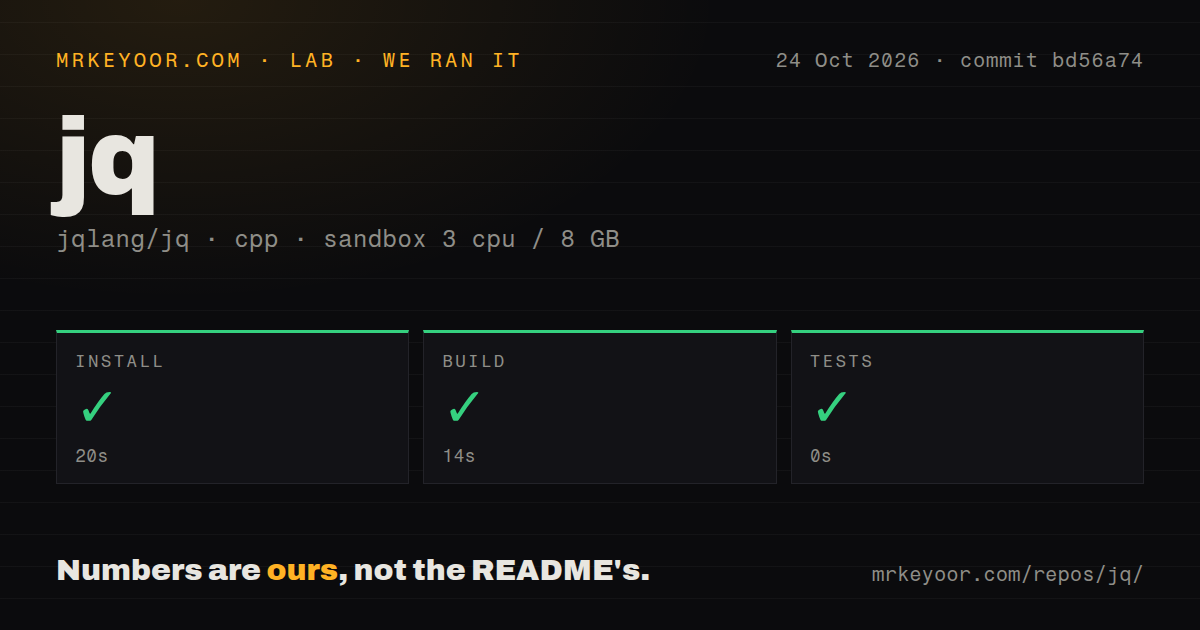
Our sandbox installed jq in 20 seconds and built it in 14 seconds at commit bd56a74 on October 24, 2026. The test step succeeded with a reported duration of 0 seconds. The supplied record contains no test count or underlying test output, so it does not establish suite coverage.
The scan recorded 401 files, approximately 28,356 source lines and a 2.4 MB checkout. It found eight CI workflow files, a Dockerfile and a tests directory. These are repository signals; they do not establish CI success or coverage. No vulnerability-audit result was supplied.
The sandbox configuration was 3 CPUs, 8 GB RAM and image lab-cpp:1. That label does not establish the compiler, runtime libraries or operating-system version. jq's implementation is C, although the harness groups it under cpp. The record contains no JSON throughput, peak-memory or production-dataset measurements.
Choose a binary or a source checkout
The README offers platform-specific standalone executables and a Docker image. Its source instructions name libtool, make, automake and autoconf, and distinguish a Git checkout from a released tarball. A user evaluating JSON extraction can start with a standalone executable; modifying jq itself calls for the source-development route.
Shell quoting deserves a separate check. The supplied jq 1.8 manual gives examples for Unix shells, PowerShell and cmd.exe. The branch activity feed records a documentation change separating PowerShell 7.3+ from older PowerShell guidance. Check the instructions for your shell and version before copying a command into automation. The sandbox summary does not establish which shell was used.
Documentation earns 4/5 under this editorial rubric: 1 means no usable route, 2 means partial instructions requiring substantial inference, 3 means basic instructions with material omissions, 4 means distinct routes and relevant caveats are explained, and 5 requires independent verification across the reviewed platforms. The README supplies binary and source routes, and the manual explains numeric and input-mode caveats. The supplied evidence does not establish verification across platforms; setup ease, community support and maturity remain unassessed.
Preserving a number differs from calculating with it
The manual says arithmetic triggers conversion to IEEE754 double precision. It also describes attempts to preserve the original decimal precision of number literals, subject to build configuration and exponent limits. Seeing a large number pass through a filter unchanged therefore does not establish that addition or subtraction will preserve its exact value.
Issue 3512 reports incorrect large-integer subtraction in jq 1.8.1. A project member explains that large integers are preserved outside arithmetic expressions. Later linked commits discuss work on that behavior, but those references do not establish a merged fix in the binary you use. The supplied sandbox record contains no reproduction of that calculation at commit bd56a74.
If a value is an identifier, avoid incidental arithmetic on it. If exact large-integer calculation is required, evaluate a processor with a suitable numeric model and check the specific operators you need. Successful source steps do not resolve that semantic choice.
Slurping and streaming change how filters receive input
The manual says --slurp reads the entire input stream into a large array and runs the filter once. --stream instead outputs arrays of paths and leaf values. A filter written for ordinary objects therefore needs reconsideration when using streaming input. The sandbox record provides no memory comparison between these modes.
For a small array of objects, the manual supplies this Unix-shell example:
jq '.[] | .name'
Its documented input is:
[{"name":"JSON", "good":true}, {"name":"XML", "good":false}]
The documented output is:
"JSON"
"XML"
The iterator produces each array member, and the pipe feeds each member into .name. This is a source example, not an additional sandbox execution. Keep representative input and expected output beside your own filter. Include missing fields and no-result cases when deciding how automation should respond.
Consider gojq for integer operators and yq for YAML
gojq is a Go implementation of jq that can be embedded as a Go library. Its README says addition, subtraction, multiplication, modulo and division when divisible retain integer precision; mathematical functions convert integers to floating point. It also documents missing jq flags and regular-expression differences. Evaluate those differences before replacing an existing command.
Mike Farah's yq supports YAML and other structured formats with jq-like syntax. Its README documents in-place YAML updates and format conversion. It explicitly says it does not support everything jq does. Consider it when editing YAML is the main task. The supplied measurements establish no comparative speed or reliability advantage for either alternative.
GitHub API metadata observed October 30 records a repository last-push timestamp of October 25, 2026; support quality remains unassessed. For a first jq adoption check, review a filter against representative input and expected output, including the largest numeric values it will handle.