One parser covers extraction and a first accessibility pass
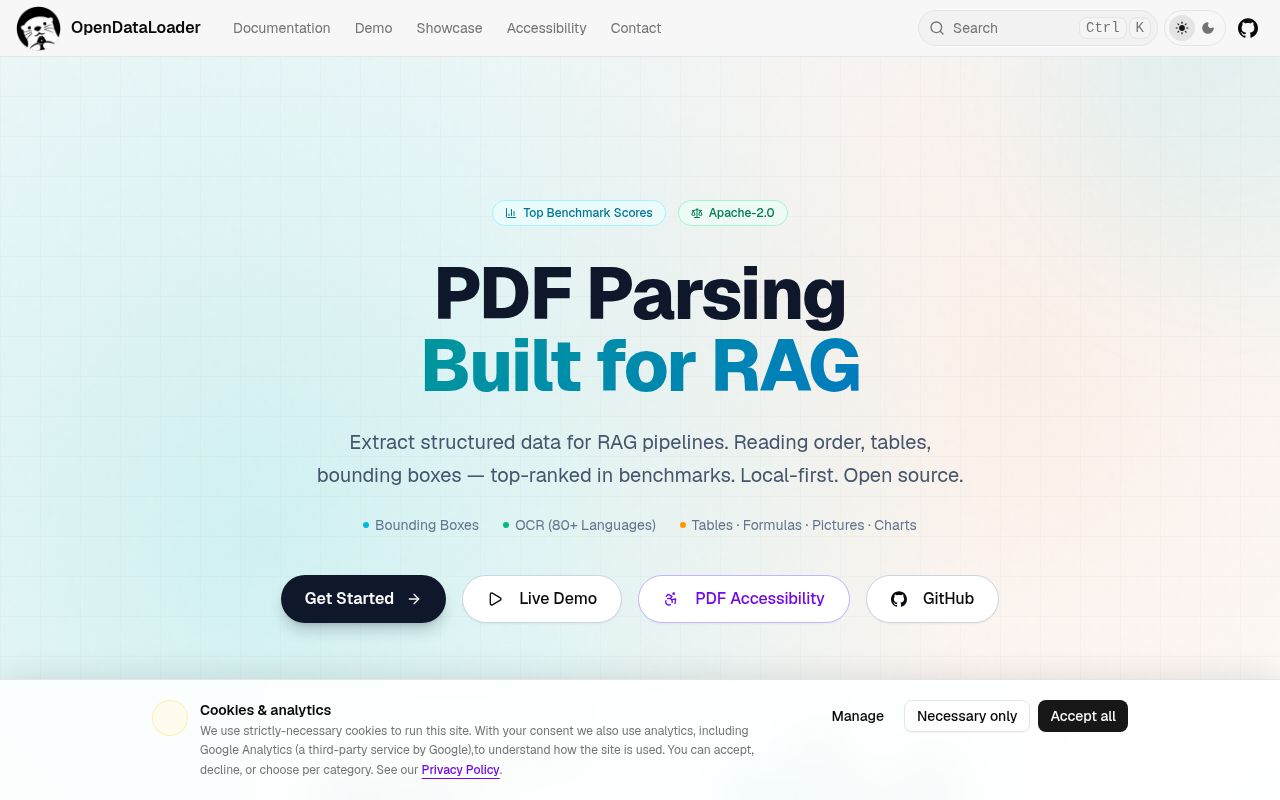
OpenDataLoader PDF does two related jobs that usually live in separate tools. It extracts Markdown, HTML, text, annotated PDF, or JSON with page numbers and bounding boxes. It can also add a structure tree to an untagged PDF, producing a Tagged PDF for screen readers. Python, Node.js, and Java SDKs wrap the same core, and the Apache-2.0 license covers the extraction and auto-tagging code.
That pairing is the reason to consider it. A RAG pipeline can keep element coordinates for citations, while an accessibility workflow can reuse the detected headings, lists, tables, and reading order. The 36.7 MB checkout contained about 48,515 source lines across 335 files, so this is a substantial parser rather than a thin API client. Ordinary digital PDFs stay local and do not require a hosted account.
Local mode is simpler than hybrid mode
The default path is aimed at digital PDFs. It uses deterministic layout analysis and exposes structure through several output formats. If the source already has good tags, use_struct_tree reads the author's structure instead. The README warns that poor source tags can produce worse output than heuristic or hybrid parsing, which means the presence of a tag tree is not proof that you should trust it.
Hybrid mode adds a separate local service for OCR, complex or borderless tables, formulas, and picture descriptions. It can route difficult pages through a model while keeping the files on your machine. That privacy story is useful, but the operational shape changes: you install extra Python dependencies, start the backend, and choose client and server flags that must agree. Combining use_struct_tree with hybrid does not combine their results because the structure tree takes precedence.
What happened when we ran it
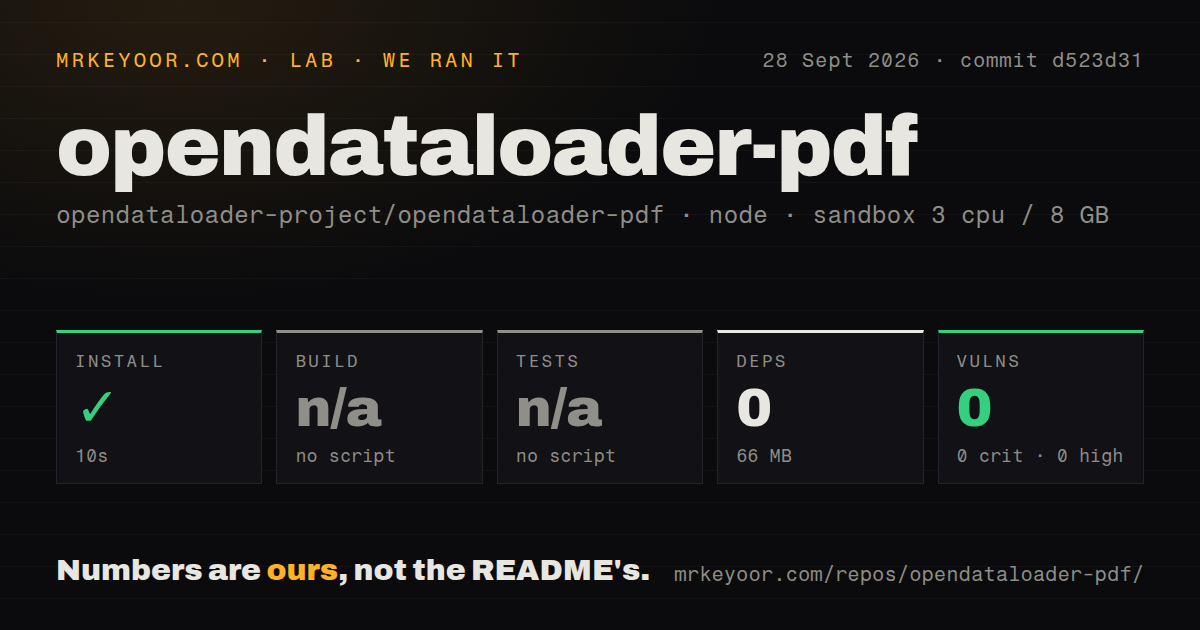
Our sandbox cloned commit d523d31 with 3 CPUs and 8 GB of RAM. The npm install step succeeded in 10 seconds, installed 0 packages, and left 66 MB on disk. Npm audit found 0 known vulnerabilities. The repository had 6 CI workflow files, no Dockerfile, and no tests directory.
There was no build script or target, so we skipped the build. There was also no test script or target, so we could not run a project test suite. Those are findings about the checked-out repository under the detected npm path. They do not demonstrate conversion quality, OCR accuracy, or Tagged PDF validity, and we will not turn an empty dependency install into a claim that the Java and Python product ran.
That distinction matters here because the documented quick start requires Python 3.10 or newer and Java 11 or newer. The Node package is a wrapper around a JVM-backed conversion path, and the README says each conversion invocation starts a JVM process. Batch several files in one call rather than starting a new process for each PDF. Hybrid mode adds its own server and model downloads beyond the 10-second install our sandbox measured.
Tagged PDF output stops before open-source PDF/UA export
The free path can analyze an untagged file and write headings, paragraphs, lists, tables, and reading order into a Tagged PDF. Full PDF/UA-1 or PDF/UA-2 export and the visual editing studio sit in the enterprise tier. A procurement or compliance team should keep that line visible: a Tagged PDF is useful work, but the project does not promise that the free output completes the whole PDF/UA workflow.
Open issue 751 gives a concrete reason to inspect the result. The reporter found heading sequences that skipped levels and caused a PDF/UA-1 validation rule to fail on 8 documents in a 135-file sample. Issue 755 reports flattened nested lists, headings classified as list items, and separate structural lines merged into paragraphs in version 2.5.11. These user reports concern the same document structure that makes the project attractive. Our sandbox did not reproduce or test either case.
Images and Windows paths have specific failure cases
Image extraction does not always preserve the original pixels. Issue 562 says the current path rasterizes the page at 144 DPI before cropping detected image regions, which can shrink detailed figures and labels. If your retrieval system needs the text around a chart, that may be acceptable. If it archives figures or feeds them into another vision model, compare the extracted dimensions with the embedded source.
Windows hybrid users have another sharp edge. Issue 725 reports an HTTP 500 when a user profile path contains non-ASCII characters, with the log ending in an illegal character-sequence filesystem error. The same report says explicitly selecting a different Docling backend handled the file. That is narrow, reproducible evidence rather than a claim that Windows support as a whole is broken.
September activity is high, and so is the review burden
GitHub showed 29,386 stars, 96 open issues and pull requests, and a last push on September 28, 2026. Release v2.5.11 arrived on September 22 with logging and backend page-batch configuration changes. Recent issues and pull requests cover heading structure, scanned-page routing, table headers, image resolution, and Windows paths. The project is plainly being worked on, while the open queue also shows how many document shapes remain contested.
OpenDataLoader PDF makes the most sense when you can test against a representative PDF set and keep a human or validator in the accessibility loop. Its combination of local extraction, coordinates, and Tagged PDF writing is unusual enough to justify that work. If you mainly ingest office formats, choose a broader converter. If PDF/UA conformance is the deliverable, budget for validation and understand where the enterprise boundary begins.