MarkItDown prepares text for analysis at the expense of page layout
Hand MarkItDown a spreadsheet or slide deck and you get Markdown that a search index or language model can read. The Python library and CLI accept PDFs, Office documents, HTML, and other formats through a shared interface. Microsoft's README explicitly warns against expecting faithful document reproduction. That boundary makes the tool easier to choose: use it when extracting content matters more than recreating the page.
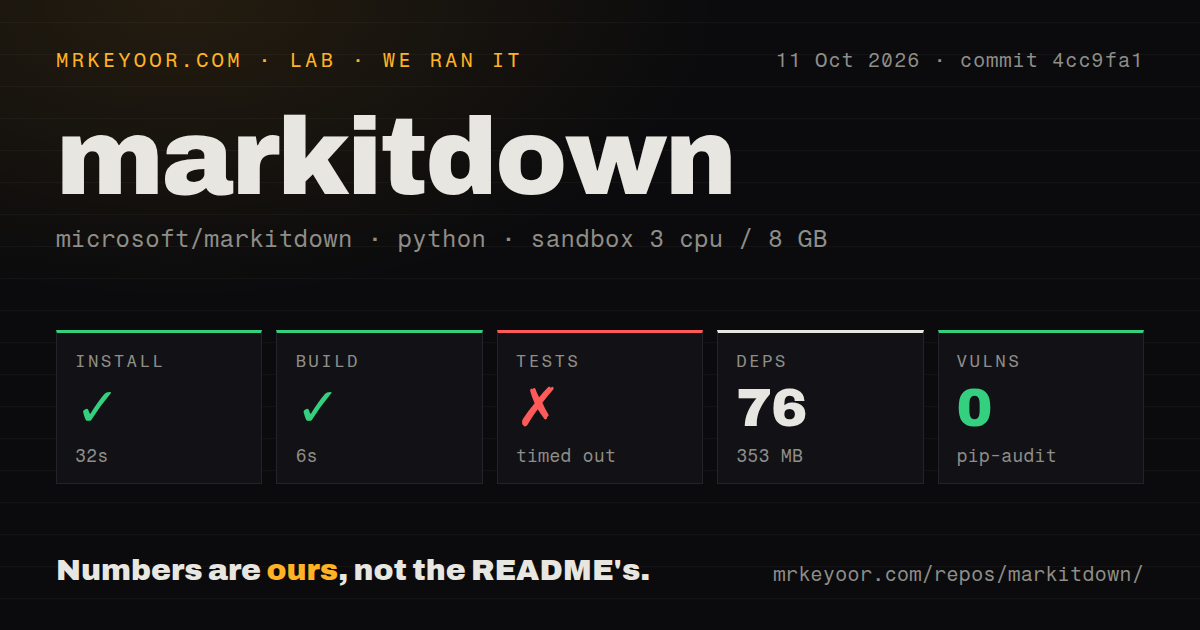
The checkout occupied 27.4 MB in our sandbox, while the installed environment used 353 MB. Calling the utility lightweight describes its role better than its footprint. For a Python application that already handles files, a shared conversion call is attractive. For a disposable container that only needs HTML text, accepting the wider environment deserves a second thought.
What happened when we ran it
Our run installed MarkItDown in 32 seconds, adding 76 packages and occupying 353 MB, then completed the build in 6 seconds. We cloned commit 4cc9fa1 on October 11, 2026. The measurement setup was an unprivileged Debian container with 3 CPUs, 8 GB of RAM, no secrets, and the ghcr.io/astral-sh/uv:python3.12-bookworm image. Installation and build both succeeded. Those results establish that this checkout could be prepared in that environment.
Tests timed out after 900 seconds. The supplied log tail shows a progress line at 6%, followed by ........FFFFFF: passing progress markers followed by failure markers. It supplies neither failing case names nor exception details, so we cannot identify the broken converters, count the full suite, or blame missing system packages. The useful finding is narrower: this fresh-container run never reached a complete passing result. It also provides no conversion-quality or throughput measurement.
Format extras let you narrow the Python environment
The README supports Python 3.10 through 3.14, and our sandbox used Python 3.12. Its installation example requests markitdown[all], but you can select formats with extras such as markitdown[pdf,docx,pptx]. I'd start with the formats your application actually accepts. We have no separate measurement for that narrower choice, so the measured disk footprint remains the budget to work from.
Contributors need to work under packages/markitdown/. Our checkout contained 195 files and about 21,935 source lines, with a tests directory and 2 CI workflow files. The lab scan found no Dockerfile, although the README supplies a Docker build command. Check the pinned checkout before depending on that route. The successful package build alone doesn't resolve the mismatch.
Cloud extraction adds credentials and a billable route
Ordinary local file conversion doesn't require a hosted model credential. Image descriptions use a supplied model client and model name, while Azure Document Intelligence and Content Understanding need service endpoints and authorized cloud access. The Azure conversion instructions describe Content Understanding as an option for scanned documents, complex tables, and structured fields. Each conversion routed there incurs a billable Azure API call.
That distinction matters when a folder mixes plain documents with scans. You can restrict cloud routing with cu_file_types, rather than send every supported format through Azure. The separate OCR plugin introduces another condition: its documentation says OCR is silently skipped without llm_client. A completed conversion therefore doesn't prove that text inside embedded images was read. Check that content before putting the Markdown into your search index.
The conversion API can read whatever its process can access
Microsoft's input security guidance warns that convert() accepts local files, remote URIs, and streams with the running process's privileges. A public upload endpoint needs its own restrictions on paths and network destinations. Prefer convert_local() for local inputs or open an approved stream yourself and call convert_stream(). Otherwise, a convenient conversion call can expose resources the caller was never supposed to reach.
The MCP package exposes convert_to_markdown(uri) over STDIO, Streamable HTTP, or SSE. Its server has no authentication and is documented for trusted local agents. HTTP modes bind to localhost by default, but other local processes can still reach them. I'd run this under a restricted account with deliberately limited file access. A public authenticated conversion service requires a separate application. The 0 known vulnerabilities reported by pip-audit do not change that access model.
September's release and October activity show ongoing maintenance
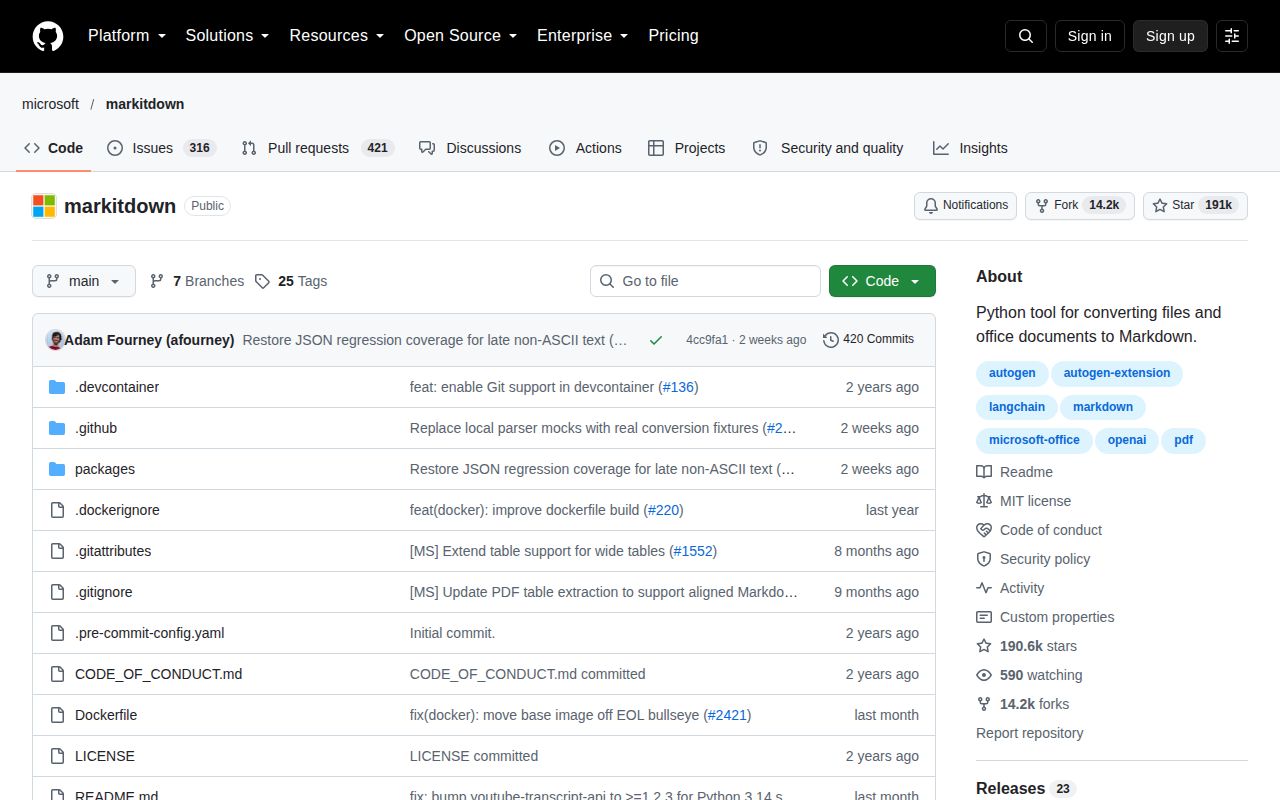
The last repository push was October 4, 2026, and release v0.1.8 arrived September 21. GitHub listed 190,597 stars and 737 open issues and PRs on October 16. Current spreadsheet pull requests address text cells losing leading zeros and repeated column headers changing names. Those are proposed fixes, not shipped guarantees, but they show work on details that can alter extracted meaning.
Release v0.1.8 fixes CSV escaping and malformed DOCX handling, yet our 900-second test timeout remains unresolved. I'd credit the maintenance activity without treating either the audit or the release notes as proof that every input is safe and accurately converted.
Choose the parser around the information you must preserve
Docling deserves a trial when PDF reading order, table structure, or OCR is the central requirement. It exposes a structured document representation alongside Markdown export. Pandoc is the alternative for converting among markup and publishing formats. Neither comparison establishes a speed or accuracy winner here: the supplied sandbox results cover MarkItDown's repository setup and checks.
I'd adopt MarkItDown behind an existing Python ingestion job when readable Markdown is sufficient and callers control the files. The 32-second install makes that trial manageable, but the unfinished suite argues for checking your own representative documents before rollout. Include a spreadsheet with meaningful leading zeros and a scan containing text inside images. If those details must survive, make their preservation a condition of adoption.