The current Open Interpreter is a Rust coding agent
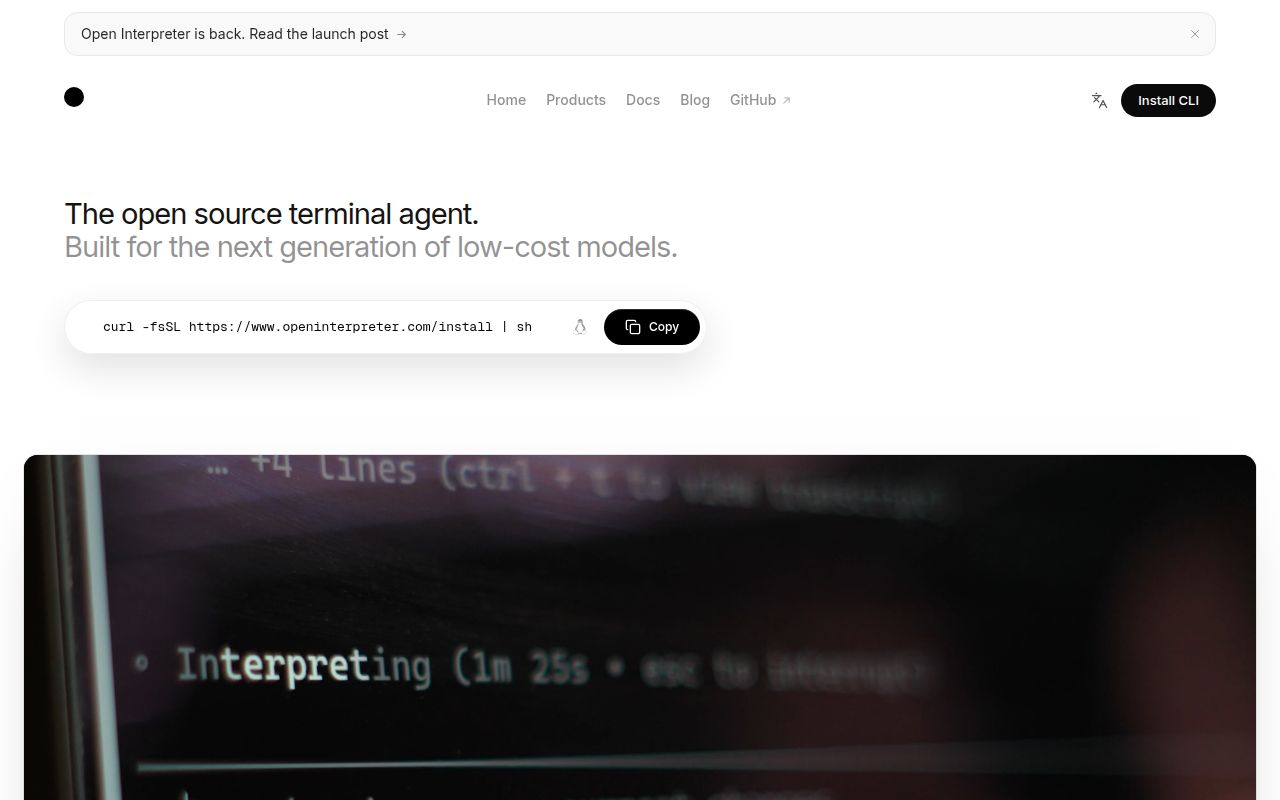
Run /harness and Open Interpreter lets you change how a model receives instructions and tools while keeping the same terminal interface. That's the reason to consider this project: you want to try different coding-agent behaviors without rebuilding your workflow around each provider. The current project README describes a Rust fork of Codex. It directs users of the original Python interpreter to a separate community-maintained repository.
That distinction matters when reading our measurements. The 90.8 MB checkout contains a pnpm workspace, but the root package describes itself as repository maintenance tooling. Its commands include formatting and documentation checks. A successful Node setup gives you evidence about that part of the repository. It doesn't establish that the Rust agent starts, edits code correctly, or works with your preferred model. Existing Python integrations deserve a separate migration decision.
What happened when we ran it
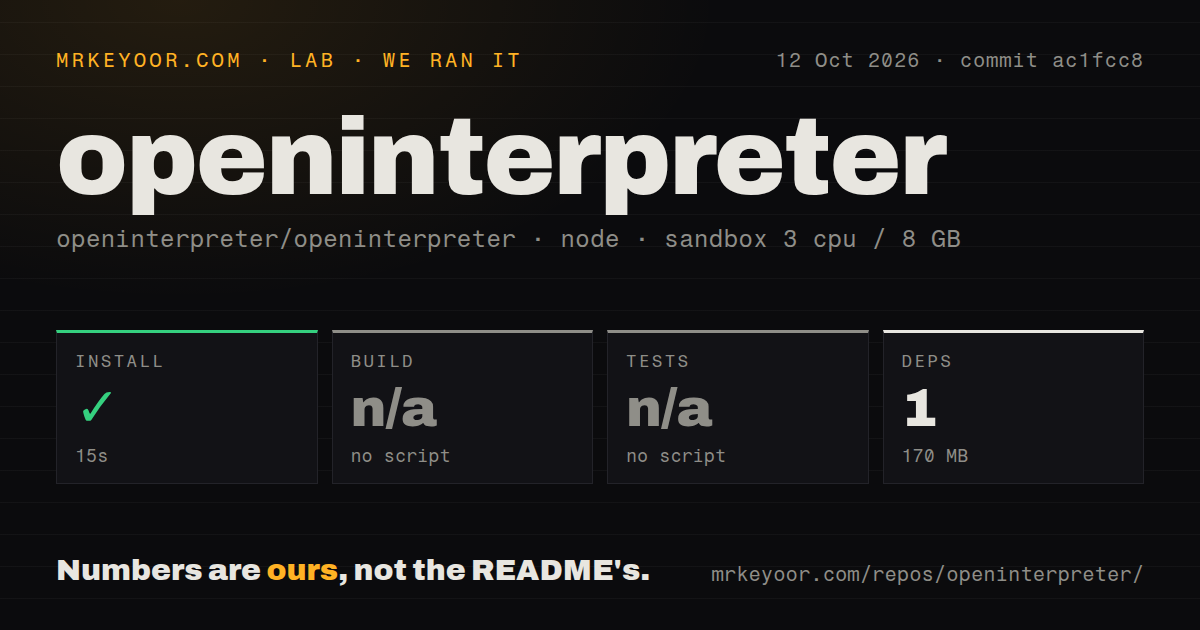
Our run installed 1 package with pnpm in 15 seconds and occupied 170 MB on disk. We cloned commit ac1fcc8 on 2026-10-12 into a fresh Debian sandbox with 3 CPUs, 8 GB of RAM, and the lab-node:22 image. The container had no secrets and ran without elevated privileges. Installation succeeded. The harness found no build or test script or target for its detected Node path, so it skipped both steps.
The checkout contained 8,632 files and roughly 2,014,869 source lines. Our scan recorded 29 CI workflow files, monorepo workspaces, no Dockerfile, and no tests directory. Those last findings describe what the scan detected, rather than proving that upstream has no checks anywhere. The defensible result is a completed package installation with no build or test result. This run supplies no evidence about model response quality, sandbox enforcement, or successful coding tasks.
Provider configuration continues after the shell installer
The README gives shell installers for macOS and Linux and a PowerShell route for Windows, followed by launching i or interpreter. Durable settings live in ~/.openinterpreter/config.toml; trusted projects can carry their own configuration. A custom provider needs an endpoint, model identifier, and a compatible request format. The configuration guide recommends environment variables or credential storage for provider secrets. /debug-config helps explain which settings actually won.
Our 15-second installation had no provider credentials, so it cannot settle whether your account or endpoint works. Open issue #1942 asks for a local or custom provider choice in the initial login menu. That report concerns the current interactive terminal interface. It doesn't prove local providers are unsupported, but it gives local-only users a concrete reason to expect configuration work beyond following the welcome screen.
Harness choices still depend on provider compatibility
The selector includes Claude Code emulation, Kimi modes, Qwen Code, and a minimal mode. These change the prompt and tool surface inside Open Interpreter's own runtime. Treat the README's low-cost-model positioning as a reason to compare your actual tasks, rather than proof of cheaper completed work. A model that needs repeated corrections can consume the savings you expected. The useful comparison is whether it produces a change you can accept through your usual review process.
For Gemini users, a successful 170 MB Node setup leaves an unresolved compatibility question. Issue #1928 reports a rejected store field in requests from version 0.0.45. The matching fix in pull request #1939 remained open and unmerged when checked on October 14. That is a specific historical report, not proof that every Gemini configuration fails today. Verify your intended endpoint before adopting this as its daily client.
Permissions and shared protocols make it easier to place
The sandbox guide separates filesystem boundaries from approval prompts. Workspace-write mode restricts writes and disables network access unless enabled, while approval policy decides when execution pauses. Linux enforcement depends on Bubblewrap and kernel facilities. Bypass flags remove both controls, so a container deployment needs a deliberate policy. If you require unattended access to valuable files, a terminal that looks familiar is insufficient evidence that its permissions suit your environment.
Our unprivileged 3-CPU container didn't exercise those controls through a live agent session. The portability features are more directly inspectable: repository AGENTS.md, shared .agents/skills, and MCP let you reuse instructions and external tools. ACP exposes the agent to compatible editors through interpreter acp. The README also documents a binary override for existing Codex SDK clients. These are useful integration routes, though compatibility still needs checking against the editor and provider you actually use.
October maintenance supports a trial with a narrow task
The last push was 2026-10-11. Release rust-v0.0.56 shipped on October 7 with model-catalog updates and a shell-environment fix, while recent issue activity includes provider requests and compatibility work. GitHub listed 68,579 stars and 14 open issues and PRs combined. Those signals support active maintenance. The star count spans the project's history, however, and should not substitute for confidence in the current Rust product. Apache-2.0 licensing gives teams a permissive basis for adapting it.
Budget the 170 MB measured footprint for the Node path, then make your adoption decision around a bounded coding task with your chosen provider and permissions. Pick Aider when terminal pair programming is the main requirement, Goose when extensible agent workflows matter more than harness emulation, or endolith's community fork when you specifically need classic Python Open Interpreter. For this Rust project, inspect the changed files and command results before trusting the final message. Our skipped build and test steps leave that acceptance work with you.