A successful build leaves the agent workflow unverified
OpenHands Agent Canvas can put agents running on different machines behind one browser interface. Our recorded build succeeded, but we did not verify that interface operating an authenticated agent or completing a coding task. That distinction matters if you are using this review to decide whether to deploy it.
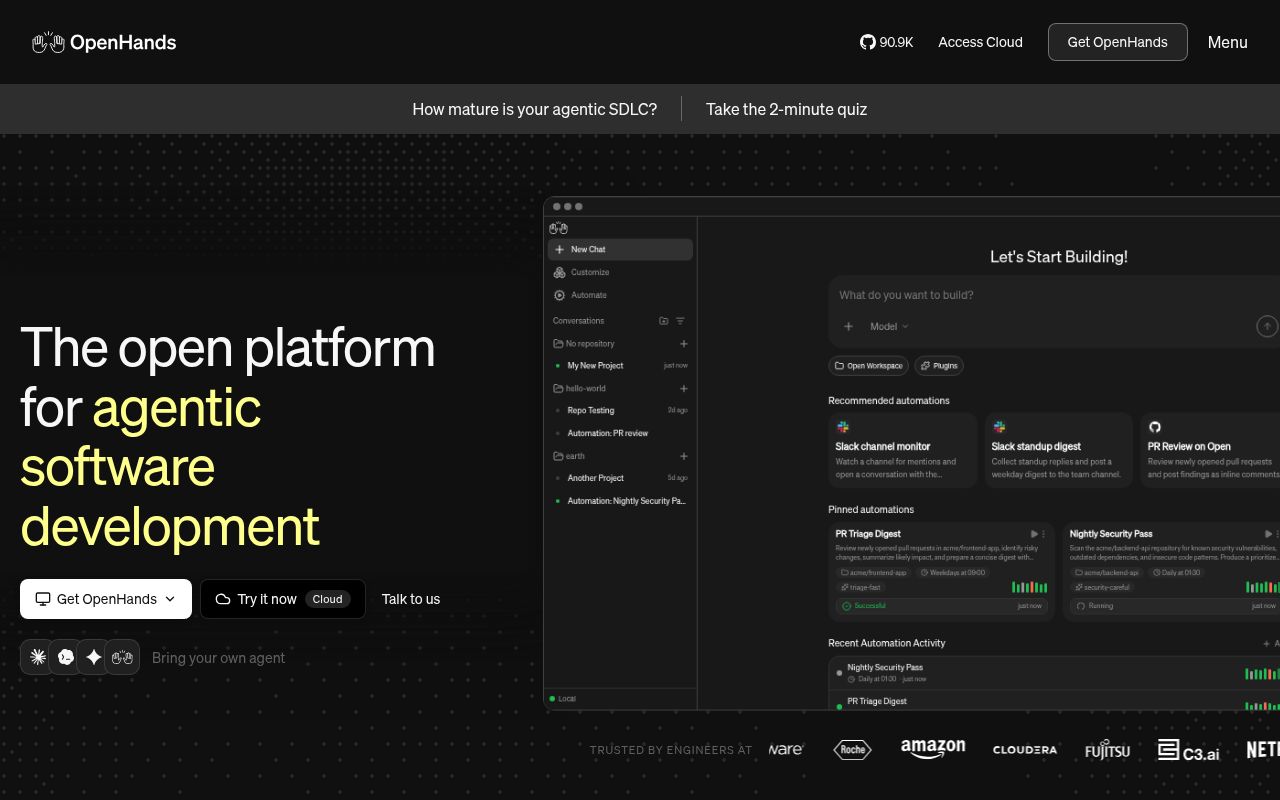
The README describes Canvas as the control center, with execution handled by the Agent Server and scheduled or event-triggered work handled by the automation service. These are documented capabilities, rather than outcomes demonstrated by our run.
What our October 14 run established
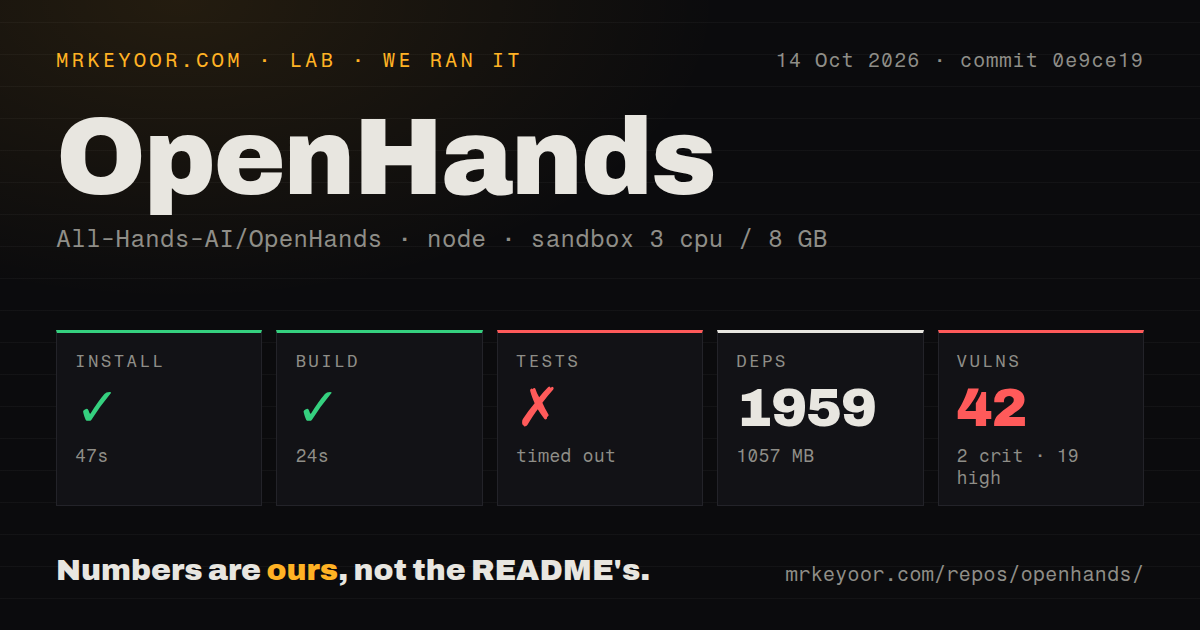
Our stored run began on October 14, 2026, at 03:46:21 UTC and checked commit 0e9ce191390f535347ff17055038c45eeef3fedf. Its install output identifies @openhands/agent-canvas@1.27.1. The recorded container configuration has 3 CPUs, 8 GB of RAM, and image label lab-node:22.
| Recorded step | Result | Limit |
|---|---|---|
| Repository dependency installation | Completed in 47 seconds, exit 0 | Does not establish that the published CLI was installed or launched |
| Build | Completed in 24 seconds, exit 0 | Does not establish a working Agent Server or authenticated agent |
| Test command | Timed out at 900 seconds, exit 124 | No final suite result or verified exhaustive test count |
The test tail contains passing jsdom cases, including backend conversation storage and Docker runtime package checks. Those are test-output observations, not evidence that we ran a Docker deployment. The tail does not explain why the command exceeded the cutoff. It could not establish a complete suite pass, and the timeout does not diagnose a product defect.
No installed-binary check, running-stack check, authenticated conversation, or completed coding workload is recorded. There is no measured task speed, model quality, or deployment reliability result here.
Footprint and audit figures need separate labels
The stored summary records 1,959 dependency packages and 1,057 MB. The raw install tail instead says npm added 1,379 packages. We retain the stored footprint measurement without describing it as the number of packages downloaded or added. The supplied record does not reconcile the two counting scopes.
The stored npm audit summary reports 42 findings: 2 critical, 19 high, 18 moderate, and 3 low. The install-time output separately reports 40 findings, including 1 low. These observations come from different parts of the record; we cannot explain the difference from the supplied evidence. Audit coverage is unknown, and the record provides no advisory identities or dependency paths for assessing deployment exposure. These findings do not establish 42 exploitable flaws in Canvas.
The repository scan records 2,650 files, about 416,090 lines of source, and 22.5 MB, plus 20 CI workflow files and a tests directory. It detected no Dockerfile or Compose file. That scan does not establish the absence of upstream Docker support: the README documents Docker launch options.
Follow the launcher requirements, then verify the runtime
The README at the measured commit requires Node.js 24 or later and uv for the direct npm launcher. The current README retains those requirements and adds npm 11.12.1 and npm ci to its source-development instructions. It explicitly distinguishes contributor dependency resolution from installation of the published Canvas package.
Our image label, lab-node:22, does not prove which Node.js executable ran. The detector's nodeMajor value of 24 also does not substitute for a recorded runtime-version command. The successful build therefore establishes neither compatibility with Node.js 22 nor verification of the documented launcher environment.
The ACP guide explains that the Agent Server starts an external agent's CLI and supplies its credentials. A local provider login can be reused; a fresh container generally needs credentials supplied explicitly. OpenCode's documented free-model path is an exception. The guide also limits Pi and OpenCode to local or self-hosted backends, including Docker, rather than OpenHands Cloud.
For an evaluation, first confirm the required runtime and launcher, then check backend connectivity and authentication with a disposable project. Those are proposed next steps, not checks completed in our run.
Separate containers can still share project files
The README warns that the direct launcher gives the agent full access to the host filesystem. Its multiple-sandbox option places each new conversation's execution in a separate container, while Canvas and the outer Agent Server remain on the host.
Conversations mounting the same host workspace still share its files. Use separate directories or worktrees when agents need independent checkouts. Container separation alone does not prevent conflicting edits, and our run did not test the isolation of any deployment mode.
Browser origin is a separate access boundary
The self-hosting guide warns that the bundled OpenVSCode editor shares Canvas's browser origin. It says scripts running on that origin can read localStorage containing session API keys for registered backends. This is an upstream-documented design concern, not a security finding from our sandbox.
The guide recommends restricting network access and using an explicit backend key with public mode for exposed installations. Those controls govern access to the service; they do not isolate scripts sharing a browser origin. Evaluate that storage boundary before registering sensitive backends. Keep this concern separate from the dependency audit totals, whose affected paths are not supplied.
Choose the interface you need
Aider's README describes terminal pair programming, codebase mapping, and automatic Git commits. It is a relevant option when your main need is making and reviewing repository changes through a terminal workflow.
Cline's README describes editor integrations with reviewable diffs and command approval, alongside CLI and desktop options. Choose its editor integration when that is where you want to review agent work. Its auto-approve option means human approval is configurable.
These are workflow comparisons from their primary documentation, not comparative test results. Canvas has a clear reason to evaluate when switching execution backends and operating automations are part of the requirement. Our measurements do not establish that it performs those tasks better than either alternative.
How to read the scores
These are editorial evidence ratings, not benchmarks. Setup ease rates the work needed to reach a verified usable workflow; docs rates the specificity of the supplied operating guidance; community rates demonstrated support and participation; maturity rates evidence of dependable operation. On each scale, 1 means little supporting evidence or major unresolved work, 2 means substantial uncertainty, 3 means useful evidence with material limits, 4 means strong evidence with bounded gaps, and 5 requires broad corroboration. Unknown adoption or compatibility earns no extra credit.
Setup ease is 2/5 because dependency installation and a build completed, while the running stack remains unverified. Docs is 4/5 because the supplied guides explain prerequisites, credentials, workspace sharing, and browser-key exposure. Community is 2/5 because contribution and support routes are documented, but their responsiveness and participation were not measured. Maturity is 2/5 because this evaluation lacks a complete test result and an operational workload check. The timeout is an evidence limit, not proof of faulty software.
Before committing a valuable workspace, reproduce setup with recorded runtime versions, obtain a complete test result, investigate the audit findings against your dependency paths, and verify an authenticated task in the deployment mode you intend to use.