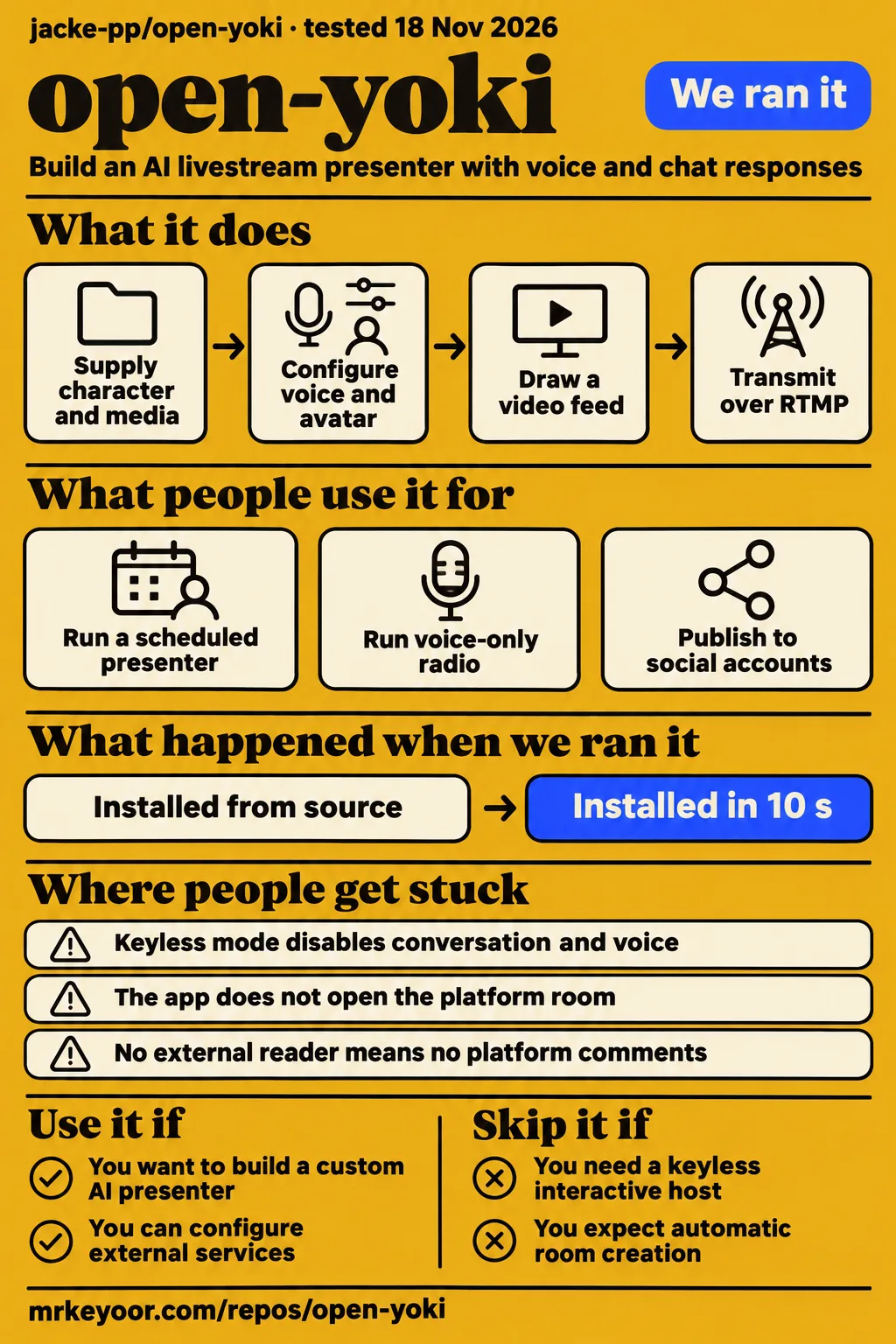
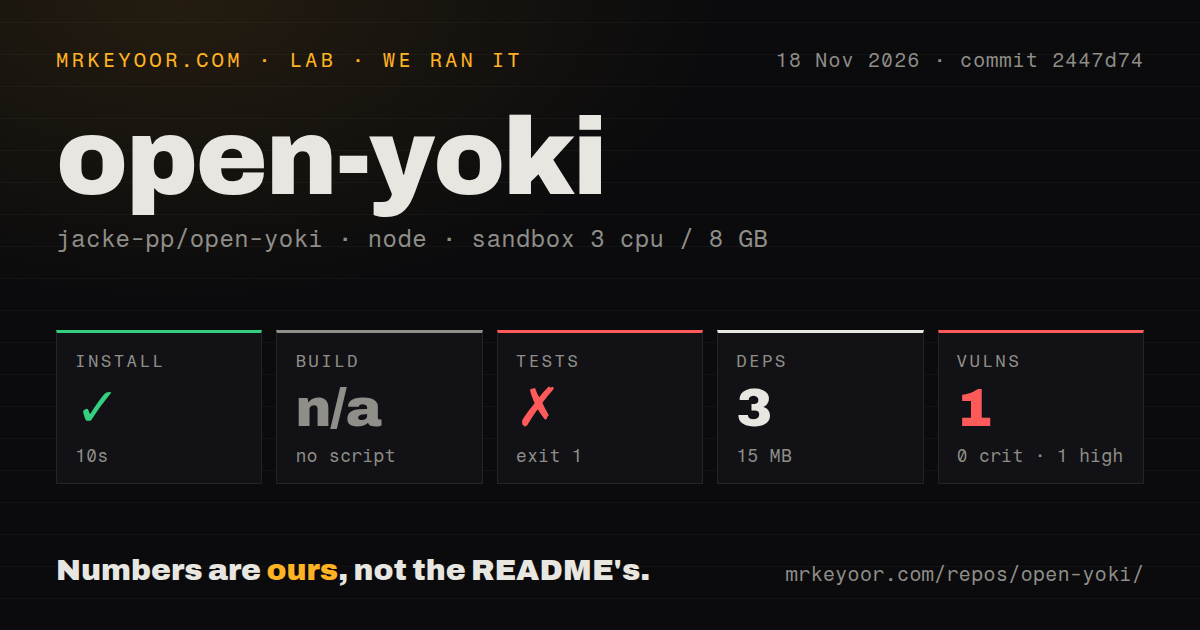
Our sandbox installed open-yoki in 10 seconds, then its test command failed after 56 seconds. Use it if you want to build an AI livestream persona and can manage its services and platform connections. Skip it if you expect a broadcaster that opens a room and collects platform comments for you. The README assigns those platform tasks to the operator. Open-yoki English README
What you can do with open-yoki
Open-yoki documents an AI presenter with speech, an animated face, chat responses and optional persistent memory. This review covers jacke-pp/open-yoki, the JavaScript foundation behind the author's yoki host. Its Chinese main README links to an English version. Naming the repository distinguishes this application from unrelated YoKI services and music appearing in the supplied research. Its documented job is assembling and operating a character, with the operator providing the identity, media and connected accounts. Project description
The documented video path uses headless Chrome to draw a 16:9 feed and ffmpeg to transmit it over RTMP. That feed can contain the presenter's picture, captions, market panels, songs and sound effects. Prepared clips provide movements such as a wave or dance. The optional heart is a persistent agent with Markdown files for its diary, mood and impressions of returning viewers. These are separate parts of the host architecture, rather than assets supplied with the original character. Presenter architecture
The public snapshot removes the original host's face, voice, persona, accounts and money-related features. Its example character, Lili, has placeholder fields and a gradient image. Creating a character includes writing its profile, choosing its appearance and supplying media. The README directs operators to copy the example host, edit its configuration and profile, and configure their own voice and avatar assets before using that identity for a show. Character setup
What people use open-yoki for
The author reports that yoki streams nightly on Binance Square using this foundation. The README describes the public code as a snapshot of the October 24 v150 build, with the original identity and accounts removed. This is an attributed example of the architecture's intended job: a recurring character-led show with chat, speech and a composed video feed. The measured checkout in this review is identified separately by commit 2447d74. Author's account and snapshot description
The README also documents a voice-only radio mode between shows, using a still picture, songs and conversation. Operators open that radio broadcast on Square and provide its RTMP address. Optional Telegram groups, X replies and connections to an external AI world extend the character beyond the broadcast. These workflows help define which parts of the application fit a proposed character: a scheduled presenter, a radio host or a character with additional social accounts. Radio and social workflows
What happened when we ran it
Our November 18, 2026 run used commit 2447d74 and recorded a successful dependency installation followed by a failed test command. The application lived in app/, and the sandbox configuration recorded 3 CPUs, 8 GB RAM and image label lab-node:22. Installation, tests and the repository scan describe this checkout. The separate hands-on deployment records describe another attempt whose safety check required a Compose file.
| Source-check step | Recorded result | What it means |
|---|---|---|
| Install | Succeeded in 10 seconds | Dependency installation completed |
| Dependency record | 3 dependencies, 15 MB on disk | Recorded installation footprint |
| Build | Skipped: no build script or target | No build result to report |
| Tests | Exit 1 after 56 seconds | The command failed |
| npm audit | 1 high-severity vulnerability; 0 critical, moderate or low | The audit reported one known vulnerability |
| Repository scan | 260 files, about 17,068 source lines, 5.1 MB checked out | Size of this checkout |
| Automation signals | 0 CI workflow files, no Dockerfile, tests directory present | Files detected by the scan |
The visible test tail contains successful checks for read-only posting, missing credentials, secret handling, parsing replies, delivering new items to the heart and preserving reply numbers across restarts. It also shows checks refusing links, contract addresses, unknown numbers, missing first lines and repeated replies. Other checks enforce a minute between replies and a daily cap, and connect the real X client without sending a reply when keys are absent.
The final visible checks concern crowd-tagged posts and the account mentions prefixed to X replies. One clears crowd tags before they reach the host, another strips the leading mention chain, and another allows a crowd post tagging Binance or coming from a large account. These are the checks shown in the failed command's tail. Their labels, 246 through 257, identify log entries rather than a reported passing-suite total.
The separate hands-on safety step failed because none of compose.yaml, compose.yml, docker-compose.yaml or docker-compose.yml existed. Its run summary nevertheless says the application deployed with its own Docker Compose and every port bound to 127.0.0.1. Those records conflict; the explicit failed step is the concrete deployment outcome. Teardown reported success.
Where people get stuck: loading is only the first checkpoint
Without API keys, the documented local example disables conversation and voice and displays a still image. The README then names OPENROUTER_API_KEY, VOLC_API_KEY and DOUBAO_VOICE_ID for speech. Creating a moving presenter adds the avatar assets and services described in the host setup instructions. The loading check, speaking character and moving presenter are distinct configuration checkpoints, which explains why a visible local page can still be silent. Local example and credentials
| Symptom or expectation | Documented explanation | Practical next step |
|---|---|---|
| Page loads but the host is silent | Keyless mode disables the brain and voice | Supply the model key, voice key and voice ID |
| The example has no recognizable presenter | Lili's image and identity are placeholders | Create your own profile and media assets |
| A scheduled show has no platform room | The app does not open the room for you | Open the room in the platform console and supply its stream details |
| Platform comments never reach the host | The server does not log in to read them | Connect a script, bot or official API to chat ingestion |
| The next Square broadcast needs new stream details | Each Square live has its own push key | Supply that broadcast's RTMP address and key |
The comment-ingest interface connects an external room reader to the application. The README says that reader may be your script, a platform's official API or a bot, and describes authentication with the x-square-key header. Following a comment from the intended platform through that reader to the host's response is a useful acceptance task. Manually injecting a comment exercises the ingest portion of that path. Chat-ingestion instructions
Paid avatar connection time belongs in the operating budget
The README identifies Vidu's connected avatar time as the largest service expense. Its service table also lists Volcengine RTC, Doubao speech and voice cloning, and OpenRouter or DeepSeek for the speaking model. Optional heart activity, X access and data services add separate billing arrangements. Running the application on one machine still leaves these provider accounts and charges in the operator's budget, with optional features changing which accounts are needed. Service and cost table
Upstream quotes about 3 CNY per 10,000 characters for Doubao speech, plus a voice-cloning slot, and describes RTC as a few CNY per show. These are the author's rough component estimates. Broadcast duration, avatar connection time, speech volume and model usage are separate inputs to a budget. Between-show heart activity adds another input when the persistent agent forms part of the intended deployment. Upstream component estimates
The video toolkit describes two outputs from existing host footage: highlights extracted after a broadcast and an update video assembled from a JSON storyboard and before-and-after recordings. This gives operators another documented use for a saved replay. The distinction matters when choosing a workflow: these tools edit material the host has already produced, while the repository places AI-generated footage tools in tools/studio/. Video toolkit documentation
Security starts with who can feed chat and publish posts
The README warns that possession of the ingest key allows someone to insert messages into the host's incoming chat. It instructs operators to keep that key on the machines reading the room. Service credentials belong in root-owned environment files with permission 600, while the Telegram token has its own file. These are documented credential-handling instructions for the operator configuring the application and its platform connections. Credential and ingest-key guidance
The documented web room binds to 127.0.0.1, with Caddy in front for public access and key-based SSH. Separately, the optional heart queues writing for Binance Square through the official OpenAPI and for X through the X API when credentials are configured. Connecting those accounts gives the character an outward publishing role. Account selection therefore changes what the character can publish as well as where viewers can watch it. Network and publishing instructions
Chinese documentation leads, with an English entry point
Open-yoki's main README is Chinese, and the English README describes services, local loading and manual platform tasks. It distinguishes scheduled transmission from opening a platform room and lists the credentials needed for speech. It also points to the Chinese SETUP.md for the full server procedure, described as instructions an AI assistant can follow. English-speaking operators have an architecture overview and a named document for the server setup route. English README and setup reference
The documented local requirements are Node.js 22+ and ffmpeg. Upstream recommends an x86_64 Ubuntu server with 4 cores and 8 GB in Hong Kong, Singapore or Japan. Our source-check configuration recorded 3 CPUs, 8 GB RAM and the lab-node:22 image label. Keeping the recommendation and recorded configuration separate prevents the sandbox's CPU allocation from being presented as an upstream requirement. Requirements and server recommendation
Open-yoki vs Open-LLM-VTuber and OBS Studio
Open-LLM-VTuber describes voice interaction with a Live2D avatar, while OBS Studio describes video capture and production. Their READMEs support different starting points for selection. A developer choosing a local character companion has a different immediate task from an operator selecting broadcast sources or assembling open-yoki's scheduled presenter. The comparison below maps each project's documented job to a requirement, rather than assigning a numerical winner.
| Project | Documented job | Choose it when |
|---|---|---|
| open-yoki | AI presenter with RTMP output, optional memory and posting | You want its host architecture and can configure external services |
| Open-LLM-VTuber | Voice interaction and a Live2D avatar, with offline operation described | Your first requirement is a local voice companion |
| OBS Studio | Capturing, compositing, encoding, recording and streaming video | You want to operate a broadcast and select its sources |
Open-LLM-VTuber's README says its functionality can run completely offline on your computer. OBS Studio handles video capture, compositing, encoding, recording and streaming. These descriptions make each relevant to a different part of the reader's decision: interacting with a character or producing a broadcast. Read the Open-LLM-VTuber README for the companion workflow and the OBS Studio README for video production.
What the other reviews get wrong
Early Signal describes a self-contained host without juggling multiple services, while the README lists providers for the avatar, RTC, voice and model. The useful distinction is between where the application runs and which services it calls. One application server can coordinate a show that still uses several provider accounts. Early Signal's description compresses those two decisions into a promise that the upstream service table does not support. Early Signal description, upstream service dependencies
GitCode's headline presents a ten-minute keyless local run as an AI-host quick start. The README gives the narrower behavior: the brain and voice stay off, the face is a still picture, and the local page shows that configuration loads. That is a loading checkpoint. Speech follows the documented credential configuration, and the moving presenter has its own avatar setup steps. GitCode headline, documented keyless behavior
The collected X promotion says the streamer goes live on its own, while the README assigns platform room creation to the operator. It also explicitly excludes browser automation that logs into Binance Square or reads its room. Scheduling the outgoing feed and creating the platform room are distinct jobs. The operator supplies the room, each broadcast's stream details and the connection that delivers platform comments. Collected X promotion, platform responsibilities
FAQ
Open-yoki is an MIT-licensed AI livestream-host foundation; running its documented speaking and moving character uses external services. The questions below cover its identity, installation and local example. Questions whose answers concern missing measurements appear under the final section, with the missing result stated first. This keeps the practical setup answers together and gives cost, compatibility, policy, storage and documentation questions direct answers without repeating their evidence boundaries.
What is open-yoki?
Open-yoki is a JavaScript application for assembling an AI livestream presenter with voice, an avatar and chat responses. Its optional heart keeps a diary and notes about regular viewers and decides what to post. The public snapshot supplies the foundation and an example character. Operators create their own identity, supply media and configure the services and platform connections used by that character. Project architecture
Is open-yoki free and open source?
The project is MIT licensed, while bundled third-party files retain their own licences. The documented moving-avatar and speech path uses external services, including Vidu, RTC, Doubao and a language-model provider. The licence describes the terms for using the code; the service table describes operating expenses. Those are separate considerations when deciding whether to use this foundation for a broadcast. Licence and services
How easy is it to install open-yoki?
Our dependency installation took 10 seconds, and the test command exited 1 after 56 seconds. The README's local procedure starts in app/ and then launches the example host. Its server route adds host configuration, voice and avatar assets, credentials and platform connections. The successful installation is one completed step in our recorded run; the failed test command is another concrete result to retain when assessing setup. Documented setup sequence
Can I run open-yoki locally without API keys?
Yes: the README documents a local loading check with the brain and voice off and the face shown as a still picture. It then names OPENROUTER_API_KEY, VOLC_API_KEY and DOUBAO_VOICE_ID for speech. The sequence gives a first-time user two specific checkpoints: loading the example configuration and supplying the credentials for the host's speaking path. It also explains the silent page described in the troubleshooting table. Local example
What content would you have your open-yoki host stream first?
The README documents a presenter responding to chat and a voice-only radio stream with songs and a still picture. These are concrete starting formats for the content question in the supplied research. The presenter uses the composed video feed, while radio uses the simpler visual format. Both still require the operator's platform room and stream details, so the choice also determines which character assets to prepare. Documented show formats
What we have not tested yet
The supplied runs contain no successful complete broadcast with live platform comments, paid voice and avatar services or connected heart publishing. The Compose-file requirement belonged to our deployment route; its failure does not test the documented native route. The conflicting deployment summary supplies no reliable success result. Independent public-snapshot deployment success, long-run reliability, interaction quality and maintenance effort remain unmeasured. The described publishing workflow also supplies no evidence of a human approval mechanism.
The source-check log does not reveal why tests exited 1, and its successful tail does not establish a passing suite. The audit summary names no affected package, advisory or remediation. The lab-node:22 label does not establish the actual runtime or operating-system version. GitCode's accessible extract supplies no demonstration of its ten-minute promise. The pack contains no screenshot records or hands-on known-answer questions, and its video extracts provide no usable setup demonstration.
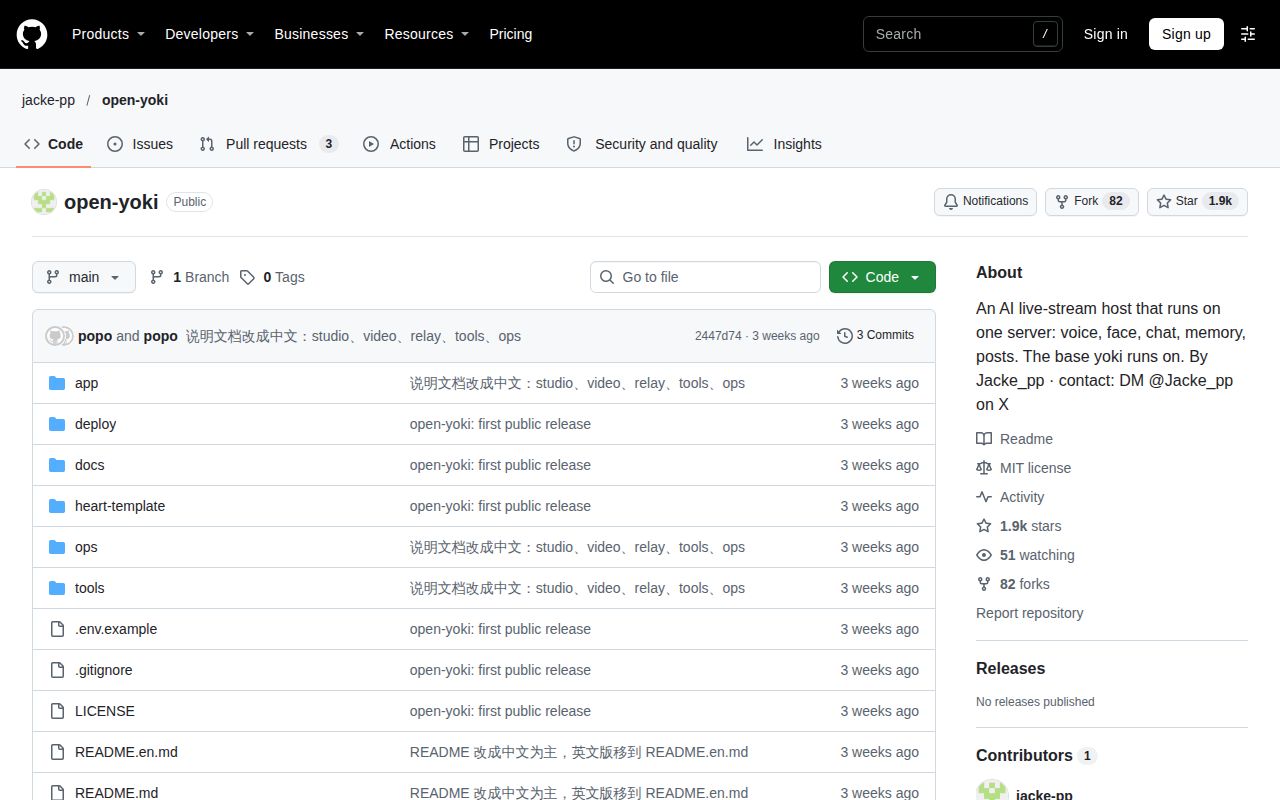
GitHub metadata observed on November 18, 2026 records 1,853 stars, 3 combined open issues and pull requests, and a last push on October 28, 2026. Their composition, subjects and support-response history are absent from the supplied evidence. Release status is unknown: lastRelease is null, without a supplied release-endpoint response or HTTP status. These records provide no basis for declaring abandonment or assigning a measured community-support score. Supplied GitHub metadata
How much does a month of running an open-yoki AI livestream host cost?
We have no measured monthly total. The README gives rough component estimates: Vidu is billed by connected second, Doubao speech costs about 3 CNY per 10,000 characters plus a cloning slot, and RTC costs a few CNY per show. Optional heart activity and X access add separate charges. A complete-night bill is also absent, so these estimates cannot be converted into an observed monthly operating cost. Rough service costs
Does open-yoki work outside Ubuntu, and do its services require particular server regions?
Compatibility outside the recommended configuration and required service regions are untested. Upstream recommends x86_64 Ubuntu with 4 cores and 8 GB on a server in Hong Kong, Singapore or Japan. Its local instructions separately require Node.js 22+ and ffmpeg. The recommendation names a deployment configuration; it supplies no compatibility matrix or finding that those locations are mandatory for each connected provider. Server recommendation
Do Binance Square, X and Douyin permit the automated activity described for open-yoki?
We have not verified whether these platforms permit the described activity. The README documents Square posting through its official OpenAPI, X posting through the X API and optional Douyin browsing. These are descriptions of integration routes, rather than platform permission findings. The supplied evidence includes no determination covering the intended accounts, automated posting, browsing or other platform actions, so technical integration alone cannot answer this policy question. Publishing and browsing workflows
What does the optional heart write and publish over several days?
We have not observed multi-day output. The README describes the heart keeping its mood, diary and impressions of regular viewers in Markdown files. Writing queued in its outgoing-post folder goes to Square and X when the corresponding credentials are configured. That documents the memory and publishing workflow, but the supplied runs contain no multi-day diary, post history or assessment of what a configured public-snapshot character produces over time. Heart workflow
How much disk space do open-yoki recordings consume?
Recording storage consumption was not measured. Our installation record reports 15 MB for dependencies, and the checkout scan reports 5.1 MB for the repository; neither figure measures replays. The video toolkit documents editing existing recordings into highlights and update videos. Its supplied extract describes that workflow, but contains no observed storage result for a complete broadcast or a retained library of recordings and generated outputs. Replay-processing tools
Does the English README match the maintained Chinese README?
English-to-Chinese parity was not assessed. The supplied English README covers the local example, service requirements, manual room creation, chat ingestion and optional publishing. The main Chinese README links to it, and the English document directs readers to Chinese SETUP.md for complete server setup. Those facts establish an English entry point and a setup reference, without establishing translation completeness, matching maintenance or parity between the two documents. English documentation
The video tools and alternatives have no shared production-task comparison in this evidence, and the video toolkit has no independent output assessment. This text review also leaves rendered layout, resolved links, related links, recommendation modules and template content untested. A useful next acceptance result would be a supervised broadcast on the intended platform, with a saved replay, observed comment responses and recorded provider charges for that session.