Fred TV manages IPTV sources rather than supplying channels
Fred TV, the new name for Open TV, imports M3U files, M3U URLs, and Xtream accounts supplied by the user. It can combine several sources, group channels, save favorites, refresh listings, record a playing stream, and create custom channels. The interface is designed for keyboard or television-remote navigation, with shortcuts for categories, search, favorites, live channels, movies, and series.
The application does not advertise a channel catalog of its own. A useful trial therefore starts with a lawful provider or playlist that you already control. Playback quality, guide accuracy, catch-up behavior, and channel metadata depend partly on that source. The app can also restream a channel to friends or other devices, a feature that needs network and rights review before it is exposed beyond one household.
Packaged installs hide 3 media dependencies
The README says Windows MSI and Linux Flatpak users can skip the prerequisite section. Other installations depend on mpv, ffmpeg, and yt-dlp. macOS users install them through Homebrew or MacPorts. Fedora users need RPM Fusion, while Debian and long-term-support distributions are steered toward a backport for yt-dlp. The Windows installer bundles mpv, though a separately managed copy can provide newer releases.
Docker is supported but explicitly not recommended. The examples attach to the host network, mount the X11 socket and user data, then expose either an NVIDIA GPU or /dev/dri. That is more host access than a normal isolated web container and still needs a graphical session. For Linux users, the project recommends a release package or Flatpak. The stores also include Microsoft, Apple, and Google listings, making source compilation optional for ordinary viewing.
What happened when we ran it
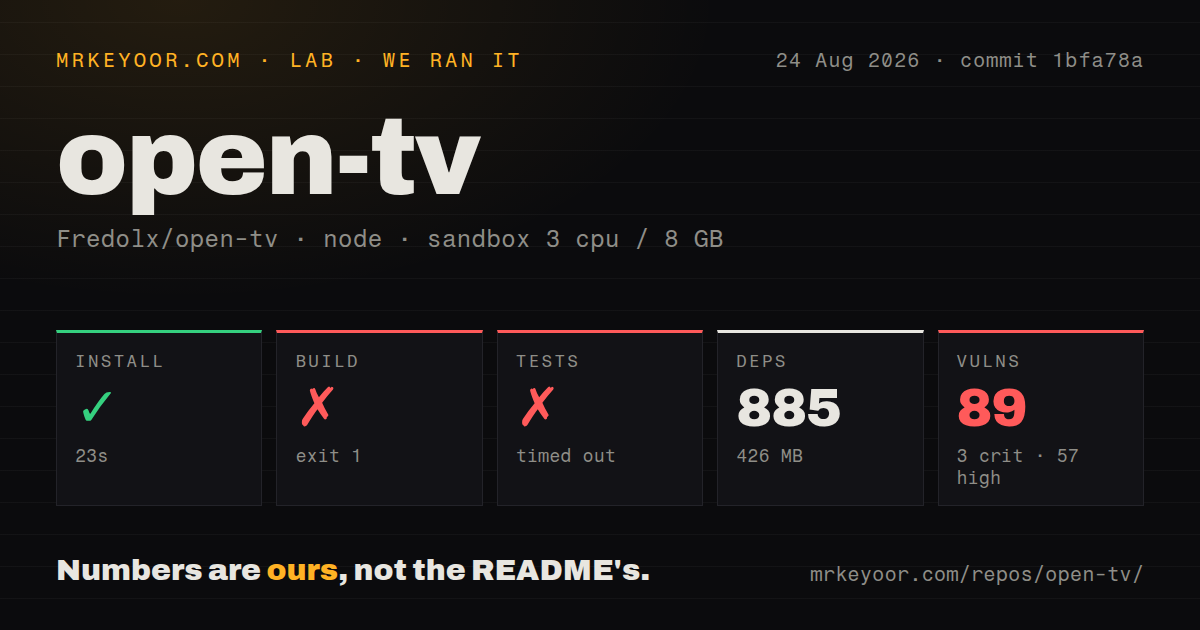
Our sandbox installed 885 pnpm packages in 23 seconds and used 426 MB on disk. The build then failed after 10 seconds. Tauri reported 2 version pairs on different minor releases: Rust tauri 2.9.3 versus @tauri-apps/api 2.11.1, and Rust tauri-plugin-dialog 2.4.2 versus the JavaScript dialog plugin 2.7.2. It stopped before producing an application.
Tests timed out at our 900-second cap. Angular completed browser bundle generation, Karma started on port 9876, and the Chrome launcher then reported that no Chrome binary existed on the platform. The log asked for a CHROME_BIN environment variable. We cannot say whether the tests would pass with Chrome installed because the run never captured a browser and did not finish.
Npm audit reported 89 known vulnerabilities in the installed dependency tree: 3 critical, 57 high, 21 moderate, and 8 low. The checkout at commit 1bfa78a contained 248 files, about 8,953 source lines, and occupied 7.9 MB. It had 2 CI workflow files, a Dockerfile, and no tests directory. These results apply to our Node 22 lab run, not to binaries from an app store.
Source builders hit version drift before application code
Tauri applications pair JavaScript packages with Rust crates, and the build checks that corresponding major and minor versions agree. In this checkout they did not. This is a repository-maintenance problem rather than a missing Debian library: the error names both mismatched pairs directly. A contributor can inspect dependency updates, but a prospective user should not have to repair the tag just to decide whether the player works.
The missing Chrome test prerequisite is a separate issue. A browser runner is normal for an Angular interface, yet the repository's test command did not select an available headless browser in our fresh container. A dependable CI path should install and point to a browser, fail promptly when it is absent, and then report actual assertions. Waiting 15 minutes without running a browser makes local validation needlessly expensive.
Current stream bugs justify testing your own playlist
Open issue 450 reports that version 1.9.1 can treat comment lines after the final channel in a category as a file path, preventing that channel from opening. The reporter says the stream itself plays directly in mpv. Issue 451 reports a stream did not contain valid UTF-8 error across one user's channels. These are specific reports, not proof that every playlist fails, but both touch the core job of parsing provider data.
The issue and pull-request queue also contains fixes for mpv output deadlock, command-argument injection, HTTP header injection, localhost binding for restreaming, and a Tauri content security policy. GitHub showed 111 combined open issues and pull requests. Before enabling restreaming or loading an unfamiliar playlist, use a current packaged version, keep it on a trusted network, and review whether those security fixes have reached the build you installed.
June code and August reports show a strained solo project
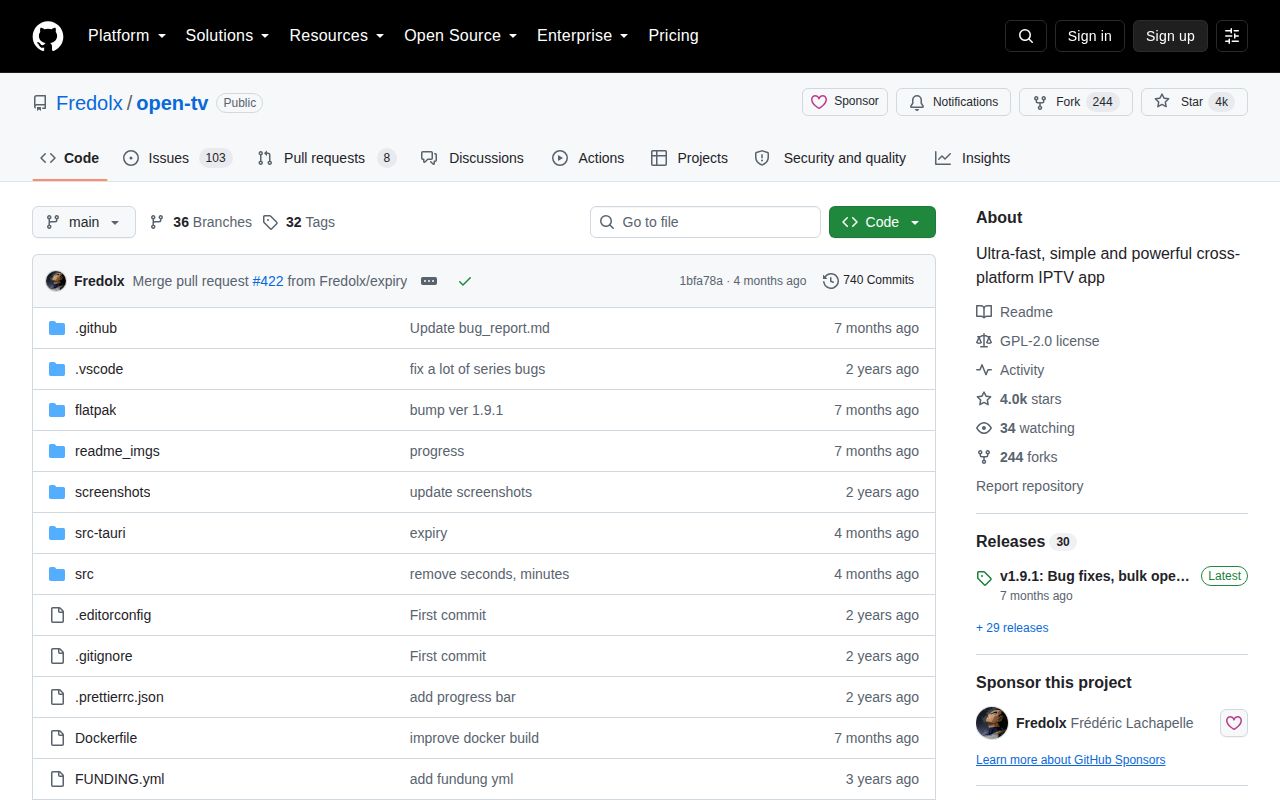
Release v1.9.1 arrived January 19, 2026 with catch-up, custom-channel, favorite, Linux, and bulk-operation fixes. The repository's last push was June 14, while issue activity continued into August. GitHub showed 4,000 stars. The README says one person has maintained the project for 2 years and is asking for financial support, a bus-factor warning stated by the maintainer rather than inferred from the star count.
Fred TV has an appealing feature set for someone whose provider works well with it. The lab result blocks a source-build recommendation today: 2 version mismatches, no completed browser tests, and 89 advisories are too much unresolved evidence. Try the packaged application with a disposable copy of your playlist, confirm the last channel and recording paths, and keep VLC available when the priority is simply opening a stream.