Agent Canvas controls agents across different backends
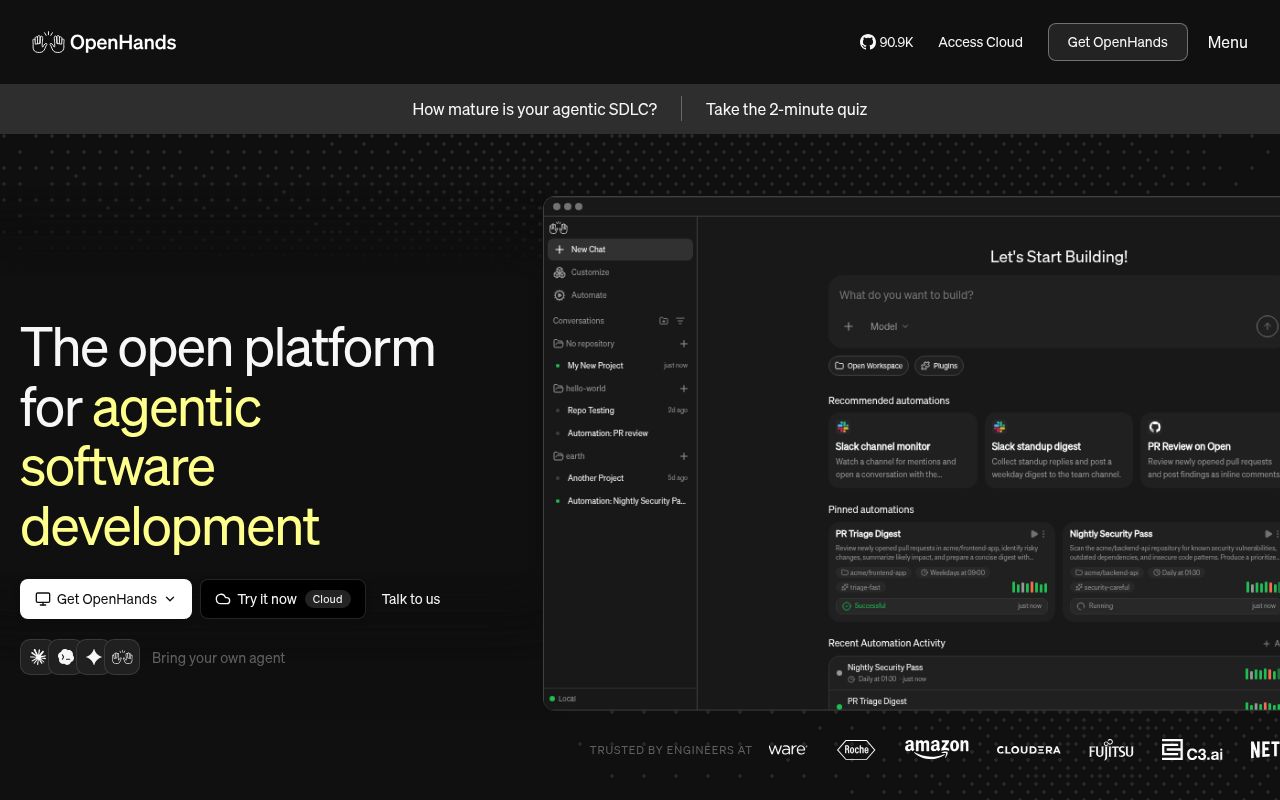
OpenHands/OpenHands now presents itself as Agent Canvas, a browser control center for coding agents and automations. You can switch between local and remote backends instead of keeping every conversation on your laptop. The useful purchase here is operational: a shared place to start work and inspect what happened. If your existing terminal assistant already covers the job, another interface and its background services need to earn their upkeep.
Our checkout contained 2,650 files, roughly 416,090 source lines, and 22.5 MB before dependencies. The architecture guide separates this TypeScript frontend and its launchers from the Agent Server and automation service. Execution belongs to the server, while scheduling and event dispatch belong to the automation backend. A working browser application therefore covers only part of a useful deployment. That distinction matters when deciding what our repository run proved.
What happened when we ran it
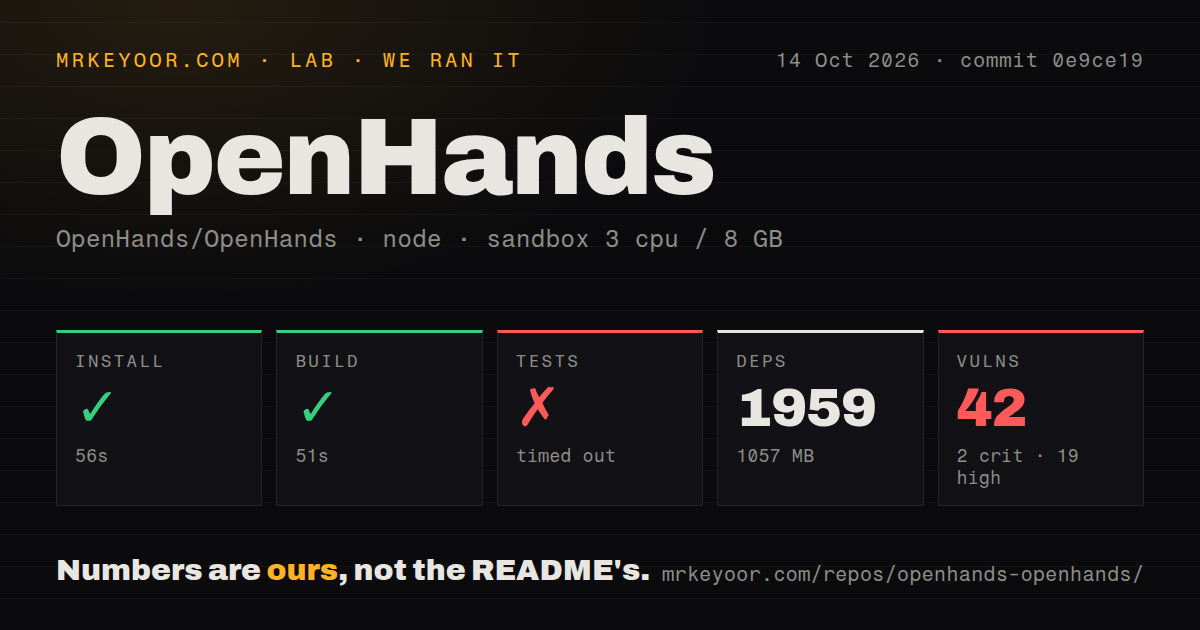
Our sandbox installed commit 0e9ce19 in 56 seconds, adding 1,959 npm packages and occupying 1,057 MB on disk. The build passed in 51 seconds. We ran it on October 14, 2026, with 3 CPUs and 8 GB of RAM in an unprivileged lab-node:22 container without secrets. The repository scan found 20 CI workflow files, a tests directory, and no Dockerfile. The README separately documents a published Docker image.
The test command timed out at 900 seconds. Its final excerpt shows passing component and hook cases, including automation status badges and authentication-refetch behavior. It contains no exception identifying why the overall command failed to finish. A tail full of green checks does not establish a complete passing suite. Calling this a deadlock, resource shortage, or provider-authentication failure would go beyond the evidence we have.
Npm audit reported 42 known vulnerabilities: 2 critical, 19 high, 18 moderate, and 3 low. The supplied result does not name packages or show which findings affect shipped browser code or backend behavior. I would require that breakdown before approving a deployment with repository access. These findings belong to the measured dependency environment, and should not be presented as proof that an attacker can exploit Agent Canvas.
Node 24 and backend credentials sit beyond the frontend build
The current README requires Node.js 24 or newer plus uv for the npm and source launchers. Our lab used Node 22, so its successful build should not become advice to ignore the documented prerequisite. The launcher also starts Python-backed services. For restricted machines, review both ecosystems and the backend's network access before treating a successful npm command as readiness to run coding agents.
The ACP guide explains how external agents launch through their own command-line programs on the selected backend. They need their provider login or API credentials there. A login available on your laptop does not automatically exist in a fresh container. OpenHands also connects to MCP tool servers, adding another set of endpoints and permissions. Decide which backend holds each credential before adding integrations or scheduling unattended work.
Local agents can access the host filesystem
Our 1,057 MB environment ran without secrets, which limits the result's operational reach. The source launcher in the README runs the Agent Server directly on the host and explicitly warns that the agent receives filesystem access. Docker options scope project access through mounted directories. Even separate conversation containers can share files when they mount the same workspace. Use separate directories or worktrees when concurrent agents should not edit each other's work.
The self-hosting guide also documents a browser boundary worth taking seriously. The bundled editor shares Canvas's origin, and backend session keys live in origin-readable browser storage. Open issue 16492 concerns that exact registry behavior. Script running on the shared origin can read registered backend keys. A path such as /vscode organizes routing without separating that browser trust boundary.
v1.27.1 fixes packaging while maintenance continues
Release v1.27.1, published October 12, fixed missing MARS web bridge modules in the Docker image and adjusted warning feedback for themes. GitHub recorded a push on October 15, 2026, alongside 90,957 stars and 1,007 open issues and PRs. Recent work includes automation session-key handling and backend repository selection. The release and ongoing activity support calling the project maintained, while the README still labels Agent Canvas beta.
The 51-second build is encouraging for frontend contributors, but it leaves backend integration outside the measured result. The documentation clearly assigns server APIs and agent tools to the separate SDK repository. If a conversation cannot execute an action, the responsible code may live there rather than in Canvas. Budget time to trace service boundaries instead of expecting every operational defect to have a fix in this checkout.
Choose a terminal tool if backend switching adds no value
Aider is a more direct option for pair programming inside a repository from your terminal. Goose offers a desktop and command-line agent with extensions. Neither choice removes the need to review generated edits or control credentials. They do let you ask whether you need Agent Canvas's backend registry and automation interface before operating another stack.
For a team already coordinating remote agents, the 56-second install makes Canvas worth a controlled trial. Start with a disposable workspace and review the resulting changes before connecting event triggers. Keep the 900-second timeout on the acceptance checklist, alongside dependency triage and the documented browser-key boundary. I would keep the first backend away from production credentials until those particular questions have acceptable answers.