One dashboard combines IP, browser, and service checks
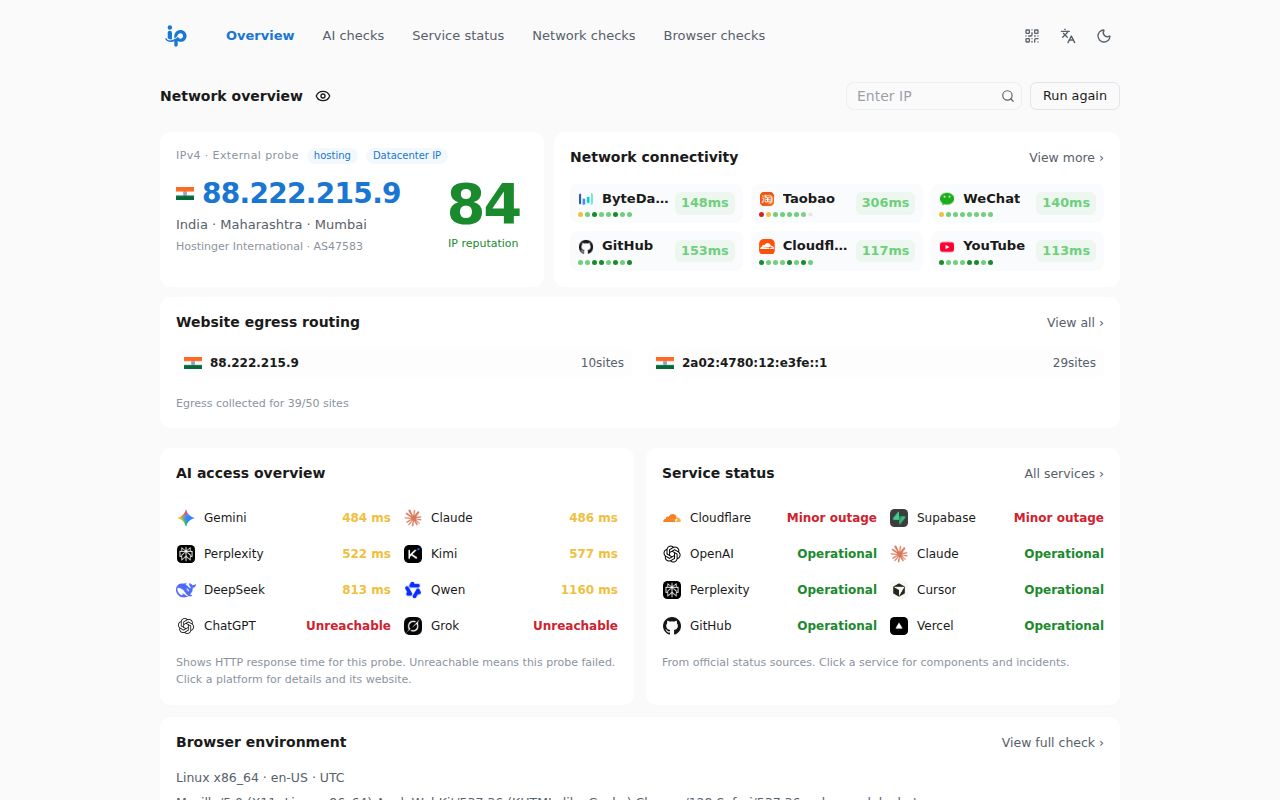
One IP gathers jobs that usually send a support engineer across several sites. It looks up IPv4 and IPv6 details, ASN and CIDR records, compares egress addresses, checks DNS and CDN behavior, runs Globalping probes, and reads RDAP registration data. Browser pages inspect FingerprintJS, CreepJS, WebRTC, permissions, and automation signals. Another view probes access to 8 named AI services and collects their official status feeds.
The breadth is useful during a vague complaint such as “Claude works here but not there.” It also needs restraint. The README says fields depend on each data source, public services can rate-limit requests, and CORS rules may block a check. HTTP response timing is different from ICMP ping. Treat the page as a collection of clues, then confirm a costly diagnosis with the source system or a controlled network test.
Cloudflare Workers is the supported production path
The deployment guide asks for a fork, a Cloudflare Worker connected to GitHub, Node.js 24, and pnpm 10.32.1. The build command is pnpm build, followed by pnpm deploy. Core features require no application environment variables or API keys. The /api/* routes do require the Worker, so uploading only the static dist directory does not reproduce the documented app.
A small endpoint at /api/ip/health returns JSON or terminal text without an API key. It reports the caller's egress IP or an explicit address, plus location, ISP, ASN, flags, and a third-party reputation score. Scores from 75 to 100 are labeled good, 45 to 74 moderate, and lower values poor. A proxy changes which egress the automatic mode sees, and local development requires the ip parameter.
What happened when we ran it
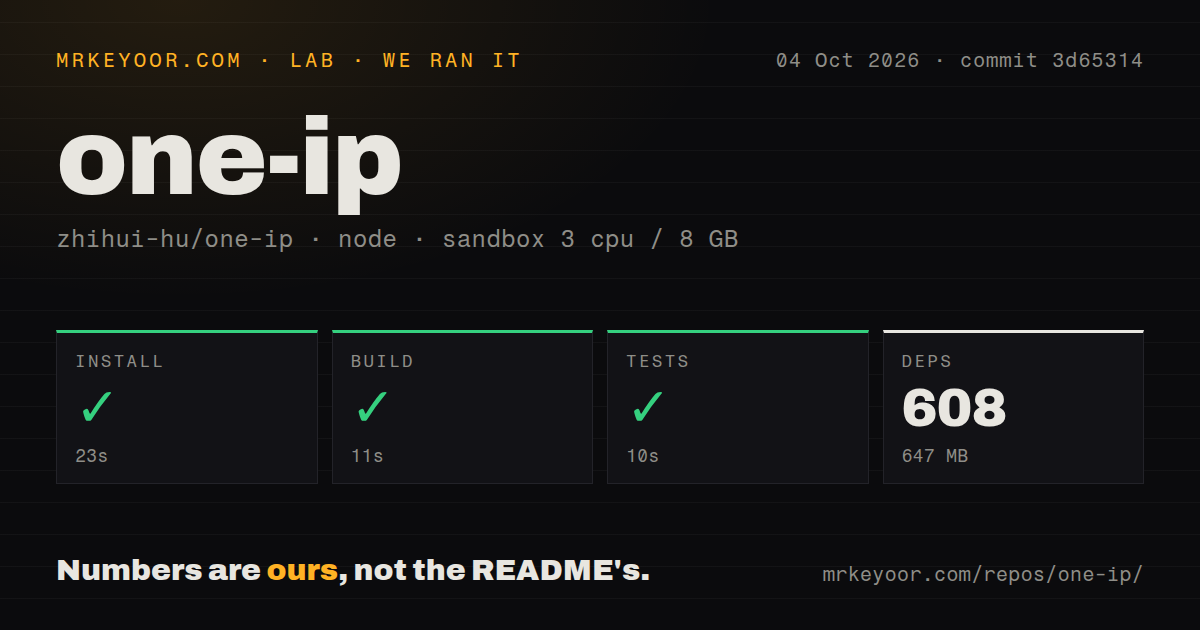
Our sandbox installed commit 3d65314 in 23 seconds, pulling 608 pnpm packages and using 647 MB on disk. The build succeeded in 11 seconds, and the available tests passed in 10 seconds. We ran it in an unprivileged container with 3 CPUs, 8 GB of RAM, Node 22, and no secrets. Those checks cover repository mechanics, not the accuracy or availability of its external data sources.
The checkout contained 282 files, about 30,854 source lines, and occupied 5 MB before installation. It has 2 CI workflow files and a tests directory. Our scan found no Dockerfile. An open pull request proposes Docker and Compose support, but unmerged code is not a deployment option we would promise to a buyer. The current README centers Cloudflare Workers with Static Assets.
Optional verification adds secrets and domain rules
Turnstile and reCAPTCHA v3 are optional. Each needs a site key, secret, and allowed hostnames; incomplete configuration hides the verification page. The server checks the reCAPTCHA hostname, browser_check action, and a score threshold of 0.5. Tianditu also takes an optional token for map access in mainland China, with OpenStreetMap as the documented fallback. None of these settings belongs in a public VITE_* variable.
GitHub Actions deployment adds CLOUDFLARE_API_TOKEN, CLOUDFLARE_ACCOUNT_ID, and an enable flag. External pull requests run tests without those deployment credentials. That separation is sensible, though a fork owner still has to rotate secrets and review upstream merges. The scheduled sync workflow checks daily at 04:23 UTC when enabled and stops on merge conflicts rather than discarding local changes.
WebMCP is experimental and handles sensitive results
Browsers exposing document.modelContext can register One IP tools for lookups, service checks, and browser diagnosis. The README names tools for listing available targets and opening pages that require permissions or human verification. Ordinary browsers keep the normal web interface. Live Chrome use currently needs the WebMCP origin trial or later native support, and this repository does not ship an origin-trial token.
The tools stay on the current origin and are not delegated to cross-origin iframes. That boundary helps, but the returned material can include a public egress IP, browser fingerprint, or WebRTC result. An agent does not need all of that for every query. Put a user decision before sensitive calls, retain as little output as possible, and do not present the site's IP score as an official verdict from ChatGPT, Claude, or another platform.
A September 2026 start makes this an early project
The repository was created on September 9, 2026 and last pushed on September 26. GitHub showed 1,026 stars, 5 open issues, and 3 open pull requests on October 4. There is no tagged GitHub release. The open queue includes requests around terminal output, Docker deployment, routing presentation, and privacy changes for cross-site probes, which fits a project still defining its operating edges.
The code is AGPL-3.0 licensed, while the README separately advertises a closed commercial edition for private deployment and support. Review the open license and the commercial boundary before adapting the service for an organization. One IP is already useful as a support desk on Cloudflare, and our 10-second test run gives the checked commit a credible starting point. Its next proof is time: tagged releases, merged deployment choices, and stable behavior when public providers fail.