The 158-tool desktop app is much more than a yt-dlp window
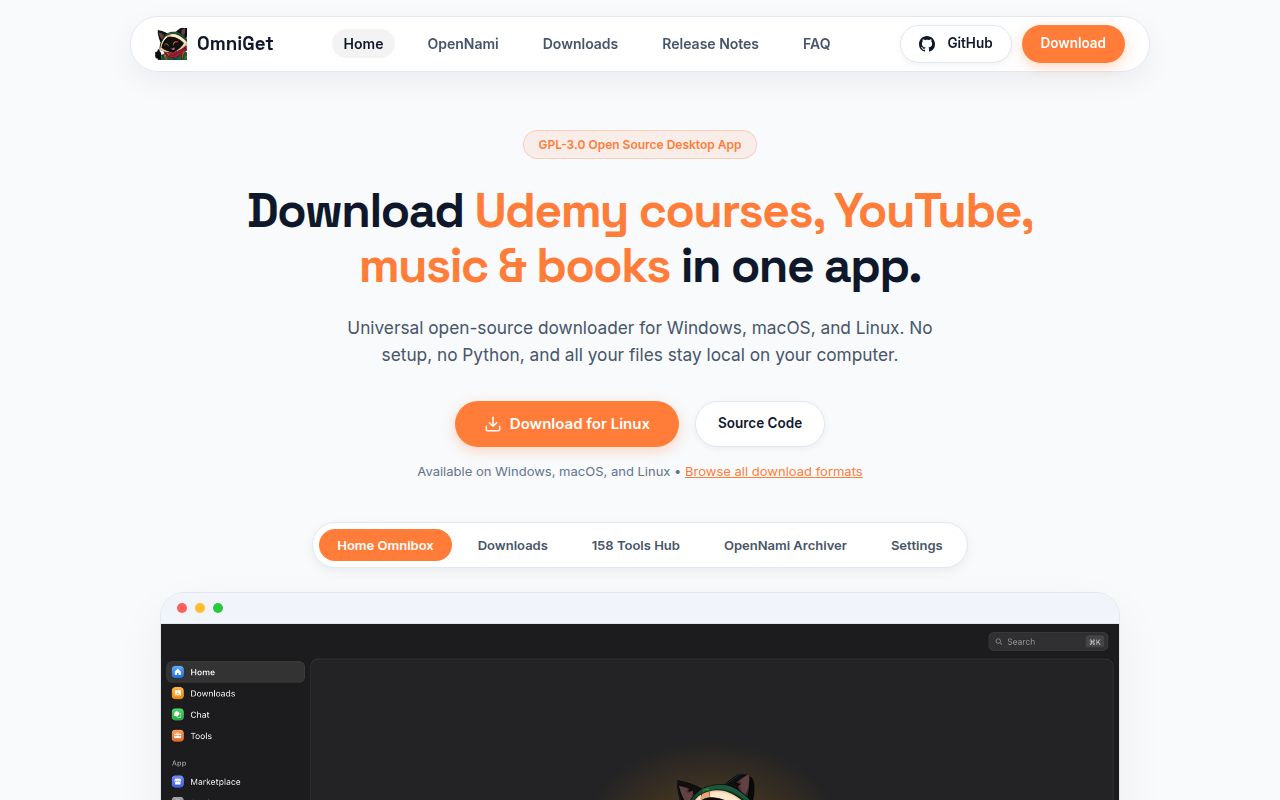
OmniGet v0.10.0 can hand URLs from roughly 1,800 sites to yt-dlp, while native paths handle courses, Instagram, X, Pinterest, Bilibili, Telegram, torrents, and direct transfers. Paste a link, choose a quality, and put the result in a queue. Downloads can resume, back off after rate limits, and retain the exact command that ran. That is a friendlier daily experience than rebuilding a long terminal command every time.
The scope then expands sharply. The README lists 158 tools across 25 categories, a course player, PDF and ebook readers, flashcards, notes, local music, League of Legends helpers, and an experimental chat client. Some tools are marked beta or planned, which helps, but the menu still mixes mature download jobs with features that have very different failure and privacy costs. Pick OmniGet for the queue first. Treat everything else as optional until it proves useful on your machine.
A 16-second install still leads to a serious source build
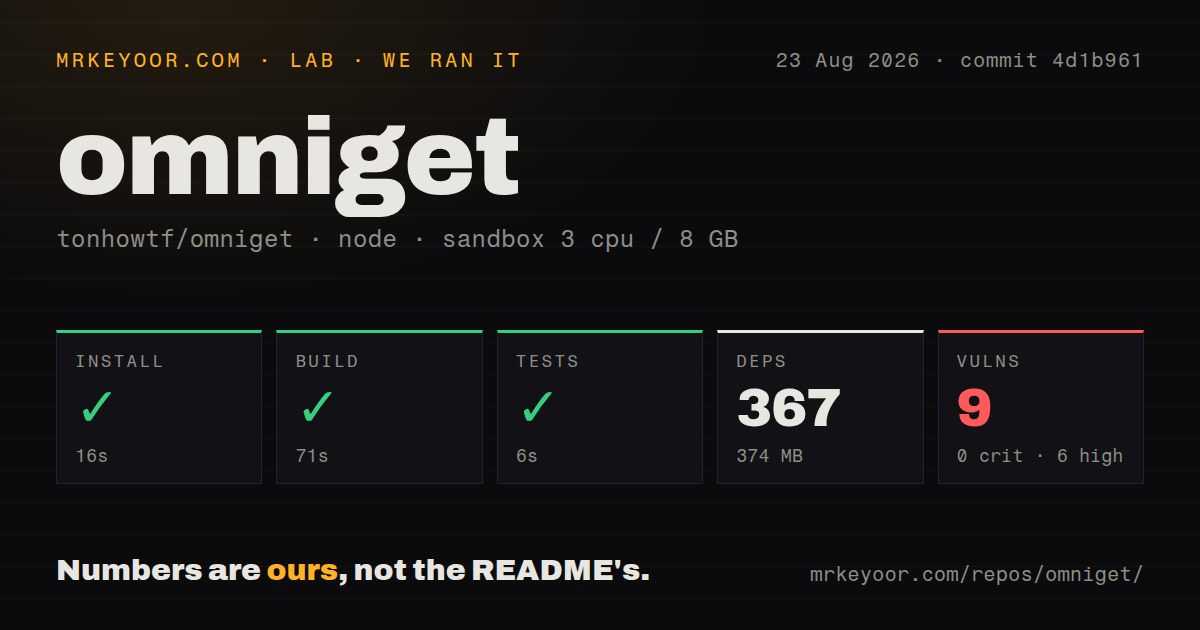
Our sandbox installed 367 pnpm packages in 16 seconds and left 374 MB on disk. The checkout itself contained 991 files and about 251,847 lines of source. Building from source needs Rust, Node.js 18 or newer, pnpm, and Linux libraries for WebKitGTK, audio, indicators, SSL, and compilation. This is a desktop product with native edges, even though the JavaScript dependency step was painless.
The documented production command adds a Tauri flag that turns off updater artifacts. Without it, the build stops because the repository has a public updater key while the maintainer alone holds the private signing key. App users avoid that source-build detail, but they meet operating-system trust prompts instead. The README tells Windows users to bypass SmartScreen and macOS users to run two Terminal commands because the packages do not have paid code signing or notarization.
What happened when we ran it
Our fresh unprivileged Debian container installed commit 4d1b961 in 16 seconds, built it in 71 seconds, and passed the available tests in 6 seconds. Our test method used 3 CPUs, 8 GB of RAM, Node 22, and no secrets. Those results show that the measured source tree could clear its basic project checks. They do not test a desktop launch, a real download, browser-cookie import, plugin installation, or media playback.
The dependency audit was the uncomfortable result. npm audit found 9 known vulnerabilities: 6 high, 2 moderate, and 1 low, with none classed as critical. The repository has 2 CI workflow files and workspace packages, but no Dockerfile or tests directory. A clean build and test command therefore should not be read as a clean dependency report, and our run says nothing about the optional binaries or models fetched after first launch.
Two Linux playback fixes merged after v0.10.0
Release v0.10.0 shipped on September 28, 2026. Two pull requests filed on October 1 described separate Linux playback failures, then merged on October 3. PR 6 fixes an AppImage WebKit process that could abort when required GStreamer elements were missing. PR 7 changes how local video, audio, and subtitles reach WebKitGTK after reports of endless loading. The latest packaged release predates both fixes.
That matters because playback is central to the course and Study pitch. The README already asks AppImage users to install FUSE 2 and GStreamer plugin sets on some distributions, while the .deb and .rpm declare those media packages. Linux users can still try OmniGet as a downloader, but anyone choosing it for the integrated library should verify a release containing both fixes before importing a large collection.
The 37-tool agent bridge can receive browser credentials
OmniGet v0.10.0 documents 37 local MCP tools behind the same per-install token used by the browser extension. Agents can queue downloads, process PDFs, transcribe files, search disks, inspect startup items, and use social-site helpers. A separate Claude Code plugin can fetch and transcribe media without the desktop app, so the project belongs in both MCP and Claude Code tool searches. That reach is useful when an agent needs to act on a local file instead of merely discussing it.
The same app also handles sensitive material. Its browser extension forwards cookies and referer data so OmniGet can access private posts, members-only video, and paid courses your session can open. API keys can sit in a local vault, and optional AI work goes to the provider you configure. The README says download telemetry is absent and the bridge listens on localhost, yet company policy may still forbid giving one desktop process browser sessions, local-file access, and agent commands together.
The current repository has 88 stars and 2 open issues
GitHub showed 88 stars, an October 4 push, and 2 open issues on the current OpenSelena/omniget repository. The repo our lab measured as tonhowtf/omniget no longer resolves, but the official project contains the exact measured commit 4d1b961. Release v0.10.0 arrived on September 28, so the code and packaged builds are current even though the public repository identity changed.
The small issue queue needs context. Issue 11 says the Weblate project is locked under the removed tonhowtf account. Issue 12 reports that the Telegram and other plugins did not appear after installing v0.10.0 on Ubuntu. The README still says more than 9,500 stars, while the current GitHub repository shows 88. OmniGet is active, but a buyer should verify the exact release, plugin, and platform combination instead of treating the old popularity count as current repository history.