One download core in several forms
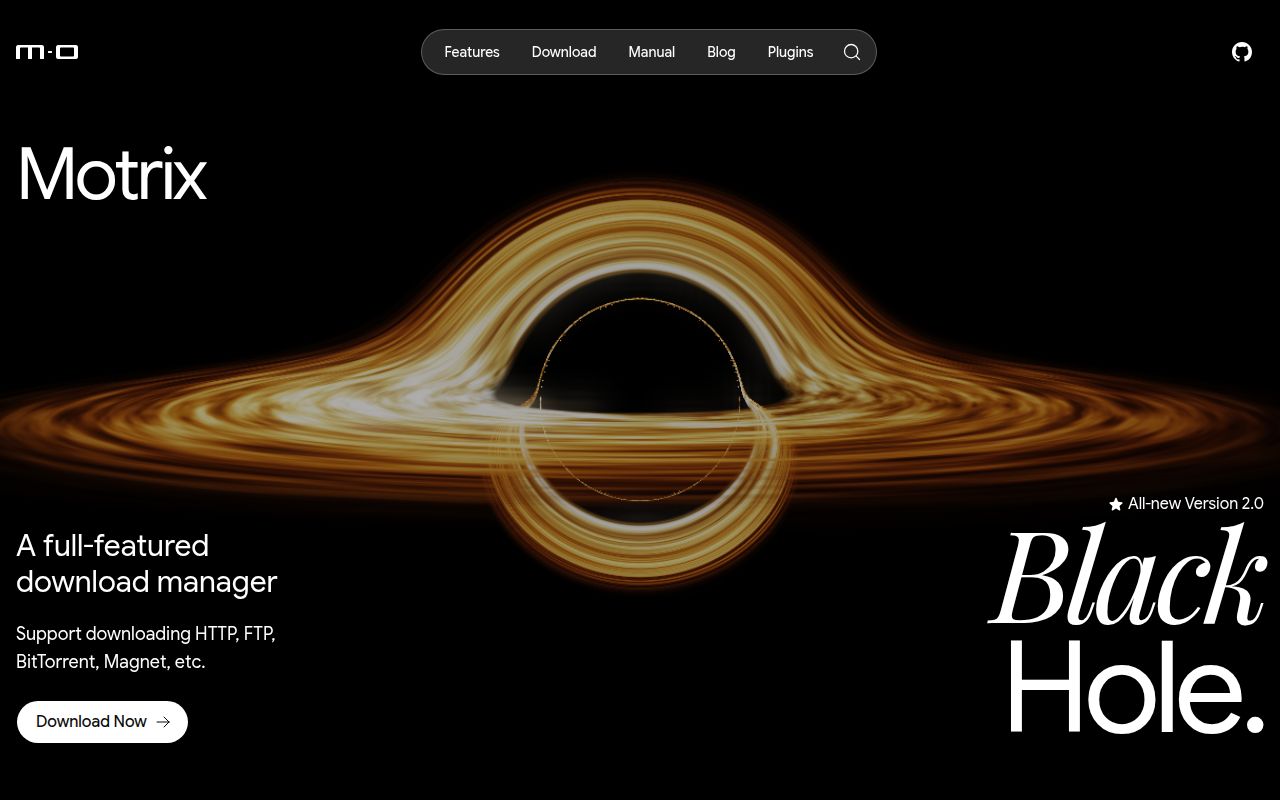
Motrix began as a friendly desktop front end for aria2. The v2 beta is a larger redesign: Electron and React provide the desktop shell, while a separate core manages tasks, settings, plugins, and the aria2 engine. That core also runs headlessly on Node.js, giving NAS users a web interface without a desktop session.
The protocol coverage remains the main attraction. One queue accepts HTTP, FTP, BitTorrent, magnet links, and other transfers. Torrent users get per-file selection, tracker management, and port mapping. Direct-download users get speed profiles, session recovery, notifications, and browser handoff. SQLite stores sessions so work can return after a restart.
MDXP, a JSON-RPC 2.0 protocol, links the app to browser extensions and the official command-line client. Remote clients use device-code pairing rather than sharing the operator token. Plugins run in QuickJS with declared capabilities and URL-scoped host permissions, so an extension does not receive Node.js, filesystem, or network access by default.
What happened when we ran it
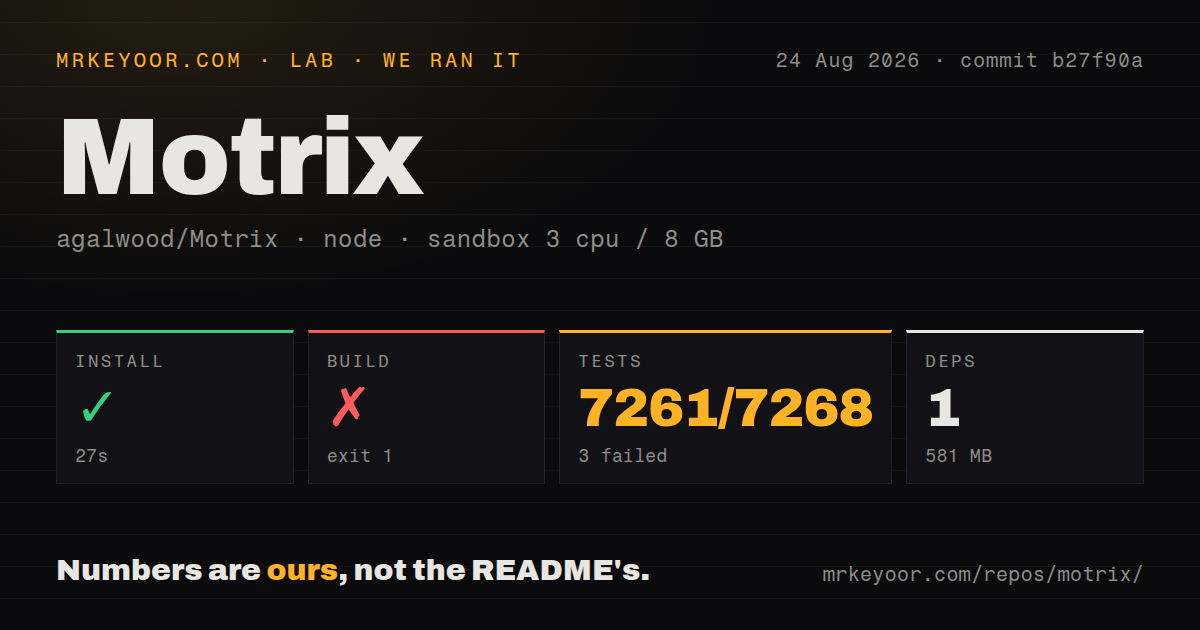
We cloned commit b27f90a into an unprivileged Debian container with 3 CPUs and 8 GB of RAM. The monorepo contained 1,804 files, about 330,858 lines of source, and occupied 23 MB after checkout. Its pnpm install succeeded in 27 seconds, reported one installed package, and consumed 581 MB on disk.
The build failed after 27 seconds. Rust compiled several crates, then stopped because it could not find the standard library for the x86_64-unknown-linux-musl target. The log explicitly suggested installing that target with rustup target add x86_64-unknown-linux-musl. The native-host build then exited with Cargo code 101, which caused pnpm to exit with code 1. We cannot say whether the rest would have built after that fix because the log ends there.
Tests ran for 386 seconds and did substantial work: 7,261 passed, 3 failed, and 4 were skipped out of 7,268. Two failures came from the server-package smoke file, and one came from the plugin install-service integration file. The displayed error says a test timed out at 5,000 milliseconds. The log also printed react-i18next initialization warnings, but it does not identify those warnings as the cause of the failures.
Desktop convenience with beta conditions
Motrix v2 has packages for macOS, Windows x64, and Linux. Linux users can choose AppImage, DEB, or RPM builds, with x64 and arm64 support. The current beta does not publish Snap, and Flatpak validation is separate. Windows arm64 and 32-bit packages are unavailable. Windows x64 builds are unsigned, which can trigger SmartScreen.
The larger warning concerns data. Motrix says migration from v1 has not been validated and advises testing v2 with a separate operating-system account, machine, or Docker data directory. That is unusually direct and should decide how you trial it. Do not point the beta at the only copy of an existing download library.
The latest stable release returned by GitHub is v1.8.19 from May 2023, but that tag alone gives the wrong health picture. Motrix published v2.0.0-beta.25 on August 23, 2026, and the default branch was pushed again on August 25. Recent issues and release notes discuss torrent identity, AppImage distribution, Windows controls, and unit labels. Development is active; the uncertainty comes from the beta state, not inactivity.
The headless server is more than a web skin
The included Compose setup runs as a non-root user with a read-only root filesystem. It separates application state under /data from downloaded files under /downloads, which makes backups and container replacement easier to reason about. The server preserves sessions, plugin state, torrent metadata, and pairing material in the data mount.
Network setup needs care. The normal LAN configuration publishes the web service on port 8080 and MDXP on 16801. MOTRIX_PUBLIC_URL must point to the approval page that remote clients can reach. For internet or untrusted-LAN exposure, the documentation requires TLS at a reverse proxy and firewall controls around the origin ports. This is operator work, even though Compose starts the container.
Browser behavior also differs by mode. The desktop app supports native-messaging pairing with Chrome and Firefox extensions. The headless server does not provide first-time browser-extension pairing, though CLI and agent clients can pair remotely. If browser interception is your central use case, test the desktop path before planning a NAS-only deployment.
Where Motrix fits
Motrix is a good match for someone who mixes direct files and torrents and prefers one polished queue. The v2 architecture also makes sense for a home server that needs a browser interface and a scriptable client. Its plugin permissions are a sensible answer to the risk of running downloaded extension code.
Pure torrent users will find more specialized controls in qBittorrent. Command-line automation can use aria2 directly with fewer layers. Motrix earns its extra weight when desktop UI, headless operation, browser handoff, and one shared protocol all matter. Today that means accepting a beta, isolating the first migration, and using packaged artifacts unless you are prepared to repair the native build environment.