oMLX turns one Apple Silicon Mac into a model server
oMLX wraps Apple's MLX ecosystem in a server and native macOS control surface. Point it at directories containing compatible language, vision, OCR, embedding, or reranking models, then call OpenAI-style chat, completions, embeddings, and rerank endpoints. Anthropic Messages requests are also supported. A built-in chat and administration interface handles downloads, model status, per-model settings, and local benchmarks, while the SwiftUI menu-bar application starts, stops, monitors, and updates the service.
The hardware focus is strict. Source installation requires Apple Silicon, macOS 15 or newer, and Python 3.11 through 3.13. M1 through M5 systems are listed; Intel Macs, Linux, and Windows are outside the supported path. That narrow target lets oMLX tune unified memory, Metal, MLX, and Mac service management together. It also makes the project a workstation or Mac-host tool, not a portable inference layer for an existing Linux fleet.
RAM and SSD tiers preserve prompt work
The cache design is the most interesting reason to choose oMLX over a basic local runner. Frequently used key-value blocks stay in RAM, while colder blocks can move to SSD in safetensors files. Matching prefixes can be restored after a server restart instead of being recomputed. Prefix sharing and copy-on-write allow requests to reuse common context. For long coding-agent sessions, retaining earlier prompt work can matter more than shaving time from the initial model load.
Multiple models share the server through pinning, least-recently-used eviction, manual load controls, and idle timeouts. A memory ceiling defaults to system RAM minus 8 GB, with safer or custom guard settings available. Profiles change sampling and template settings without loading another copy of a model. These controls help a high-memory Mac host a daily coding model, an embedding model, and an occasional larger model, though the actual fit still depends on model weights and context.
What happened when we ran it
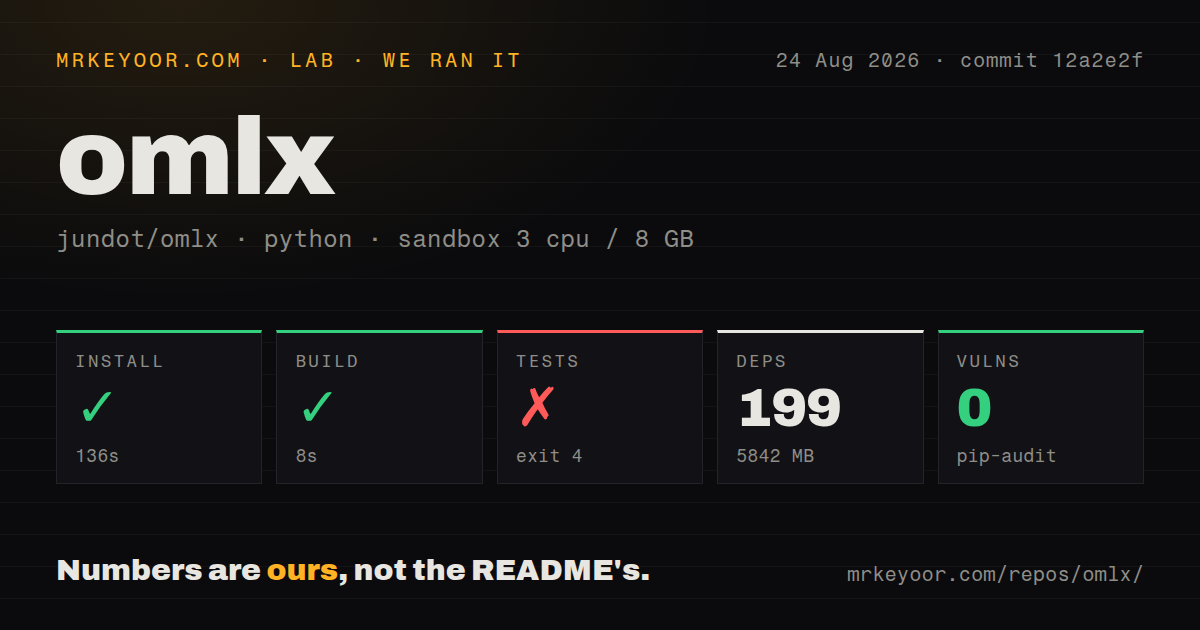
Our Debian sandbox installed 199 Python packages in 136 seconds at commit 12a2e2f. The environment occupied 5,842 MB before any model weights. Building the Python project succeeded in 8 seconds, and pip-audit reported 0 known vulnerabilities. The checkout itself had 1,130 files, about 491,982 source lines, and 129.7 MB. That is a heavy installed environment for a desktop server, so smaller Mac disks need a budget for packages, model files, and SSD cache.
Tests stopped after 7 seconds with exit code 4. Pytest was loading tests/conftest.py, which imported an oMLX workaround module, which then imported mlx.core. Python raised ImportError: libmlx.so: cannot open shared object file: No such file or directory. No tests were collected or reported as passed. The log establishes that the MLX shared library was unavailable in our generic Linux environment, not whether the suite passes on supported Apple hardware.
Our scan found 3 CI workflow files, no Dockerfile, and a tests directory. That shape matches a Mac-specific application more than a generic container service. We did not run a model, measure tokens per second, exercise the SSD cache, or verify OpenAI and Anthropic client behavior. The clean 8-second build proves the package could be built in the sandbox; it does not overcome the platform failure during test import.
The DMG avoids the hardest source prerequisite
The simplest installation is the signed application image from GitHub Releases. It adds a small CLI shim, includes automatic updates, and ships optional native custom kernels precompiled. Homebrew supplies foreground and background-service commands, with logs in the package prefix and the user's oMLX directory. A source install can add MCP support through an extra, while the server exposes its compatible API on port 8000 by default.
Some model families have optional native kernels that a plain editable install does not build. The README warns that they fall back to generic paths and says full Xcode is required because Command Line Tools do not include the Metal compiler. Homebrew can build the kernels from HEAD with an option, but it has the same Xcode requirement. Anyone serving those models should run the documented kernel-status check instead of assuming an apparently successful Python install enabled the optimized path.
Claude Code support goes beyond endpoint compatibility
oMLX reports scaled context counts so Claude Code's automatic compaction can trigger at the intended point for smaller-context models. Server-sent-event keep-alives reduce read timeouts during a long prompt prefill. The dashboard also configures OpenClaw, OpenCode, Codex, Hermes Agent, Copilot, and Pi. MCP tools can be attached through a configuration file when the optional dependency is installed.
Tool calling still depends on the chosen model's chat template. The README lists parsers for Llama, Qwen, DeepSeek, Gemma, GLM, MiniMax, Mistral, Kimi, and other families, while leaving room for compatible templates. A server can return a valid API response and still mishandle tool syntax for a particular quantization or model card. Test the exact model, template, streaming mode, and client before giving it repository or shell tools.
Release 0.6.3rc3 asks for caution
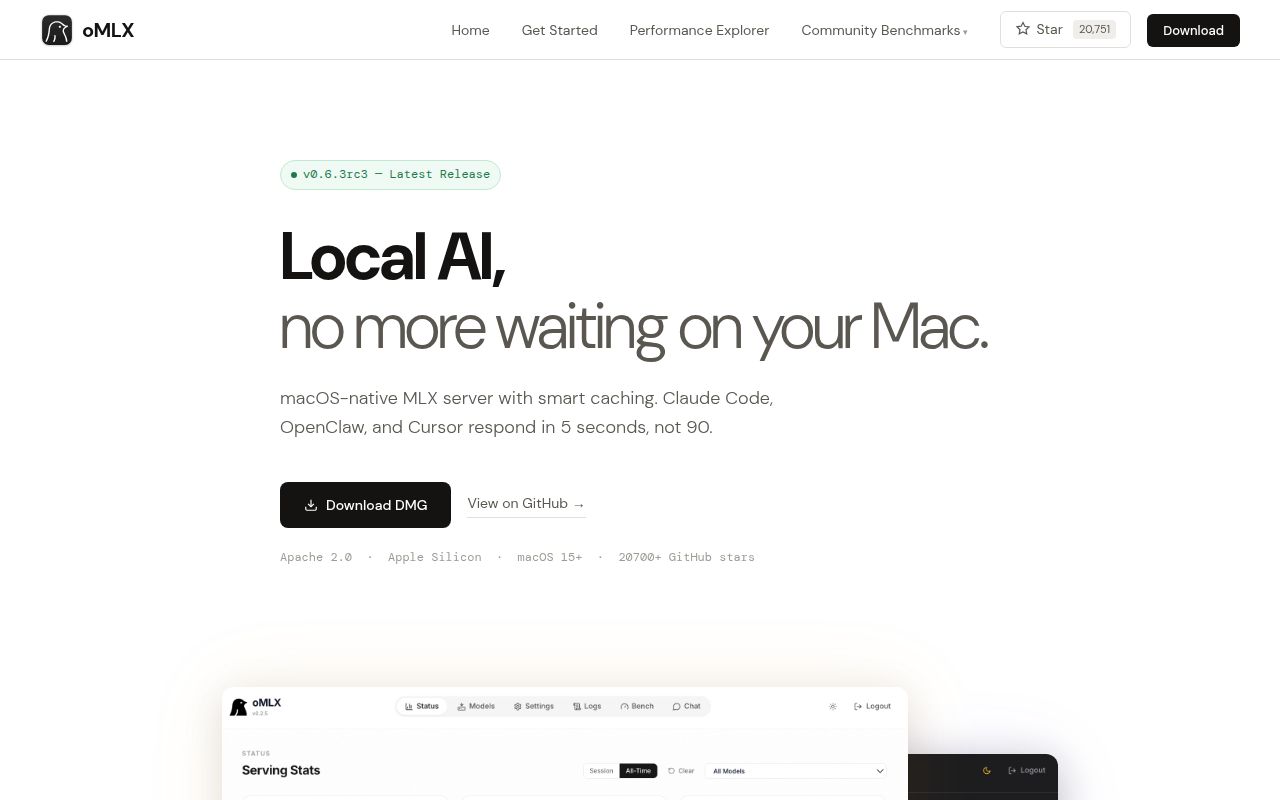
The latest release was 0.6.3rc3 on August 24, 2026, and it explicitly asks users to report regressions before the final 0.6.3 release. The notes describe experimental multi-Mac inference and hardware paths that depend on private Apple runtime interfaces. They also state that the sole maintainer is handling more pull requests than can be reviewed at once. GitHub showed 20,751 stars, 1,135 open issues and pull requests, and an August 26 push.
oMLX is appealing for a technical Mac owner who wants local model serving to feel like a native application. The compatible APIs, cache tiers, menu-bar controls, and coding-agent accommodations are specific enough to justify a trial. Our 5,842 MB install and pre-collection libmlx.so failure make a supported Mac acceptance run mandatory. Prefer the DMG first, keep experimental acceleration off until verified, and choose Ollama or llama.cpp when the server must move beyond Apple Silicon.