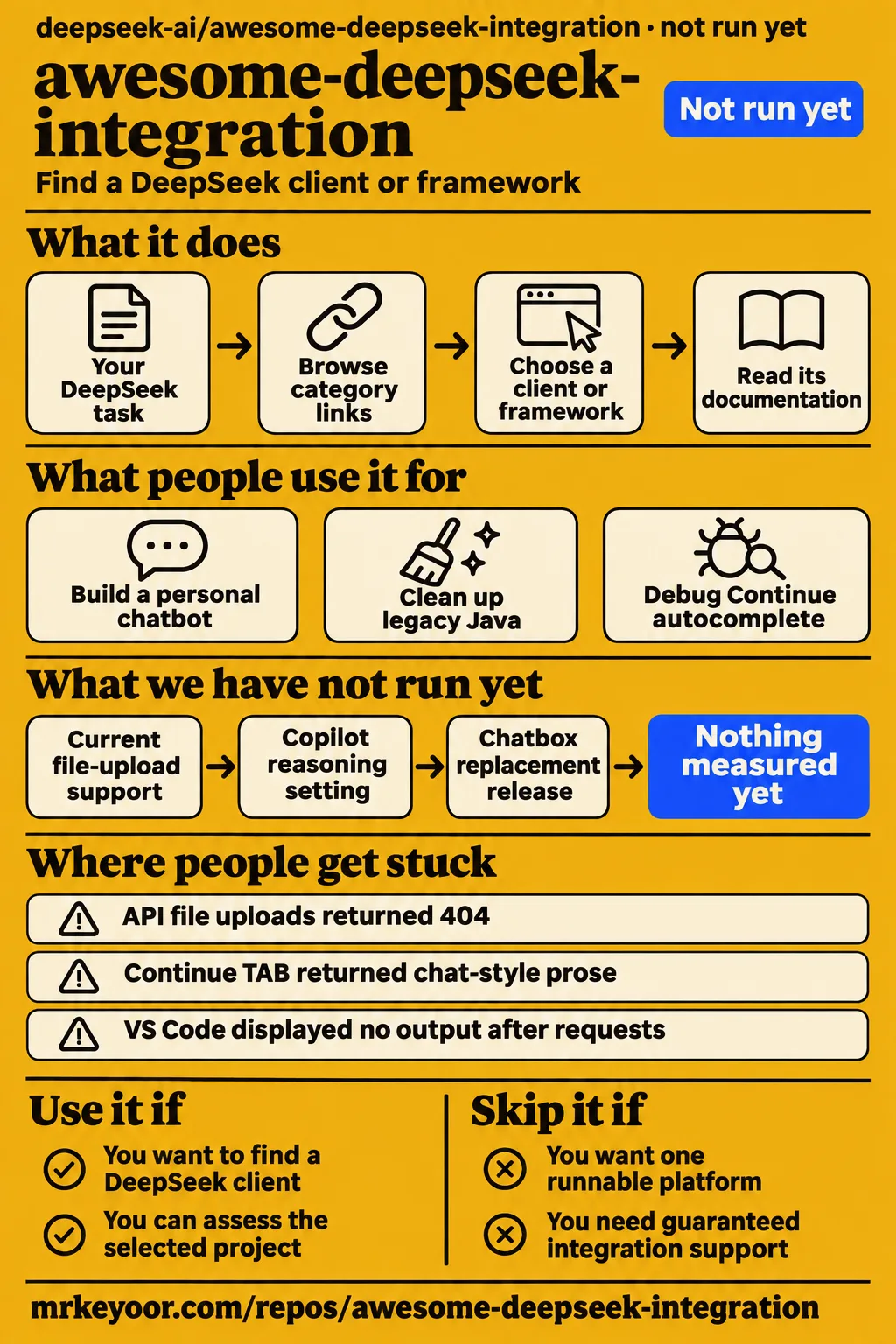
Use awesome-deepseek-integration to find a DeepSeek client or framework, then judge that project separately. Skip it if you want an installable platform with one support team responsible for the whole connection. Our November 19 sandbox assessment stopped before execution: the directory had no supported language ecosystem and no Dockerfile. The useful results here come from reading its categories alongside the specific failures and fixes its users reported.
What people use awesome-deepseek-integration for
awesome-deepseek-integration collects links to applications, editor plugins and frameworks that connect to DeepSeek; the README groups them by the job they do. You browse it to choose software. Cloning the directory doesn't give you a running assistant, a database or an editor extension. Its categories separate applications from agent frameworks, retrieval frameworks and editor extensions, so the first decision is which kind of software you need.
The issue tracker provides examples of what people attempted with those integrations. These are accounts from individual users, with different clients and models:
| Person and task | What they reported | What you can take from it |
|---|---|---|
| GitHub commenter jeFFu369 built a personal chatbot | They described extracting PDF text, splitting it into chunks, storing those chunks in a database and sending matching text to DeepSeek. | Document chat can be assembled around the API, with retrieval handled by your application. |
| GitHub participant chisaato used a LangGraph agent to clean up legacy Java | The agent compared decompiled Java with source code. They said V3 worked without changing the prompt and later said the project had been deleted. | Tool calling worked in that user's later configuration. |
| The author of issue #462 followed the Continue guide | DeepSeek charged for requests, but VS Code displayed no output. | A guide-following failure can happen after a billable request, so a charge isn't a completion check. |
| The author of issue #592 inspected Continue's logs and adapter source | They reported that the root API base URL made chat, agent use and autocomplete work together. | Client-specific URL construction matters, even with an OpenAI-compatible interface. |
If you're building document search, that first account is the most instructive. Retrieval-augmented generation, usually shortened to RAG, means finding relevant passages before asking the model to answer. In jeFFu369's design, the database and passage selection sit outside DeepSeek. That distinction tells you which component you would need to debug when a PDF question retrieves the wrong paragraph.
What happened when we ran it
Our November 19 assessment of commit 172dc8b recorded no supported ecosystem, language null and no Dockerfile, so the repository was not run. Our run used a sandbox configuration specifying 3 CPUs and 8 GB RAM, image n/a. The concrete outcome was a stop before execution, rather than an install, build or test result for the directory or any linked application.
| Recorded assessment | Result | Meaning |
|---|---|---|
| November 19 checkout | commit 172dc8b | Identifies the directory revision assessed. |
| Sandbox allocation | 3 CPUs, 8 GB RAM; image n/a | Configuration recorded by the assessment. |
| Execution decision | NOT RUN: no supported ecosystem, language null; no Dockerfile | No install, build or test outcome was produced. |
A separate November 21 attempt reached a safety check and stopped. The step log says "FAILED" because none of compose.yaml, compose.yml, docker-compose.yaml or docker-compose.yml existed. That runner required a Compose file, the configuration Docker uses to start a group of services. The check's phrase "unsafe repo" describes its refusal to proceed under that rule; it isn't a security finding about the directory.
The November 21 summary describes a Docker Compose deployment with ports bound to 127.0.0.1, but the failed prerequisite contradicts that description. The step log takes precedence over the summary: there is no successful deployment result to report. The teardown log says "teardown: ok", which records cleanup rather than a successful application launch.
Where people get stuck: requests and clients disagree
Continue users reported several different failures, including empty output, wrong endpoint paths and rejected request parameters. Issue #462 describes charges without visible completion; issue #592 describes autocomplete failing while chat and agent use worked. Treat those as different symptoms until your client's logs connect them. A successful chat request and a working autocomplete request exercise different client behavior in these accounts.
The author of #592 followed the guide and got part of the workflow working. Autocomplete was the exception. They then inspected the logs and the Continue adapter, which appended /beta/completions itself. Their reported fix was to set apiBase to https://api.deepseek.com, removing /beta from the configured base. The exact setting belongs to that adapter's behavior, rather than every program that calls DeepSeek.
The empty-output thread is less tidy. In #462, FengChendian directed another user to VS Code's developer tools to inspect Continue's output and linked an upstream fix. Another participant still reported no autocomplete output afterward. The directory maintainer closed the issue by sending tool-specific problems to the relevant project. That is support routing, rather than a demonstrated fix for everyone in the thread.
| Symptom and reporter | Reported response | Status you should carry forward |
|---|---|---|
| Continue 404, author of #11 | Suggested useLegacyCompletionsEndpoint: false for Continue 0.8.27 on Ubuntu 24.04 and VS Code 1.89.0. |
Historical configuration workaround, tied to the client's old request path. |
| Continue HTTP 400, "Stop string array too long," participants in #11 | XieJiSS posted an alternative configuration; andychen2016 reported success. | A reported workaround. |
| Continue TAB completion returned chat-style prose, author of #9 | XieJiSS posted a prompt-template workaround and linked updated configuration. | Historical autocomplete report; #592 later discusses a FIM request. |
Chatbox 422 at the root URL and 404 with /v1, amiliyaai in #14 |
Everfighting linked an upstream client update; amiliyaai confirmed the replacement version worked. | A user-confirmed client-version resolution. |
| Cursor Composer failing with custom models, participants in #53 | A model-name suggestion was followed by another failure report; the maintainer redirected support upstream. | Closed with upstream support routing. |
| Siri shortcut link apparently missing, author of #117 | Maintainer mowentian explained that the README heading links to iCloud. | Resolved as a link-discovery problem. |
For a charged request that produces no text, start with the client's output log and the actual request URL. Record the client version, provider adapter, model name and whether the failure affects chat, autocomplete or both. Those are proposed debugging steps drawn from the reports. In #592, inspecting logs and adapter source exposed URL composition as the problem; in #462, users were directed to Continue's output in VS Code's developer tools.
File upload and thinking mode need more than a compatible endpoint
The author of issue #113 reported that /v1/files returned 404 despite file uploads working in the web interface. A web application's upload button therefore isn't evidence that the same file endpoint exists in the API you are configuring. The distinction matters when choosing between a document client that processes files itself and an API integration that expects an upload endpoint.
That thread also includes a Flutter developer's image-upload report: a 404 and a separate 415 response expecting Content-Type: application/json. jeFFu369's chatbot offers a different route: extract text, store it, retrieve passages and send those passages as model input. You would own the extraction and retrieval steps, including checking whether they preserve the information your questions need. The reported design moves document processing into the application.
Thinking mode exposes another compatibility boundary. A VS Code OAI-compatible Copilot user in #592 received HTTP 400 with the message "The reasoning_content in the thinking mode must be passed back to the API." WelkinInk recommended adding include_reasoning_in_request: true under oaicopilot.models; 1ouis-xiii replied that it did the trick. This setting belongs to that plugin, although the discussion appears in a Continue issue.
English documentation exists, but support crosses languages
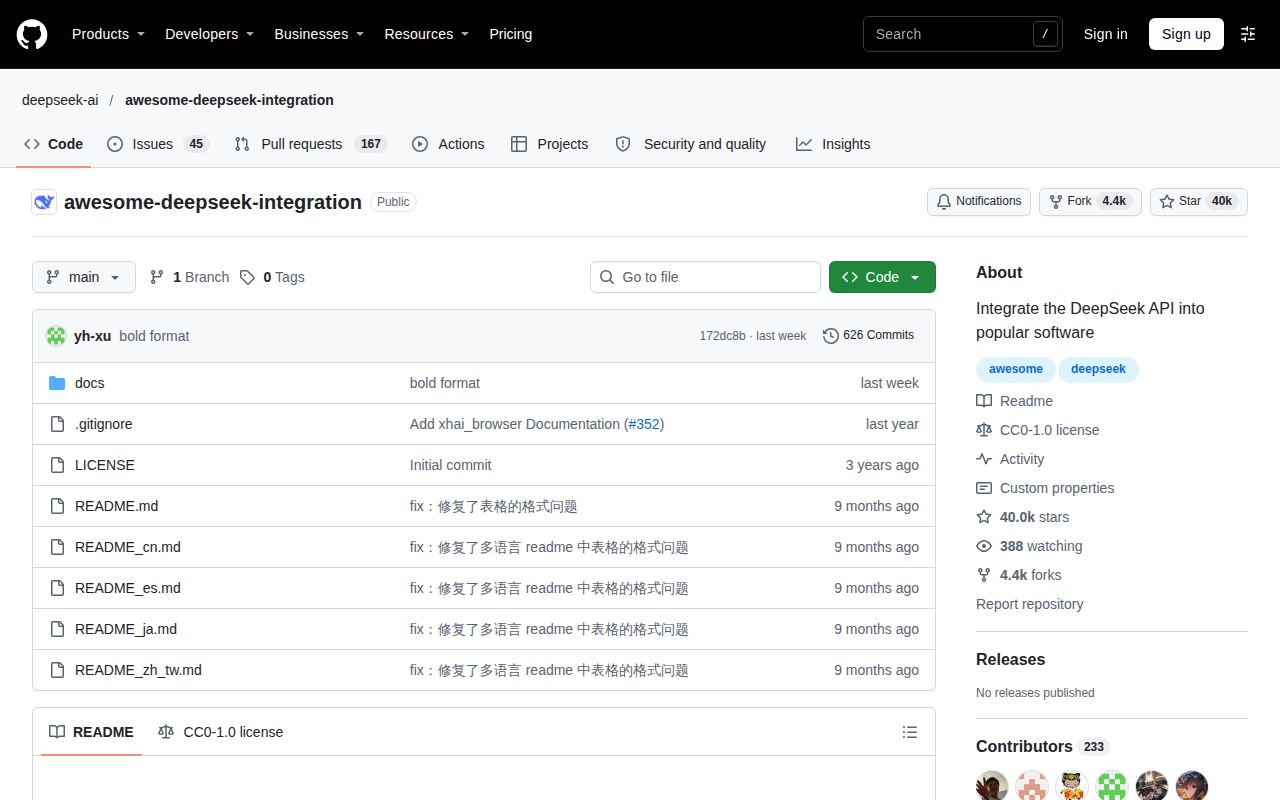
The README offers English, Simplified Chinese, Traditional Chinese, Japanese and Spanish. You can browse the main directory in English without translating its category headings. The README's language selector describes the directory documentation, while the links take you to separate projects and their own documentation. It is useful to keep that distinction when choosing an application from an English description.
Several useful reports here are written partly in Chinese, including the Chatbox version discussion, the charged-but-empty Continue thread and the LangGraph account. If you only search English error explanations, you can miss those outcomes. Search the exact status code or configuration key as well as the product name: reasoning_content, apiBase and "Stop string array too long" survive a language change better than a loose description of the symptom.
Inclusion doesn't settle privacy or maintenance
AIchanyi's X explanation says the list makes no guarantees about included projects' maturity, maintenance or privacy practices. This is an attributed community explanation of how to read the directory. It gives a useful selection rule: assess the program that will receive your key and documents, rather than treating a directory entry or a star count as an assurance about that program.
Some listed local runners support fully local deployment without an API key. A local-model option and a hosted API client involve different data paths, so make that choice before entering credentials. Read the selected project's storage and logging documentation, and determine whether your prompt goes to DeepSeek, another provider or a model running on your machine. These are selection criteria rather than reported defects.
Maintenance also needs a separate check. The current Continue README says its repository is no longer actively maintained and is read-only. That makes its old troubleshooting threads useful history, but it changes the recommendation for someone choosing a new editor dependency. The notice names a final 2.0.0 release of the VS Code extension, CLI and JetBrains plugin; directory inclusion does not replace that upstream maintenance information.
awesome-deepseek-integration vs Ollama, Codestral and direct client docs
Ollama and Codestral appear in user discussions as alternative routes for code completion, rather than competing directories. The comparison is about your next step after browsing, with one historical local-model success and one suggestion to switch providers. Chatbox's version-resolution thread offers a third route: move from the directory to the selected client's documentation and support history.
| Route | Why someone considered it | Decision |
|---|---|---|
| Hosted DeepSeek through Continue | The directory links configuration guides, but users reported endpoint and output failures. | Use the guide as a starting point, then inspect the selected adapter and upstream maintenance status. |
Local Ollama with deepseek-coder:base |
The author of #9 said local completion worked while the API configuration returned chat-style prose. | Consider a local runner when local model execution is your requirement. |
| Codestral for Continue autocomplete | tkizm1 suggested it after repeated stop-string errors in #11. | Treat the comment as a provider suggestion. |
| Chatbox's own project documentation | In #14, changing to the replacement client version resolved amiliyaai's errors. | Once you've chosen Chatbox, follow the client's current instructions and issue tracker. |
Ollama's README describes access to open models locally or in the cloud. Choose the intended execution route explicitly; the product name alone doesn't describe where a particular request runs. Its README also describes a REST API for running and managing models. Ollama is software you can use after making that choice, while awesome-deepseek-integration is the directory that helps you find software.
What the other reviews get wrong
Bright Coding's "Stop Wasting Hours on AI Integration!" article promises vetted additions that keep users away from abandoned projects. The issue reports, and Continue's current maintenance notice, are better reasons to assess each entry individually. The same article's instruction that everyone needs an API key overlooks fully local entries that support deployment without one. These are different routes through the directory, with different credential requirements.
Kongchang's "A Complete Guide to the All-in-One DeepSeek API Integration Toolkit" reduces migration to changing an endpoint and key, with interchangeable SDKs. The file-upload report and thinking-mode error identify specific exceptions. Request-format compatibility doesn't promise identical endpoints or conversation-state handling. In these reports, one client expected an unavailable file endpoint, while another needed to return reasoning_content in subsequent requests.
Kongchang's article is dated May 4, 2026. Its 37,024 stars and 4,082 forks describe that article's snapshot. The November organization listing shows 39,987 stars and 4,359 forks, with an update on November 13. Those are attention and repository-activity signals, rather than counts of working installations. The issue discussions are more useful for judging the troubleshooting burden than either popularity snapshot.
Bright Coding also describes its Go streaming example as showing the model's thinking, but the code prints Delta.Content while the article separately identifies reasoning_content. Printing the answer-content field alone doesn't demonstrate displaying reasoning. The correction is to describe what the example prints, rather than replace it with a new SDK example whose types and behavior would require their own documentation.
The "Awesome DeepSeek Integrations" video discusses categories and asks how the integrations will be maintained. McSnoo's r/LocalLLaMA link post has a reminder request and a bot response. Videos announcing DeepSeek Harness concern a separately named project. Keep the full repository name in searches so an agent walkthrough doesn't become evidence for a directory.
Questions people ask
awesome-deepseek-integration is a curated directory of links to other software, with categories and integration guides in its README. The most basic distinction is between choosing an integration and installing the chosen project. The questions below follow that sequence, then address the specific upload, autocomplete and client-version problems raised in the issue tracker.
Is awesome-deepseek-integration an application or a curated list of links?
It's a Markdown index of external projects, rather than an application you launch. The directory explanation describes short entries grouped by category. Installation happens in the project you select, so the directory's repository size or popularity won't tell you that project's hardware needs. Use its categories to choose the kind of software, then move to that software's instructions.
How do I use the directory to choose a DeepSeek integration?
Start with the category matching your task, then open the chosen project's own documentation. The directory's table of contents separates applications, editor extensions and frameworks. For an editor, distinguish chat from autocomplete before copying a configuration: #592 reports different behavior between those modes. That distinction helps you decide which request and output to inspect when only part of an integration works.
Do all listed tools require a DeepSeek API key?
No. Some local-model runners support fully local deployment without an API key. A hosted DeepSeek API connection needs its own credentials. Decide which route you're choosing before treating the README's Open Platform link as a requirement for every entry. The directory includes both tools that call remote APIs and tools for running models locally, rather than one shared credential setup.
Which integration should a beginner start with?
For straightforward chat, begin in Applications and shortlist a chat client rather than an agent or retrieval framework. The directory explanation suggests Chatbox, LibreChat and DeepChat. That recommendation identifies a starting category. After choosing a client, follow its documentation for the provider and execution route you want, including whether you will use a hosted API or a local model.
What tools does the directory cover beyond chat applications?
The README lists agent frameworks, RAG frameworks, browser extensions, editor plugins, messaging integrations and Office add-ins. Their presence describes the directory's reach; each linked tool determines its actual features and deployment requirements. An editor plugin, a retrieval framework and a messaging integration solve different tasks, even when each can connect to the same model provider.
Which languages is the README available in?
The README links English, Simplified Chinese, Traditional Chinese, Japanese and Spanish versions. That selector describes the directory documentation. The issue discussions also contain useful Chinese-language reports, including the Chatbox version outcome and the LangGraph account. When searching those discussions, exact product names, status codes and configuration fields are useful alongside a description of the problem in English.
Does inclusion mean a project has been verified for maintenance, maturity and privacy?
No blanket assurance follows from inclusion. AIchanyi explicitly cautions against that reading, and the client-specific issue threads give concrete reasons to inspect your shortlist. Continue's own maintenance notice is one example of information to read at the selected project. Read that project's maintenance notice and privacy documentation before handing it a key or confidential material.
How can I upload files through the DeepSeek API when /v1/files returns 404?
The workaround described by jeFFu369 is to extract PDF text, store chunks in your own database and send retrieved chunks to DeepSeek. It is an application-side retrieval design, rather than a recovered file-upload endpoint. The application handles extraction, storage and passage selection, then uses the selected text as model input. That is the specific design the commenter described building.
Why do file uploads in the web interface give different results from pasting extracted text into an API prompt?
Orfeasfil reported different outputs for a large file uploaded through the interface versus text appended to a prompt. Those are two input routes described by the user, and the same discussion includes the separate PDF-chunk retrieval design. Keep the observed output difference distinct from that proposed application architecture: the commenter describing retrieval was explaining their own chatbot.
How do I fix Continue's HTTP 400 'Stop string array too long' error?
Issue #11 contains an alternative configuration from XieJiSS and a success reply from andychen2016. The discussion connects that configuration to the reported HTTP 400 error. The same issue includes a different 404 problem involving Continue 0.8.27, Ubuntu 24.04 and VS Code 1.89.0. Match the error and client version before treating two configurations in the same thread as interchangeable.
Why does Continue show no completion output even though DeepSeek charges for requests?
Issue #462 reports that symptom and points readers toward VS Code's developer tools for Continue output logs. Participants discuss both client output handling and the API base. The thread ends with upstream support routing, with another user's no-output report still present. A billing entry records a charged request; the reported failure concerns what the editor displayed afterward.
Are Chatbox's 422 and 404 errors caused by the client version or the API base URL?
In amiliyaai's Chatbox 1.3.8 report, the root URL returned 422 and /v1 returned 404, then a replacement client version worked. Their confirmation supports checking the client version. Everfighting linked the upstream Chatbox issue and recommended the replacement release, after which amiliyaai reported normal use. That is the sequence documented in this particular version-resolution account.
What we have not tested yet
Our assessment did not execute any listed integration, and the Compose attempt stopped at its prerequisite check. We have no measured completion quality, retrieval accuracy, request latency, memory consumption during inference or production reliability for this directory's entries. The sandbox allocation isn't a minimum machine specification, and the image label establishes no operating-system or runtime version. The debugging steps above are recommendations drawn from user reports, rather than executed configurations.
The reported workarounds need reproduction against the exact client you intend to use. We have not tested current file-upload support, the Copilot reasoning setting, the Chatbox replacement release, or local Ollama against hosted DeepSeek on the same completion task. Issue #113 does not diagnose the web interface's file processing or confirm a native upload fix. The Codestral suggestion includes no adoption or success result, and the beginner shortlist is not a measured usability ranking.
The deleted LangGraph project prevents reproducing chisaato's workflow from that account, and the truncated Continue configuration prevents publishing its complete reported fix here. The user reports do not support a controlled productivity comparison or a universal current endpoint setting. The directory's language selector also does not establish the interface languages of every listed application. Those questions belong to the specific client and version a reader chooses.
Privacy, credential storage, model licenses and network behavior need assessment in each selected tool. Search demand, production adoption and comparative costs are unknown. Rendered layout, automatic related links, recommendation modules and template content were outside this text review. Choose one entry, record its version and run your actual task; for autocomplete, require a visible code insertion before treating a billed request as a successful integration.