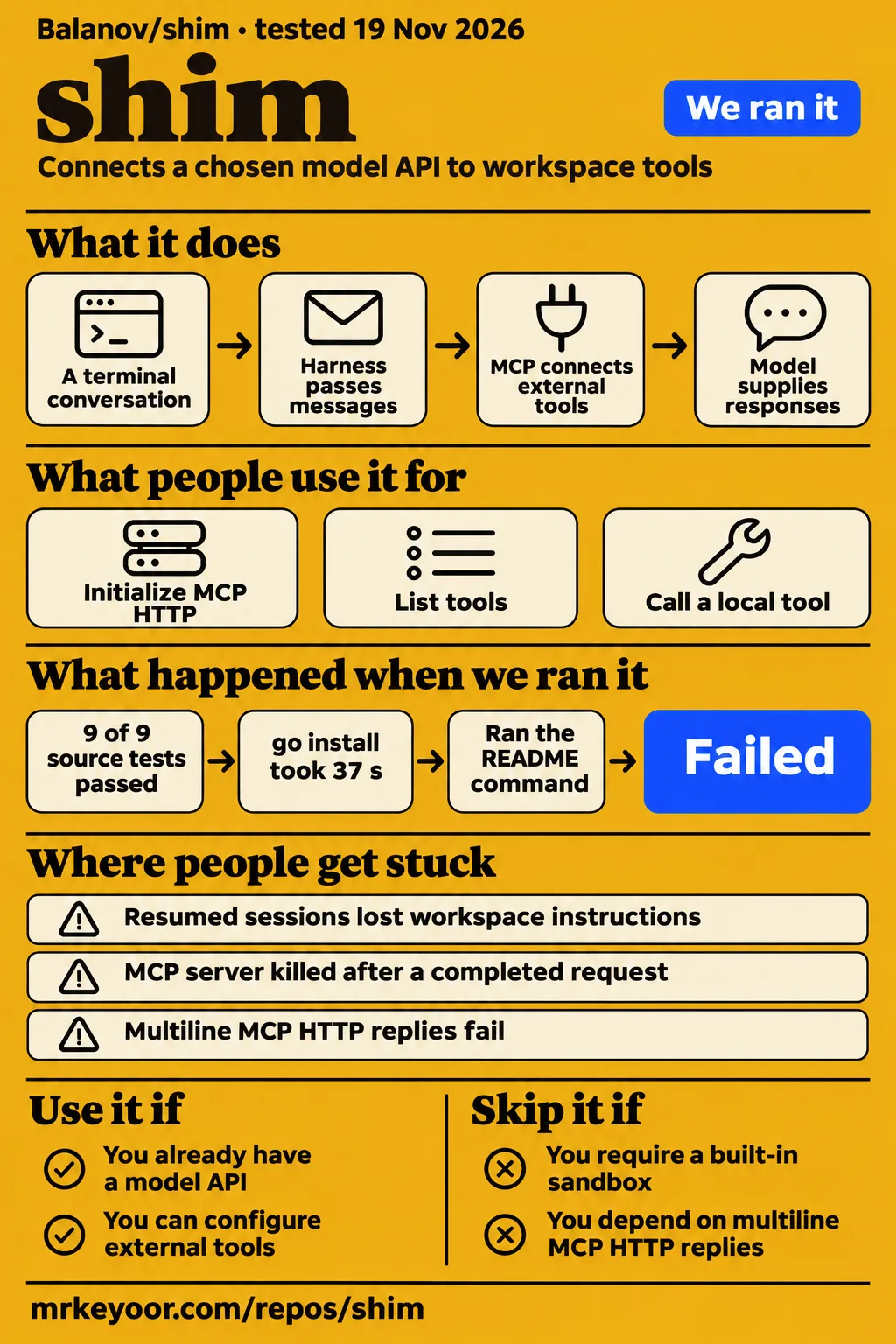
Balanov/shim passed all 9 recorded source tests at da0532f, and v0.1.1 lists fixes for resumed-session instructions and completed MCP calls killing the stdio server. It suits developers who already have a model API and want a terminal harness around their tools. Developers requiring a built-in operating-system sandbox should choose another arrangement. The clearest decision is whether shim's permission model and tool connections fit the work you intend to give it.
What you can do with shim
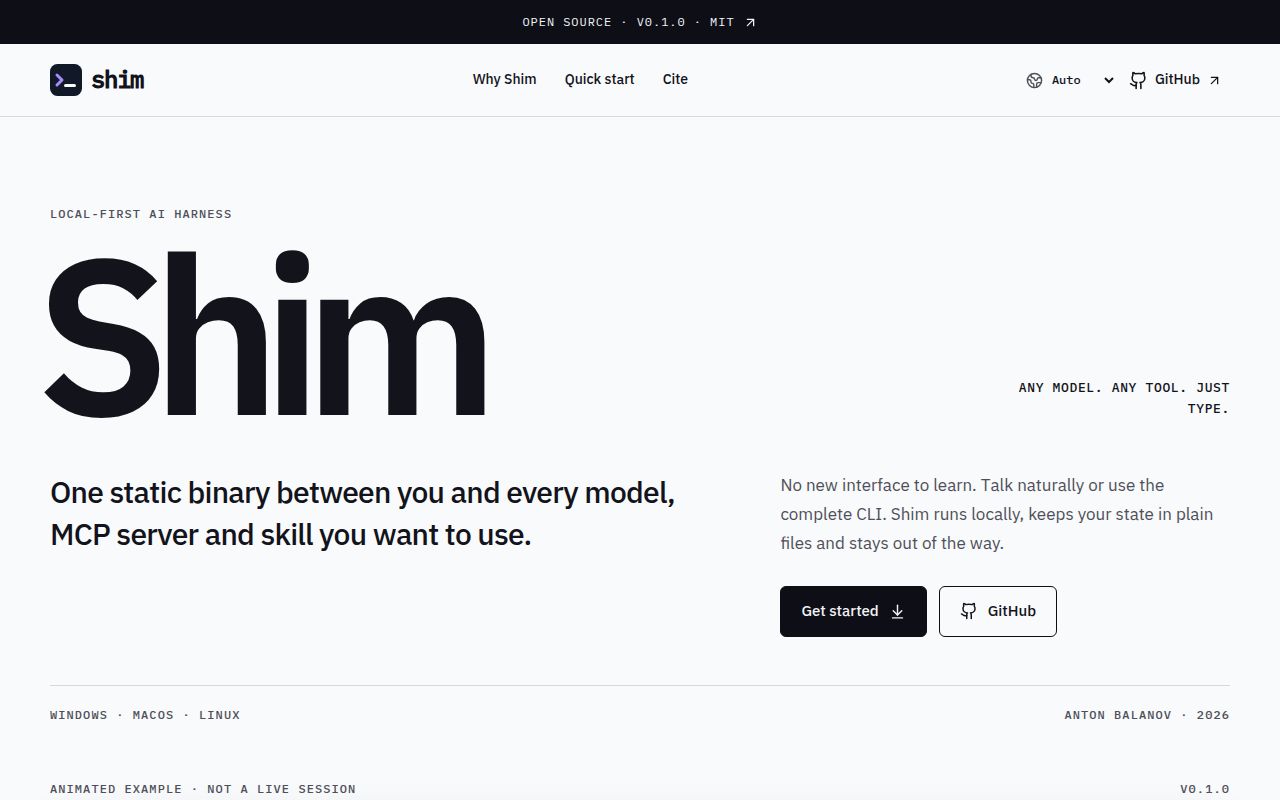
Balanov/shim connects a terminal conversation to a model API, workspace tools and MCP servers, according to its README. The model supplies responses; the harness passes messages and tool results between components. MCP, or Model Context Protocol, connects the harness to external tools. Shim documents both interactive chat and one-shot commands, so the same application can support a conversation or a task launched from a shell.
The README lists native OpenAI-compatible and Anthropic adapters, with presets including Ollama, LM Studio and llama.cpp. Its phrase "any model" means a model exposed through a supported HTTP API. GGUF files and other local weights run in a compatible inference server. Hosted presets use credential environment variables such as OPENAI_API_KEY and ANTHROPIC_API_KEY; the README says API keys are never written to shim's configuration.
Skills are SKILL.md instruction files discovered in locations including .agents/skills/ and .claude/skills/. Only names and descriptions enter the system prompt initially; full instructions load through load_skill. Management requests take a different route: common English and Russian phrases map deterministically to allowlisted commands, while other languages can use a configured model router. Mutating management commands require confirmation, according to the documented flow.
What people use shim for
The reporter of issue #7 exercised HTTP initialization, tool listing and a tool call against a localhost fixture. The report discloses that Codex reproduced the issue and prepared the patch and tests under curforever's authorization. This is a concrete tool-connection exercise: it follows the connection through several stages instead of treating an agent conversation as a single pass-or-fail operation.
| Who did it | Task | Outcome |
|---|---|---|
| Issue #7 reporter, with disclosed Codex assistance | Initialize MCP HTTP, list tools and call a localhost fixture tool | Original initialization failed; the locally patched CLI initialized, listed and called the tool successfully. |
The reporter says the locally patched CLI initialized, listed tools and called the local tool successfully. The same report records seven offline HTTP regressions: 5 failures and 2 passes before the event-framing change, followed by 7 passes. Its cases covered LF and CRLF line endings, notifications before the reply, independent response state, error replies, existing single-line events and separate invalid events. Those are the reporter's results, separate from our source tests.
That sequence gives readers a useful troubleshooting order. An initialization failure occurs before tool discovery, and discovery occurs before a model can select an external tool. A successful fixture call answers a more specific question than whether an entire agent task succeeded. For developers assembling a model-and-tools workflow, the report shows how to locate a connection failure without changing the model and the transport configuration at the same time.
What happened when we ran it
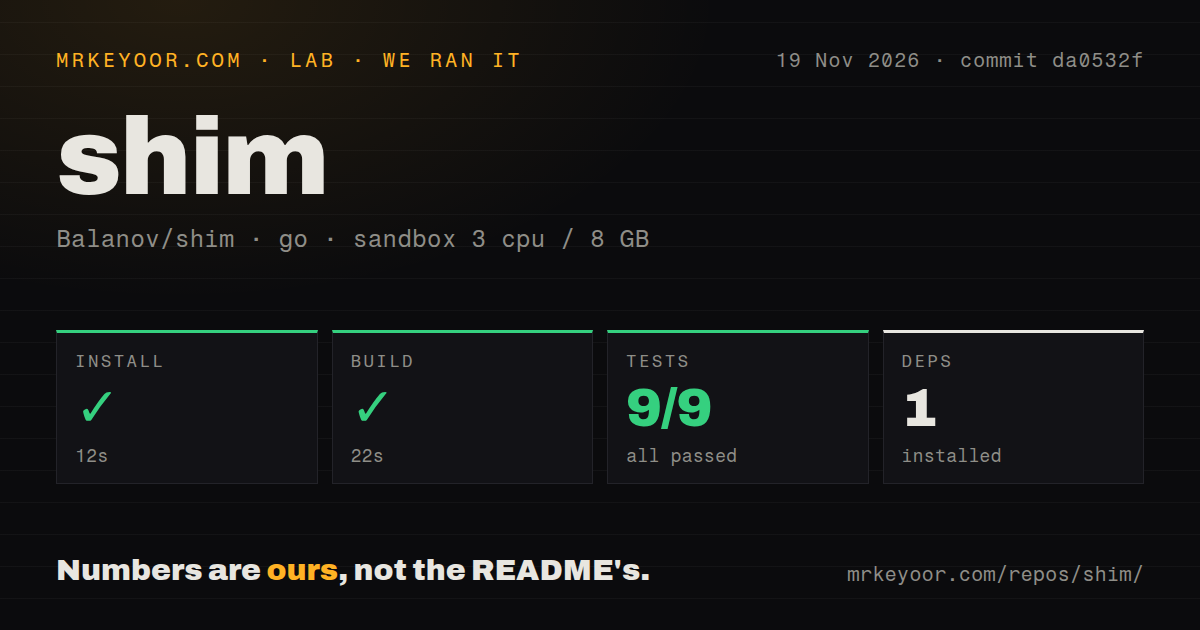
Our source run passed 9 of 9 Go tests in 6 seconds. At commit da0532f on November 19, 2026, we measured installation in 12 seconds and the build in 22 seconds, with 1 dependency recorded. The configured sandbox had 3 CPUs, 8 GB RAM and image label golang:1.24-bookworm. The repository scan recorded 57 files, about 4,446 source lines and a checkout size of 0.8 MB.
| Source sandbox step | Recorded outcome |
|---|---|
| Install | Succeeded in 12 seconds; 1 dependency recorded |
| Build | Succeeded in 22 seconds |
| Tests | Succeeded in 6 seconds; 9 passed, 0 failed of 9 |
| Repository scan | 57 files, about 4,446 source lines, 0.8 MB checked out |
| Automation scan | 2 CI workflow files, no Dockerfile, no tests directory |
The successful Go test command and the absence of a tests directory describe different things. Go tests can run without a directory named tests; the execution result is the evidence for the passing suite. Similarly, the harness recorded 1 dependency during installation, while the README describes a standalone binary and says the code uses only the Go standard library. These observations retain their original labels rather than becoming a new runtime-dependency claim.
The quickstart-cli check used checkout da0532f90fc3 in a fresh unprivileged container configured with 2 CPUs, 4 GB RAM, no published ports and no secrets. Its image label was golang:1.24-bookworm. Although the recipe cloned that checkout, its installation command explicitly requested v0.1.0. The resulting executable reported shim 0.1.0; the source checkout and installed package were therefore separate selections within the recipe.
| Quickstart-cli step | Recorded outcome |
|---|---|
| Clone | Completed in 1 second |
| Install | Requested go install github.com/Balanov/shim/cmd/shim@v0.1.0; 9.6 MB installed in 37 seconds |
| Version | shim --version exited 0 and returned shim 0.1.0 in 0.1 seconds |
| Help | shim --help exited 0 in 0.1 seconds |
| Usage selection | Failed: no runnable shim command in the README's usage/examples sections |
| Teardown | Completed successfully |
The usage-selection step failed before a model request. Help output listed interactive chat, one-shot runs, guided setup and model discovery. The README also contains shim run --read-only "explain this repository", plus setup and model commands. The recorded failure therefore belongs to the recipe's selection step; it is not evidence that the README lacks commands. The documented read-only example is a possible next task after model configuration, rather than an executed result of this check.
Where people get stuck: resume, stdio and HTTP
Issues #4, #2 and #7 concern different failures: missing instructions after session restoration, a shared stdio process killed after a completed call, and HTTP reply handling. The first two connect to fixes listed in v0.1.1. Keeping the symptoms separate helps distinguish conversation-context problems from process-lifecycle problems and HTTP transport behavior. Changing a model would not address the client race described by the maintainer in issue #2.
| Symptom | Evidence | Resolution described |
|---|---|---|
| Resumed session loses workspace instructions | Issue #4 | Rebuild the system prompt before stored messages; maintainer says it ships in 0.1.1 |
MCP server closed stdio after a completed request |
Issue #2 | Maintainer identifies a stdio client race; release notes list PR #3 |
| Multiline MCP HTTP replies fail | Issue #7 | Reporter demonstrates a local event-framing patch and seven passing regressions |
For resumed sessions, the maintainer says the system prompt is built fresh before stored messages. The rebuilt prompt sends the workspace path, AGENTS.md and skills list again, while the session file stays append-only. That distinction explains the fix: saving previous messages and reconstructing the instructions for the current workspace are separate responsibilities. A conversation transcript alone does not supply the context named in the maintainer's resolution.
For stdio, issue #2 reports two Ubuntu CI failures in TestStdioMCPTool, while macOS and Windows passed in both attempts. Local Windows testing with Go 1.27.3 passed 50 consecutive runs; CI selected Go 1.25.x. The maintainer later identified a client cancellation race: after a request completed, a watcher could still choose the cancellation branch and kill the shared MCP server process. These are issue-reported observations, rather than additional runs performed for this review.
Permissions control what the agent can do
Shim's default ask mode permits workspace reads, listings and searches, while requiring confirmation for writes, shell commands and MCP calls, according to its permissions documentation. Read-only mode disables writes, shell and MCP together. This makes the documented repository-explanation command a distinct permission choice: external MCP calls are disabled along with shell commands, even when the intended tool query would only retrieve information.
The README says shell commands and MCP servers run with the user's permissions, and workspace path checks do not contain a malicious process. It recommends a container, VM or operating-system sandbox for untrusted workloads. The auto setting allows actions without prompts; --yes applies that choice to one run. Those controls govern confirmation, while the operating environment determines the permissions available to a launched process.
API keys come from environment variables, and MCP configuration values support ${ENV_VAR} expansion. The README also says the router sees non-command chat text to distinguish management requests from agent tasks. It recommends a loopback model when that routing step should stay on the machine. These are separate configuration decisions: where credentials are stored, which model sees routing text and which actions require confirmation each affect a different part of the workflow.
The release notes identify which fixes shipped
Release v0.1.1 lists both the stdio completed-call fix and the resumed-session system-prompt fix. Its release notes name PR #3 and PR #5 respectively, alongside PR #1 for preserving tool output when execution fails. That gives a developer choosing a release a direct connection between the reported symptoms and shipped changes. For restored-session work, v0.1.1 is the release supported by that evidence.
The release was published on November 15, 2026, and repository metadata records a last push that day. The README offers downloadable binaries for Windows, macOS and Linux, and documents Go 1.25+ for installation with Go. Source instructions run go test ./... and build ./cmd/shim. On PowerShell, the README says to use .\shim.exe when launching the downloaded executable from its current directory.
shim vs Aider and Goose
Aider documents automatic Git commits, while Goose documents desktop, CLI and API interfaces. Those differences give developers concrete reasons to shortlist an alternative. Shim's README describes a terminal harness with model adapters, MCP, lazy skill loading and conversational management. Choosing among these applications starts with the interface and review workflow you want, rather than a claim that a shared model provider makes their behavior equivalent.
| Candidate | Documented focus | Choose it when |
|---|---|---|
| Balanov/shim | Terminal harness with model adapters, MCP and lazy skill loading | You want to configure a terminal workflow around your chosen model and tools |
| Aider | Automatic commits and Git tools for reviewing and undoing AI changes | You want AI edits organized through Git |
| Goose | Native desktop app, CLI and API | You want a desktop interface alongside terminal or embedded use |
Aider's README says it automatically commits changes and supports familiar Git tools for diffing, managing and undoing them. That is a practical reason to consider Aider for repository work organized around change history. Shim's README describes its different focus as a general agent harness with MCP, lazy skills and conversational management. The comparison concerns the documented workflow around an edit, rather than a numerical ranking of code quality.
Goose's README lists a native desktop app, a CLI and an API. Its desktop application covers macOS, Linux and Windows, while the CLI supports terminal workflows and the API supports embedding. Shim's README explicitly describes a control layer without a desktop app or terminal UI. If a desktop interface is part of your requirement, Goose belongs on the shortlist before you begin configuring models and external tools.
FAQ
Shim 0.1.1 rebuilds the system prompt when sessions resume, according to the maintainer's issue #4 resolution. Session restoration, stdio process errors and multiline HTTP replies are the three distinct reader questions addressed here. The troubleshooting section gives their histories; these answers focus on the release choice or symptom a developer needs to recognize when continuing a conversation or connecting an MCP server.
Does resuming a shim session restore its system prompt and repository instructions?
The maintainer says shim 0.1.1 restores the workspace path, AGENTS.md and skills list by building a fresh system prompt before stored messages. The issue #4 resolution says the session file remains append-only. For a reader choosing a release for continued conversations, that is the relevant fix: restored messages follow newly constructed workspace instructions instead of standing alone as the entire conversation context.
Why does shim report that the MCP server closed stdio?
Issue #2 identifies a client cancellation race that could kill the shared MCP process after a completed request. The maintainer explicitly says the cause was in the stdio client, not the test, resolving the report's initial question about the Ubuntu failure. Release v0.1.1 lists PR #3 as the fix for completed MCP calls killing the stdio server, so that error has a release-linked diagnosis.
Can shim handle valid multiline SSE replies from MCP HTTP servers?
Issue #7 reports a multiline-reply failure and a successful local event-framing patch. The patched CLI initialized, listed tools and called the fixture tool; seven offline HTTP regressions then passed. A developer matching this symptom should distinguish that locally patched executable from the original behavior reported in the issue. The practical evidence is the fixture sequence and its regression results, rather than the general README statement that shim supports Streamable HTTP.
What we have not tested yet
The smoke recipe stopped before a model task, and our successful execution results cover source installation, build and tests plus executable version and help output. Guided setup, a completed agent conversation, answer quality, token streaming, latency, model memory, operating cost and production reliability are outside those results. The README examples describe commands readers can use after configuration; this review does not claim that its suggested read-only task was executed.
Issue #7's local results do not establish remote-provider interoperability, Linux or macOS behavior, a complete SSE implementation or a released multiline-reply fix. The report supplies no production-adoption result. There are no side-by-side workload measurements against Aider or Goose. Documentation completeness, support quality and sustained operation also lack the evidence needed for numerical editorial ratings, so the four score fields retain descriptive notes and unassessed status.
The container image labels describe recorded configuration rather than actual runtime toolchain or operating-system versions. Complete runtime logs, hostile skills, malicious MCP servers and permission enforcement have not been audited here. Rendered layout, assets, related links, recommendation modules and template content are outside this text-and-evidence review. The next useful execution result would be a read-only task against a configured model, followed separately by a harmless call to the intended MCP server.