Short answer: use the free skill when the design is still undecided
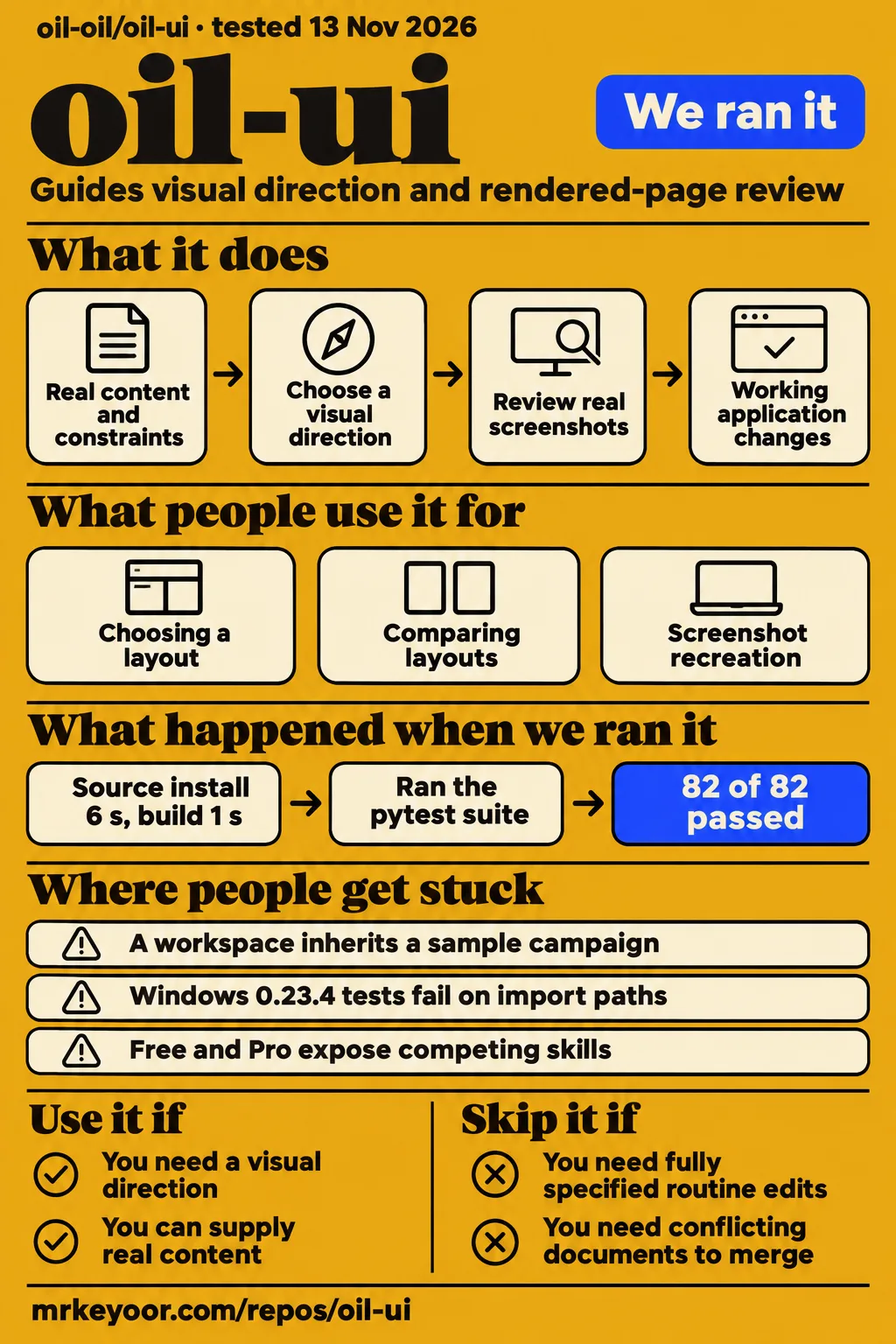
Oil UI is a design skill for AI agents, and our source installation took 6 seconds. Try the free edition when a page still needs a visual direction, clearer hierarchy or a comparison of layouts. Keep your existing component stack and give the agent a specific product task. For a supplied text replacement or quantity adjustment, ask for the exact edit. The repository describes a method for making design decisions and reviewing real screenshots. Oil UI repository and README
The free edition covers composition, typography, imagery, screenshot recreation and visual review. Pro adds documented workflows for interactions, existing projects and repeated review. Start with a screen whose purpose and content you understand: a booking page, a workspace or a homepage with a clear primary action. Explain who uses it, what they need to complete and which behavior must stay intact. The official guide recommends trying the free skill on a real task before buying Pro. Official installation and edition guide
What people use oil-ui for
Oil UI supports choosing a visual direction, comparing layouts and reviewing rendered interfaces. The README supplies prompts for each task, including a review that leaves files untouched and screenshot recreation with a mobile layout. Choose the deliverable before invoking it: design notes, comparison previews and working application changes require different work. Provide real content, page scope and technical constraints so the agent can connect its visual choices to the screen's purpose. Documented Oil UI usage
| Who used it | Task and reported outcome | What to take from it |
|---|---|---|
| The reporter of issue #17, using Pro 0.33.3 in Codex | A general-purpose image workspace inherited an example brand and fixed-count promotional copy. Early redesigns retained a similar structure. | Separate example data from product constraints before requesting a redesign. Workspace report |
| The reporter and maintainer in issue #3 | Routine edits under Pro triggered extra skill loading and browser inspection. The maintainer released narrower activation rules for both editions in 0.23.2. | Fully specified edits should bypass design exploration. Activation report and response |
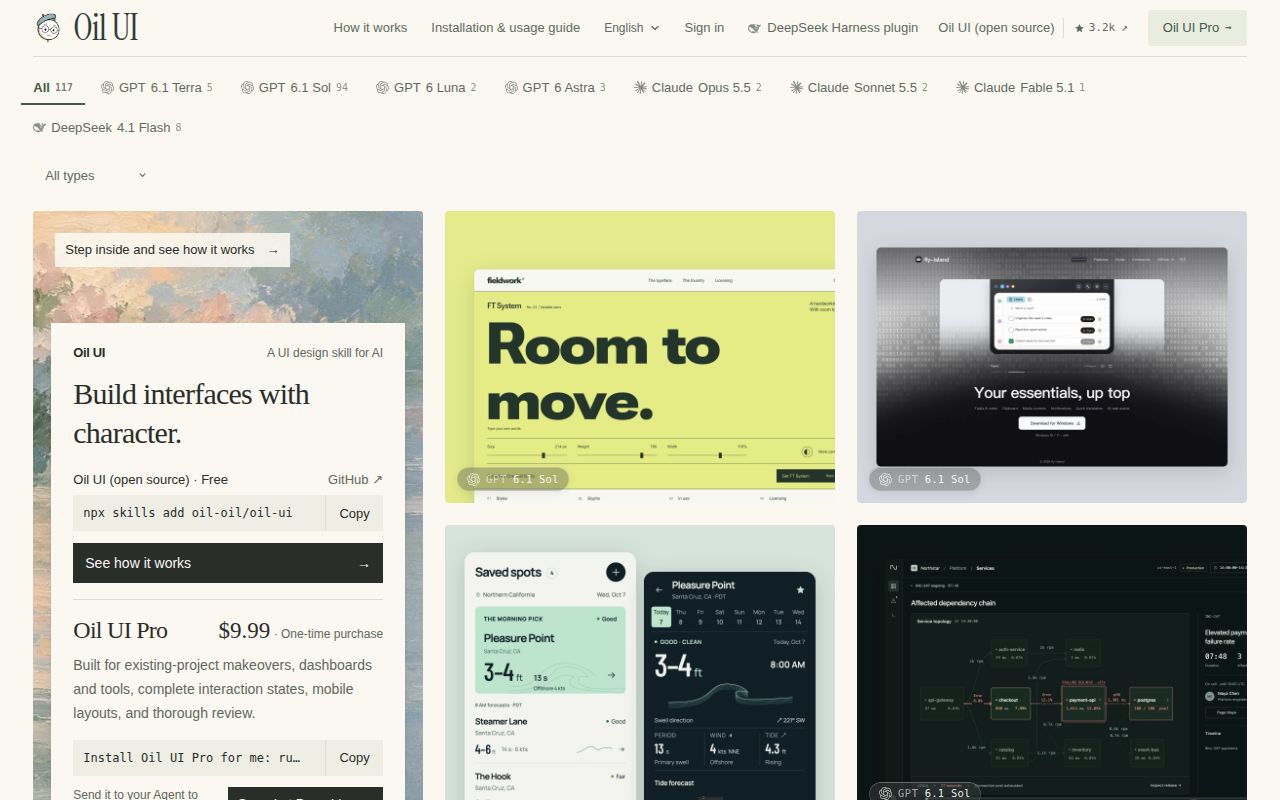
| The project author in the Codex gallery guide | Fieldwork Type links type controls to licensing prices, Nightwatch links incident timelines and logs, and Vesper exposes invoice filtering and recovery actions. | Inspect the interaction relevant to your own screen. Author's Codex gallery guide |
The workspace reporter suggests a useful acceptance check: replace the sample's industry and change the image count. If the workspace's own brand or navigation stops making sense, inspect where example content became a product constraint. The report also describes saturated color requests turning into large fluorescent areas. Give the agent a reference and distinguish color intensity, brightness and area instead of asking only for "more color." Example-content and color report
What happened when we ran it
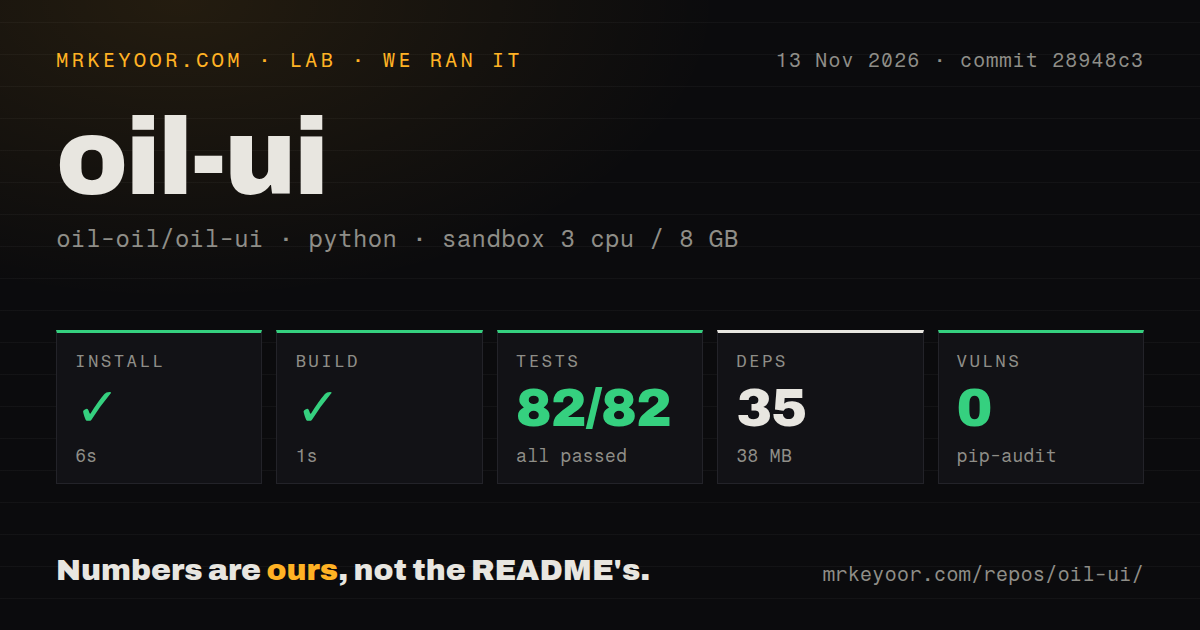
Our run installed the source at commit 28948c3 in 6 seconds on 2026-11-13. The build succeeded in 1 second. Tests succeeded in 42 seconds, reporting 82 passed, 0 failed and 200 skipped. A separate hands-on attempt failed its safety check because the repository lacked a Compose file. The documented user entry point is a skill installer; the failed attempt required a repository deployment file.
| Recorded source check | Result in our sandbox | Reading the result |
|---|---|---|
| Install | Succeeded in 6 seconds; 35 dependencies recorded; 38 MB on disk | The recorded source installation completed |
| Build | Succeeded in 1 second | The recorded build step completed |
| Tests | Succeeded in 42 seconds; 82 passed, 0 failed, 200 skipped | The command succeeded; the summary also ends with the inconsistent total "of 82" |
| Dependency audit | pip-audit reported 0 known vulnerabilities | The recorded dependency audit returned no known vulnerabilities |
| Repository scan | 53 files, approximately 11,182 source lines, 2 MB checked out; one CI workflow and a tests directory; no Dockerfile | These describe the checked-out repository |
The sandbox configuration recorded 3 CPUs, 8 GB RAM and image ghcr.io/astral-sh/uv:python3.12-bookworm. We retain the reported passes, failures and skips exactly: "200 skipped of 82" supplies conflicting counts, so calculating a pass percentage would introduce a denominator the record cannot resolve. The configured image is recorded separately from the toolchain. These source checks took place at commit 28948c3; the supplied latest-release metadata names v0.33.4, dated 2026-11-11.
The hands-on summary says the project was deployed through its own Docker Compose with every port bound to 127.0.0.1. Its detailed safety step instead reports that none of compose.yaml, compose.yml, docker-compose.yaml or docker-compose.yml existed. The failed step takes precedence over that deployment wording. The teardown record says "ok." Keeping all three records together makes the contradiction visible without turning the summary into a successful deployment claim.
Where people get stuck: activation, Windows paths and duplicate skills
Release 0.23.2 narrowed activation for fully specified edits in both editions, according to the maintainer's response in issue #3. The response identifies a 6-minute-38-second example in which the earlier small-change instructions also prompted browser inspection. The revised route excludes supplied text, quantity, deletion and style-reuse changes from design exploration. Color, spacing and style changes receive a look at the affected area and adjacent elements. Activation fix
| Symptom in the issue record | Explanation or proposed remedy | Recorded status |
|---|---|---|
| GBK decoding errors, Windows import paths and theme-sensitive capture behavior | The maintainer specifies UTF-8, file URLs, temporary script files and an explicit white opening capture page. A CRLF fix concerns Pro's card code. | Issue #2 is closed; the maintainer names 0.22.2 as the fixed release. |
| Further Windows errors in 0.23.4 | The reporter identifies raw paths passed to Node imports and CSS URLs, and proposes waiting for subprocesses before temporary-directory cleanup. | Issue #5 is closed. |
| Free and Pro both appear across agent clients | Use Pro alone if installed; inspect each client's skill links or copies. | Issue #8 requests additional native plugin packaging. |
| A generic workspace inherits a sample campaign | Label examples separately, bind counts to state and check whether a requested redesign changes the rejected structure. | Issue #17 concerns Pro and the executing agent. |
The Windows follow-up gives a concrete sequence: its reporter says all five original fixes worked and that 0.22.2 had 153 passing items on that machine. With 0.23.4, the reporter records 198 items, 16 failures and 2 errors. The breakdown assigns 16 to Node import paths, one to a Windows path embedded in a CSS URL and one to a temporary directory still occupied by subprocesses. These are the reporter's Windows results, separate from our sandbox counts. Windows follow-up and breakdown
For multiple clients, inspect the directories each client actually reads before switching editions. Issue #8 describes copies or symlinks across Claude, agent and Gemini skill directories, with removal and version synchronization spread across those locations. The README recommends Pro alone and documents automatic local Pro detection in the DeepSeek Harness wrapper. An inventory of discoverable skills gives you a concrete way to find a remaining free-edition entry after a change. Multi-client installation request, README installation instructions
English docs exist, while the skill instructions are Chinese
Oil UI has an English README and English installation guide; its bundled instructions say the skill is written in Chinese. Those instructions direct the agent to answer in the user's language and use the product audience's language for interface copy. Set that audience and language in the brief together with the actual labels and content. This gives the agent a concrete copy requirement when it chooses the page's structure and hierarchy. English README, Supplied instruction listing
Several troubleshooting records are in Chinese, including the activation and Windows threads. Match a report by its version, file and error text when using a translation. For interface work, preserve the distinction between a design explanation for your team and product copy for customers. A screen can need English labels even when its source instructions are Chinese; the supplied language rule explicitly accounts for that situation. Activation discussion, Windows follow-up
Security starts with the host's tools and the disclosed update check
The README documents a version check that goes online at most once every 10 minutes and an OIL_NO_UPDATE_CHECK=1 opt-out. It says the check reads the public version list at ui.oiloil.org, uploads nothing from the project and downloads or replaces nothing unless the user explicitly requests an update. These are the project's stated behaviors. Read them alongside the host agent's permissions when deciding which scripts and network access to allow. README version-check documentation
The supplied TypingMind instruction listing includes a command to run a bundled Python script, so script execution belongs in that permission decision. Our pip-audit result was 0 known vulnerabilities. Issue #10 addresses a separate proposal: the maintainer declined to add the suggested third-party certification workflow at that time. Dependency auditing, permission controls and adoption of a certification process answer different questions, and the supplied records let us describe each outcome separately. Bundled script instructions, Certification response
oil-ui vs Oil UI Pro, shadcn/ui, Radix and other design skills
The official integration guide treats Oil UI and component libraries as complementary: libraries supply controls while Oil UI guides composition and hierarchy. Keep the components your project already uses, and identify the design decision the agent should make around them. Pro extends the same method with additional workflows. The useful comparison is therefore the work each choice supplies: visual direction, implementation controls, existing-project guidance or straightforward execution of an exact request. Official component-integration guide
| Choice | Supported distinction | Pick it when |
|---|---|---|
| Free Oil UI | Design direction, visual work, screenshot recreation and comparison pages | You have an unresolved visual decision and want to try the method |
| Oil UI Pro | The official guide adds interactions, states, existing-project refreshes and reviews from multiple perspectives | Your tasks repeatedly need those additional workflows |
| shadcn/ui, Radix or Tailwind alongside Oil UI | The official guide pairs implementation tools with composition guidance | You need components or styling tools within your existing stack |
| One-shot prompting | A fully specified request can go directly to the executing agent | The wording, quantity or deletion is already decided |
| Anthropic frontend-design, Impeccable or UI UX Pro Max | The author lists these in a 15-run blind-scored comparison | You want candidates for a same-brief comparison |
The official guide lists the English Pro edition at $9.99 as a one-time purchase with lifetime updates. It also says Pro includes the open-source method and recommends using Pro on its own. Before buying, choose one screen and describe the additional workflow you need: an empty state, a dialog interaction or a refresh of an existing layout. That connects the edition decision to a specific task instead of asking a gallery screenshot to make the purchasing decision. Official Pro guidance and price
What the other reviews get wrong
Three supplied directory descriptions conflict with the README or other instruction snapshots: script execution, default direction selection and network disclosure. TypingMind says bundled resources are readable files that are never executed. Its reproduced instructions also tell an equipped host to run a Python script. For a coding-agent installation, read the command-bearing instructions and the host's permissions together rather than interpreting the listing's file description as a general execution restriction. TypingMind listing and instructions
Sabemos says the skill first produces several different design directions. The supplied SkillsLLM snapshot instead defaults to one recommended direction and reserves multiple directions for an explicit comparison request. The current README describes the same one-direction default. Ask explicitly for a comparison when you want alternatives; when you already have a direction, supply the confirmed constraints and request refinement. That follows the documented distinction without assuming every directory snapshot describes the same workflow. Sabemos description, SkillsLLM snapshot, README workflow
Clelp labels outbound activity undisclosed. The supplied README names the update-check destination, frequency and opt-out, and the ColaOS listing also describes the periodic check. That is a concrete correction to a blanket claim that the check is undocumented. For an installation decision, inspect the specific destination and operation named by a finding, then compare it with the documentation for the revision you are using. Clelp scan listing, ColaOS update-check description
Documentation scores 4/5 under a task-and-boundary rubric
Documentation scores 4/5 because the supplied README and guides explain installation, edition differences, update behavior and task-specific prompts. On this editorial scale, 1 means missing essentials, 2 a partial introduction, 3 a usable basic guide, 4 detailed task and boundary guidance, and 5 independently corroborated guidance across documented paths. The rating concerns the documentation a developer can read and act on. Its evidence includes the installer instructions, free-versus-Pro table and disclosed update behavior. Oil UI README, Official task guide
The supplied GitHub metadata records a last push on 2026-11-11 and release v0.33.4 on that date. The maintainer's responses in issues #2 and #3 identify fixes in 0.22.2 and 0.23.2 respectively. Those records let a reader trace specific changes rather than infer maintenance from a repository counter. Setup ease, community and maturity are marked N/A; the evidence needed to assess those dimensions is listed in the final section. Repository metadata, Release v0.33.4
Questions people ask
Use npx skills add oil-oil/oil-ui for the documented skill installation, use Pro alone if installed, and keep fully specified routine edits outside design exploration. Those answers come from the README, the edition guide and the maintainer's activation fix. The questions below connect each instruction to its source and distinguish the normal skill installer from the separately documented DeepSeek Harness wrapper. Installation instructions, Activation fix
How can oil-ui avoid activating for routine edits whose changes are already fully specified?
Release 0.23.2 narrowed both editions' activation rules for supplied text, quantity, deletion and style-reuse edits. The maintainer also removed obligatory browser inspection for those changes after accidental loading. State the element and exact change in the request. For a design task, explain the unresolved judgment instead, such as choosing a layout or improving hierarchy. The response makes that distinction depend on design judgment rather than the number of edits or the word "optimize." Maintainer's activation response
Does oil-ui support native plugin installation for Claude Code, Codex, Pi and Antigravity?
Issue #8 requests native plugin packaging for Claude Code, Codex, Pi and Antigravity. The documented skill route is npx skills add oil-oil/oil-ui; DeepSeek Harness separately has the native dsh-oil-ui wrapper. When installing, identify which route your host uses and which directories it exposes. The request describes the maintenance burden of copies and symlinks across clients, which helps explain why the reporter wants centralized enablement, removal and version synchronization. Plugin packaging request, Documented installer
How do I prevent free oil-ui and Oil UI Pro from competing across multiple agent clients?
Use Pro alone when installed, as the official guide recommends, and inspect each client's discoverable skill copies or symlinks. Pro includes the open-source design method. The README says the DeepSeek Harness wrapper automatically detects a local Pro installation. For other installations, the multi-client report gives a practical diagnostic: look for both edition names in the available skill list, then trace the directories that expose them. Edition guidance, Multi-client report
Why do oil-ui's tests fail on Windows with GBK encoding or dark mode?
Issue #2's maintainer response identifies fixes for encoding, import URLs, long command arguments, the recording's opening background and Pro card-file line endings in 0.22.2. Issue #5 then reports path and cleanup problems in newly added 0.23.4 code. Match the failing file and version to the relevant thread. In particular, the dark-mode fix gives the opening capture page an explicit white background while preserving the tested page's own color-scheme behavior. Original Windows fixes, Windows follow-up
How can a general-purpose workspace avoid inheriting the brand and image count from example content?
Separate product facts, confirmed UI constraints and sample content before design begins. The Pro workspace reporter recommends changing the example's industry and image count, then checking whether branding, navigation and copy still fit. Counts should follow actual state. When rejecting an old structure, specify that the next candidate must change information organization or editing controls, so the acceptance check addresses more than colors and rounded corners. Workspace report and suggested checks
Would the project adopt a publicly verifiable third-party certificate?
The maintainer declined the proposed third-party certification workflow in issue #10, saying there was no current plan to add it. The response leaves open revisiting the proposal if the project develops a concrete need. Treat the recorded decision as a response to that proposed workflow. For the present installation decision, the supplied README's update documentation and the host's tool permissions provide concrete operations to inspect. Maintainer's certification response
What we have not tested yet
Our source checks and failed Compose attempt produced no completed design workflow or visual-quality result. Generated-page accessibility, mobile interaction quality, model consistency, production reliability and agent-token cost remain untested. The source harness also did not reproduce installation into an agent, so setup ease is N/A. Selected issues do not measure adoption or support capacity, leaving community N/A; repeatable interface quality is needed to assess maturity. Raw logs are needed for the skipped-test reasons and actual runtime and operating-system versions.
The gallery examples are author-published demonstrations; their supplied extract leaves edition attribution incomplete. Pro reports do not establish the same defect in the free edition, and the workspace reporter explicitly shares responsibility with the executing agent. The advertised 15-run comparison supplies no scores or winner in these extracts, so it supports no ranking. Directory snapshots also differ in host scope and revision; their chronology and the complete meaning of Clelp's static findings are unresolved here.
We did not inspect runtime network traffic, audit script inputs or reproduce a certificate check. The supplied extracts do not establish a fixed release for issue #5 or delivered native packaging for the clients requested in issue #8. They also do not establish that the separately named oiloil-ui-ux-guide repository is Oil UI or its documented predecessor. The pack contains no hands-on Q&A or screenshot records. Separate repository listing, Earlier recommendation
For a next evaluation, install from oil-oil/oil-ui, record the revision and host capabilities, and choose one real screen with actual content. Screenshot inspection needs image-reading ability; interaction checks need a runnable interface; independent visual review needs an isolated reviewer able to read images. Preserve the screen's required handlers and complete its main task before accepting the result. These are evaluation steps to perform, rather than results from the source run described above. Host capability requirements, Official interaction guidance