Six session types turn NyaTerm into an operator workspace
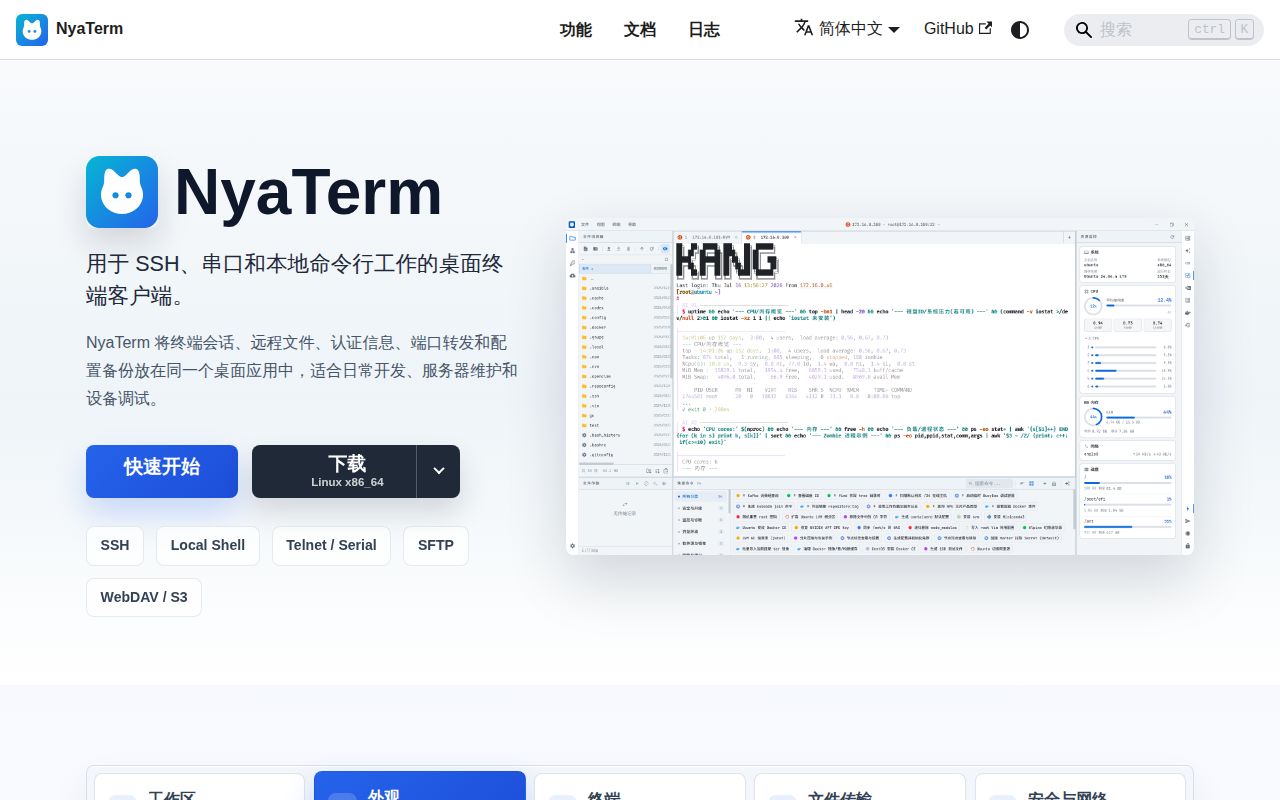
NyaTerm handles SSH, local terminals, Telnet, serial, RDP, and VNC in one desktop application. Around those 6 session types it adds split panes, saved connections, SFTP, tunnels, credentials, OTP, notes, command history, process views, and Docker management. This is much closer to an operations cockpit than a prettier shell window. The appeal is strongest for someone who otherwise keeps a terminal, file-transfer client, remote-desktop viewer, and connection notebook open together.
Remote file work is unusually central. An SSH session can open an SFTP browser, queue transfers, preserve timestamps, edit a remote file locally, and upload it again when the contents change. NyaTerm also imports sessions from Xshell, MobaXterm, and WindTerm. Encrypted .nya backups can move the full configuration, while WebDAV, S3-compatible storage, and GitHub Gist can hold encrypted snapshots. A master password is required before those 3 sync routes operate.
Two AI modes can inspect output and propose commands
Ask mode handles one-off command generation, selected-output explanation, and error analysis. Agent mode uses an observe, decide, and run loop against the active terminal. NyaTerm presents structured command cards with risk levels and execution controls, captures recent output, and can mention other sessions as context. It supports built-in provider settings, multiple accounts, manually entered models, and custom OpenAI-compatible endpoints. That is useful power sitting beside live infrastructure, so provider policy and approval habits matter.
The guardrails are visible rather than implied. High-impact commands have approval gates and safer alternatives, and Agent work has a separate final-answer step after terminal actions finish. Still, a configured provider may receive terminal content, errors, hostnames, or commands that appear in the chosen context. Teams should test with 1 non-production host, inspect exactly what is sent, and decide which operators may enable Agent mode before importing an entire connection catalog.
What happened when we ran it
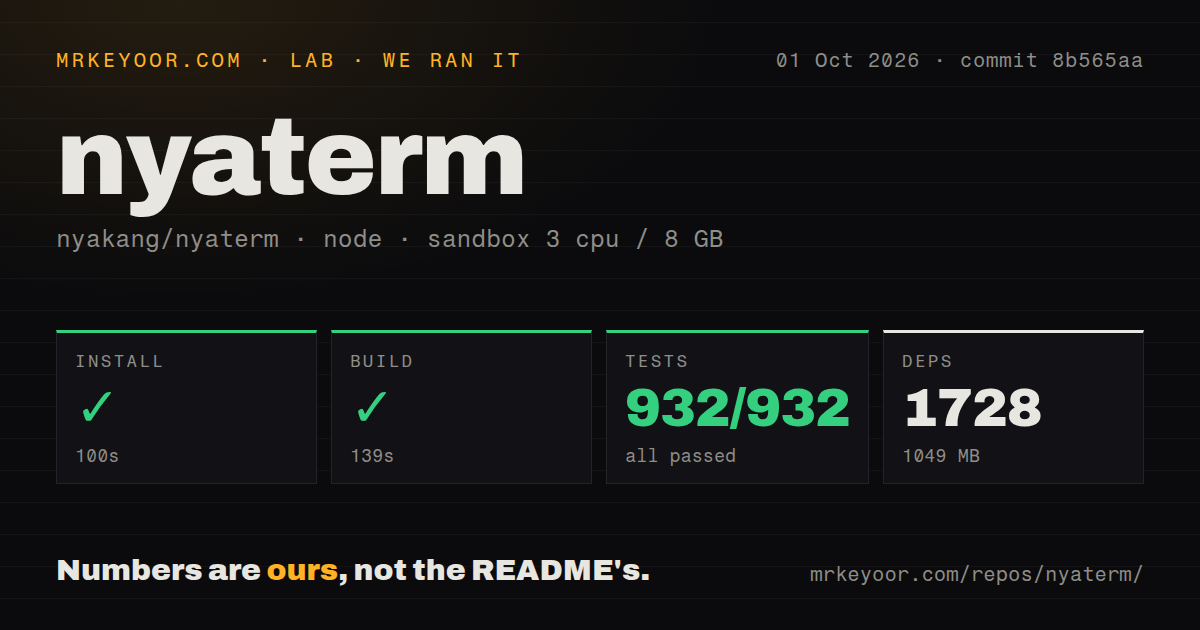
Our sandbox cloned commit 8b565aa into an unprivileged Debian container with 3 CPUs, 8 GB of RAM, Node 22, and no secrets. The repository held 1,177 files, about 284,662 source lines, and occupied 25.9 MB. Pnpm installed 1,728 packages in 100 seconds, and the installed tree reached 1,049 MB. The build succeeded in 139 seconds. This was the heaviest installation of the 3 repositories in this batch.
Vitest completed in 108 seconds with 932 passed and 0 failed. That clean result matters in an application handling passwords, file transfers, shell input, AI commands, and encrypted backups, though it does not prove those workflows against real servers. The repository had 7 CI workflow files and monorepo workspaces. Our scan found no Dockerfile and no top-level tests directory; the 932 passing tests show that the test command still found its suites elsewhere.
The lab did not open the Tauri desktop, establish SSH or RDP sessions, move a file, call an AI model, or measure terminal latency. Those would require credentials, graphical access, and representative endpoints. Our result covers dependency installation, the provided build, and the Vitest suite. It does establish a reproducible baseline: commit 8b565aa built without an error after a 1,049 MB install and returned a fully green 932-test summary.
macOS 12 support comes without an Apple signature
NyaTerm publishes Windows installers and portable archives, macOS disk images, and Linux deb and AppImage packages. The support table names Windows 10 and 11 on x64 or arm64, macOS 12 or newer on Intel and Apple Silicon, plus Ubuntu 20.04, Fedora 36, Arch, and similar distributions. Windows portable updates verify Tauri signatures. Version 1.2.12 also bundles ConPTY, with Windows 10 1809 as the documented floor.
The macOS application is not signed with an Apple Developer certificate. Its README tells users to remove the quarantine attribute with sudo xattr -cr if macOS rejects the app. That is workable on a personal machine and often unacceptable in a managed fleet. Development is heavier again: Node 18+, pnpm, Rust stable, Tauri's native requirements, and the 1,728 packages our run installed. Downloading a release is the sensible evaluation path for most people.
Version 1.2.12 and October 1 fixes show active maintenance
Release v1.2.12 arrived on September 28, 2026. It added command navigation, pane focus, bundled Windows ConPTY, file-browser terminal actions, and reorganized AI provider settings. It also fixed large-output behavior, Telnet binary input, jump-host ZMODEM transfers, SFTP-only sessions, RDP clipboard negotiation, and terminal timestamps. The release notes are mainly Chinese, but the project keeps a detailed English README and a Simplified Chinese counterpart.
GitHub showed 1,717 stars, 44 open issues, and 1 open pull request. The repository was pushed on October 1, when fixes for Gitee Gist sync, Raspberry Pi VNC, and child-shell prompt behavior were closed. Open reports still include serial input lag, a bastion-host upload interruption, and a web-mode request. The same-day fixes and v1.2.12 release show attention, while the 45-item combined queue gives adopters concrete edge cases to test.
NyaTerm justifies its size only when its pieces replace tools you already use. The 932 passing tests make it easier to trust than its sprawling feature list first suggests, and the September release shows those features are being worked on. The choice is less convincing for a developer who only needs local tabs and SSH. In that case, 1,049 MB of source dependencies and an AI control plane are costs without corresponding savings.