Vue conventions replace a pile of routing and rendering choices
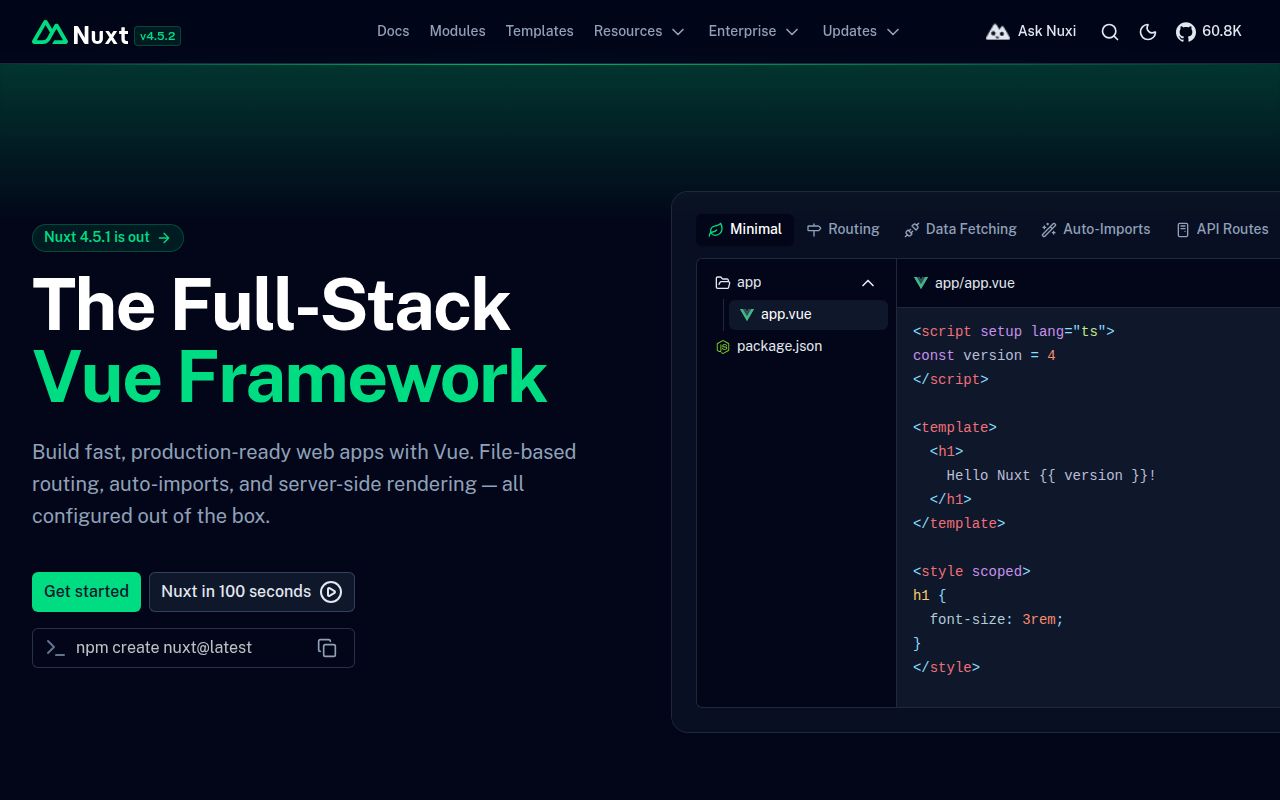
Nuxt gives a Vue project a standard shape. Files become routes, components and composables can be auto-imported, page data has framework helpers, and metadata can be declared beside the component that owns it. The same project can render on a server, generate static pages, hydrate in the browser, or mix strategies by route. That is a practical package for teams that want to build the product instead of deciding how six infrastructure libraries should fit together.
The server/ directory brings API handlers into the application, making Nuxt more than a page renderer. Code splitting and prefetching follow the route structure, while TypeScript works without a separate configuration exercise for basic use. The README points to more than 300 modules, covering integrations that would otherwise need custom wiring. Each convenience is also a convention, so teams should prototype one real route before committing an existing Vue application to a migration.
The 637 MB checkout builds quickly but tests did not start cleanly
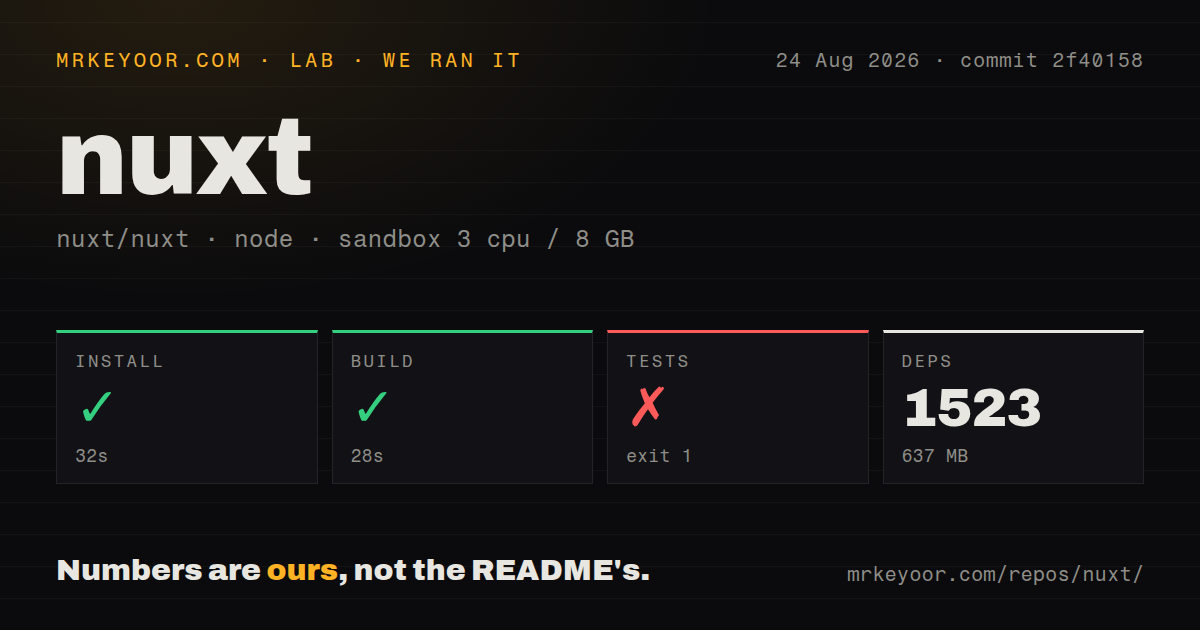
We cloned commit 2f40158 into a fresh unprivileged Debian container with 3 CPUs, 8 GB of RAM, and Node 22. The repository had 1,930 files, roughly 111,588 source lines, and occupied 6.6 MB before dependencies. Pnpm installed 1,523 packages in 32 seconds, consuming 637 MB. The build completed successfully in another 28 seconds.
The repository is a workspace monorepo with 28 CI workflow files and a tests directory, but no Dockerfile. Its packages include the Nuxt core, schema, module kit, and builders for Vite, webpack, and Rspack. A normal product starter is smaller than the framework checkout we measured. Contributors inherit the whole matrix and must run pnpm dev:prepare after installation before using the playground or full test commands.
What happened when we ran it
Our test step failed after 20 seconds with exit code 1. The tail showed a recursive command killed by SIGABRT while running nuxt prepare, followed by ELIFECYCLE failure messages under Node.js v22.23.2. The supplied output contains no passed, failed, or skipped test counts, so we cannot say that any individual test case ran.
The log did not explain why the prepare process aborted. It showed an empty stderr, stdout containing undefined, and the recursive-exec failure. That supports one bounded conclusion: commit 2f40158 installed and built in our 3-CPU, 8 GB sandbox, but its test path did not complete there. A contributor should rerun preparation with full logs on the target development machine before changing code.
Rendering freedom moves decisions into deployment
Server rendering can deliver ready HTML, static generation can remove request-time compute, and hybrid rules can choose between them by route. Nuxt can also target edge environments and several hosting providers. These choices help a mixed site, such as documentation with an authenticated application, avoid forcing one rendering model everywhere. They also affect caching, environment variables, runtime APIs, and which failures happen during build versus request handling.
A team should write down the output expected for each important route. Confirm whether user-specific data runs on the server or browser, which pages may be cached, and how preview deployments receive secrets. The 28-second framework build from our run is not a production-site timing claim. Real duration depends on the application's pages, modules, assets, data fetching, and chosen deployment preset.
Auto-imports save typing while hiding dependency edges
Nuxt can import components, composables, and utilities automatically. That keeps Vue files short and gives modules a natural way to add capabilities. New developers may have to learn where a symbol came from and whether it runs on the server, client, or both. Naming collisions and environment boundaries are easier to manage when a team follows the directory conventions and keeps business logic in plainly named modules.
The module catalog is a reason to choose Nuxt, but every module joins the upgrade surface. Check its owner, release activity, Nuxt compatibility, server behavior, and access to secrets before adoption. For a security-sensitive feature such as CSP, test the exact rendering mode. Open issue 36150 reports Nuxt 4.5.2 with experimental SSR streaming missing nonce attributes on inline scripts when the nonce is injected by Nuxt Security during a later hook.
Asset caching needs a two-build deployment test
Hashed filenames normally let a CDN cache JavaScript for a long time. Issue 36136 includes a Nuxt 4.5.2 reproduction where two builds reportedly emit different shared chunk contents under the same _nuxt filename. With subresource integrity enabled, the cached old bytes then fail the new page's integrity check and the browser blocks the chunk. The reporter describes mitigations but does not claim a confirmed general fix.
That issue affects a specific combination of consecutive builds, long cache ages, and integrity attributes. It is still a useful release test: build twice after a code change, compare filename-to-content mappings, deploy through the real CDN rules, and load old and new pages. A green local production build cannot prove that cache invalidation is correct after traffic reaches two asset generations.
August 2026 activity spans stable fixes and the next major
GitHub showed 60,800 stars, 543 open issues and pull requests, and a last push on August 26, 2026. Release v4.5.2 was published August 5 with fixes across Vite, islands, route metadata, async data, watchers, build caching, and Nitro. The open count combines issues and pull requests rather than reporting 543 defects. Work on 5.x was also visible in the current queue.
Nuxt offers a coherent answer for full-stack Vue applications, and its documentation and module ecosystem reduce the cost of common work. Our 32-second install and 28-second build make framework development approachable, while the aborted 20-second test step prevents a clean bill of health for the measured commit. Use a released version, pin modules, test cache behavior across deployments, and rerun the full suite on your own development environment.